How do you report a comment on Instagram from a phone or a browser?
You report a comment from the comment itself, not from the post above it, and the whole thing takes less than a minute. It works on any comment you can see, including the ones people leave under your own posts. Instagram publishes the same steps for iPhone and Android:
- Tap Comments below the post.
- Tap and hold the comment you want to report.
- Tap Report, then follow the on-screen instructions and choose the reason that fits.
On a computer, hover over the comment, click the options icon (the three dots) that appears below it, and choose Report. That is the Instagram report comment flow, all of it. It is a run of menus, not a form, so the reason you pick is most of the argument you get to make.
What happens next on your screen is misleading. The comment disappears from your view at once, and most people read that as removal. Instagram's Help Centre warns that a comment vanishing after you report it does not mean Instagram has taken it down (Instagram Help Centre, reporting a comment). For everyone else it stays exactly where it was until a decision is made.
Can you report a comment on Instagram and expect it to go? You can always report it. Whether it goes depends on which rule it breaks, because a report asks Meta's systems, and sometimes a human reviewer, one narrow question: does this comment break the Community Guidelines in the way you said it does? A comment calling you a thief is not spam. A comment saying someone will be waiting outside your office is not bullying; it belongs with violence and threats. A comment that posts your home address is a privacy problem, whatever else it is. Pick the reason by what the words do rather than by how they make you feel. A report filed under the wrong heading is judged against the wrong rule and usually comes back declined, and in our experience that is the most common single reason a genuinely harmful comment survives.
How to report comments on Instagram in bulk comes down to ownership. Since May 2020 Instagram has let account holders select up to 25 comments under their own post and delete them together, and block or restrict several of the authors in the same pass (MacRumors, 13 May 2020). That is moderation rather than reporting. Nothing in the batch goes to Meta. On anybody else's post, each comment is a separate report, filed one at a time.
Most people never get as far as the button. When Ofcom asked 13-to-24-year-olds in 2022, fewer than one in five (17%) took action to report potentially harmful content when they saw it (Ofcom, June 2022). The people who do report tend to learn the rest of this briefing the hard way. Plenty of the people typing "report comment on Instagram" are the person the comment is about, and for them the button is the smallest part of the job.
Whose post is the comment on, and who can remove it today?
Where a comment sits decides who can make it disappear, and quite often the answer is not Instagram.
| Where the comment sits | Who can delete it straight away | Your fastest lawful move | Does Instagram need to review it? |
|---|---|---|---|
| Under your own post | You | Capture it, then delete, restrict or filter | No |
| Under someone else's post, aimed at you | The post's owner, or its author | Report it and ask the owner to take it down | Yes, unless the owner acts first |
| Under a business, media or community account | That account's admins | Send the admins the link; report in parallel | Yes, unless the admins act first |
| Under a post that is itself about you | The owner and each commenter | Report the post and the worst comments as separate items | Yes |
Your own comment section is yours to run. You can delete a comment instantly, restrict the person who wrote it, or switch comments off for that post, and none of it waits for a reviewer. Restrict is the quiet option: the person can keep commenting, but anything new they write is seen by them alone until you approve it. The trap is deleting first. A deleted comment cannot be shown to Instagram, to a solicitor or to the police afterwards, which is why the capture step in the next section comes before any of those buttons.
Under someone else's post, the owner holds the same delete button you hold on yours. A short message to the account, with the link and one sentence on why the comment is false or unsafe, often clears it faster than any queue. Businesses and local groups tend to act. A thread under their post is their reputation as well as yours.
The law gives owners a reason to listen, although it differs by country. In England and Wales a defamation claim is aimed at the author first. Section 10 of the Defamation Act 2013 stops a court hearing a claim against anyone who was not the author, editor or publisher unless suing the author is not reasonably practicable (Defamation Act 2013, section 10). Australia went further. In Fairfax Media Publications v Voller, decided on 8 September 2021, the High Court held by a 5:2 majority that media companies were the publishers of the comments readers left under their public Facebook posts (High Court of Australia, judgment summary). Neither rule obliges a page owner to delete anything on request. Both explain why a calm, evidenced message to the owner so often works when the report did not.
One position the table leaves out is the comment signed with your own name. If an account is commenting while pretending to be you, the problem is the account rather than the comment, and it runs through a separate identity process, set out in what to do when someone is impersonating you on Instagram.
Capture the thread before you tap Report
Knowing how to report a comment on Instagram is the easy part. Capture first, report second. Reverse the order and you lose the one thing everyone further down the line will ask to see.
Three facts make the order matter. The comment leaves your view the moment you report it. The person who wrote it can delete it, and so can the owner of the post. And a comment rarely means much on its own: "we all know what she did with the money" is noise under a holiday photo and an allegation under a post about a missing school fund. Courts read words in their context, and reviewers do the same, so your record has to show the whole thread as well as the line.
Take these five, in this order:
- A screenshot of the comment in place, with the commenter's username, the post it sits under, and Instagram's age marker ("3d", "2w") in frame.
- The post's link. Use Instagram's Copy link option on the post and paste it into a note with today's date.
- The commenter's profile, plus its About this account screen, which shows the date the account was created, how many times its username has changed and, for many accounts, the country it is based in (Instagram Help Centre, About this account). Handles change; the join date and rename count help show that a renamed account is the same one.
- A screen recording that scrolls from the top of the post down to the comment, so nobody can suggest the screenshot was assembled.
- A short written note: when you saw it, how you came across it, and who else is likely to have seen it.
The last item is the one people skip, and in a defamation case it is often the one that decides things. English law requires serious harm to reputation before a claim can run, and for a business trading for profit that means serious financial loss (Defamation Act 2013, section 1). Harm is proved with facts about readership: the follower count of the account the comment sits under, the replies agreeing with it, the client who mentioned it on the phone, the booking cancelled the following morning. None of that shows in a screenshot. Write it down while you still remember it, date it, and keep it with the captures. When a comment case reaches our desk, the usual gap is not a missing screenshot. It is a missing link and a missing account of who saw it, the two things nobody can rebuild later.
Keep all of it private. Reposting the comment to your own story to shame the writer republishes the allegation to your followers and hands the other side a complaint of its own.
Is it one comment or a pattern? Under the Protection from Harassment Act 1997, harassment needs a course of conduct, and where one person is targeted that means conduct on at least two occasions (Protection from Harassment Act 1997, section 7). One hostile comment is rarely harassment in law. The fourth in a fortnight from the same account, or from three accounts that write suspiciously alike, may be the start of a case, but only if each one was captured on the day it appeared. Stories need the same treatment on the same day, because they expire after 24 hours, and a dated log is what turns separate incidents into a pattern anyone else can see.
Threats sit apart. A single message conveying a threat of death or serious harm can be an offence on its own under section 181 of the Online Safety Act 2023, in force since 31 January 2024. It applies where the sender meant the recipient to fear the threat would be carried out, or was reckless about that (Online Safety Act 2023, section 181). A message its sender knows to be false, sent to cause non-trivial psychological or physical harm, can be an offence under section 179. Both are worth taking to the police, whatever the report form decides.
This evidence-first discipline decides removal cases on every platform we work on. On X, most outcomes are settled before anything is filed, and on Snapchat, where the content deletes itself, preserving it is most of the case.
How to report a post on Instagram, including a photo of you
Every item on Instagram carries its own Report option, and they do not all sit in the same place.
| What you want to report | Where the Report option sits |
|---|---|
| Report comment on Instagram | Tap and hold the comment itself; on a computer, the options icon below it |
| Report post on Instagram | Options, the three dots above the post |
| Report photo on Instagram, single or carousel | The same Options menu, because a photo is a post |
| A Reel or other video | The Options menu on the Reel |
| Report story on Instagram | The options icon at the top of the open story |
| A story reply or direct message | Tap and hold the message inside the chat |
Reporting a post on Instagram is the same action whether the post is a single photo, a carousel, a video or a Reel:
- Tap Options, the three dots above the post.
- Tap Report.
- Follow the on-screen instructions, choosing the reason that fits.
- Note the time you filed it.
That is how to report a post on Instagram from the app, and it matches Instagram's own instructions (Report a post or profile on Instagram); if all you needed was how to report an Instagram post, the list above is the whole of it. There is no separate Instagram report picture button, because Instagram treats a photo as a post and the Instagram report photo flow is simply the post flow. The button is not the hard part. The in-app report answers a single question, whether the post breaks the Community Guidelines, and many of the photos people most need gone break no guideline at all.
People who search "report photo instagram" or "report picture on Instagram" usually want one of four different outcomes, and three of them run outside the in-app menu. Reporting a photo on Instagram through the wrong one of those lanes is the commonest avoidable failure we see.
The photo breaks Instagram's rules
Nudity, graphic violence, hate symbols and scams are the in-app report's territory. Anyone who can see the post can file it, and an Instagram post report on those grounds does not tell the poster who filed it. You can report Instagram post captions, photos and videos this way, and it is the only lane where a stranger's report and yours carry exactly the same weight.
It is a photo of you that you never agreed to
To report a picture on Instagram that shows you, use the privacy route rather than the menu. Instagram's privacy form is reserved for people reporting a possible violation of their own privacy in a photo or video, which is exactly the question the in-app menu cannot ask (Report a violation of your privacy). Meta's rules on what may come down are stricter for children than for adults. A photo of a child under 13 may be removed when the child or a parent or legal guardian reports it; between 13 and 18, the young person has to report it themselves. For adults, the rule applies to reports from outside the United States where local law may give a right to removal, as UK data protection law can (Meta Community Standards, privacy violations). The operative word is "may". We walked through the form itself, including its country-specific versions and its insistence on the exact link, in our briefing on Instagram post and Reel removal.
You took the photograph
Then you own the copyright, and the intellectual-property form is usually the fastest lane. It is also the least private one. Meta's copyright page says it regularly gives the person who posted the content the rights owner's name, the reporter's email address and the details of the report (Report copyright infringement on Instagram). To report Instagram photo theft is, in practice, to introduce yourself. Standing works the same way on every major platform, and TikTok applies its who-may-ask test before it reads a word of a complaint.
It is intimate, whether real or AI-made
Do not forward it, do not report it from a group chat, and do not send it to anyone, us included. StopNCII.org turns the image into a hash, a digital fingerprint, on your own device; only the hash is sent, the image never leaves your phone, and partner platforms including Instagram, Facebook and Threads look for matches (StopNCII, how it works). If you were under 18 in the image, NCMEC's Take It Down does the same job.
The law has moved quickly on this. Under the US TAKE IT DOWN Act, covered platforms had until 19 May 2026 to start taking down reported intimate images, along with identical copies they know of, inside 48 hours of a valid request (FTC, 19 May 2026). In England and Wales, sharing a photograph or film that shows, or appears to show, someone in an intimate state without consent has been an offence since 31 January 2024 (Sexual Offences Act 2003, section 66B). Since 29 June 2026 the Online Safety Act has also required services to offer a dedicated intimate-image report (Online Safety Act 2023, section 20A). We triage intimate-image cases urgently and at no charge, and we never ask to see the material.
One step inside Instagram is worth knowing even when nothing comes down. If the photo tags you, tap the post, tap your username and choose Remove me from post; if you would rather not touch the tag, the post's tag options let you hide it from your profile instead (Instagram Help Centre). The photo stays up, but it stops sitting on your profile and stops pointing at your account. That is suppression in miniature: nothing removed, the link to your name weakened. A video or Reel runs through the identical route, and video removal elsewhere has more half-way outcomes than people expect, as the YouTube version of this problem shows.
How to report someone's story on Instagram before it disappears
To report Instagram story content, open the story, tap the options icon at the top of it, tap Report and follow the on-screen instructions (Report someone's Instagram story). That is the whole Instagram story report. The difficulty is the clock. A story is visible for 24 hours, so the report has to go in while it is still live, and the capture has to happen before the report.
Three details change what you can do:
- Highlights do not expire. A story pinned to a profile highlight stays reportable for as long as it is pinned, much like a post.
- Close Friends and private accounts. You can report only what you can see.
- Replies are not part of the story. A reply to a story arrives as a direct message, so a hostile reply to your own story is reported from the chat, message by message.
With stories, the answer people need is less about the button than about the order. Screen-record the story with the account name and the time visible, report it, then write down when you saw it and who it was shown to. The report leaves a record against the account even if the story expires before anybody reviews it, and records accumulate across an account's history. Keep the recording after the 24 hours pass, too. An expired story usually survives in the poster's own archive, from where it can be shared again or pinned to a highlight weeks later, and your dated copy is what proves it ran the first time. Our Instagram removal briefing, linked in the photo section above, sets out the fuller capture routine for stories, including the two habits that turn a victim's evidence into the other side's grievance.
If a story shows your address, your children's school or your workplace, treat it as a safety problem first and a reporting problem second. The police can act on a threat long after the story itself has gone, provided somebody kept it.
What happens when you report a post on Instagram?
A reported Instagram post stays up while it waits. Meta's systems look at it first, some reports go on to a human reviewer, and it ends in one of the outcomes below. Instagram's post-reporting page promises that the reported account is not shown who filed the report. What happens when you report an Instagram post is therefore mostly invisible to the poster until a decision lands on their account.
| Outcome | What the poster sees | What you see | Your next move |
|---|---|---|---|
| Removed | A notice naming the rule; the removal may count as a strike | An update in your report history | Keep the update, then check whether the post still shows in Google |
| Left up | Nothing | A message that it does not go against the Community Guidelines | Request a review, or switch to a different lane |
| Covered with a warning | A sensitive-content screen over the post | An update | Usually the end of the policy route |
| Recommended less | Often nothing visible | Often nothing | Nothing further inside the app |
| Account action | Restrictions, or a disabled account after repeated breaches | Sometimes an update | Keep logging anything new |
To follow a report, open your profile, tap the menu, tap Help under More info and support, then Reports and violations, then Reports (Instagram Help Centre). Instagram adds a caveat worth reading before you treat that list as a record: not every report you have made is guaranteed to appear in it. Your own capture log is the record. The in-app list is a courtesy.
Volume changes nothing, and Instagram says so plainly: the count of reports does not decide whether anything is removed (How Instagram decides what to remove). An Instagram post reported three hundred times can stay up while one reported once comes down, because the question is the rule and never the count. That is why asking friends to report, or paying somebody to, achieves nothing but noise, and why the automated mass-report tools sold for every platform have no reporting endpoint to plug into. A removal can still cost the poster something. Meta records strikes against accounts for most removals, restricts features as they build up, and lets strikes expire after a year (Meta Transparency Center, counting strikes). YouTube's published channel-termination rules are stricter and quicker. Anyone offering to ban the commenter for a fee is selling you the report you can file for free, and the price bands in the Facebook ban market show what that costs and who carries the risk.
If you landed here because your own post vanished, and "instagram reported post" is what you searched, the notice in your account names the rule, never the reporter. You can ask for a review from that notice. Mistakes happen more often than the notices suggest: Meta put its Instagram enforcement precision at around 92% at the end of the first half of 2026, which by its own measure leaves roughly one action in twelve wrong (Meta Integrity Reports). The routine exception to reporter anonymity is intellectual property, where the complainant's details arrive with the notice so that you can dispute the claim.
What happens when you report a comment on Instagram follows the same path, with the one difference already covered: the comment drops out of your view at once, whatever the eventual outcome.
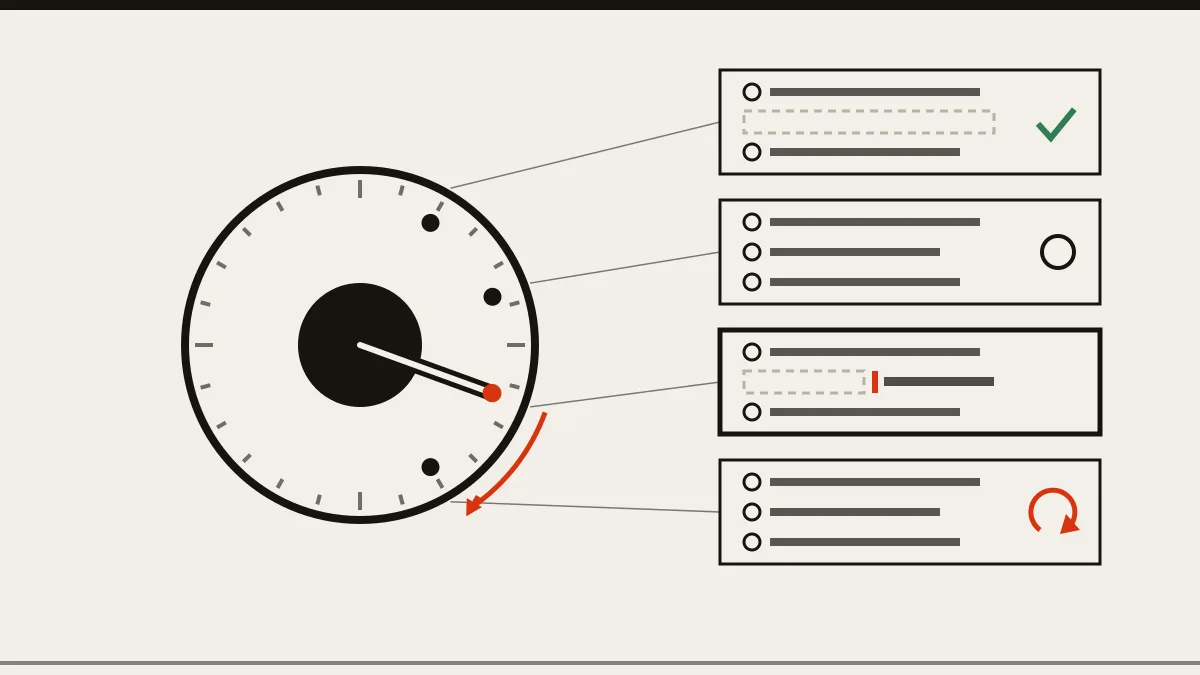
What if Instagram leaves the comment up?
A decline answers the question you asked, not the problem you have. Before filing the same report again, check whether you asked the wrong question.
- Request a review. You can ask Instagram to look again at a decision to leave something up. If it has reviewed the content you reported twice and still leaves it up, you may be able to take it to the Oversight Board, within 15 days of the decision (Instagram Help Centre). The Board hears a tiny share of what reaches it, so treat that door as a principle rather than a plan.
- In the EU, certified out-of-court dispute settlement bodies can hear a dispute about content Instagram declined to remove. Appeals Centre Europe, one such body, sets no time limit on disputes about content still visible and charges users no fee.
- In the UK, the Online Safety Act 2023 requires services such as Instagram to let users easily report content they believe is illegal and to run a complaints procedure that is easy to access, easy to use and transparent (Online Safety Act 2023, section 21). Ofcom has been able to enforce the illegal-content duties since 17 March 2025. It does not rule on individual posts: its guidance is to complain to the service first, and it says it cannot investigate individual complaints. The complaint still runs through Instagram, and what Ofcom wants to hear about is a process that does not work.
Often the better move is a different instrument altogether. A false statement of fact that damages your reputation is defamation, a legal wrong, and a Community Guidelines report is the wrong tool for it. Instagram runs a separate defamation form that most users never find, and its own wording makes a court order the practical key. We set out what the form says, and why the workable move is usually a lateral one, in our briefing on reporting defamation on Facebook and Instagram. The law behind that route, from the serious-harm threshold to the one-year limitation clock, is in our guide to how English libel law treats a post. Threats and sustained harassment belong with the police as well as the platform: 999 when someone is in immediate danger, 101 or your force's online form otherwise. And when the same accusation turns up on a professional network, LinkedIn's own takedown rules apply, and they are narrower on defamation than most people assume.
A comment or post about you has survived a report, and it is false, intimate, or pointing people to where you live? Ask us for a confidential case review. We identify the instrument that fits before anyone mentions a fee, we never ask for your password or for the material itself, and we will tell you plainly if the free route you have already tried is the only one that applies.
The comment is gone. Is it gone from Google?
Not necessarily. Instagram lets search engines index photos and videos from public posts and Reels uploaded since 1 January 2020. Three conditions apply: the account holder is over 18, the account is public, and it is a professional account. The holder can turn indexing off in the account's privacy settings (Instagram Help Centre). Social Media Today reported the rule reaching more regions in July 2025 (Social Media Today, 13 July 2025). A post about you on a creator or business account can therefore sit in Google's results, and its image in Google Images, on a separate timetable from anything Instagram decides. Instagram itself warns that clearing content from search engines may take time.
When Instagram removes the post, the search result does not vanish at the same moment. Google keeps showing its stored title, snippet and thumbnail until it recrawls the page and finds it gone. You can hurry that along with Google's Refresh Outdated Content tool, which is meant for people who do not own the page and works only when the page or image no longer exists or has changed significantly (Google Search Help). It needs a Google account, it updates Google's result rather than removing anything from the web, and it can do nothing about a post that is still live. So the order is fixed: report a post on Instagram, confirm it has been taken down, then clear the search copy. Check Google Images as well as the ordinary results, because a thumbnail can outlive the page it came from, and an image needs its own request, made with the image's own address.
If the post exposed your home address, phone number or email, Google's Results about you tool can take those results out of Search even while the post stays up. It is still rolling out market by market (Google Search Help). Intimate images have a removal request of their own, and Google announced in September 2025 that it would begin using StopNCII hashes to find and remove them proactively (Google, 17 September 2025). Our de-indexing desk works this layer every day, and it is usually the quicker half of the job.
The copies are where removals quietly fail. Instagram posts are often shared to Facebook automatically through Accounts Center, and the Facebook copy is a separate post with its own link that needs its own report. Which Facebook removals actually hold is a question of its own, and so is the point at which the Facebook account, not the post, is the problem.
Screenshots forwarded into WhatsApp groups sit beyond any Instagram report, and inside WhatsApp a reviewer sees only the few recent messages a participant chooses to forward, as our note on what a WhatsApp reviewer actually receives explains. Re-uploads are the last gap. A clip removed from Instagram and posted again on TikTok starts from zero, and duets and stitches multiply it, which is the copy problem that follows every TikTok removal.
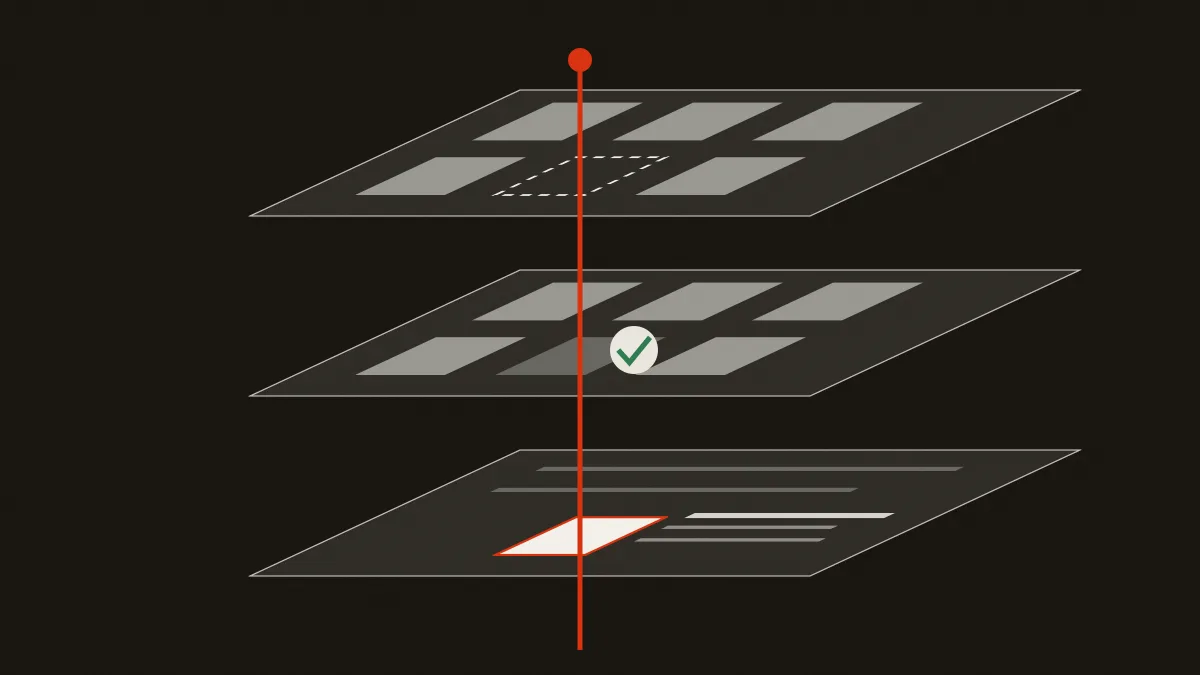
When the comments land on a business account
A business meets this problem from the other end: the hostile comments arrive under its own posts, so the decisions are about judgement rather than access.
Use the button sparingly. Deleting honest criticism is lawful but visible, and a customer whose complaint vanished tends to come back with screenshots and a second grievance, sometimes in a local group with more reach than your account. Delete spam, abuse, threats and false statements of fact. Answer genuine criticism once, briefly and in public. Restrict the handful of accounts that return every day. Keep the capture routine above running for all of them, because the comment that looks like a customer and turns out to be a competitor is a pattern you only see in a log.
Pile-ons need a different tool from single comments. When a post is shared into a hostile community and fifty strangers arrive within the hour, reporting each comment is slow, and deleting them one by one feeds the story that you have something to hide. Instagram's Limits setting was built for that evening: for a period you choose, it hides comments and message requests from accounts that do not follow you or only started following recently, while regular customers can still reach you. Switch it on, capture what has already arrived, and report the few comments that make threats, use slurs or state something false about a named member of staff. Those are the ones with a policy or a legal hook. The rest is noise that usually burns out within days once it gets no reaction, and a business that answered once, calmly, tends to look better a month later than one that wiped the thread.
False claims about a company are actionable in England and Wales only where they have caused, or are likely to cause, serious financial loss. That is a higher bar than hurt pride, and it is measured in lost orders rather than lost followers. Product photographs lifted from your posts are the easy exception: you own them, the intellectual-property form reaches them quickly, and a business rarely minds the name disclosure that puts individuals off.
Many "comments" are really reviews written in the wrong place, and the same customer who fills your comment section often posts the same story on a review site the same week. Removing a Trustpilot review or a Ripoff Report listing runs on different rules from Instagram, some of them far harder, so check where else the complaint lives before deciding what winning looks like.
What a report cannot remove, and what we will not file
Some comments stay up however they are reported, and they should. A true statement is not defamation, however damaging. An honest opinion stays lawful however badly it stings, and a court asks whether a reasonable reader would take the words as fact or comment, not whether they were kind. Accurate reporting of a court case, a public record or a matter of public interest is not ours to remove, and a notice filed to hide it would be a false notice. Rude is not unlawful. Unfair is not always actionable. Instagram's own rules are narrower than people hope, too: a comment calling your restaurant overpriced, your book dull or your politics foolish breaks no guideline, and a report against it is correctly declined. We turn comment cases away on exactly that basis, and we would rather say so on the first call than after an invoice.
What remains possible in those cases is suppression rather than removal: untagging yourself, restricting the account, switching off comments on your own posts, and in search, building stronger and truthful material that outranks the result rather than erasing it. Why that difference matters to anyone promised a clean page is set out in removal or only suppression on Instagram.
There are also things we will not do for anybody. We do not bulk-report, run report bots, or organise friends to report on your behalf. We do not file copyright claims over photographs you do not own, cite laws that do not apply, or threaten legal action nobody intends to bring. Nobody here will ask for your password, and nobody will ask you to send intimate material; those cases are triaged urgently and free, using hash-matching tools that keep the image on your own device. What our routes can and cannot promise, including the plain statement that no removal is ever guaranteed, is in the limits every case runs under, and the people who read each case are introduced on our team page.