Two kinds of Facebook report, and the one question that separates them
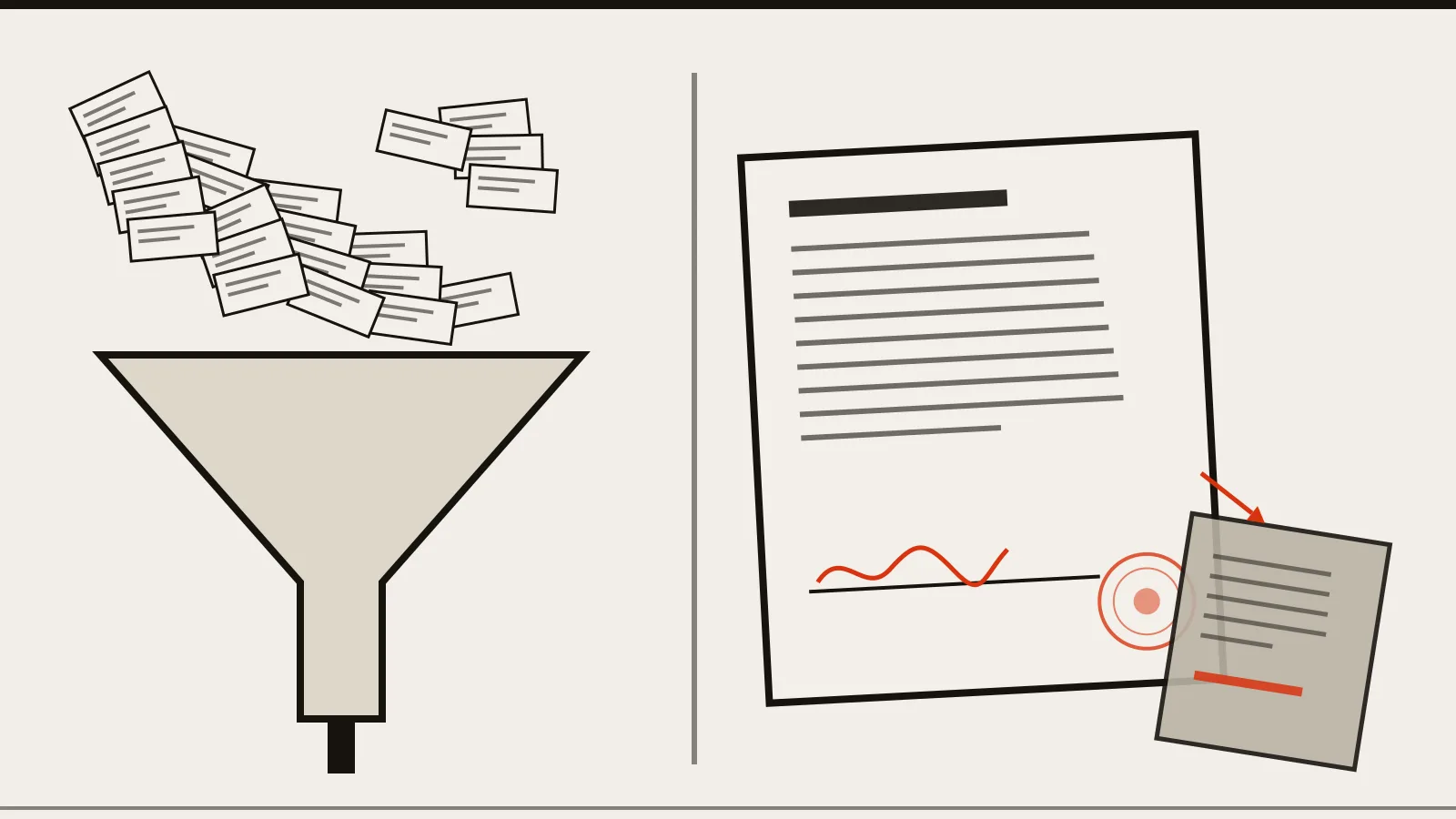
Facebook runs two different complaint systems under one Help Centre. The first is the community report: the Report button on a profile, Page, post, ad or Marketplace listing. Anyone can use it, nobody signs it, and Meta judges the item once against its Community Standards. The second is the rights claim: the copyright form, the trademark form, the counterfeit form and the impostor form for people who cannot log in. Only the person whose rights were taken (or someone authorised to act for them) may file one. You sign it, you swear to it, and on the intellectual-property forms your name and email go to the person you reported.
So the first question is not "which button". It is "who has been harmed, and am I the one who can sign for it?"
If a stranger has built a profile from nothing, that is a fake account, and anyone who sees it can report it. If the profile wears your name and face, it is impersonation, and you are the best person to report it because you can prove who you are. If a Page has lifted your video, photograph or logo, the community button is the weak tool; a Facebook DMCA takedown or a trademark report is the strong one, and only you can file it. If an ad or a Marketplace seller took someone's money, the report goes to Meta and the crime goes to the police, because Meta's queue never returns money. Our team at Obscura sorts every Facebook file this way before a single form is opened, and the sort usually decides the outcome more than the wording does.
| What you found | What is wrong with it | Route that fits | Who may file |
|---|---|---|---|
| A profile with invented details | Fake account | Report profile | Anyone |
| A profile or Page using your name or photos | Impersonation | Report profile or Page, or the impostor form | You, a guardian or a friend |
| Your photo, video, music or text | Copyright | Meta's IP form (DMCA or local law) | The owner or an agent |
| Your brand name, logo or username | Trademark | Trademark form | The mark's owner or an agent |
| An ad or listing that took money | Scam | Report ad or seller, plus Report Fraud | Anyone; the victim reports the crime |
The table explains most failed filings we see. People send a copyright complaint about a fake profile that copied no protected work, or they press Report on an ad that stole their own product photos when the IP form would have worked. The two systems do not share a queue, and a rejection in one says nothing about the other.
How do you report a fake Facebook account?
To report fake Facebook account activity, open the profile, click Options (the three dots below the cover photo), choose Report profile and follow the prompts, picking the fake-account reason rather than a general one. Meta describes that path on its impersonation and fake-account help page, and the same page says you can report from Messenger if the account contacted you there. The report is anonymous to the account holder. As of September 2026 it is also the only route for a fake profile that copies nobody in particular, because the rights-based forms need a rights holder.
The steps are short:
- Open the profile itself, not a post it made. A post report judges the post; a profile report judges the account.
- Choose Options, then Report profile.
- Pick the reason that matches: a fake account if it pretends to be no one real, or "pretending to be someone" if it copies a real person.
- Screenshot the profile URL, the name, the photos and any messages before you submit. Fake accounts rename themselves.
- Check the result later in your Support Inbox, under reports about others.
If you want to report a fake profile on Facebook that is running a romance or investment script, report the account and every message thread separately. The account report asks whether the identity is real; the message report asks whether the conduct breaks the rules. Scam conduct is often the stronger case, because a fake name can be argued and a request for gift cards cannot.
Fake account or impersonation account: why the reason matters
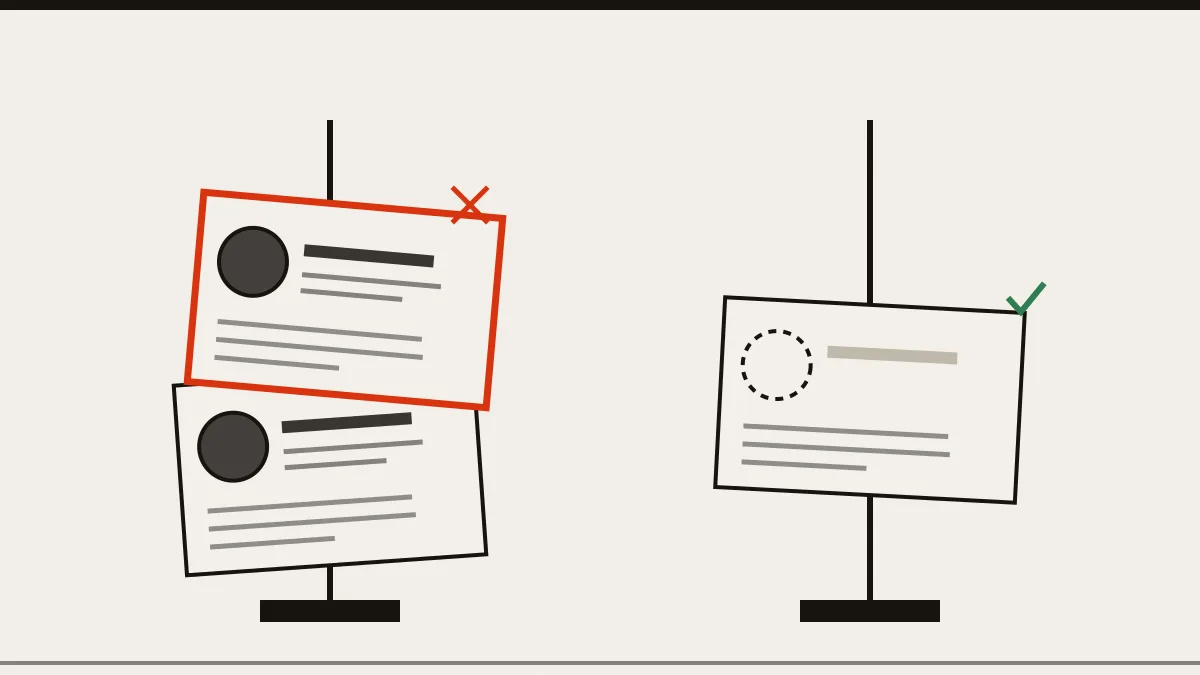
Meta treats these as neighbours, not twins. A fake account is an identity that does not exist; its harm is the deception itself. An impersonation account borrows a real identity; its harm falls on the person copied. Meta publishes its own estimate on its fake-accounts transparency page: fake accounts made up under 5% of the people active on its apps in the first half of 2026 (Meta, 2026). Most are removed at sign-up by automated systems before anyone could report them. What reaches your screen is the remainder, which is exactly why a precise reason helps. A report that says "this copies my sister, here is her real profile" gives the reviewer a comparison to make. A report that says "fake" gives them a feeling to check.
What happens after the report, and what you can do if it stays up
Meta's Help Centre is blunt about volume: "The number of times something is reported doesn't determine whether or not it's removed", according to its page on how reports are reviewed. One accurate report and fifty identical ones reach the same reviewer with the same rule. If the answer is that the account does not go against the Community Standards, the Support Inbox gives you a Request another review option, which Meta says is usually answered within 24 hours, per its guidance on report outcomes. A second refusal may open the Oversight Board route for some decisions. That is the whole ladder for a community report, and our guide on how to take down a Facebook account covers what sits beyond it, from the EU notice routes to the appeal that runs the other way.
People who search "get fb user banned" or type "how to banned someone on facebook" are usually looking for a lever above that ladder. There isn't one. Meta disables accounts for what they did, measured against a written rule, and our longer briefing on how to get someone banned from Facebook walks through the strike clock and the few violations that remove an account at the first offence. Everything sold as a shortcut is a variation on volume. We have taken apart the Facebook mass report tool and its cousins elsewhere, and the pattern is the same on every platform: the Instagram spam report bot automates a button that Instagram weighs once, and a YouTube mass report bot runs into a daily cap long before it changes a decision.
Someone is impersonating me on Facebook: which filing actually works
When someone is impersonating me on Facebook, the client usually says it in exactly those words, and the first thing we check is whether they still have a working account. The routes split on that answer. With a login, you report from inside Facebook and your own profile acts as the proof. Without one, you use the impostor form and your ID becomes the proof. Either way, you are the strongest reporter, because the reviewer's question is simply whether the account pretends to be you, and nobody answers it better.
"Impersonation removal facebook" searches tend to mix three situations that Meta handles differently: a clone of a personal profile, a Page that pretends to be a person or a business, and a clone used to message your friends for money. Each gets its own treatment below.
How to report someone impersonating you on Facebook from inside the app
To report an impersonation account on Facebook while logged in, go to the impostor's profile, click Options, choose Report profile, then the reason that says the account is pretending to be someone, and say that it is you. Meta's help page lists impersonation of you, of someone you know and of "public figures like celebrities and politicians" as reportable. Report every clone separately: Meta judges accounts, not clusters, so a report on one clone does nothing to its siblings.
Before you file, collect four things. The clone's URL (the address, not the display name). Screenshots of its name, profile photo and cover photo next to yours. Any messages it sent your contacts, with the dates. The names of friends who received a friend request from it. That last detail matters more than people expect, because it shows the account is being used as you, not merely dressed like you.
When we handle these, the rejection we see most often is not a policy dispute. It is a mismatch: the clone has used a slightly different spelling, or a nickname, and the reporter's evidence never connects the two. Put the link between the names in the first line of any free-text box.
Without a Facebook account: the impostor form and the ID it asks for
If you have no Facebook account, or are locked out of it, Meta's Report an impostor account form is the route. It asks whether you are the person being impersonated, an authorised representative such as a parent or guardian, or a friend of the person copied. It then wants your full name, a contact email, the name on the impostor profile, any email or phone number shown on it, and the profile URL.
You must attach a photo of your ID. Meta's form says IDs may be kept for up to a year to help detect fraud, which is worth knowing before you upload a passport. The form accepts more than one picture, so a second document can bridge a gap between names. A reviewer has to compare your name and face to the clone, so an ID that shows a different surname from the one the clone uses will fail unless you explain the link in the form's text.
People who search "report someone impersonating me on Facebook" rarely realise that a friend can file this form too. The form's third option is "this account is impersonating my friend", which helps when the person copied is ill, very young or simply never online.
When the "clone" is really your own account, taken over
Check this before anything else. If the profile has your friends, your old posts and your photo history, it is probably not a copy at all: someone has taken over your real account. An impersonation report on your own account can go badly, because the reviewer sees a long-standing, genuine profile and a reporter who looks like the stranger. Hacked accounts have their own recovery route at facebook.com/hacked, which walks you through proving ownership and resetting access. The signs point one way or the other quickly. A clone is new, has few friends, and tends to send friend requests to people you already know. A hijacked account keeps your years of history and your existing friend list, and your login no longer works. It is the first question we ask on any impersonation call, because the wrong route wastes days. Once you are back in, secure the account with two-factor authentication, then report any clones the intruder created while they had control.
Report Facebook Page for impersonation: the same button, a different proof
A Page that pretends to be a person uses the same help article, with Report Page in place of Report profile. Report Facebook Page for impersonation from the Options menu below the Page's cover photo, then choose the impersonation reason. A Page that pretends to be a business is harder, because Meta's impersonation reasons are written for people. For a brand, the trademark form is usually the stronger door, and we come back to it below.
Every Page also carries a Page Transparency panel. Meta's Page Transparency help page explains that it shows the creation date, the countries its managers are based in, previous names and any confirmed owner, and that the section "cannot be removed or hidden" except for a manager's location on safety grounds. A Page that claims to be a Manchester bakery, was created last month, has renamed itself three times and is managed from abroad is telling the reviewer something. Screenshot the panel and describe it in your report.
When the clone is messaging your friends for money
Report the account as impersonation and report each message as a scam. Then tell your friends directly, from your real account, that the clone is not you. That last step does more in the first hour than anything Meta does in the first day. If anyone has paid, the loss is a crime and belongs with the police rather than with Facebook's queue; in England, Wales and Northern Ireland that means Report Fraud, which replaced Action Fraud on 4 December 2025 (City of London Police, 2025).
The same logic runs across platforms, and we have written it up for each: how to report a fake LinkedIn profile through LinkedIn's own identity checks, how to get a fake TikTok account taken down with TikTok's separate impersonation forms, and fake Twitter account removal where X asks for an ID and a selfie. Read the retention line on any ID form before you upload.
Facebook DMCA takedown: what the copyright form makes you swear
A Facebook DMCA takedown is a legal notice, not a report. It rests on section 512 of the US Copyright Act, which gives Meta a safe harbour for hosting other people's uploads on condition that it removes material quickly once a rights owner gives proper notice. Outside the US, the same form carries claims under local copyright law, and it asks where you are asserting rights before anything else. The copyright report form at facebook.com now redirects to Meta's shared intellectual-property form, and its first two questions, checked on 29 September 2026, are "Where are you asserting rights?" and "Are you the rights owner?"
Answer the second one honestly. Copyright belongs to whoever made the work, or in the UK to their employer if it was made in the course of employment (Copyright, Designs and Patents Act 1988, s.11(2)). A photographer owns the photo of you, not you. If a clone profile uses a professional headshot, the impersonation route is yours and the copyright route is the photographer's, unless they have assigned or licensed it to you in writing.
Anyone searching "dmca takedown facebook" should also know what the form does not do. It does not judge whether the account is fake, whether the post is rude, or whether the uploader meant harm. It asks one thing: is this your protected work, used without permission? A Facebook copyright takedown can remove a stolen video from a genuine account, and it cannot remove a genuine account that stole nothing.
The fields, and the evidence for copyright Facebook actually reads
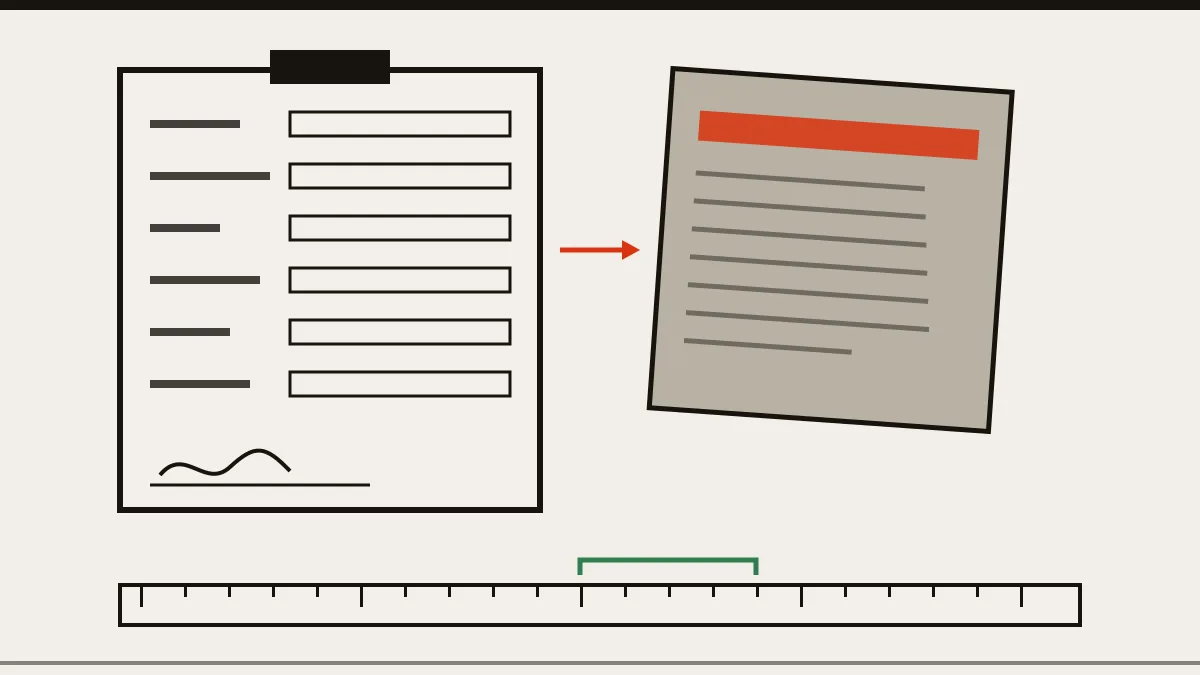
The form wants your complete contact information (full name, postal address and phone number), a description of the work, the exact URLs of the infringing items, a statement that you believe in good faith the use is not authorised, a statement that the notice is accurate and, under penalty of perjury, that you are the owner or authorised to act, and your electronic signature. Those elements track 17 U.S.C. §512(c)(3), which is why a notice missing one of them can be refused without anyone looking at the content.
Searches for "evidence for copyright facebook" usually expect a checklist of attachments. The form does not want a folder; it wants a match. Give the URL of the original (your website, your own post with its date, a stock-library listing) beside the URL of the copy. For photographs, the original file's metadata or a higher-resolution version settles most disputes. For video, a timestamp range ("0:14 to 1:02 is my footage") beats a paragraph of indignation. Registration is not needed to file, though a US work must be registered before you can sue on it in America.
Before you file: licences, fair dealing and the photo you did not take
Three checks prevent most bad copyright filings. First, look for a licence: a stock subscription, a collaboration agreement or an old "feel free to share" message can all authorise the use you want removed. Second, consider whether the use is a lawful exception. UK law allows fair dealing for criticism, review and quotation, and for reporting current events, although that last exception excludes photographs (Copyright, Designs and Patents Act 1988, s.30). A news Page that quotes ten seconds of your video to criticise it may be within the law; a Page that reposts the whole video with its own watermark is not. Third, confirm that you took the picture. Selfies are yours. Photos a friend took of you usually belong to the friend, who may need to file, or to sign a short written authorisation letting you act. Where any of the three checks is uncertain, the impersonation or privacy route is safer than a sworn notice, because a mistaken notice creates liability and a mistaken report creates none.
Your name goes to the other side
This is the clause that surprises clients most. Meta says the person whose content is removed may receive "the name and email address of the rights owner who made the report", according to its help page on copyright reports. If the uploader is a stalker, an ex or a harasser, that disclosure changes the risk calculation entirely. An agent, such as a solicitor or a firm like ours, can file on your behalf so that the agent's details travel instead. Never borrow a stranger's identity to file. The perjury statement attaches to whoever signs, and US law makes a knowing misrepresentation in a notice actionable for damages under 17 U.S.C. §512(f).
Counter-notice: the uploader can bring it back
A copyright removal is not final. The uploader can file a counter-notice (Meta's US route is its copyright appeal form) saying the removal was a mistake or the use was lawful. Under the statute, the host must then restore the material not less than 10 and not more than 14 business days later unless the reporter tells it that a court action has been filed. Meta phrases its own window as up to 14 business days. In practice this means that a Facebook DMCA takedown against someone determined to fight is a prelude to a lawsuit, not a substitute for one. We tell clients this on the first call, because it decides whether the filing is worth their name.
Is there a copyright strike Facebook counts?
Not in the way YouTube does. Facebook publishes no three-strikes number. Its repeat-infringement page says that repeated infringement can mean your "Account may be disabled, Page may be removed, Group may be removed", and that sharing photos and videos can be restricted. Content restored on appeal, and reports that the rights owner withdraws, count in the uploader's favour. So a "copyright strike Facebook" search has an honest answer: strikes exist as a record Meta keeps, and it does not tell anyone the threshold. The YouTube system is far more explicit, which is why our guide on how to get a YouTube video taken down reads so differently, and why a YouTube ban service promising "three strikes in a week" is describing a system it cannot reach.
If you have been on the receiving end of a false claim, our pillar on DMCA takedown notices by platform and by host covers the counter-notice from the uploader's side, including when to stay silent.
Rights Manager vs DMCA on Facebook: a filter, not a form
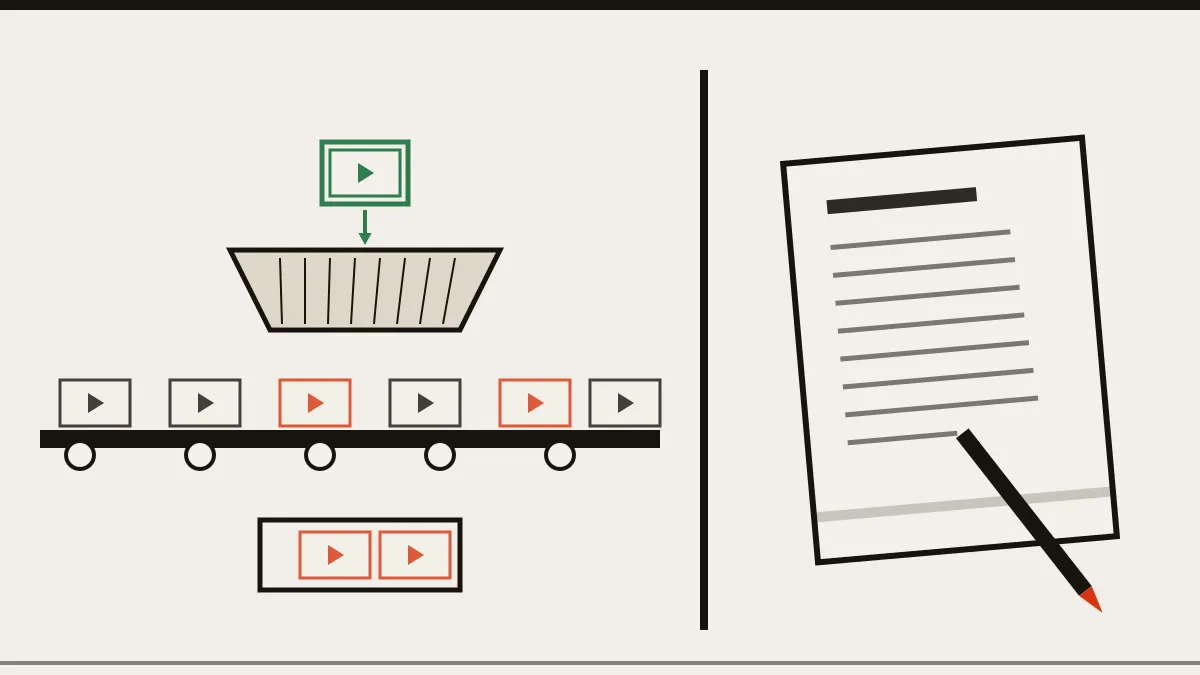
The "rights manager vs dmca facebook" question comes from creators and publishers who keep finding the same clip re-uploaded. The two tools solve different problems. A DMCA notice (or its non-US equivalent) is a single legal claim against named URLs, filed by hand, with your name attached. Rights Manager is Meta's matching system: you upload reference files, it scans Facebook and Instagram for matches, and your rules decide what happens to each match.
| Question | Copyright form | Rights Manager |
|---|---|---|
| Who can use it | Any rights owner or agent | Approved applicants only |
| How copies are found | You find each URL | Automatic matching |
| What happens to a match | Removal request | Block, monitor, claim ad earnings or report |
| Best suited to | A few specific copies | The same work re-uploaded again and again |
Rights Manager access is by application through Meta Business Suite, and Meta reviews each applicant. In our experience it admits publishers, labels and creators whose catalogue is being copied at scale, and turns away one-off complainants. Its most distinctive option is earnings: Meta's business help on claiming ad earnings says a rights owner can collect in-stream ad earnings on a matched video, all of them where you hold both the video and the audio rights and half where you hold one. That turns a pirate re-upload into income rather than a takedown.
Our verdict: use the copyright form when a handful of specific items have been taken, and apply for Rights Manager when the same work keeps coming back under new accounts. A takedown-only strategy against a popular clip is a treadmill. A rule-based match that blocks or monetises every copy is the only way we have seen that treadmill stop.
Can I report a Facebook username for trademark infringement?
Yes, if you own a registered trade mark and the username uses it in a way that infringes. Meta's trademark form lets you report a profile picture, name, username or bio, one registered mark per report, and it asks for the registration number, the office that granted it (EUIPO and WIPO are among those listed) and a link to the registry entry or a certificate. You can list up to 30 links in a single report. The form lives at facebook.com/help/contact/trademarkform.
The limit is written in Meta's own help text: "not every use of your trademark in a username is necessarily a trademark infringement." Usernames are first-come, first-served, and Meta's username help page suggests contacting the account holder first. A fan page called after your café, a critic's account that names your brand in order to complain about it, or a person who happens to share your surname is not using your mark as their own. A seller using your brand name to sell look-alike goods is.
Report trademark infringement Facebook-side: the four checks before you file
To report trademark infringement Facebook reviewers can act on, check four things first. The mark must be registered, not merely used; an unregistered name belongs in a passing-off claim, which Meta's form does not handle. The registration must cover the goods or services the account is trading in. The use must be in the course of trade, which a hobby account or a review page usually is not. And the account must be confusing people, which screenshots of customer messages prove far better than argument.
If the goods themselves are fake, the counterfeit form is the better door than the trademark form, because it asks about the product rather than the name. Where the problem is a Page trading under your brand, report Facebook Page trademark infringement through the trademark form, listing the Page URL, its username and every post that sells the goods. A Facebook trademark infringement report that names ten posts gets a better reading than ten reports naming one each.
There is one legal trap on this side, and it catches UK businesses in particular. Threatening someone with trade mark infringement proceedings without good grounds can itself be actionable under the unjustified threats provisions of the Trade Marks Act 1994, s.21 onwards. A report to Meta is not a threat to the account holder, but the angry direct message that people send first can be. File the form; do not send the letter until a lawyer has read it.
A combined Facebook copyright/trademark report does not exist as one form. Where a Page has copied both your logo and your product photos, file the trademark form for the logo and name and the copyright form for the photos, and cross-reference them. Meta's IP team treats them as separate claims with separate evidence.
How to report a Facebook ad, and the advertiser who keeps buying them
How to report a Facebook ad is the easy half: click the three dots in the ad's top corner, choose Report ad, and pick the reason that fits, such as a scam or a misleading claim. That judges one ad. How to report a Facebook advertiser is the half most people miss, and it matters more, because scam operators run dozens of near-identical ads at once and a single removal leaves the rest running.
To reach the advertiser, open Meta's Ad Library, search the Page name that ran the ad, and look at every active ad from that Page. Then open the Page itself and read its Page Transparency panel: creation date, manager locations and previous names. Report the Page as a scam from its Options menu, and mention in the free-text box how many live ads the Ad Library shows. When you report scam ads on Facebook this way, the reviewer sees an operation rather than a post.
Celebrity-bait ads (a famous face endorsing a crypto scheme or a miracle product) have an extra route. Meta extended facial-recognition checks on celebrity-bait ads to the UK and EU in March 2025, and the public figure's own team can report through the impersonation route as well. If the ad uses your face, report it as impersonation; the scam reason alone treats you as a bystander.
Scam ads on Facebook are not removed: what is going on
The complaint that scam ads on Facebook are not removed has a documented cause. In November 2025, Reuters reported internal Meta documents projecting that about 10% of its 2024 revenue, roughly $16bn, would come from ads for scams and banned goods, and estimating that users were shown around 15 billion higher-risk scam ads a day; Meta called the 10% figure "rough and overly-inclusive" (Marketing Brew summary of the Reuters report, 2025). The same reporting described an internal rule that advertisers were banned only when Meta's systems were about 95% sure of fraud. Below that line, a suspect advertiser could keep buying.
Four practical reasons follow from that. A reported ad is judged as an ad, so the advertiser often survives. Removed ads return from new Pages within hours. Ads that link off Facebook are judged on what the ad shows, not on what the landing page does. And a report that picks a vague reason goes to a vague queue. Meta renamed its scam rules "Prohibited Commercial Practices" on 9 September 2026, so expect the reason labels in the report flow to shift during the autumn.
The UK regulator is catching up slowly. Ofcom opened its consultation on a fraudulent-advertising code of practice on 10 July 2026 for the largest services, with Facebook listed as Category 1 on its register, and the consultation closes on 2 October 2026, with final decisions expected in 2027 (Ofcom, 2026). Until then, the report button and the police are the tools you have.
Report a Facebook Marketplace scammer, a scam Page, or both
To report Facebook Marketplace scammer accounts, open the listing, click the seller's name under Seller information, then Options, then Report. Meta's seller-report help page says it may suspend or ban sellers who go against its Commerce Policies. Buyers can be reported too: from your Seller dashboard, open the listing, open the conversation with the buyer, then Options and Report buyer, per Meta's buyer-report page.
How to report someone on Facebook Marketplace for scamming, step by step
- Screenshot the listing, the seller's profile and the whole conversation before you do anything else. Scammers delete listings the moment they are reported.
- Report the listing and the seller separately. The listing report judges the item; the seller report judges the account.
- Report each message that asked for payment off Facebook, a deposit, or a "courier fee".
- If money left your account, call your bank first, then file with Report Fraud (England, Wales and Northern Ireland) or Police Scotland on 101.
- Keep the crime reference number. Your bank will ask for it, and Meta sometimes asks for it too.
One fact changes the advice for UK buyers. When we checked Meta's Purchase Protection page from a UK browser on 29 September 2026, it said Purchase Protection "isn't available in your location at the moment". Where it does apply, it covers purchases made through Facebook checkout, not cash on collection or a bank transfer arranged in chat. A UK buyer who pays by bank transfer is relying on the bank's own reimbursement rules, not on Meta.
Report Facebook scam page content, and the Page scammer behind it
You can report Facebook scam page content from the Page itself (Options, Report Page) and from each post or ad it runs. To report Facebook Page scammer operations properly, combine three reports: the Page, its ads found in the Ad Library, and any profile that messaged you on its behalf. Mention the Page Transparency details in the free text. A Page that claims to be a local courier and is run from four countries is not a close call.
Buying a ban, and what copyright or trademark work really costs
No service can file a report that Meta weighs more heavily than yours. The people who promise to "get fb user banned" for a fee are selling report volume, borrowed accounts or a forged legal notice, and we have priced that market in our briefing on the Facebook ban service trade. The same product is sold for every platform: an Instagram ban service, a TikTok ban service, a Twitter ban service and even a WhatsApp ban service that cannot see inside an encrypted chat. Underneath each sits an automation layer, and we have looked at those too: the pages on how to mass report Instagram account targets through GitHub panels, the TikTok mass report bot, the X mass report bot, the Telegram mass report bot, the WhatsApp mass report bot and the Snapchat mass report bot all end in the same queue a single honest report reaches.
What does move an account is a real violation, reported on the right form. That is true on Facebook and it is the thread through our guides on how to get someone banned on Instagram, how to get someone banned on TikTok, how to ban someone on Twitter, how someone gets banned from Snapchat and how to ban someone's WhatsApp number. When the target is a whole account rather than one post, the takedown guides go further: an Instagram account takedown, how to get a Twitter account taken down, how to take down a Snapchat account and how to take down a Telegram channel.
Copyright takedown pricing, Facebook edition
Every Meta form is free to file. What a firm charges for is the preparation: establishing who owns the work, finding every copy, writing a notice that survives review, filing through an agent so the client's name stays private, and handling the counter-notice if one arrives. Searches for "copyright takedown pricing facebook" turn up per-URL price lists, and the per-URL model rewards volume rather than results. We quote per case after a confidential review, and our terms set out what a fee covers and what it never buys.
"Trademark removal pricing facebook" has a hidden cost that no takedown firm can waive: the registration itself. A UK trade mark application filed online with the UK IPO costs £170 for one class and £50 for each extra class (GOV.UK, 2026), and until it is registered, Meta's trademark form will not accept it. If your brand is unregistered, the first money well spent is on the application, not the report.
What no Facebook filing removes
Some things stay up whatever form you choose, and a firm that says otherwise is either misreading the rules or planning to break them. Truthful reporting about you stays up. Genuine reviews, criticism and opinion stay up. A clearly labelled parody or fan account usually stays up. Public records stay up. For those, the lawful answer is suppression: pushing the result down in search with better, accurate material, not pretending it breaks a rule it does not break. We explain the split between removal and suppression on every file, and the limits of what we can promise are in our disclaimer.
We never forge a copyright or trademark notice, never file a claim on a work our client does not own, and never ask for anyone's password, including yours. A forged notice is perjury in the US and a gift to the other side's lawyer everywhere else, and it turns a quiet problem into a public one. If leaked intimate images are involved, tell us at once: that triage is urgent and free, and we will never ask you to send the material.
If a fake profile, a copied video or a scam Page is using your name, send us the link and what you have so far. A named member of our team reviews it in confidence before any fee is discussed, and we handle your details under our privacy notice. More briefings on specific platforms are in our briefings.