What does "take down" mean on TikTok? Four verbs, four owners
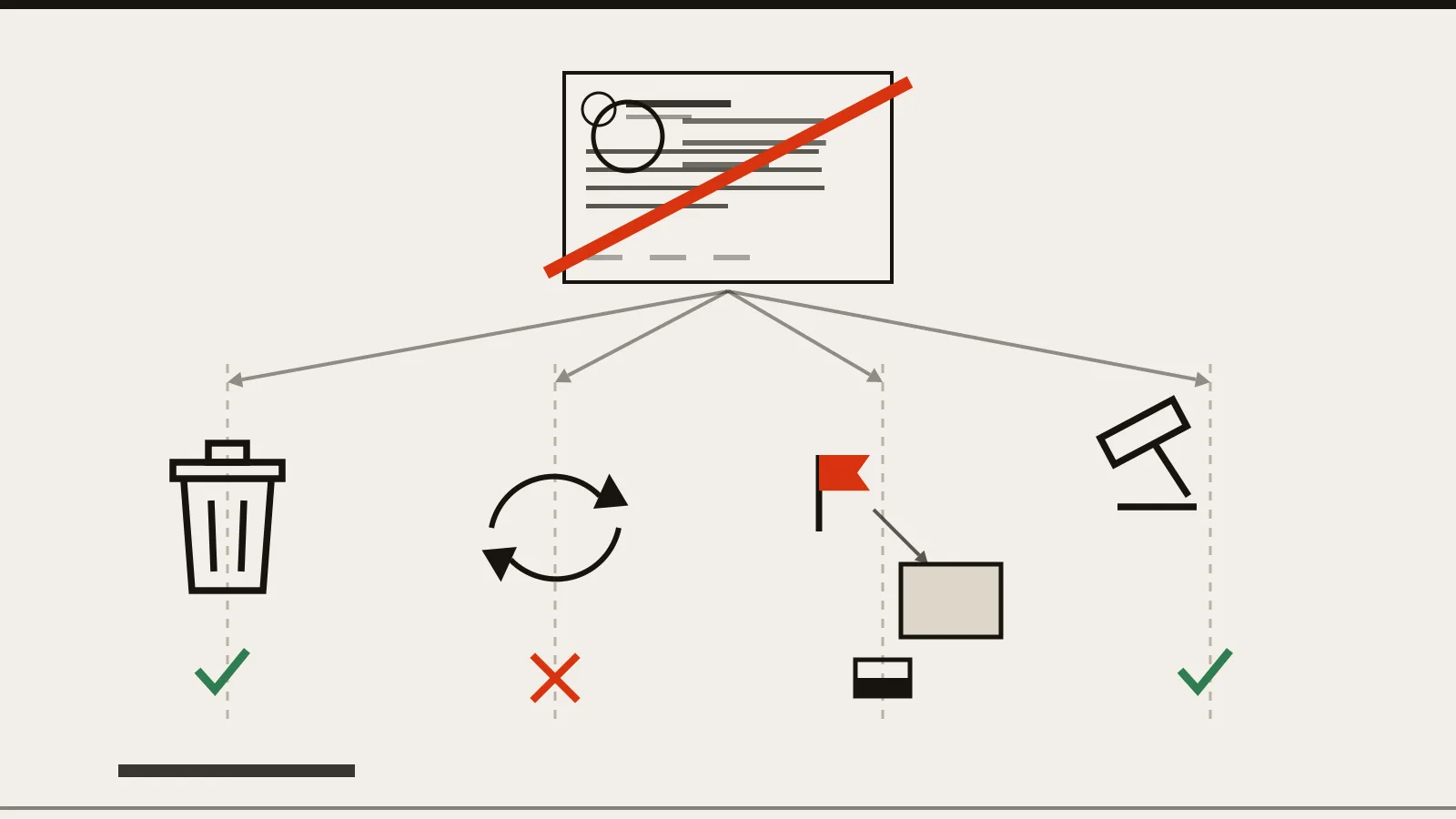
On TikTok, "take down" covers four different actions, and the person who can perform each one is different. Delete belongs to whoever posted the item. Un-repost belongs to whoever pressed Repost. Report belongs to anyone, but the decision belongs to TikTok. Order belongs to a court or a government, and it is the only verb that reaches the whole app. Most of the searches this page answers, from "how to take down a tiktok" to "how to delete someone's tiktok account", go wrong at the first step: the searcher reaches for a verb that is not theirs. You cannot delete what you did not post, and no report, however many times it is sent, turns TikTok's decision into yours. Once you know which verb applies to the thing you want gone, the route is short and mostly free, and the waiting comes down to one queue.
The table below is the sorter we use when a case comes in. Read the first column, find your object, and the other three columns tell you what to press, who answers, and what you will still have to deal with afterwards.
| What you want gone, and whose it is | What you press | Who decides | What usually survives |
|---|---|---|---|
| Your own story, video or post | Delete, or switch the video to Only you | You, instantly | Screenshots, screen recordings, downloads that others re-uploaded |
| Your repost of someone else's video | Remove repost on that video | You, instantly | The original, which was never yours to remove |
| Someone else's story, video or post | Report in the app, or a copyright / privacy form | TikTok's moderators or legal team | Re-uploads, which each need their own report |
| Reposts of your own video | Delete the original or make it private | You, through the original | Nothing: a repost has no file of its own |
| Someone else's account | Report account, or a form that proves standing | TikTok, against its rules | Other accounts the same person runs, unless TikTok links them |
| Your old account you can't open | Recover it, then delete it | You, after a 30-day window | Copies other people saved |
| The whole app in your country | A law, a court order, an app-store removal | Governments and courts | Nothing an individual can press |
How to delete someone else's TikTok account: what you are really asking for
Nobody outside TikTok can delete another person's account. The Delete account control sits behind the owner's login, and TikTok's own anti-phishing page says it "will never contact you to ask for your password, verification codes, or other sensitive personal information" (TikTok Help Center, phishing). So the honest answer to how to delete someone else's TikTok account is that you ask TikTok to ban it, and TikTok bans accounts for what they did, not for how many people complained. Under the Community Guidelines that took effect on 24 September 2026, an account can be banned for a single severe violation or for repeated ones, and the ban can extend to "all of their accounts, including associated accounts" (TikTok Community Guidelines, accounts and features). Copyright has its own counter: three strikes inside 90 days end the account (TikTok Help Center, IP strikes). That is all how to get an account taken down on TikTok comes down to: one of those events, shown with evidence a moderator can check in a minute.
The in-app route is the same one you would use for a single video. Open the profile, tap the share arrow, choose Report, then Report account, and pick the reason that matches what the account does rather than what it is (TikTok Help Center, report an account). "Pretending to be someone" and "User could be under 13 years old" are account-level reasons on their own. Everything else (harassment, scams, hate) is judged post by post, so an account report without the worst posts also reported tends to come back as no violation. If you came here asking how to get someone banned on TikTok, the same rule applies, and our longer piece on how to get someone banned on TikTok walks through the reason codes one by one.
How to delete someone's TikTok account when it is about you
When the account copies you, shows you, or uses your work, you stop being a bystander and the forms open up. TikTok runs separate web forms for impersonation, privacy and copyright, and each one asks the filer to prove a connection to the material: an ID that matches the copied identity, a photo of you that appears in the post, or an original that predates the copy. The copyright form carries a warning worth reading before you sign it: your contact details "may be shared with the person who posted the content" (TikTok copyright report form). The privacy form is the route when the post shows you or your personal details (TikTok privacy report form), and we read its fine print with a client before anyone signs either one.
In the EU and EEA there is a fourth door. TikTok's illegal-content page lists 14 categories, defamation and harassment among them, and it promises that people who report "will be notified of our decision, including if we consider that the content is not illegal" (TikTok, reporting illegal content). That written decision is useful later, because it is evidence you tried the platform first. A clone account that copies someone's face and name is the commonest case we see here, and the proof that wins it is a side-by-side, not a description; our sibling briefing on how to get a fake TikTok account taken down lays out the bundle.
How to get an old TikTok account taken down when it isn't yours
An old account belongs to someone else when it was opened by a relative who has since died, by an ex who still posts your old clips, or by a stranger who set up an impersonation and walked away. Each has its own door. For a family member who has died, TikTok runs a separate web form (TikTok deceased user form). When we checked on 6 October 2026 its fields would not load for us, so we will not quote its document list; families who have used it describe being asked for a death certificate, their own photo ID and proof of the relationship, and it is sensible to have all three scanned before you start.
An abandoned impersonation account is easier than people expect, because the impersonation form does not care how old the account is. The hard case is the third one: an old account that posts lawful but unwelcome material about you. A privacy report reaches it only where the post shows you or your personal details, and where it does not, the realistic tool is pushing that content down in search rather than removing it.
How to take down a TikTok story before the 24 hours run out
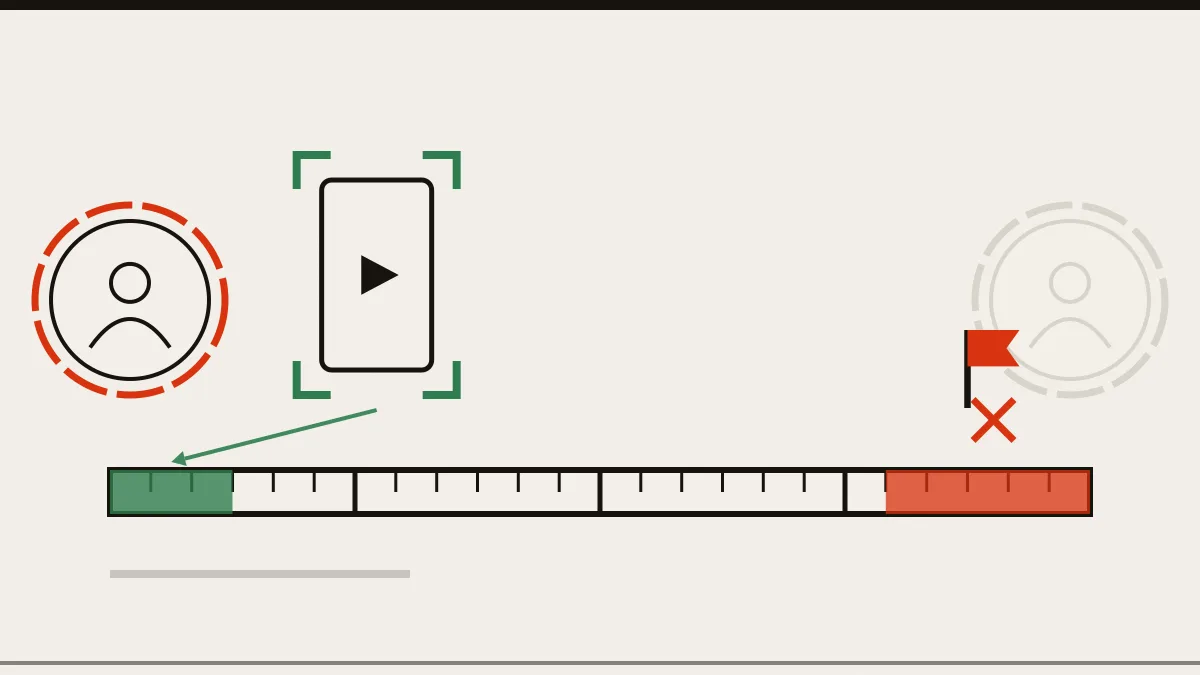
A story is the one TikTok object that takes itself down. TikTok's Help Center says stories "stay visible for 24 hours", unless the poster saves them to a Highlight, which keeps them on the profile for longer (TikTok Help Center, TikTok Stories). That changes the advice for both sides. If the story is yours, how to take down a TikTok story is a ten-second job: tap your profile photo at the top of the Following feed, your inbox or your profile, swipe up on the story and tap Delete, or tap the Share button at the bottom of the story and choose Delete. If you added it to a Highlight, take it out of the Highlight as well, because the Highlight is what keeps it past the 24 hours. Swiping up also shows you who has already viewed it. If the story is someone else's, how to take down a story on TikTok turns into a reporting question, the report has to land while the story is still up, and the evidence has to be captured before the timer runs out, because once the story leaves view your report is about something the moderator may no longer be able to open.
How do I take down a TikTok story that someone else posted?
TikTok has no help article of its own for reporting a story, and the general post route is the one that applies: press and hold the story, or tap the Share button, then tap Report, choose a reason and submit (TikTok Help Center, report a post). One detail catches people out. TikTok tells story owners who watched, and its own wording is that people "can see you viewed their Story even if your account is private or your profile view history is turned off" (TikTok Help Center, watching Stories). The report stays anonymous. Opening the story to report it does not.
Before you tap anything, record the screen. The capture should show the account name, the story itself and the date on your phone's status bar, because a story report is one of the few TikTok reports where the reporter's copy can outlive the item. People who type "how do i take down a story on tiktok" are usually in that first hour, and the first hour is where the case is won.
When we prepare a story case, the capture matters more than the report button. A moderator who opens an expired story sees nothing, and a decision of "no violation found" on an empty screen is a common and frustrating result. With a dated recording, the same incident can still go to the privacy form, the EU illegal-content form, or the police, none of which depend on the story still being live. If you are asking how do I take down a TikTok story that shows intimate images of you, skip the queue entirely: StopNCII and NCMEC's Take It Down work from a hash made on your own device, the image never leaves your phone, and TikTok is among the participating platforms. We triage those cases free and never ask anyone to send us the material.
How do you take down a TikTok video, or any post?
How do you take down a TikTok video depends on one fact: whether the upload is yours. If it is, open the video, tap More options (the three dots on the side) and choose Delete. If you might want it back, open Privacy settings from the same menu and set it to Only you instead, which hides it without losing the views or comments. Even Delete is not final at once: TikTok keeps a deleted video "for up to 30 days before being permanently deleted", and you can restore it from Settings and privacy, Activity center, Recently deleted (TikTok Help Center, editing, posting and deleting). The same menu works for photo posts, so how to take down a post on TikTok and how to take down a video on TikTok are the same three taps from the owner's side.
If the video is someone else's, the button changes from Delete to Report, and the result changes from certain to conditional. Press and hold the video (or tap share), choose Report, pick the reason and submit (TikTok Help Center, report a post). A report asks one question: does this item break one rule? It does not ask whether you dislike it. That is why "how do you take down a video on TikTok" and "how to get a video taken down on TikTok" lead to the same place for a third party, which is a reason code with evidence behind it, and why a repeat report of the same item changes nothing. TikTok's own speed data shows the queue is quick when the answer is yes: in Q1 2026, 96.2% of report-led removals happened in under two hours (TikTok Community Guidelines Enforcement Report, Q1 2026).
When you want to get a TikTok video taken down because it uses your footage or music, use the copyright form rather than the in-app flag, since the flag cannot see ownership. Our guide to reporting stolen content on TikTok covers the fields that most often get a filing rejected.
Need a second pair of eyes? If you are not sure which verb applies, or the item is about to expire, send us the link for a confidential review. We tell you which route fits, and whether any route fits, before anything is charged.
Reposts are pointers, and re-uploads are copies
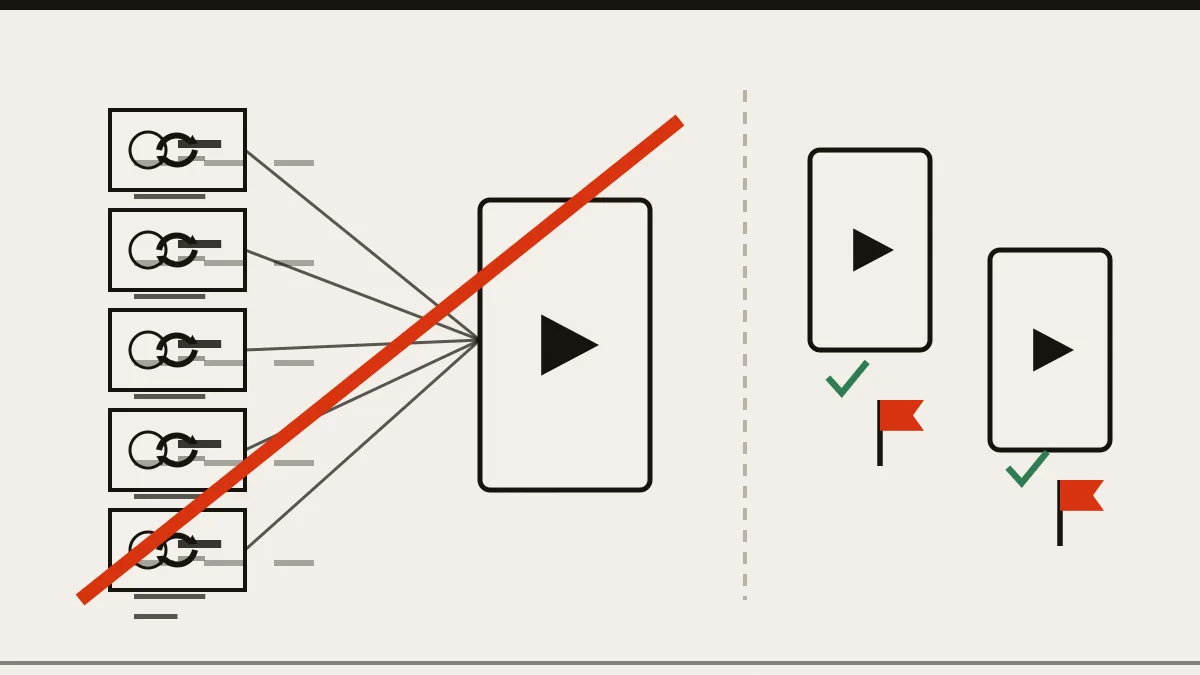
Most people who search for how to take down reposts on TikTok are mixing up two very different things. A repost is a share: someone presses Repost and your video appears to their friends with their name above it, but the video file is still yours, sitting on your account. A re-upload is a copy: someone downloads the file and posts it again as their own video, with its own link, its own views and its own report button. The difference decides everything. A repost can only show what the original still shows, so if the original is deleted or made private, every repost of it goes with it in one move. A re-upload survives the original entirely, because it is a separate file, and it has to be reported or claimed on its own.
How to take down a TikTok repost you made
Open the video you reposted, tap the Share button and choose Delete repost, or press and hold the video and choose Remove repost (TikTok Help Center, Repost). That is the whole of how do you take down a repost on TikTok. Your reposts are gathered on your profile under the repost tab, which is the quickest place to find them: on a public account anyone can open that tab, and on a private account only your followers can. Removing a repost also deletes the replies that hung off it.
It raises the next question at once: how to take down all reposts on TikTok in one go. As of October 2026 there is no bulk option. On 6 October 2026 we searched 181 Help Center articles in TikTok's account, posts and privacy sections for any other repost control, and found only the one-at-a-time removal above. A clean-out means working down the repost tab item by item, and on a busy account that is slow. People also ask how to take down a TikTok repost of their own video from someone else's tab; that is a different problem, below.
How to take down a reposted video on TikTok when the video is yours
If someone reposted your video and you want it off their profile, you have no button on their account, and the reposter is not breaking any rule by sharing a public video. What you do control is the original. Switching it to Only you, or deleting it, removes it from every repost at once, which is the only real answer to how to take down all reposts on TikTok of a video you made. If the problem is not the share but the copy (your clip downloaded, cropped and posted again), that is a re-upload, and it goes through the copyright form or, if it shows you, the privacy form. Duets and Stitches sit in between, since they reuse a slice of your video inside a new post; our briefing on whether a TikTok content removal service reaches the copies explains why those survive a deletion of the original and how to switch them off for future posts.
How to take down an old TikTok account you can't get into
An old account of your own is the easiest account on TikTok to remove, provided you can get back in. Searches like "how to take down old tiktok account" and "how to get an old tiktok account taken down" usually come from someone whose teenage account still shows up under their name, with an email address they no longer have.
If you can still log in, the route is Settings and privacy, Account, Deactivate or delete account. Deleting does not erase the account on the spot: TikTok says a deleted account "will be deactivated for 30 days and then erased permanently", and logging back in during that window cancels it (TikTok Help Center, email and phone number). The account vanishes from view on day one, though, because while it is deactivated "No one will see your content or profile" (TikTok Help Center, deactivate your account).
If you cannot log in, recover first, using whatever phone number, email or linked sign-in the account still has. When none of those work, TikTok documents no dedicated "delete an account I can't open" route. The door it does document is the generic one: Help Center, then Chat with us, or the online reporting form, where you explain that the account is yours and attach what proves it, such as old emails from TikTok or the original sign-up details. Leaving the account alone does not remove it either. TikTok's Inactive Account Policy says an account unused for 180 days or more "may be reset to a randomized numeric username", and in the same article that such users "will not be blocked, removed, or considered as inauthentic" (TikTok Help Center, inactive accounts). So the account outlives the neglect; only its handle changes.
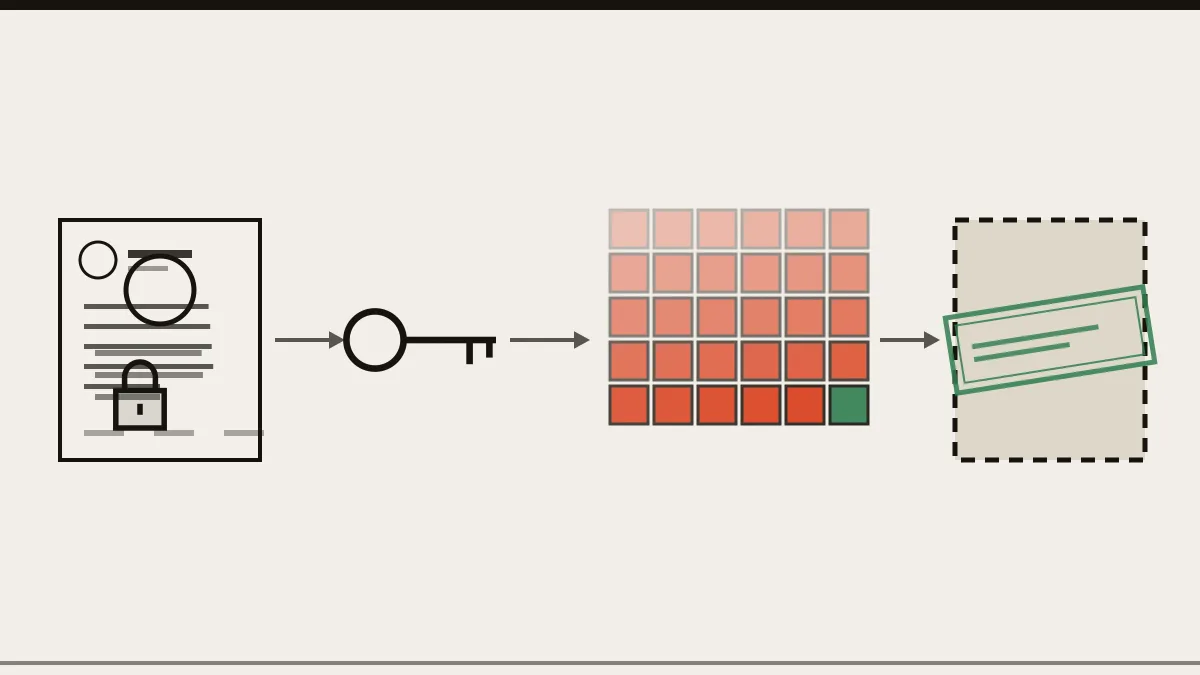
There is a search side to this too, and it is the part that brings people to us. A deleted TikTok profile can keep appearing in Google for weeks, with an old thumbnail and a snippet, because the search index has not caught up. Once the page returns an error, Google's Refresh Outdated Content tool asks it to recrawl, and the request is refused while the profile is still live, so do it after the deletion has gone through, not before.
How to see taken down TikToks, yours and other people's
The answer to how to see taken down TikToks depends on which side you are on. If the video was yours, TikTok tells you and keeps the record. A notification "explaining why your content was removed, and how to submit an appeal" lands under Inbox, System notifications, Account updates, and the Posts row in Account check (TikTok Studio, More tools, Account check, or Settings and privacy, Support, Safety Center) lists the violation (TikTok Help Center, your account status). Account check grades the account Healthy, Fair, Severe or Banned on the last 90 days of history, and violations expire after 90 days. If the removed video was someone else's, you cannot see it: the link shows a "video unavailable" message, the reposts go blank, and TikTok publishes no archive of removed posts. A copy may survive on another platform or in someone's downloads, but that is a copy, and it has its own owner.
Reporters get something too. Every report you file is listed under Profile, then the menu, Settings and privacy, Support, Safety Center and Report records, with the outcome once there is one (TikTok Safety Center, reporting). That screen is the only first-party proof that you reported an item and what TikTok decided, so screenshot it before you escalate anywhere else. The reported person, for their part, is never told who filed: TikTok says it "will not disclose your identity to the person whose content or account you're reporting".
How to not get your video taken down on TikTok
The other half of the searches comes from creators, not reporters: how to not get your TikTok taken down, how to post a TikTok without it getting taken down, how to make TikTok not take down your video. The first number to know is how little of this involves a human or a report. In Q1 2026 TikTok removed 184,012,576 videos; 99.3% were caught before anyone reported them, and 82.2% were removed before a single view (TikTok Community Guidelines Enforcement Report, Q1 2026). So the advice about "avoiding reports" misses the point. The machine reads your upload first.
Three habits do most of the work. Use sounds from TikTok's own library rather than ripped audio, because audio matching runs on every upload. Keep anything that could read as dangerous acts, weapons, nudity or a scam pitch out of the first frames and the caption, since automated review leans on both. And do not post the same clip across several accounts at once, which reads as spam. TikTok also has a quieter outcome than removal. Borderline content is often made ineligible for the For You feed instead, which keeps it up but stops it spreading, and in TikTok's EU filings that decision reads "Video not eligible for recommendation in the For You feed". It is the outcome creators most often mistake for a takedown.
If a video does come down, appeal it. In Q1 2026, 8,838,710 removed videos were restored, which works out to about 4.8%, or roughly one in 21 removals (same report). Read the reason first, because an appeal that answers the stated rule does better than one that says the video was harmless. TikTok states no deadline for appeals, but it does say a successful one reinstates the content "unless you've already deleted the account or content" (TikTok Help Center, appeals). Deleting a removed video in frustration ends the appeal with it.
Has TikTok been taken down? Where the app is actually blocked
No, not in the US or the UK as of October 2026. People still type "has TikTok been taken down", "did TikTok get taken down" and "are they going to take down TikTok" because the app really did go dark in the US once. Congress passed the divest-or-ban law on 24 April 2024, the Supreme Court upheld it in TikTok v. Garland on 17 January 2025 (US Supreme Court opinion), and the app stopped working for US users on 18 January 2025 before coming back the next day. Enforcement was then paused by executive orders, and on 22 January 2026 the deal closed that put TikTok's US operations into the TikTok USDS Joint Venture, with ByteDance keeping 19.9% (TikTok newsroom). A data-centre power outage that started on 26 January 2026 caused days of glitches that many users read as a second shutdown; it was a hardware failure, not a ban (TechCrunch, 26 January 2026).
US users kept the same app; the joint venture said it would retrain the recommendation algorithm on US data rather than ship a new one (9to5Mac, 23 January 2026). The deal is still being challenged, though: a suit filed in the DC Circuit on 5 March 2026 argues the approval did not meet the 2024 law's requirements (NPR, 5 March 2026), and we know of no ruling as of October 2026.
A handful of countries do block the app. India has blocked TikTok since June 2020, and its government said in August 2025 that "No order issued to lift ban on TikTok in India" (All India Radio News, 23 August 2025). Afghanistan's Taliban government banned it in April 2022. Bans also lift: Albania lifted its 2025 one-year ban in February 2026, and Gabon, which suspended the app on 18 February 2026, signed a compliance deal with TikTok in July (Al Jazeera, 18 February 2026). In the UK, the only restriction is the March 2023 ban on government devices; the public app is unaffected. So if TikTok will not load for you, check your connection and the app version before you check the news.
How do other platforms answer the same question?
The four verbs travel. Every major platform keeps Delete behind the owner's login and puts Report in everyone's hands, and what differs is how much a report can reach. On Instagram, the closest equivalent to this page is our walk-through of how to get someone banned on Instagram, and the route-by-route view sits in our Instagram account takedown briefing. Meta's other big app follows the same logic: how to get someone banned from Facebook turns on the rule broken, and the owner-versus-third-party split is set out in how to take down a Facebook account.
X is stricter about who may file. How to get a Twitter account taken down explains which forms need the target to be you, and how to get someone banned on Twitter separates what a bystander controls from what only X does. Snapchat is the odd one out because so little persists; how does someone get banned from Snapchat and how to take down a Snapchat account cover a platform where, like a TikTok story, the evidence expires before the report does.
On YouTube the objects are bigger and the copyright machinery older. How to get a YouTube video taken down is the video-level route, and how to get a YouTube channel taken down is the channel-level one. WhatsApp has no public profile to report at all, so how to ban someone from WhatsApp comes down to block, report and the appeal you cannot see. Telegram mixes both worlds, and how to take down a Telegram channel shows where its moderation reaches and where it stops. For professional profiles, LinkedIn impersonation removal runs on identity proof, much like TikTok's impersonation form.
"TikTok takedown" offers, mass-report panels and what they reach
Search "tiktok takedown" and the paid results are mostly sellers who say they know how to take down a TikTok account for a fee. The mechanism behind almost all of them is mass reporting: many accounts, or one script, sending the same report at the same target. It does not work the way the sellers claim, because TikTok weighs the item against a rule rather than counting complaints, and coordinated false reporting is itself named in the harassment rules as something TikTok removes. Our long-form test of does mass reporting work on TikTok shows what happens to the target, and the pricing side is in our review of what a TikTok ban service actually sells.
The same products exist for every app, under different names. The Instagram ban service market, the Instagram spam report bot and the GitHub panels sold to mass report Instagram account targets all depend on volume that Meta does not count. On X, a Twitter ban service or a script to mass report Twitter account targets runs into a queue that mostly acts on its own detection. Facebook has a Facebook ban service trade with real legal exposure and a Facebook mass report tool that is usually a front for something else. The WhatsApp ban service offers cannot read encrypted chats, and a WhatsApp mass report bot has very little to send. A Snapchat mass report bot has no public endpoint to call, a Telegram mass report bot reaches less than its panel suggests, and a YouTube mass report bot runs into quota limits long before it reaches a reviewer. Even the more formal end, a Twitter account removal service, can only file what a filer with standing could file alone.
The EU numbers show why volume buys so little. In September 2026, TikTok filed 49,910,402 moderation decisions in the EU's public Digital Services Act database, and every one of its 328,389 account-level restrictions that month was recorded as a partial suspension, not a termination (EU DSA Transparency Database, counted by our team on 3 October 2026). TikTok acts at scale on items and features; whole-account bans are rarer than the sellers imply.
What we won't file, and what can't come down
Some things on TikTok cannot be removed by anyone except their owner, and we say so at the start rather than after an invoice. A truthful video about you, an opinion you disagree with, or a news clip from a public event does not break a rule, and no report or form changes that. In those cases the realistic tools are a reply, a privacy setting on your own content, or work on what people find when they search your name, which is suppression, not removal. We never file a copyright claim for footage our client did not make, never send a legal threat that has no claim behind it, and never ask for anyone's password, including the target's. A forged notice can get the filer's own account banned, can expose them to a claim, and tends to draw far more attention to the video than it had before.
Intimate images are the exception to every queue above. Those cases get free, same-day triage, and we route them through hash-matching rather than asking anyone to send the material. The full list of limits sits on our disclaimer page, and the people who review cases are listed on our about page.