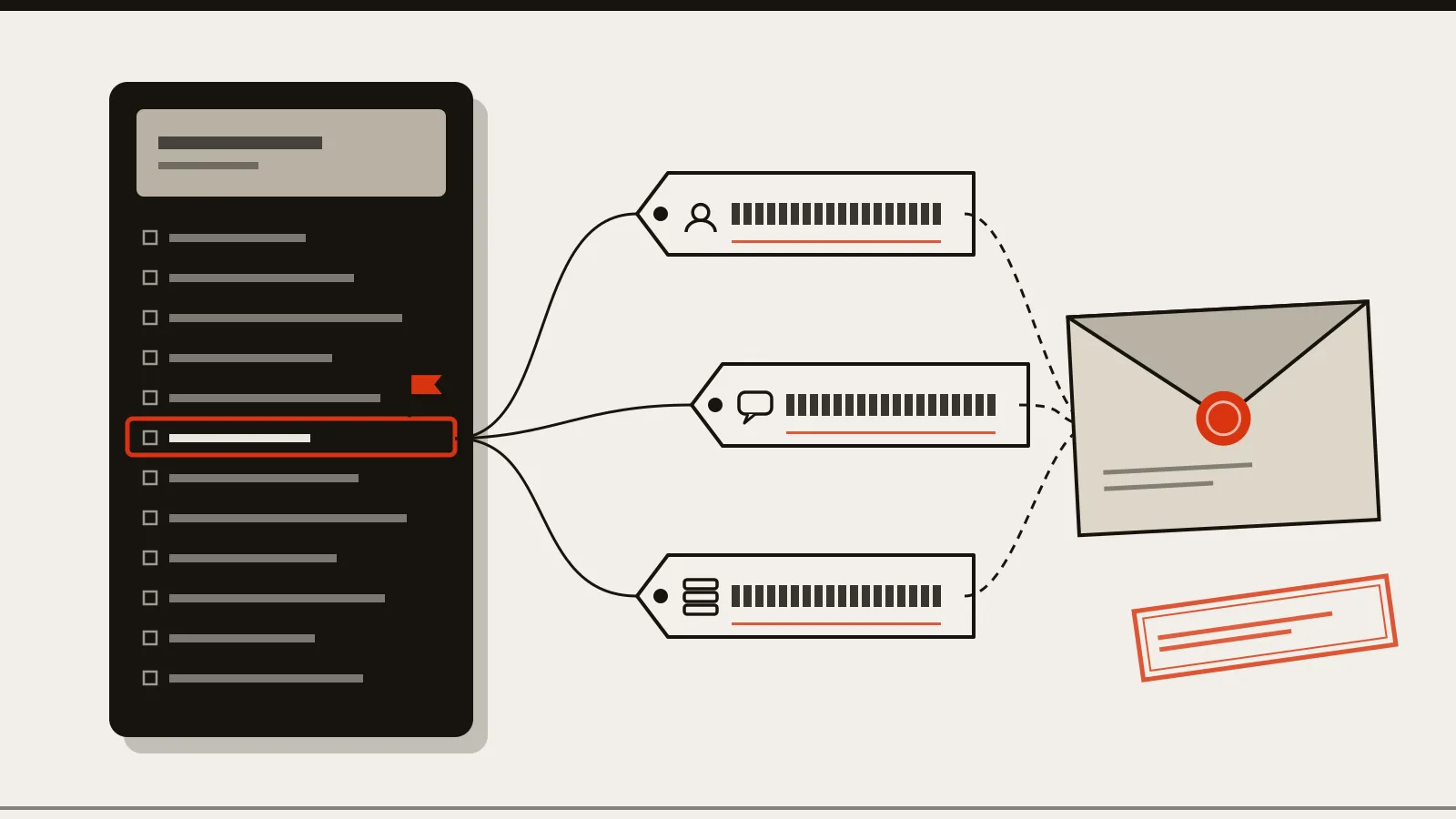
What does Discord actually receive when you report a server or a user?
It receives a pointer. Whether you want to know how to report Discord server content or report a Discord user who has been messaging you, the report that leaves your screen is a short packet: which object you flagged, which rule you think it breaks, and the numbers that let a Trust & Safety reviewer open that exact object on Discord's own systems. The reviewer does not see your screen. They see what the pointer points at, and if the pointer is vague, or aimed at something that has since been deleted, there is very little for them to read.
That is the single most useful thing to understand before you press anything, and it is the part most guides skip. Discord's Safety Center page on reporting, last updated on 22 January 2026, walks through the menus. It does not dwell on why the menus are built around individual messages and profiles rather than around people. The reason is that a message and a profile are fixed objects with fixed identifiers. A person is not.
The three numbers every Discord report travels on
Every user, message, channel and server on Discord carries a numeric ID, usually 17 to 19 digits long. Discord calls them snowflakes. They never change. A username can change, a display name can change every hour and an avatar can be swapped in seconds, but the user ID underneath stays the same for the life of the account. The same is true of a server: rename it, change its icon, move it to a new invite link, and its server ID is untouched.
Three of those numbers matter for almost every report. The user ID identifies the account. The message ID identifies one message, and it only makes sense together with its channel and server, which is why Discord's message links look like three numbers joined by slashes: server, channel, message. The server ID identifies the community as a whole. When a report is filed from inside the app, those numbers ride along automatically. When you file through a web form, you supply them yourself, and a form that asks for a "message link" is really asking for all three at once.
This is why an experienced moderator will ask for an ID before they ask what happened. A screenshot of a display name tells them what the account was called at one moment. The ID tells them which account it was, even after the name has changed twice. On a platform where changing your name is free and instant, that difference decides whether a report lands on the right account or on a stranger who happened to pick the same display name the next morning.
Why a screenshot on its own rarely moves a case
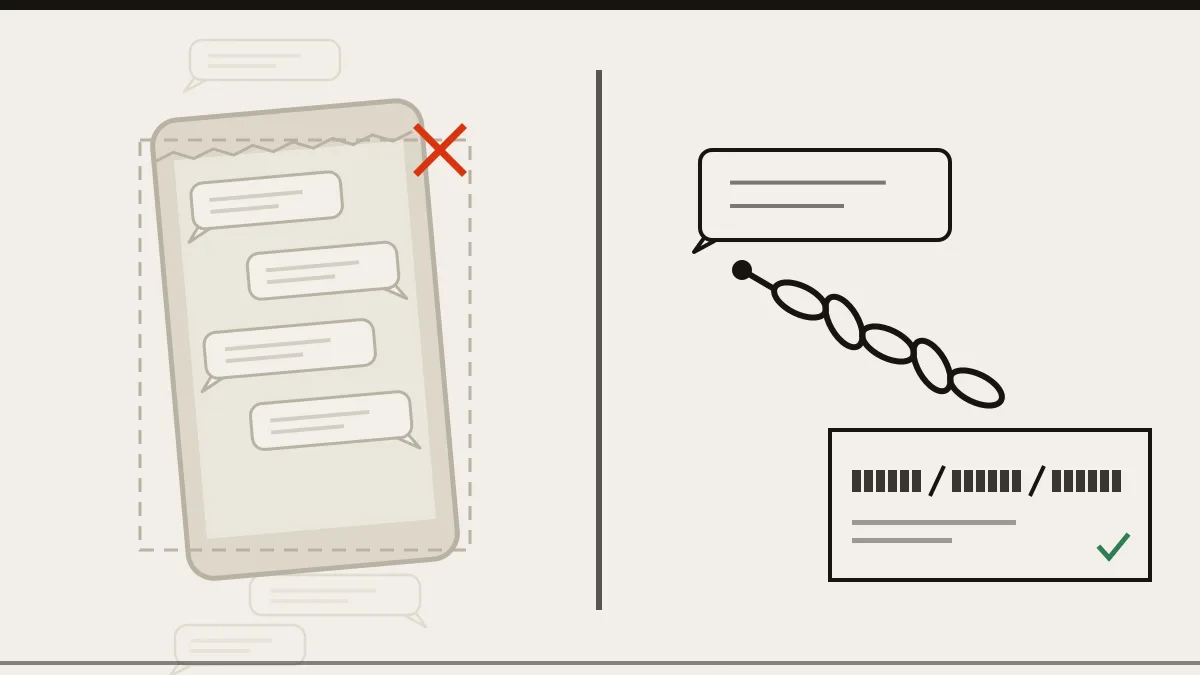
Screenshots are useful to you. They are much less useful to Discord. A screenshot is an image of pixels: it can be cropped, edited or assembled from two different conversations, and nothing in it proves it came from Discord at all. A message link, by contrast, lets a reviewer open the message itself, with its author, timestamp and surrounding context, inside Discord's systems. Discord's parent and guardian form makes the message link a required field, and its public webform for European reports asks for a message URL. We have not found a Discord page that says, in terms, that screenshots are ignored, and we would not repeat that claim. The practical point stands anyway: a link gives the reviewer the original, while a screenshot gives them your copy of it, and a reviewer who can open the original has no reason to rely on the copy. Take the screenshot for your own records, then copy the link for Discord.
There is a second reason to move quickly. Discord's help centre says that content deleted by a user is also deleted from its systems, unless a legal duty to preserve it applies. Once the author deletes the message, the link points at nothing and the report has nothing to show. That makes the order of operations clear: copy the link, report the message, and only then block, leave or mute. If you block first and the other person deletes, you may have lost the one object Discord could have acted on.
The same logic holds on other services with disappearing or editable content. Snapchat is the extreme case, which is why our note on how to report Snapchat account for harassment leads with capture before complaint, and on Telegram the admin of a channel can wipe the evidence as easily as a Discord author can, a problem we worked through in the briefing on how to report a Telegram channel. Discord is gentler than either, because messages persist until someone deletes them. It is not gentle enough to let you wait.
How to report Discord server abuse, step by step
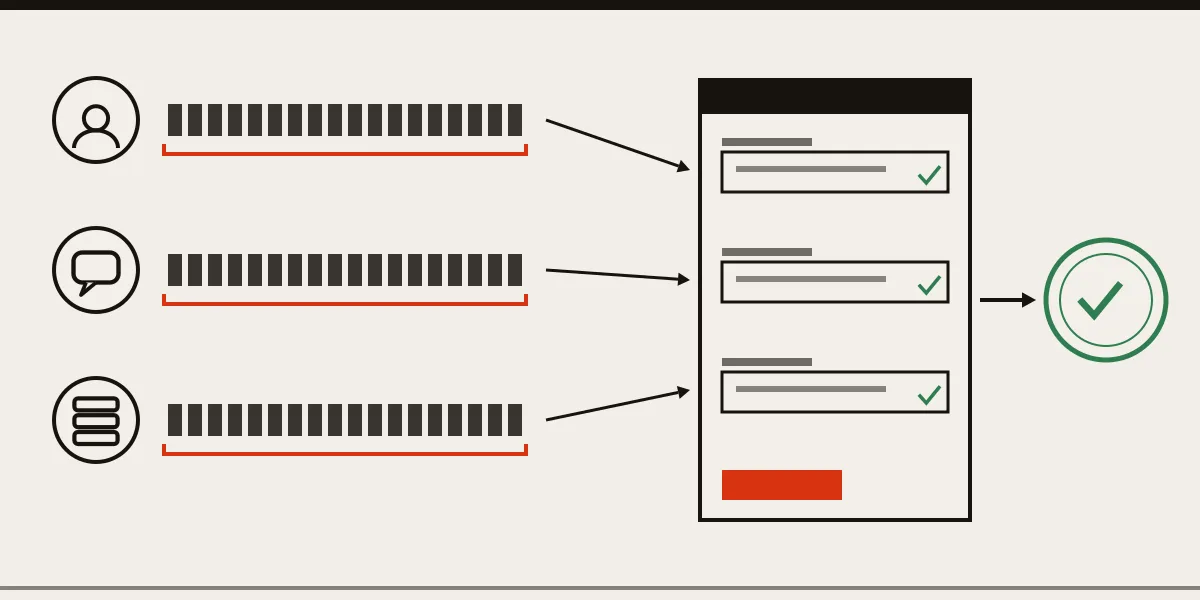
Start with the content, not the community. The most dependable way to report a Discord server is to report the worst things inside it, one message or profile at a time, because those reports carry exact IDs and work on every version of the app. A report aimed at the whole server is a separate tool with a separate purpose: it asks Discord to judge what the community is for, rather than what one member said.
Can you report a Discord server as a whole?
Yes, you can report a Discord server, and Discord treats a server-level violation differently from a member-level one. Its warning-system article explains what can follow: a server may be removed or lose features, and the owner may be barred from creating new servers or suspended outright. Only the owner can ask Discord to review a server violation. That is a heavier outcome than any single message report produces, which is why it is reserved for communities whose purpose is the problem: a server built to share intimate images without consent, to trade stolen accounts, to organise raids on other servers or to sell raid tools, which Discord's Community Guidelines list as a violation in their own right.
Here is where we have to be careful about menus. Discord's current mobile apps do include a server report; its patch notes of 4 June 2026 fixed a screen-reader problem on iOS and Android that appeared after submitting one. But Discord's help centre has no step-by-step article for it, and a search of the help centre for the exact phrase returns nothing. Menu placements on Discord move between app versions, and an undocumented one moves without notice, so we are not going to print a path that may be wrong by the time you read this. If your app shows a report option in the server's own menu, use it for the server-level complaint. Then do the part that does not depend on the menu: report the individual messages and profiles that prove your case, because those reports are anchored to IDs a reviewer can open.
This split between the container and its contents exists on almost every platform. YouTube will review a video without reviewing the channel behind it, which is the core of our note on a YouTube channel takedown, and Facebook handles a Page, a group and a single post through different queues, as our guide to a Facebook take down request sets out. Discord follows the same pattern. A server report tells Discord where to look. The message reports tell it what it will find.
Reporting from the desktop and web app
On a computer, every report starts from a right-click or a menu. For a message, right-click it (or hover and open the three-dot menu), choose Report Message, then pick the violation type. Discord's Safety Center notes that you can step back and change the category before you submit, which matters more than it sounds: the category decides which review queue reads the report. For a profile, open the person's profile, use the three-dot menu and choose Report User Profile. The profile report lets you tick several elements of the profile at once and then choose the rule they break, so a hateful picture and an abusive bio go in one report rather than two.
For a server-level complaint on desktop, gather the server ID first. Turn on Developer Mode (User Settings, then Advanced, then Developer Mode), right-click the server icon and choose Copy Server ID. Keep it with your message links in a plain text file. You will need it for any web form, and it is the one identifier that survives the server being renamed or its invite being reset.
Reporting from the phone app
On iOS and Android the gesture changes and the logic stays the same. Press and hold the message, choose Report Message, and pick the violation. For a profile, tap the person's avatar or name, open the three-dot menu and report the profile. Developer Mode lives in a slightly different place on mobile: tap your avatar, then the cog, then Advanced under App Settings. Holding a message offers Copy Message Link; with Developer Mode on, tapping a user offers Copy User ID in the three-dot menu, and tapping the server name offers Copy Server ID.
Phones make one mistake easy. People report from the notification preview, or from a message they have already swiped away, and then cannot find the original again. Open the channel, find the message in place and report it from there, so the report carries the message's own ID rather than a guess.
Left the server, been banned or never joined? Use the web forms
Being outside a server does not stop you reporting it, but it changes the tool. A message link still identifies the message for Discord's reviewers when you can no longer open it yourself, because the link is only three IDs and the reviewer has access you do not. So the links you copied before you were removed remain good evidence, as long as the author has not deleted the messages. If you did not copy them, ask someone who is still inside to copy and send them. If you were banned, do not rejoin under a second account to collect them: Discord's Community Guidelines treat ban evasion as harassment, and your report would arrive attached to a violation of your own.
Discord's general support request form sits on its help centre and needs you to sign in to a Discord support account, which is separate from your app login and is created with a name and an email address. People in the European Union also have a public reporting webform at discord.com/report, built for Digital Services Act notices; it asks you to verify your identity and give a message URL. The same webform handles reports under the US Take It Down Act for intimate images shared without consent: Discord's article, published on 26 February 2026, says no app is needed, the review target is 48 hours and updates arrive by email. It is one of the few Discord routes that asks for no account at all.
Whichever form you use, give the reviewer the same bundle: message links, user IDs, the server ID, the dates, and two or three sentences that say which rule is broken. Leave out the adjectives. A form that reads like evidence gets read like evidence.
How do you report a Discord user?
You report a Discord user through something they did: a message they sent, or the profile they show the world. There is no button that reports a person in the abstract. People search for it as report user Discord or report Discord user, but the mechanism is always the same: find the object that carries the violation, report that object, and let its ID lead the reviewer to the account behind it.
This is not a Discord quirk. Every large platform works this way, because a rule is broken by content and conduct, not by a name. Our briefing on how to get someone banned on Instagram reaches the same conclusion from Meta's side, and Snapchat's queue behaves identically, as the note on how does someone get banned from Snapchat explains. The account pays for what its content does.
Report a Discord user from the message they sent
The message report is the strongest tool you have, and it works in servers, group DMs and one-to-one DMs alike. Right-click the message on desktop, or press and hold it on a phone, choose Report Message and pick the category that describes what the message does. Threats go under threats, targeted abuse under harassment, a scam link under spam or fraud. Pick by meaning, not by volume: a category that overstates the problem sends the report to a queue that will not recognise it.
Report the clearest examples, each once. Discord's Safety Center guidance on reporting asks people not to send several reports about the same issue and not to recruit a group to report the same content. If the same account has sent you twenty abusive messages over a week, report the three or four that show the pattern best, and put the rest in your own log. A reviewer who opens those messages sees the author's account attached to each one, with its standing behind it, so the pattern is visible without twenty separate tickets. What the reviewer cannot see is context that lives only in your head: that the harmless-looking "see you Saturday" follows a threat, or that the "joke" repeats a private detail. An in-app report built from menus has little room for that, which is one reason serious cases also go through the web form, where two plain sentences can carry it.
Report Discord user profiles and DMs
Some violations live on the profile rather than in any message: a hateful avatar, an impersonating display name, a bio that advertises something illegal. Open the profile, use the three-dot menu and choose Report User Profile, then tick every element that breaks a rule before you choose the category. A profile report is also the right tool when the account has not messaged you at all but is plainly impersonating you or someone you represent.
Direct messages are reported exactly like server messages. The difference is practical. In a DM there is no moderator between you and the sender, nobody else sees what was said, and the other person can delete their side of the conversation. Discord's help centre says content a user deletes is removed from its systems unless a legal duty to keep it applies. So in a DM, the order is strict: copy the message link, report the message, then block. Blocking first costs you nothing in safety terms, but it can cost you the evidence if the sender deletes while you are not looking.
Developer Mode, Copy User ID and Copy Message Link
Developer Mode sounds technical. It is a single switch that adds "Copy ID" options to Discord's menus. On desktop it sits under User Settings, then Advanced. On a phone, tap your avatar, then the cog, then Advanced under App Settings. Turn it on once and leave it on.
With it on, right-clicking a user gives Copy User ID, right-clicking a server icon gives Copy Server ID, and right-clicking or holding a message gives Copy Message Link. Those three actions are the whole of Discord evidence-gathering. Paste each into a plain text file with the date and one line of description, and you have a log that any reviewer, solicitor or police officer can use without needing your account.
A good log line reads like this in practice: the date, the user ID, the message link, the category you reported it under and whether you received a response. It takes twenty seconds per message. Six months later, when the same person appears under a new name in a new server, that log is what connects the new account to the old behaviour, because the new account's ID will differ while the pattern will not.
| What you are reporting | Where to start | What to keep |
|---|---|---|
| One abusive or threatening message | Report Message on that message | Message link, date, category |
| A hateful or impersonating profile | Report User Profile, tick each element | User ID, the elements ticked |
| Abuse in a DM | Copy the link, report, then block | Message links before blocking |
| A server built around a violation | The server's report option, if shown, plus message reports | Server ID and the worst message links |
| A raid on your own server | Report Raid (admins, desktop, Community servers) | Raider user IDs, join times |
| You were banned or left | Discord's support request form | Links copied while you were inside |
What happens after you report a Discord user?
Discord keeps the reporter's name out of it. Its Safety Center says your identity is not shared with the account you reported, and that holds even if the account appeals. There are two exceptions, and both are legal rather than ordinary reports: valid legal process, and copyright notices under the DMCA, where the claimant's name and email can be passed to the person accused. If you are filing about your own copyrighted work, assume the other side will see who you are.
What comes back to you is limited but not nothing. Discord says it will let you know if your report led to action for a policy violation. For higher-harm reports, its stated review target is 24 to 48 hours, and for lower-harm categories it is around a week. Reports filed through the European webform receive a receipt by system message or email. You will not be told which penalty was applied, and you will not be sent the reviewer's reasoning. The account itself may show nothing either, because many Discord penalties are feature limits and time-limited restrictions that nobody outside the account can see. A report that disappears into silence has not necessarily failed. It may simply have produced a result that is private to the account holder.
Discord report server raid: what should you do in the first hour?
A raid is a coordinated flood: dozens or hundreds of accounts join a server at once to spam, post shock content, harass members or bury the channels. Discord's Community Guidelines name it directly. Coordinating server joins to harass a community is listed as harassment under the first guideline, and selling server raid tools is its own violation further down the list. So a raid is reportable twice over: the accounts that took part, and whoever organised or sold it.
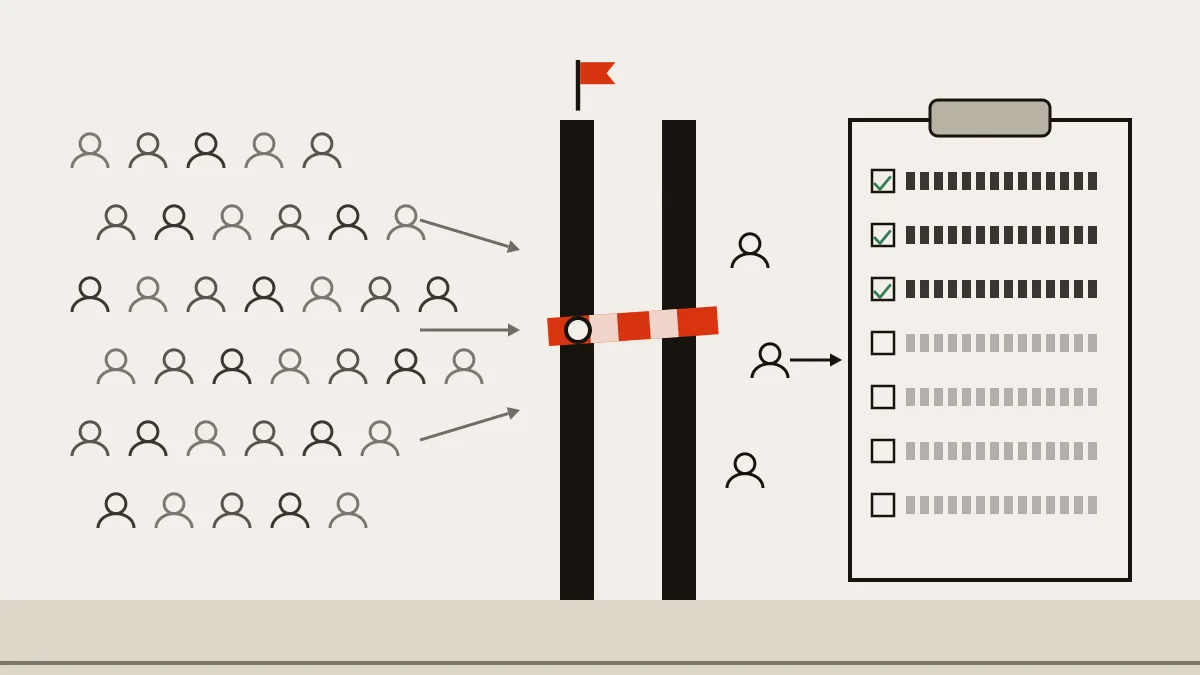
The instinct in the first minutes is to ban everyone in sight. Resist it for long enough to do three things in order: close the doors, capture the IDs, then clean up and report. A raid handled in that order leaves you with a quiet server and a report Discord can act on. A raid handled in the reverse order leaves you with a quiet server and nothing to show anyone.
Close the doors before you count the damage
Discord's Security Actions sit in the server's dropdown menu, under the server name. They offer two switches that matter in a raid: Pause Invites, which stops anyone new joining through any invite, and Pause DMs, which stops members who are not friends from messaging each other inside the server. The second one is easy to forget and important, because raiders often move into members' DMs the moment the channels are locked.
Behind those switches sit the slower tools. AutoMod, under Server Settings, can block keywords, links and mention spam. Raid Protection, found in the Safety Setup settings, makes new joiners pass a CAPTCHA for the hour after Discord detects a raid. Verification Level can require a verified email or a minimum account age, and Slowmode limits how fast anyone can post in a channel. Activity Alerts, which flag unusual activity in the server, are visible to anyone with Administrator, Kick, Timeout, Ban or Manage Server permission, so make sure the people awake during a raid are the people with those permissions.
Log the raiders' IDs before you ban them
Every raider is an account ID, and those IDs are the whole of your evidence. Before you ban, open the member list sorted by join date, copy the user IDs of the accounts that arrived in the burst and paste them into your log with the join times. If the raid came with an invite link posted in another server, or a server name in the raiders' messages, copy that as well.
Then think about the delete option before you use it. When you ban an account, Discord can delete its recent message history at the same time, up to seven days back. That is exactly what you want for the members who had to watch the raid, and exactly what you do not want for the report, because a purged message has no link left to report. The sequence that keeps both is simple: copy the IDs, copy links to a handful of representative messages, report those messages or the raid, then ban with message deletion switched on. Discord's app also offers a bulk ban from the Members page, where you tick the accounts and choose Ban Members; it needs both Manage Server and Ban Members permissions. Moderation bots use Discord's bulk-ban endpoint, which takes up to 200 user IDs at once. Either way, the IDs you logged first are what connects the ban to the report.
Report the raid, and the server that organised it
Discord gives server staff a dedicated Report Raid option in the same dropdown under the server name. According to Discord's help centre, it is limited to people with the Ban Members or Kick Members permission, works on the desktop client and is available in Community servers. If your server is not a Community server, use the ordinary route instead: report a sample of raid messages individually, and add the list of raider IDs through the support request form.
Most raids are organised somewhere else, and that somewhere is also reportable. If the raiders' messages name a source server, or you can find the invite that was passed around, report that server with its ID and the evidence that it coordinated the attack. The accounts themselves are often cheap or scripted, drawn from the same pools of throwaway accounts that power report-for-hire panels; the supply side of that trade is set out in our briefing on the Telegram mass report panel. A raid is one use of an account pool like that. Another is the report flood, sold on other platforms under names such as a Facebook mass report service. On Discord, as there, the volume impresses the buyer more than it impresses the reviewer.
One more habit pays off after the dust settles. Keep the raider ID list. Accounts from a raid can reappear, sometimes months later, and a moderator who can match a new joiner's ID against an old list can ban on arrival rather than waiting for the second wave.
Discord ban by user ID: what can a server moderator do alone?
Quite a lot, inside one server. A moderator with the right permission can remove an account from their server, keep it out and delete its recent messages without asking Discord for anything. What a moderator cannot do is touch the account anywhere else. That boundary shapes every decision below, and it is the reason a server ban and a Discord ban are different events with different owners.
How to ban a Discord user not in server
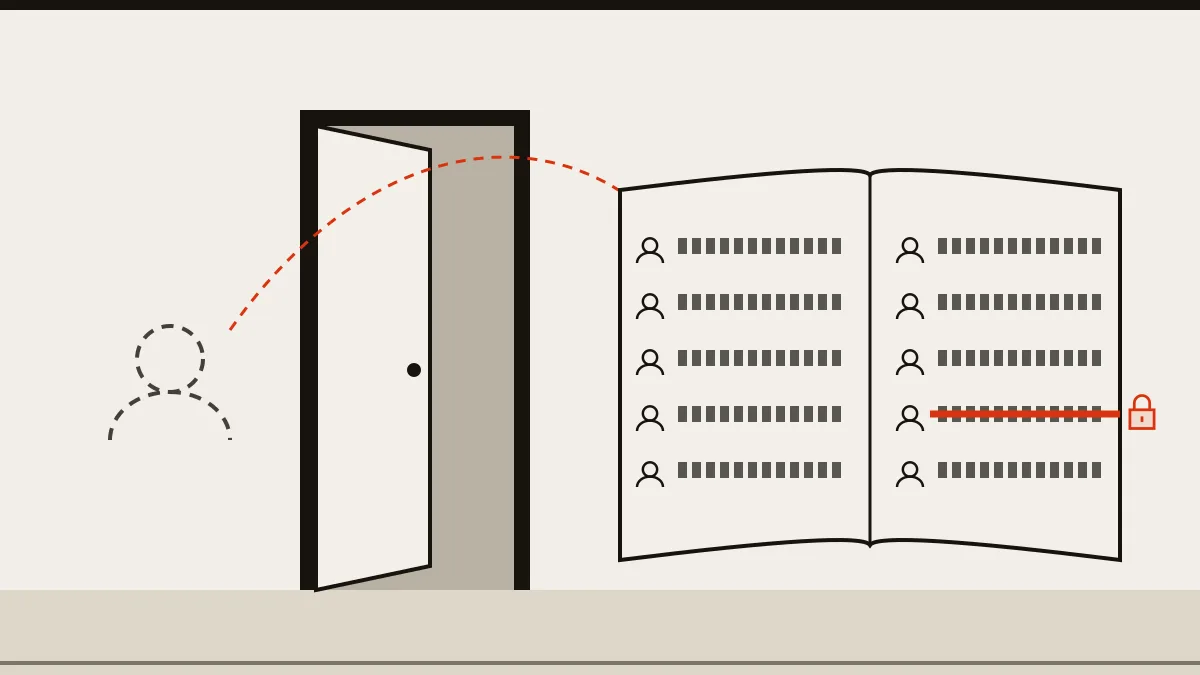
People ask how to ban a Discord user not in server membership because the threat often arrives before the person does: a harasser announces they are coming, a raid list circulates, or someone banned elsewhere is known to be moving between communities. The answer runs through the user ID. Discord's developer documentation defines a server ban as a record addressed by two numbers, the server's ID and the user's ID, created through a single request to the bans endpoint. Nothing in that address depends on the person being a member at the time, which is why moderation bots can offer a "ban by ID" command that works on accounts that have never joined.
Discord's own app is built around people who are already present. The app's ban option sits in the menus of members you can see, and the help centre documents bulk banning from the Members page, where you tick accounts and choose Ban Members with both the Manage Server and Ban Members permissions. It does not document a field in Server Settings where you type an ID for someone outside. So in practice, a pre-emptive Discord ban by user ID is done through a moderation bot you already trust, or through the API directly if your team runs its own tooling. Either route needs the ID itself, which you can copy from a message the person sent in any server you share, from another moderator's log, or from your own raid list.
Be careful about where that ID comes from. An ID pasted into a public "ban list" by strangers may be wrong, and banning it pre-emptively punishes an account you have never seen misbehave. Treat shared lists the way you would treat a rumour: useful for attention, not enough for action on its own.
Ban, kick or timeout: which one does the situation need?
These three tools answer different questions, and choosing between them is a moderation decision rather than a reporting one. A timeout stops someone posting, reacting or speaking for a set period while leaving them in the server; Discord's timeout article lists 60 seconds, 5 minutes, 10 minutes, an hour, a day or a week, and the action needs the Time Out Members permission. A kick removes the account from the server, but nothing stops it rejoining through any valid invite, so a kick is a message rather than a barrier. A ban removes the account and keeps it out, and it can delete the account's recent messages on the way out; Discord's developer documentation allows any window from none at all up to seven days. None of the three reaches beyond your server, none of them counts as a report to Discord's Trust & Safety team, and none of them replaces a report when the conduct breaks Discord's rules.
A timeout suits a heated argument that needs to cool. A kick suits an account that joined by mistake or needs to reread the rules. A ban suits anything you would report to Discord, because the conduct that deserves a report rarely deserves a second chance inside the same room. Keep the order from the raid section, though: capture and report first, then ban with message deletion, or you delete your own evidence.
A server ban is not a Discord ban
This is the misunderstanding behind most "how do I get them banned" questions. A server ban is local. The account keeps working everywhere else on Discord, keeps its friends, keeps its other servers and can start new ones. Only Discord's Trust & Safety team can restrict or suspend the account itself, and it does that in response to violations, not in response to a moderator's decision.
The split is familiar from other services. A WhatsApp group admin can remove a number from a group, but only WhatsApp can ban the number, as our guide on how to ban someone's WhatsApp number spells out. On X, ordinary users do not even get the local ban; they block, report and wait, which is why people end up asking how long does Twitter take to ban someone. Discord sits between the two: more local power than X, and the same wall at the edge of the platform.
Ban evasion is where the two levels meet. If a banned account comes back under a new one, Discord's Community Guidelines treat ban or block evasion as a form of harassment, which turns a local problem into a platform violation. Report the new account and include the old account's ID in the description. Discord has said it uses IP-level blocks to stop some banned users creating new accounts, while acknowledging that VPNs get around them. Your ID log is what makes the connection visible to a reviewer when the technology misses it.
Can you get a Discord user banned from Discord itself?
You can give Discord the grounds, and Discord decides. That is the honest answer to anyone who wants to get a Discord user banned: the platform acts on violations it can verify, weighs them against the account's history and applies a penalty from its own ladder. Your part is to put the clearest violation in front of the right queue. The rest is out of your hands, and anyone who tells you otherwise is selling something.
What Discord counts: violations and account standing
Since 24 October 2023, when Discord began rolling out its Warning System, penalties have been visible to the account holder as a standing. It sits under User Settings, then My Account, then Standing, and it has five levels: All good, Limited, Very Limited, At Risk and, at the end, permanent suspension. Each violation moves the account along that scale. Most violations expire after 90 days, temporary suspensions can last up to a year, and appeals are made against each violation separately rather than against the overall standing, through a Let us know option on the violation itself.
That structure tells you what a single report can and cannot do. A first, minor violation on a clean account is likely to produce a warning or a feature limit that nobody else will see. A pattern of violations, or one serious one, moves the account towards suspension. The account is judged on what it has done, which is why a single well-evidenced report against an account with a history can achieve more than a dozen reports against an account with none. Meta works on the same principle, and the reasoning behind how to get someone permanently banned from Facebook carries over almost word for word.
The scale of enforcement is large and mostly invisible. The most recent Discord transparency report we could read line by line, covering January to June 2024, records 29,495,313 reports received in six months, 357,056 accounts disabled for reasons other than spam, a further 35,456,553 accounts disabled for spam and 41,002 servers removed. In the harassment category alone, 19,283 accounts were disabled and 1,210 servers removed. Appeals came from 1.85 per cent of actioned accounts, and 1,705 accounts were restored. Discord's transparency hub now lists newer files, including a 2026 report and a 2025 Digital Services Act report, so treat these as the scale of the operation rather than its current totals.
Does the number of reports matter?
Not in the way people hope. Discord's Safety Center asks users not to send several reports about the same issue and not to ask a group to report the same content. Its Community Guidelines go further: submitting false, misleading or abusive reports to its support teams is a violation in its own right, and Discord's explainer defines a false report as one containing demonstrably untrue information meant to manipulate its staff. Its Terms of Service forbid "misusing our reporting or customer service mechanisms", and Discord says repeated abuse can cost an account its access to reporting altogether.
We have not found a Discord page that states, in so many words, that a hundred reports carry no more weight than one. We will not invent that sentence for it. What Discord's own rules show is that the count is not the currency: a report is a pointer to content, the content either breaks a rule or it does not, and repeated pointing at the same content is treated as noise or, when it is coordinated and false, as abuse. As long ago as 2019, a Discord engineering post on Medium acknowledged that some people use mass reports to try to get a person banned or a server deleted. Seven years of rules have been written with that tactic in mind.
The same question gets asked about every platform, and the answer is consistent. Our analysis of how many reports to take down a Twitter account and the matching note on how many reports to take down a TikTok video both land on the same point: the number that matters is the number of verifiable violations, and it is usually small.
Report bots, mass-report scripts and paid "Discord ban" offers
Search for a way to get a Discord user banned quickly and you will find three kinds of offer: scripts on code-hosting sites that promise to file reports automatically, "report bots" sold through Telegram or Discord itself, and people who sell the outcome, a banned account or a deleted server, for a fee. They share one weakness. Discord's reporting runs through logged-in user accounts, and the only way for a script to report as a user is to act as that user. Discord's help centre has long said that automating ordinary user accounts, the so-called self-bots, is forbidden and can end the account. A report tool therefore needs either accounts of its own, which Discord can see as a cluster, or yours.
That second route is where most buyers lose. A Discord token is a full login, and a tool that asks for it can read your messages, join servers as you and send whatever it likes. The pattern is identical elsewhere: the WhatsApp mass report tool runs on the buyer's own live session, the repositories behind an Instagram mass report bot GitHub search turn out to collect more than they file, and the Instagram spam report bot sold for years was mostly a way to get the buyer's account flagged. On platforms with no reporting interface for outside code at all, such as Snapchat, the Snapchat mass report tool has nothing real to call. X is no different, and our teardown of the offer to mass report Twitter account targets reaches the same end.
Paid outcomes are the most expensive version of the same idea. Nobody outside Discord can issue a Discord ban. What a seller can do is file reports, run a report flood through rented accounts, or take your money and report success when the target's account happens to go quiet. The target's standing may not move at all, and if the reports were false, the only rule broken in the transaction is the one against abusing Discord's reporting system.
What paying for a ban exposes you to
Money is the smallest risk. The larger ones are your own account, if the seller asks for a token or a login, and your legal position. Paying someone to flood reports about a person, or to harass them in the hope of provoking a ban, can amount to a course of conduct under the Protection from Harassment Act 1997 in England and Wales, and false complaints to a platform can become evidence in a defamation or harassment claim brought by the target. The question of whether it is illegal to pay for these services has a longer answer than most sellers admit, set out in our note on is it illegal to pay for a TikTok ban service, and the account-security side is the core of the WhatsApp ban service briefing.
None of this means you are powerless against someone who is genuinely harming you on Discord. It means the effective tools are the dull ones: accurate reports on the right objects, a clean evidence log, and, where the conduct is also a crime, the police.
What if you are the one being mass-reported?
Then the same rules work in your favour. False reports should not produce a violation where there is no violating content, and if one does, you can see it: open User Settings, then My Account, then Standing, where each violation is listed with what it concerned. Appeal each one separately through the Let us know option on that violation, as Discord's guide to appealing its actions describes, and keep it short and factual: what the content was and why it does not break the rule cited. If your server was actioned, only the owner can ask for a review. Appeals are rare and most fail, but not all: in the first half of 2024, 1.85 per cent of actioned accounts appealed, and 1,705 accounts were restored. If you can show that the reports were coordinated, for example a post telling a group to report your ID, send those message links to Discord as well, since organising false reports breaks Discord's rules in its own right.
Being harassed across Discord servers, or dealing with a raid, a doxxing post or a fake profile in your name? Send us the message links and IDs for a confidential review. We tell you which route fits the evidence, what it can change and where it ends, before any fee comes up. Intimate-image cases jump the queue and cost nothing to assess, and nobody here will ask you to send the pictures.
Will the person you report find out it was you?
Not from the report itself. On Discord, and on every other platform in this briefing that publishes a position, an ordinary report does not carry your name to the person reported. The exceptions are legal notices rather than reports: copyright takedowns and intellectual-property complaints are routinely passed to the other side with the complainant's name attached, because the law behind them expects the accused to be able to answer.
The risk that remains is inference. If you are the only person who saw a message, or the only member of a two-person DM, the other party does not need to be told who reported them in order to guess. Platforms cannot protect you from that, and it is worth deciding before you report whether the report is worth the guess. In a harassment case it usually is, because the harassment is already happening. In a petty dispute it often is not.
This table records what each platform says in its own help pages as of September 2026. Where a platform says nothing, we say "not stated" rather than filling the gap.
| Platform | Is your name shared? | Are you told the result? |
|---|---|---|
| Discord | No, except legal process and DMCA notices | Told if a violation was found |
| Hinge | No, unless the law requires it | Not stated |
| No | Not stated | |
| Kik | No | Not stated |
| Activision (Call of Duty) | No | Announced as "coming soon" in 2025 |
| Roblox | Not stated | Yes, since July 2026, in most cases |
| Etsy | No for member reports; IP reports may share it | IP reporters are emailed the outcome |
| eBay | Only "when strictly necessary" | Receipt only |
| Depop | Not stated | No response to item reports |
| Poshmark | No, reports are anonymous | Not stated |
| Substack | No, reports are not visible to them | Reviewed within 72 hours |
| Temu | Not stated for reports | Actions not shared unless public |
Two patterns stand out. The first is that silence is normal: most platforms promise confidentiality and very little feedback, so a report that produces no message has not necessarily been ignored. Roblox is the outlier, having told players since 1 July 2026 that they will hear the outcome of their reports in about 99 per cent of cases. The second pattern is that the target usually learns less than you fear. The briefing we wrote for readers asking does mass reporting work on TikTok looked at this from the receiving end, and what a target sees is a notice about a violation, never a list of reporters. YouTube is the same. For anyone wondering does mass reporting work on YouTube, the evidence shows a capped, queued system that tells the channel owner about strikes rather than about the people who flagged them.
A common fear is the retaliatory report: you report someone, they guess it was you, and they report you back in bulk. On Discord that fear is mostly misplaced, for the reasons set out above. A report against you produces a violation only if Discord finds violating content on your account, and a bulk report built on nothing gives it nothing to find. If a violation does appear on your Standing page and you believe it came from a revenge campaign, appeal that violation on its facts and send Discord the messages in which the campaign was organised, if you can see them. Do not answer the other person, in public or in private, about who reported whom. A reply that confirms the report, or a message warning them off, is exactly the kind of exchange that turns your clean record into an argument about two accounts rather than one.
That is also why the practical advice for someone asking how to get someone banned on TikTok and the advice for Discord converge. You cannot see the queue and the other person cannot see you. What decides the result is the evidence the reviewer can open.
Marketplaces: how do you report a listing, a seller or a fake?
Marketplace reports follow the same rule as Discord's: find the object, report the object. The objects are just different. A listing is one item for sale. A seller is the account behind many listings and many messages. A counterfeit is a legal problem wearing a listing's clothes, and it has two separate routes: one for the buyer who was sold it, and one for the brand whose mark is on it. Most frustration with marketplace reporting comes from using the wrong one of those two.
How do you report a listing on eBay?
eBay has moved its report button. The old "Report this item" link that sat in the listing's description area is gone, and eBay's help page on reporting content now tells you to select the question-mark icon on the page where you saw the content; eBay's VeRO pages place it at the bottom right. On the app, you open the three-dot menu, choose Report content and then Submit report. That is the answer to how do you report a listing on eBay in 2026, and it is why older guides that tell you to scroll for a text link no longer work.
eBay UK also runs a standalone reporting form, linked from its reporting help page, and it offers a button to submit without an account. Its first menu asks what you are reporting: feedback, a product review, member or shop information, or a product or listing. Choose the listing, and the next menu asks why: a problem in the listing, intellectual property infringement, or an item that is not allowed. Under intellectual property, the detailed reasons include Counterfeit item, alongside copyright, design rights, patents and rights of publicity. For an eBay report a listing request about a fake, that is the precise path, and choosing it sends the report to the team that handles counterfeits rather than to general listing quality.
What you get back is a receipt. eBay says it will confirm receipt and then make a decision; it does not promise to tell you what that decision was. It does say it will disclose a reporter's identity to the other member only when strictly necessary.
eBay report a seller: when the problem is the person, not the listing
Some problems belong to the seller rather than any one listing: a seller who messages you to suggest paying outside eBay, who sends threats, who has given false contact details or who turns out to be under 18. eBay's help page for reporting an issue with a seller has a Report a seller button for exactly these, and its off-platform policy is blunt about the first one: if a seller offers to trade outside eBay, eBay wants it reported. Its member-to-member contact policy says the same about threats, and asks you to report them immediately.
The same page warns against using the seller report for the two most common complaints. An item that has not arrived goes through My item hasn't arrived, and an item that does not match its listing goes through I want to return my item. Those routes open a case with deadlines and a refund at the end; a seller report does not. So for an eBay report a seller problem that involves your money, open the case first and report the seller second.
How do I report a counterfeit item on eBay?
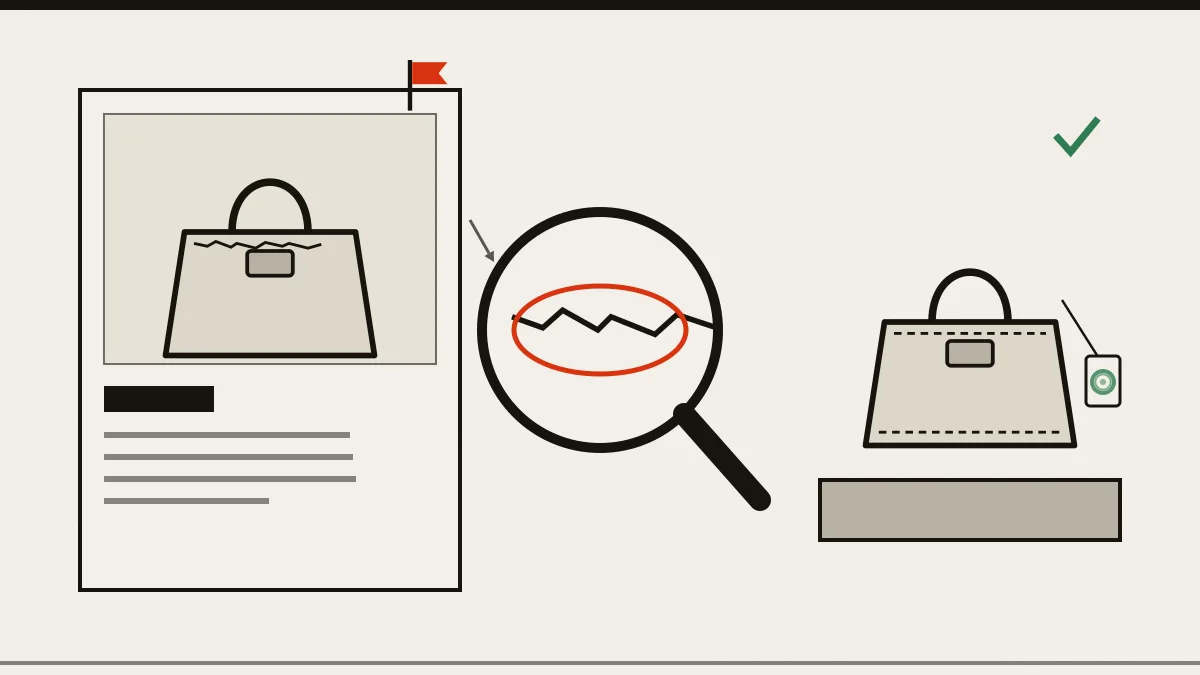
If you are the buyer, you have two jobs and they run in parallel. The first is getting your money back, and eBay's Money Back Guarantee explicitly covers an item where there are strong indicators that it is counterfeit. You must request a return, although eBay may not require you to post the item back, and you must not sell it on, on eBay or anywhere else. In the UK the cover runs for 30 days from the actual or estimated delivery date. The second job is the report: use the reporting form or the question-mark icon on the listing, choose intellectual property and then Counterfeit item, so the listing is reviewed as a fake rather than as a disappointing purchase.
If you are the brand, or act for it, the route is eBay's Verified Rights Owner programme, VeRO. eBay's rule is that VeRO is only for rights owners or their authorised representatives, and reports are filed through the VeRO Portal as a Notice of Claimed Infringement. eBay says the seller will be notified with an explanation and that repeat violations can lead to selling restrictions or suspension. It also says what VeRO is not for: controlling where or how genuine goods are resold, or stopping sales below a price point. A brand that uses VeRO against a lawful reseller of genuine stock is misusing it, and eBay says so.
The prevention step is worth knowing too. eBay's Authenticity Guarantee checks sneakers, fashion, handbags, watches, trading cards and jewellery in eligible listings sent to a UK address. Buying through it does not stop fakes being listed, but it moves the inspection before the money changes hands rather than after.
Etsy counterfeit report: two doors, and only one says counterfeit
Etsy splits reporting by who you are. Any member can open a listing and choose Report this item to Etsy; in the app it sits at the end of the listing as Report this item. The first question offers three doors: there is a problem with my order, it uses my intellectual property without permission, or I don't think it meets Etsy's policies. Behind the third door is a list of policy reasons, from items that are not handmade, vintage or craft supplies to items that break a specific law. There is no separate counterfeit reason for members of the public. Etsy's prohibited items policy bans unauthorised or counterfeit goods, so for a buyer who has been sold a fake, the nearest fit is the policy door with the reason about breaking a specific law, while the refund is pursued through the order-problem door. Etsy's help page adds that the reported member will not know who reported them.
A true Etsy counterfeit report, the kind that removes listings on a brand's behalf, goes through the second door and on to Etsy's Reporting Portal. Etsy's rule is that you must own the intellectual property or be authorised to report for the owner; agents upload a letter of authorisation. The rights owner receives an email with the outcome, which ordinary reporters do not, and Etsy warns in its intellectual property policy that it may give the seller the reporter's name and email address. Etsy terminates the selling privileges of members who are subject to repeat notices. The mechanics of those notices, and where each platform expects them, are set out in our guide to where a DMCA takedown notice goes.
Etsy's 2025 transparency report shows how the two doors compare in practice. It records about 111,000 intellectual-property reports, 30 per cent more than the year before, and about 846,000 listings removed as a result, with 18 per cent of reports rejected. Separately, Etsy's own systems removed about 180,000 listings as possible counterfeits and about 28,000 shops were closed for repeat infringement or counterfeiting. Most striking of all, 98 per cent of listing flags came from Etsy's automated systems and 2 per cent from the community. A member report still matters, but on Etsy it is mostly a signal to machinery that is already looking.
Depop report counterfeit item: the item flag and the silence after it
On Depop, open the item, tap the three dots in the top right, choose Report item, pick a category and a specific reason, and press Send. Users and messages are reported the same way, from their own three-dot menus, and only in the app. Depop's prohibited list includes counterfeit items, replicas and unauthorised copies, and its community guidelines say counterfeit goods will be removed. The one thing its help page is unusually frank about is feedback: you will not receive a response when you report an item. A Depop counterfeit report is a flag, not a conversation.
The buyer's protection sits elsewhere. Depop Protection covers purchases made through Depop Payments in the UK, the US and Australia, and a claim has to be made within 30 days of the purchase date. Depop's definition of an item that is significantly not as described explicitly includes counterfeit items. If you paid through PayPal instead, Depop sends you to PayPal to open the dispute there. Depop does not describe any authentication service of its own, and its advice to buyers of higher-priced items is to ask the seller for proof of authenticity before paying. Rights owners use a different route again: an infringement notice sent to Depop's reporting address or by post to its London office, and Depop may pass the complainant's name and email to the seller.
Can you report a seller on Poshmark?
Yes, and anonymously. In the app, open the listing's action menu (the three dots) and choose Report this Listing; on the web, the Report Listing button sits under the listing photos. People are reported through Report User, and comments through the flag icon. Poshmark's support page says you can anonymously report a listing, a comment or a user.
For a fake, the stronger tool is Posh Protect. A buyer has 72 hours after delivery to open a case, and "Item is not authentic" is one of the covered reasons. Deals done off Poshmark are not covered. For select luxury items at $500 or more, Posh Authenticate checks the item for free before it reaches you. One caveat for UK readers: Poshmark closed its UK marketplace in 2023 and its Australian one as well, so a UK buyer usually meets Poshmark through the US or Canadian sites, and the UK consumer protections below will not reach a seller abroad.
Can you report a seller on Temu?
You can report an item, and rights owners can report infringements. Temu's intellectual-property help page walks a shopper through Report this item, then the copyright-and-trademark type, then a counterfeit-product reason. Brands use Temu's IP Portal, where complaints are made by the rights owner or an authorised agent and sworn under penalty of perjury; Temu says it terminates repeat infringers in appropriate circumstances. What Temu will not do is tell you what happened. Its UK IP policy says: "We do not share details of actions which are not already public in nature." We could not find a documented way to report a Temu store as a whole, so report each listing that shows the problem.
For money back, Temu's Purchase Protection covers items that do not arrive, arrive damaged or are not as described, and you may be asked to return the item first. The regulatory background is worth knowing. On 28 May 2026 the European Commission fined Temu €200 million under the Digital Services Act for failing to assess the risk of illegal products on its marketplace, and ordered an action plan by 28 August 2026. We found no equivalent UK fine or case.
| Marketplace | Buyer's route for a fake | Rights owner's route |
|---|---|---|
| eBay | Money Back Guarantee return, plus a Counterfeit item report | VeRO Portal notice |
| Etsy | Report this item (policy reasons), plus an order problem | Etsy Reporting Portal |
| Depop | Protection claim within 30 days | Infringement notice by email or post |
| Poshmark | Posh Protect case within 72 hours | Its own IP complaint process |
| Temu | Purchase Protection, plus Report this item | IP Portal, sworn complaint |
The UK layer under every marketplace
Selling fakes is a crime in the UK, not just a policy breach. Section 92 of the Trade Marks Act 1994 makes it an offence to sell or offer goods bearing a sign identical to, or likely to be mistaken for, a registered trade mark, with a view to gain, and the maximum sentence on indictment is ten years. Separately, the Consumer Rights Act 2015 says goods bought from a trader must match their description, which is the civil footing for your refund.
The reporting route for a UK counterfeit seller is Trading Standards, reached through the Citizens Advice consumer helpline on 0808 223 1133. Be clear about what that achieves: Citizens Advice says Trading Standards cannot get you a refund, and will contact you only if they need more information. The report builds a case against the seller; the refund comes from the marketplace or your card provider. If a seller moved you off the platform to pay, that is fraud rather than counterfeiting, and it belongs with Report Fraud in England, Wales and Northern Ireland, or Police Scotland on 101.
Dating and chat apps: what changes on Hinge and Kik?
Two things change: the evidence disappears faster, and the harm is more often physical. A dating match can end with an unmatch that removes the conversation from your list in a second, and a chat app built around usernames rather than phone numbers can make the other person hard to find again. Both apps have answers for this, and both answers depend on acting before the connection is gone.
Can you report someone on Hinge after they unmatch?
Sometimes, and Hinge has built a specific route for it. The ordinary report runs from the person's profile: tap the three dots, tap Report and choose the reason. Hinge's help centre calls reporting "a confidential and permanent action", which is worth reading twice: you cannot take a report back, so make it accurate.
After an unmatch, the profile is no longer in your matches, so Hinge added a Past Matches list, reached through the photo icon and then the Safety tab. According to Hinge's article on reporting after an unmatch, updated on 29 June 2026, it covers people you unmatched and people who unmatched you in the past 30 days, but only where at least one message was exchanged, and Hinge describes it as a limited test. If you cannot see it, or the match falls outside those limits, Hinge's help centre offers a request form: choose Safety and Reporting and give the person's exact name, age, bio and photos. That is the question of whether you can report someone on Hinge after they unmatch, answered by Hinge itself: yes within 30 days through the app where the test is live, and through the form otherwise.
Hinge belongs to Match Group, which says in its trust and safety material that 80 per cent of harmful accounts are removed proactively before any user reports them. That figure is Match Group's own and covers its portfolio, not Hinge alone. It still explains why a report sometimes seems to have worked before you filed it.
Take screenshots of the profile and the chat while the match is live if anything feels wrong. On a dating app, a screenshot is often the only record you will have of a name, an age and photographs, and it is precisely what Hinge's form asks for.
Can someone see if you report them on Hinge?
No. Hinge's Community Guidelines say it will never share your identity with the people you have reported unless the law requires it, and its Past Matches article adds that users are not notified that they have been reported. So the answer to whether someone can see if you report them on Hinge is no, with the same caveat as everywhere else: if you were their only recent match and they lose their account the next day, they may draw their own conclusions.
If the problem happened offline, the order changes. Hinge's in-app report is for its own safety team. A sexual assault, a threat or stalking after a date is a police matter first, and Hinge's report second, because the police can obtain account records through legal process and the in-app reviewer cannot investigate what happened in a bar.
Block and report Kik user accounts
Kik puts both actions in one step. Open the chat, tap the person's display name, open the three-dot menu and choose Report User, the path set out in Kik's help article on reporting. Kik then offers three reasons: "I don't want to talk to them", "This is a spam bot" and "This person is being abusive". After the reason comes an optional tick-box to include the chat history, and then Report and Block. If you want Kik's reviewers to see what happened, include the chat history; it is the only evidence the report carries. A plain block, with no report, is under the same menu as Block, and Kik's help centre says a blocked user will not know they have been blocked. For a combined action, it says the user will not know that you reported and blocked them.
So to block and report Kik user accounts that are abusive, use Report User, choose the abuse reason, include the history and let the button do both. Use the plain block for people who are merely unwanted.
Contact Kik trust and safety to report user accounts, or email Kik support
Kik does not publish a general trust-and-safety email address for users. The route that does exist is a Report a User request form on Kik's help centre, and that form is effectively how you email Kik support to report a user: it creates a ticket, and replies come back by email. Users in the European Union also have a Digital Services Act contact address listed on Kik's DSA page, which Kik updated in September 2026, and police have a separate law-enforcement guide run by Kik's owner.
That owner is worth knowing. Kik is run by MediaLab.AI, which also operates Imgur, WorldStar and Amino, and Kik's terms of service, updated on 5 February 2025, require users to be at least 18. If you contact Kik trust and safety to report user accounts that appear to belong to a child, say so plainly in the form. If the contact involves sexual content with a child, the report belongs with the police or, in the UK, the National Crime Agency's CEOP Safety Centre as well as with Kik.
Kik is also shrinking. Its help centre notes that the TMG-powered version of Kik Live ended on 31 July 2026, and parts of the help centre were still being rewritten in September. A smaller safety team is still a safety team, but it is one more reason to keep your own copy of the chat.
LinkedIn, Roblox and Call of Duty: can you report someone there?
Yes on all three, and each platform has shaped its reporting around its own typical harm. LinkedIn's is fake and impersonating accounts. Roblox's is the safety of children. Call of Duty's is abuse in the middle of a match, much of it spoken rather than typed.
How do I report someone on LinkedIn?
LinkedIn gives each object its own report. For a profile, open it, select More and choose Report/Block. For a post, open the post's More menu, choose Report this post and answer "Why are you reporting this?". For a message, open the conversation, select More and choose Report this conversation. LinkedIn's help article on reporting says the member will not be notified who reported them. So can you report someone on LinkedIn without it becoming a workplace incident? Within the platform, yes. Outside it, the usual caveat about inference applies, and more strongly than on Discord, because LinkedIn is a network of real names, shared employers and small industries. If the person reported can work out that only you saw the message, confidentiality on paper does not stop them guessing, and a professional relationship may make the guess awkward. That is a reason to report accurately and without comment, not a reason to stay silent about harassment or a scam.
Fake and impersonating accounts have their own branch. From the profile's report option, choose to report the member or the entire account, then either This person is impersonating someone or This account is not a real person, and submit. The volume problem on LinkedIn is almost entirely fakes: its community report for July to December 2025 counts 88.9 million fake accounts stopped at registration, 24.4 million restricted proactively and 361,300 restricted after member reports, with 99.7 per cent stopped before any member reported them. In the same period LinkedIn removed 477,911 pieces of harassing or abusive content. When the clone is wearing your name, the fuller route, including the evidence LinkedIn asks for, is in our guide on how to report a fake LinkedIn profile.
That leaves the question in the form people usually type it: how do I report someone on LinkedIn when the problem is not a fake but a real colleague being abusive? Report the specific posts or messages rather than the profile, because the profile of a real person usually breaks no rule. Then decide whether the conduct also belongs with your employer, theirs, or a solicitor, since LinkedIn's report reaches only what happened on LinkedIn.
Can you report someone on Roblox?
Yes, and Roblox is unusually specific about how. Its Report Abuse help article, updated on 25 September 2026, says to report the specific chat, private message, experience or other content, and warns that a report made only from someone's profile page leaves moderators unable to see what they did wrong. Inside an experience, open the menu with the Roblox logo, go to the flag or Report tab, choose which person, choose the reason for abuse, add a short description and submit.
Two 2026 changes matter. Since 7 January 2026, Roblox has required facial age checks, run through the vendor Persona, before users can chat. And on 1 July 2026 Roblox announced that players would be told the outcome of their reports in about 99 per cent of cases, with a report inbox due later in the year; at the time it counted 132 million daily active users. For content that may be illegal in the UK or harmful to children, Roblox also runs a separate reporting form for the Online Safety Act, which does not require you to be inside a game when you use it.
If you are a parent reporting on a child's behalf, report on Roblox and keep the evidence. If an adult has tried to move a child to another app, asked for images or offered Robux in exchange for anything, that is a police matter and, in the UK, one for the National Crime Agency's CEOP Safety Centre, not a moderation ticket. Roblox is also a defendant in consolidated US litigation over child exploitation, opened as a federal multidistrict case in December 2025, which is part of the background to the 2026 changes above.
Activision report a player: the in-game route
For Call of Duty, the report lives inside the game. From the scoreboard, choose the player, select View Profile and then Report Player; the same option appears in the lobby and the Social menu, and Report & Block Player combines the two. Activision's support article for Black Ops 7 says it will not reveal who reported them. That is the whole of the Activision report a player route for most people: in the game, at the moment, against the specific player.
Behind the button, much of the work is automated. Activision's voice-chat moderation uses the AI model ToxMod, and text chat is screened with Microsoft's Community Sift. Its November 2025 progress report counted more than 8.3 million enforcements and more than 16 million actions in total, and said repeat offences had fallen by more than 43 per cent in Black Ops 6 since December 2024. Report confirmations and status updates were described then as coming soon.
Activision's Security and Enforcement Policy, updated on 31 July 2026, lists malicious reporting and falsely spam-reporting legitimate players as violations in their own right, with penalties that run up to hardware bans. It also says only permanent bans can be appealed. The lesson is the same as Discord's: one accurate report about the player who actually did it, filed at the time, is worth more than a lobby full of retaliatory ones.
Can you report a Substack, or delete a Quora answer someone else wrote?
Both questions come from the same situation: someone has written about you at length, under their own name or a pseudonym, on a platform that is built for writing rather than chatting. Writing platforms protect writers. Their rules are narrower, their reports are fewer and their removals are rarer, so the useful routes here are as often legal as they are in-app.
Can you report a Substack?
Yes. Substack's help centre documents a report for a single post and a report for a whole publication, each reached from the three-dot menu, and says Substack aims to review reports within 72 hours. Its reporting hub, updated on 25 September 2026, adds that reports are not visible to the reported user, and it lists separate forms for UK Online Safety Act complaints and for copyright notices under the DMCA.
What gets removed is set by Substack's content guidelines, last updated on 20 July 2026. They prohibit content that could incite violence based on protected characteristics, and they treat publishing someone's home address or phone number as a violation in most cases, which makes doxxing the clearest ground for a quick removal. Harsh criticism, unflattering commentary and one-sided accounts of a dispute fall outside those rules. So can you report a Substack that is merely hostile? You can, but a report against lawful criticism will not succeed, and it is not meant to.
Where a Substack post is false and damaging rather than merely hostile, the stronger route is defamation law. In England and Wales, section 5 of the Defamation Act 2013 gives a website operator a defence for what its users post, but the defence is lost if the poster cannot be identified, a proper notice of complaint was sent and the operator did not respond as the Defamation (Operators of Websites) Regulations 2013 require. Those regulations run on tight clocks, with 48-hour steps at each stage. The same notice-led logic applies to short posts elsewhere, which is why our guide on how to remove a defamatory tweet starts with the words, not with the account.
Delete Quora answer someone else wrote: what Quora will and will not do
You cannot delete a Quora answer someone else wrote. Quora's privacy policy puts deletion in the author's hands, telling users they may edit or delete the answers they post, and section 7.2 of its terms says Quora has no obligation to delete content that you personally find objectionable. There is no button, form or fee that lets one member remove another member's answer.
What you can do is report it and, where the law gives you a right, send a notice. The report runs from the three-dot menu on the answer: choose Report, pick the reason and submit. Quora's terms of service keep separate forms for copyright and trademark complaints, point other breaches of law towards the in-app report or its contact form, and take formal legal notices at its legal address. Under data-protection law you can ask Quora to erase your own personal information through its privacy team, and it names an EU and UK representative for that purpose, but a right over your own data is not a right over another person's opinion of you. An answer that publishes your home address, medical history or a private photograph touches your personal data directly. An answer that criticises how you ran a business, however unfairly, is opinion about you, and the route there is defamation law if it states false facts, or nothing at all if it does not.
The practical route for a Quora answer that names you usually has three parts. Report it under the reason that fits, if one does. Send a legal notice if it is defamatory or discloses private information. And if the real damage is that the answer ranks for your name, the remedy may be de-listing rather than deletion, which is a search-engine process covered below. People who ask how to delete Quora answer someone else wrote are usually asking the third question, whether they realise it or not.
How do you get content removed from 4chan, BitChute or a cheater website?
These three have one thing in common: the site's own report button is the weakest tool you have. 4chan deletes most things by itself within days, BitChute's rules are narrow, and cheater websites are usually run from the United States under a law that shields them from most claims about what their users post. The routes that work run around the site as much as through it: legal notices it cannot ignore, copies held elsewhere, and the search results that carry the damage to people who would never visit the site itself.
Get content removed from 4chan
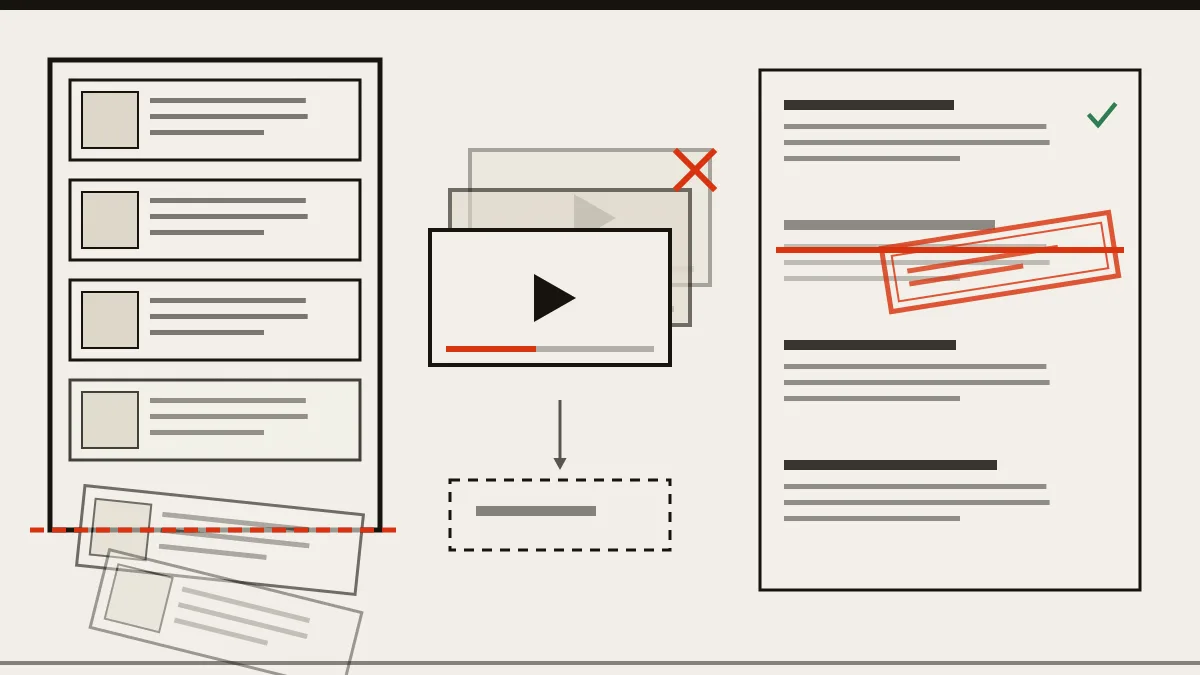
Start with time, because 4chan does. Its FAQ says threads last only a few hours or days, and that content which has expired is removed from 4chan's servers. Most posts about a person disappear from 4chan itself before any report could be read. While a thread is live, the Report post option sends it to the board's janitors and moderators, and 4chan's rules forbid posting or requesting personal information, so a thread that doxxes someone is reportable on its face.
The harder problem is what survives. Third-party archive sites copy many boards and keep what 4chan deletes, and 4chan's legal page says it will not act on those archives. Each archive has its own terms and contact route, and at least one of the largest states that it makes no promise any report will be acted upon. For copyright material, 4chan's legal page lists a DMCA address, and it warns that it may forward a complete copy of your notice, including your name. For intimate images shared without consent, it lists a separate address for requests under the US Take It Down Act, which since 19 May 2026 has required covered platforms to remove such images, and identical copies, within 48 hours of a valid request.
To get content removed from 4chan in practice, then, you work in this order: report the live post, send a legal notice if one applies, write to each archive that kept a copy, and then deal with the search results that point at any of them. The UK's regulator is not a shortcut. Ofcom has fined 4chan under the Online Safety Act, including £20,000 in October 2025 for failing to answer an information request and a later £450,000 penalty over age checks, and a US federal court dismissed 4chan's lawsuit against Ofcom on 15 September 2026. None of that removes a single post about you, because Ofcom enforces systems, not individual complaints.
Get content removed from BitChute
BitChute's reporting is simple and open to anyone. Its enforcement page says you can use the flag icon below a video, or email its reporting address, and that you do not need to be logged in. Its guidelines include categories for harassment and doxxing, and a separate category for incitement to hatred under UK, EU and EEA law. There is no defamation category, so a video that is false and damaging but not harassing sits outside the flag.
For your own footage, the copyright route is stronger. BitChute's copyright policy names its operator as Deep State Protocol, LLC and asks for notices by email with a subject line that begins "Copyright Notice". Many BitChute uploads are mirrors of videos first posted on YouTube, sometimes re-uploaded precisely because YouTube removed them. If that is your case, the original and the mirror need separate notices, and our guide to a YouTube take down request covers why removals on one platform so rarely stay put on another.
There is a UK twist. BitChute withdrew its video service from UK residents in 2025, and a later update in May 2025 switched off the remaining comment access for UK creators. A UK reader often cannot see the video that people abroad are watching. That does not reduce the harm, but it changes the evidence: capture the page through a trusted colleague abroad or a reputable archive, record the URL and the video ID, and send notices on the basis of that record.
Get name removed off cheater websites
Cheater websites publish accusations about named people, often with photographs, and they are mostly run from the United States. Section 230 of the Communications Decency Act says a platform will not be treated as the publisher or speaker of what its users post, and US courts have applied that to these sites directly: in Jones v. Dirty World (6th Cir., 2014), the appeals court held that the district court had erred in refusing TheDirty the section 230 defence. So a US operator can usually ignore a demand to remove a user's post, however false it is. Many such sites then offer a paid "removal" or "arbitration" service, which is exactly the business model search engines now penalise. Do not pay it: payment rewards the model and does not stop the same post reappearing elsewhere. Review sites run a version of the same trade, which we examined in our note on how to remove Trustpilot review listings and the Ripoff Report arbitration fee.
The route that most often works to get name removed off cheater websites is not the site at all but the search engine. Google has a specific policy for sites that require payment to remove content and are not business review sites: if your request qualifies, Google removes the page from results for your name and demotes other content from the same site. Its Results about you tool handles pages that expose your contact details, although Google is candid that removal from Search does not mean the information is gone from the internet. For a page that is inaccurate, out of date or excessive, a data-protection de-listing request asks Google to stop showing it for searches on your name. Google's transparency figures count 2,179,049 such requests since May 2014, covering 8,350,099 URLs, of which 54.2 per cent were delisted. Google's form names EU countries; for UK residents, the Information Commissioner's Office confirms the same right and says that if a search provider refuses, you can report your concern to the ICO.
UK defamation law adds pressure where the operator is within reach. The notice-of-complaint process under section 5 of the Defamation Act 2013 obliges an operator who wants the defence to act within 48 hours, and a UK court can grant an injunction. Against a US-only operator, though, a UK judgment may be hard to enforce there, which is another reason the search route usually does more, sooner.
When should a Discord problem go to the police instead?
When the message is a crime as well as a rule break. Discord's own Safety Center tells users facing threats of violence or self-harm to contact local law enforcement, and its harassment explainer says to contact the police immediately, however little information you have. A report to Discord can remove content and restrict an account. It cannot arrest anyone, and it cannot compel a person to stop.
Which UK offences reach Discord conduct?
Several, and they do not care which app carried the words. Section 181 of the Online Safety Act 2023 created an offence of sending a threatening communication, with a maximum of five years' imprisonment in England, Wales and Northern Ireland. The Protection from Harassment Act 1997 covers a course of conduct, which is how repeated messages across servers and DMs are usually charged. Section 66B of the Sexual Offences Act 2003, in force since 31 January 2024, makes it an offence to share an intimate image without consent or to threaten to share one. If the threat is immediate, call 999. Otherwise report it on 101 or online, and give the officer your ID log rather than a folder of screenshots.
The log matters because of how police obtain Discord's records. Officers cannot log in as you, and they cannot open a screenshot and ask Discord what it shows; what they can do is ask Discord for specific records, identified by specific numbers. Discord's law-enforcement guidance says it responds to valid legal process, that emergency disclosure requires an imminent risk of death or serious injury, and that it does not notify users about preservation or emergency requests. A preservation request is only useful while the content still exists, and message links tell an investigator exactly which records to ask for. Ask the officer to request preservation early. Discord's child-safety work runs on the same rails at far greater volume: its January to June 2024 report records 101,585 accounts reported to the US National Center for Missing & Exploited Children.
Why you should never send your ID to "Discord staff"
UK users have lived with Discord age checks since 21 July 2025, when Discord introduced new default settings and age assurance through the vendor k-ID, by face estimation or identity document. That created a new lure. In October 2025 Discord disclosed that a third-party customer-service vendor, 5CA, had been compromised, and that about 70,000 users may have had government ID photos exposed, images they had sent to appeal age decisions. The attacker tried to extort a ransom.
Two practical rules follow. Treat any DM asking for identity documents, tokens or passwords as hostile, whatever badge or name it wears, because Discord's own support runs through its help centre and in-app flows. And on 22 September 2026 Discord said age groups are now set automatically from account signals for most people, with more than 90 per cent of users not asked to confirm their age at all. UK adults who are asked can confirm under User Settings and Account Status. Anyone who asks for your passport through a chat window is not Discord, and a report of that account under the scam reason is a good use of the button.
What can none of these reports remove?
A report asks a platform to enforce its own rules. It cannot reach anything those rules do not cover, and on every service in this briefing that leaves the same four things standing: true statements, honest opinion, court and public records, and genuine reporting. A Discord post that accurately repeats something you said in a public channel breaks no rule by being unflattering. A negative Poshmark review of your shop, written by a buyer who really bought from you, is feedback. A newspaper article that names you in a court case stays lawful after you have served your sentence, and so does the court list it was based on. Reporting any of those wastes a slot in the queue. Filing a false report or a bluffed legal notice against them does worse: it gives the other side a story about you, and a platform that spots a pattern of bad-faith reports can act against the account that sent them.
What remains possible in those cases is suppression rather than removal. Suppression means publishing and strengthening accurate, better material so the damaging result slides down a search page, and in the UK and EU it sometimes means a de-listing request under data-protection law, where Google weighs your privacy against the public's interest in finding the page. Both are slower than a report. Neither deletes anything. We say which one applies before any work starts, and the limits are set out on our disclaimer page. The same split between taking a thing down and pushing it down runs through our Instagram account takedown briefing, and it holds here for every platform named above.
A few lines we do not cross, whatever the platform:
- We never forge a copyright notice, a court order or a solicitor's letter, and we never file a report we believe is false.
- We never ask for your password, your two-factor codes or your Discord token. A token is a full login, and "send me your token so I can fix your server" is one of the oldest account-theft lines on Discord.
- We never ask to be made an administrator of your server, and we never ask you to invite a bot we control.
- We never take payment in crypto only, and we never charge before a confidential review has told you what is realistic.
Reports also do not unmask anyone. The platforms that publish a position keep your name from the account you report, and all of them keep the account holder's real identity from you. The routes that can reveal who runs an anonymous account are court orders and police requests. In England and Wales that usually means a disclosure order against the platform, and because most of these companies are based in the United States, it is a lawyer's job rather than a form.
One category moves to the front of the queue. If someone has shared, or is threatening to share, intimate images of you, the first review is free and urgent. We never ask to see the images. Adults can create a digital fingerprint of an image on their own device through StopNCII.org, so partner platforms can block matching uploads without the picture ever leaving the phone. For anyone under 18, the matching tool is NCMEC's Take It Down, and in the UK, Childline's Report Remove works alongside the Internet Watch Foundation.
How we work a Discord or multi-platform case
Our first request is always the same: IDs, not screenshots. When a client comes to us about Discord, we ask for message links, user IDs and server IDs, copied the way this briefing describes, plus the dates. If they only have screenshots, we work out which messages still exist and ask them, or a trusted member still inside the server, to copy the links before anything else happens. That single step decides more cases than any wording we could put in a report.
Then we map the harm across platforms, because it is rarely confined to one. A harassment campaign that starts in a Discord server tends to leave traces elsewhere: a thread on an image board, a video mirror, a post on a cheater site, a fake listing, a profile on a professional network. Each of those is a separate object with its own owner, its own rules and its own route, and we list them in one case file with the ID or URL, the rule it breaks, the route that fits and what that route can realistically change. Some lines on that list end in a report. Some end in a legal notice. Some end in a search de-listing request, and some end with the honest note that the item is lawful and can only be outranked.
We file each report once, in the right category, and we keep a dated log of what was filed and what changed. We do not run report floods, we do not use anyone's login, and we do not sell bans. The market for bans exists on every platform, and we have documented what it really delivers in our reviews of the Instagram ban service trade, the Twitter ban service trade and the question of how much does a Facebook ban service cost once the risks are counted. The Discord version is the same product with a different logo.
We also watch the clocks, because several of the routes in this briefing close quietly. Hinge's Past Matches list reaches back 30 days. Posh Protect gives a buyer 72 hours after delivery, Depop Protection 30 days from purchase and eBay's Money Back Guarantee 30 days from delivery in the UK. Substack aims to review reports within 72 hours, and Discord's own targets run from 24 to 48 hours for the most harmful reports to around a week for the rest. On the other side of the ledger, a Discord ban can wipe up to seven days of messages, and most Discord violations expire after 90 days. A case file that records those dates is worth more than one that records only outrage.
What we can offer is the dull, reliable part done properly: the right object, the right reason, the evidence attached, the legal notice where the law supports one, and a clear statement at the start of what is likely to come down and what is not. You can read who does that work on our about page, and the first review is confidential and comes before any fee.