What does an Instagram fake account report actually file?
An Instagram fake account report is not one report. Instagram's account menu has no option called "fake". When you tap Report on a profile, the Help Centre lists three account-level reasons: the account is posting content that shouldn't be on Instagram, it is pretending to be someone else, or it may belong to someone under 13 (Instagram Help Centre, checked 29 September 2026). To report fake Instagram account copies, scams or bots, everything people mean by "fake" has to be translated into one of those, or into a report on a single post, message or comment. A copy of your profile is impersonation. A giveaway that harvests card numbers is a scam. A follower that exists only to inflate numbers is spam. An anonymous account that is rude about you but claims to be nobody in particular may not break any rule at all. The route, the person who is allowed to file and the chance of removal all change with that translation. That is also why an insta fake account report so often fails: the word "fake" does not tell a reviewer which rule to check. Pick the wrong one and the report is reviewed against a rule the account was never breaking, which is the single most common reason a genuine fake survives.
| What "fake" means in your case | The report that fits | Who can file it |
|---|---|---|
| A copy of you, a friend or your business | Report account, then "pretending to be someone else" | You, someone you represent, or anyone for a follow, public figure or business |
| A giveaway, shop or "support" account taking money or logins | Report the post or account as a scam or fraud | Anyone who saw it |
| Spam or bot followers | Remove the follower, then report as spam | You |
| An email or DM claiming to be Instagram | Check it inside the app, then report it as phishing | You |
| An anonymous account that pretends to be no one | Report the posts, not the account | Anyone who saw a post |
The table is the whole method in miniature. What the Instagram help center report a fake account pages leave out is the third column: who should file. Most of what follows explains each row, the evidence it needs and the answer you should expect.
Anonymous is not the same as fake
Instagram does not require a real name. Its Terms of Use say "You don't have to disclose your identity on Instagram, but you must provide us with accurate and up-to-date information" (Instagram Terms of Use, section 4.2). The same bullet adds that you "may not impersonate someone or something you aren't". So a pseudonymous account, a fan page or a parody account is allowed to exist. What the rules prohibit is deception about who is behind it: claiming to be a real person or organisation, or building accounts to evade a ban, run scams or manipulate the platform. Meta's Authentic Identity Representation standard puts it in one line: "we do not allow for the creation of accounts or profiles that are created or used to deceive others" (Meta Transparency Centre, change log dated 12 September 2026). Its Account Integrity standard adds accounts "Created or repurposed to evade a previous account or entity removal". And the impersonation help page closes a loophole people often try: "You can only report an account for impersonating someone or something, but not for misrepresenting itself" (Instagram Help Centre). A fake follower count or an invented job title is misrepresentation, and there is no report for it. That is the line our team works to. If a report cannot point at a real person being copied or a named rule being broken, "it's fake" will not carry it. The same split between annoying and actionable is the reason you cannot simply learn how to get someone banned on Instagram by volume, and it sits under every lawful Instagram account takedown we run. Meta applies one set of integrity rules across its apps, which is why how you get someone banned from Facebook follows the same logic.
How to get a fake Instagram account removed, in six steps
Here is how to get a fake Instagram account removed when it copies a real person. It is also the answer to the dozen ways people phrase it: how to remove fake Instagram account copies, how to take down a fake Instagram account, how to get Instagram to take down a fake account. The order matters more than speed. If you want to know how to get fake Instagram account taken down faster, the answer is the reporter and the reason, not the number of taps.
- Record it before you report. Copy the username and profile URL, screenshot the profile with the date visible, and save links to two or three posts that show the copying. Fakes change their handle once they notice attention, and an old screenshot with the old username is what ties the new name back.
- Name the kind of fake. Use the table above. Only a copy of a real person or business is an impersonation case; everything else goes through a content or scam report.
- Report from the right person's account. Open the profile, tap the three dots, choose Report, then Report account, then "It's pretending to be someone else", then who is being copied: you, someone you follow, a celebrity or public figure, or a business or organisation. The copied person's own report is the one that tends to work.
- No account? Use the web form. The impersonation form is below, with the ID step it asks for.
- Ask friends to report what they saw, once. A handful of accurate reports from people the fake contacted adds evidence. Fifty identical reports add nothing (we come back to why).
- Watch the decision and keep the file. In the app, go to your profile, open the menu, tap Help under "More info and support", then Reports and violations, then Reports. Each report shows whether the account "did or did not go against our Community Guidelines" (Instagram Help Centre). If you disagree, See report details, then Request review, usually gets a second look "within 24 hours". For report fake Instagram account help on the web, the same list sits under Settings, Help, Support requests, Reports, with a warning that not every report you made will be listed there.
A fake Instagram account removal decision can come back in hours or in weeks. In our experience at the desk, a clear copy reported by the person copied is usually decided faster than a case that turns on a judgement call about parody or a shared name. That is an observation from our own filings, not a published Instagram timeline, and Instagram publishes none for impersonation.
The Instagram fake account report link for people without an account
People search for an "instagram fake account report link" because the person being copied often has no Instagram at all and wants to know how to get a fake account taken down on Instagram from outside it. The link that exists is the impersonation contact form: Report an impersonation account on Instagram or Threads. It offers three situations. Someone created an account pretending to be you or a friend; someone is pretending to be a person you represent, such as your child; or you cannot log in to your old account, which is a recovery route and not a report. The form asks for a photo of a government ID, and reviewers compare it with the account. In the refused ID cases we coded for our impersonation report briefing, the most common reason was an ID name that did not match the name on the fake. When the fake uses a nickname or a misspelling of you, explain the link in the description field. We know of no web form for fake giveaways, bots or spam accounts; those need the in-app report.
How to get a fake page taken down on Instagram when it copies a business
A fake business page is still impersonation. Report the account, choose "It's pretending to be someone else", then "A business or organisation". The impersonation web form has no business branch, so a brand without an Instagram presence of its own should report from any staff account or use Meta's intellectual-property routes when the page uses its registered trade mark or its photographs. For an Instagram report fake business account case, start with that in-app report when the fake copies your name; the trade mark routes matter when it uses your logo or registered brand. If the fake business account is also taking orders or payments, file a scam report on the posts that take money as well. The business report deals with the name. The scam report deals with the customers. Many fakes run the same copy on Facebook through a linked Accounts Centre, and taking down only the Instagram half leaves the other running, so check it with our notes on how to take down a Facebook account that isn't yours.
Why is Instagram not removing fake account copies you reported?
Instagram not removing fake account copies is almost always a routing problem, not an enforcement mood. The review checked the report against the reason you chose, and the account passed that test. Most questions about how to get a fake Instagram account taken down after a refusal come down to five patterns, and we see them again and again in the cases that reach us.
| What happened | The likely cause | What to do next |
|---|---|---|
| "Doesn't go against our Community Guidelines" | You reported "spam" or "content" for a copy of you | Report the account again as impersonation, filed by the person copied |
| Rejected after the ID step | The ID name does not match the name on the fake | Explain the variant spelling or the photos used, then re-file |
| No answer at all | A friend reported "pretending to be me" for you | The copied person files, or a parent for a child |
| Removed, then back a week later | A new account from the same person | Report the new one citing the old username; that is evasion |
| Still up after twenty reports | Volume does not trigger review | One accurate report plus evidence beats a pile of identical ones |
The fourth row is where screenshots earn their keep. A returning copy is not a fresh case; it is ban evasion, which the Account Integrity rules treat separately, and the old handle in your file is how you show it.
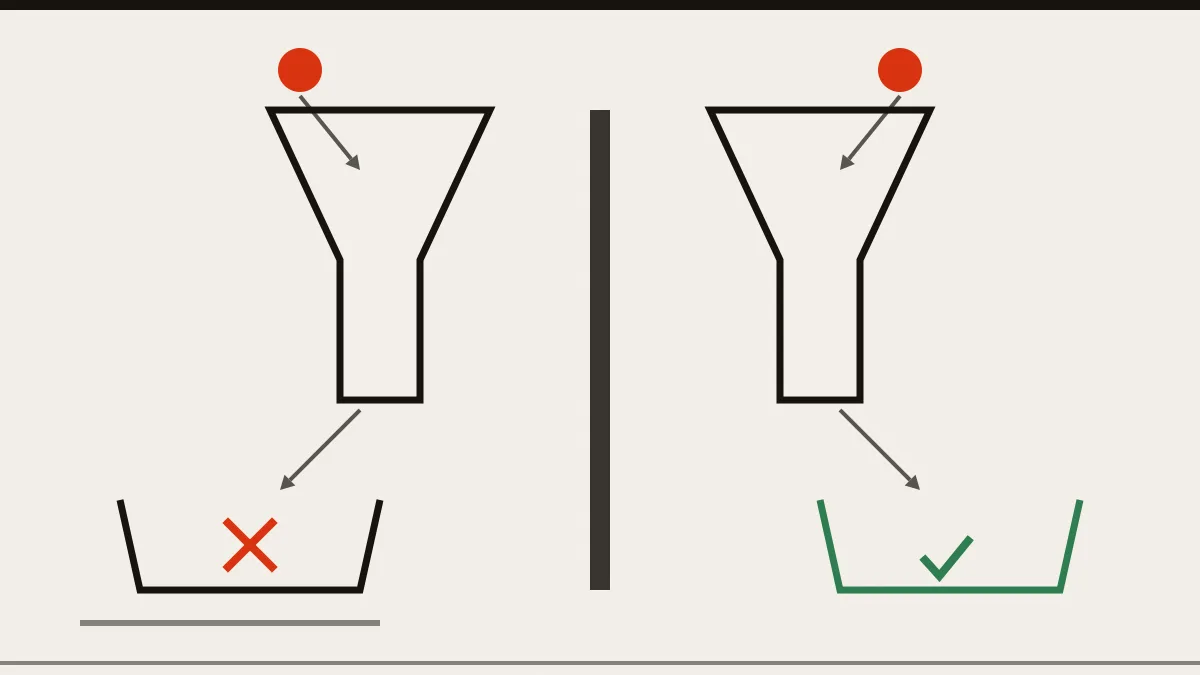
The fifth row is where most people lose weeks. Meta says it plainly on Facebook's Help Centre: "The number of times something is reported doesn't determine whether or not it's removed" (Facebook Help Centre). A report is a pointer. One good pointer gets a reviewer to look at the right rule. A hundred bad pointers get a hundred looks at the wrong one. This is also why buying reports fails, whether from a mass report Instagram account script or an Instagram spam report bot sold on a panel: they multiply the pointer without changing where it points.
Stuck on a refusal? Send us the profile link and your screenshots. We review it confidentially, tell you which route fits and whether it has a realistic chance, before anything is charged. We never ask for your password.
Fake giveaways, fake shops and emails pretending to be Instagram
Not every fake copies a person. Some copy a moment of trust: a brand's giveaway, a shop's checkout page, a security email from Instagram itself. These are scam cases, and Instagram treats them under fraud rules, which anyone can report and which do not need the copied person to file.
How to report a fake Instagram giveaway
A fake giveaway usually copies a real brand's promotion, then comments "You've won, claim here" under real entrants. The claim link asks for a delivery fee, a card number or your Instagram login. To report a fake Instagram giveaway, report the comment or message that contacted you first, then the account, choosing "Scam, fraud or spam". Meta's rules cover this exact trick: its Prohibited Commercial Practices standard bans "False offers of a guaranteed reward of real money or consumer goods" that need nothing from you except personal or financial details (Meta Transparency Centre). Instagram's own scam page lists "advance fees to receive a loan, prize or other winnings" as a warning sign. Tell the real brand too; its staff can report from the verified account, and a business report often moves faster than a stranger's. If the winner message moved you to WhatsApp or Telegram, the fake has two lives now. Reporting the number is covered in our note on how to ban someone's WhatsApp number, and channels that sell "prize" draws are covered under how to take down a Telegram channel.
How to report a phishing email pretending to be Instagram
A phishing email is not an Instagram account, so it cannot be reported from a profile. Instagram gives you a way to check instead. It lets you "view official Instagram emails sent within the last 14 days" from Settings: Accounts Centre, then Password and security, then Recent emails, split into Security and Other (Instagram Help Centre). If the message in your inbox is not in that list, Instagram did not send it. Real mail comes from a short list of domains, among them @mail.instagram.com, @support.instagram.com and @facebookmail.com. To report a phishing email pretending to be Instagram, forward it to phish@instagram.com, the address Instagram's help page gives for "strange emails", then delete it.
Do not click the link to check. If you already entered your password, change it from the app, turn on two-factor authentication and review the logged-in devices; the fake then has nothing left to use. The same rule holds for DMs from accounts called "Instagram Support" or "Meta Copyright Team". Instagram "will never contact you about account security through Direct messaging", so those accounts are fakes to report as impersonation of a business.
The money side is separate. If you paid a fake giveaway or shop, report it to your bank first and, in the UK, to Report Fraud (the national reporting service that replaced Action Fraud). Instagram can remove the account; it cannot return the payment. The scale is not small: the US Federal Trade Commission found that nearly 30% of people who reported losing money to a scam in 2025 said it started on social media, with $2.1 billion reported lost, and named Instagram the third platform by losses behind Facebook and WhatsApp (FTC Data Spotlight, 27 April 2026).
Can you remove fake or spam followers on Instagram?
Yes, but only from your own list. You can remove any follower from your account; you cannot delete their account. That is the honest answer to "how to delete someone fake account on Instagram": no user can delete another person's account, and only Instagram can disable one after a report.
For a public account, Instagram now does part of the sorting. Its help page on unwanted followers says "Instagram may flag accounts if they're potentially spam, bots or irrelevant" (Instagram Help Centre). Open your Followers list and look for the "Flagged for review" group. You can tap Remove next to each one, or Remove all. The removed followers "won't be notified", and flagged follow requests you leave alone are declined automatically after 30 days. An older help article still calls the same group "Potential spam", so the label on your phone may differ while the feature rolls out. For a private account, or for a single follower, open Followers, tap Remove next to the name and confirm.
Removing a follower only cleans your list. If the account is a bot sending scam links, report one of its posts or messages as "Scam, fraud or spam" as well, so the account itself is reviewed.
Be wary of apps that promise to remove fake accounts on Instagram in bulk. Most ask for your Instagram password, which breaks Instagram's terms and hands a stranger your login. The same automation that removes followers can also add them, and several "cleaner" apps come from the panels that sell followers and reports in the first place, as our look at Telegram mass report panels found. You can remove fake Instagram accounts from your follower list by hand. It is slow. It is also safe.
Does an Instagram DMCA fake account takedown work?
Sometimes, and for a different reason. An Instagram DMCA fake account takedown works on the photos and videos the fake copied from you, not on the lie about identity. If the fake uses pictures you took, a copyright report can remove them, and repeated valid copyright reports count toward Instagram's repeat-infringer policy, which can remove the account. The cost is disclosure. A copyright report passes your name and email to the account you report, and under US law the uploader can send a counter-notice; the platform then restores the material 10 to 14 business days later unless you show you have gone to court (17 U.S.C. §512(g)). A knowingly false notice exposes the sender to damages under §512(f). For most people asking how to take down fake Instagram account copies of their face, impersonation is still the better report, because it is anonymous and targets the account itself. Copyright is the tool when the photos matter more than the name, or when the photos belong to someone who is not the person being impersonated. The same copyright logic keeps re-uploads down elsewhere, as in our notes on how to get a YouTube video taken down and keep it down.
When the same fake turns up on other apps
A fake Instagram account is rarely alone. Anyone willing to copy your profile on one app will usually copy it on two or three, often with the same photos and a handle one letter off. After a removal on Instagram, search your name and your photos on the others; the evidence file you already built transfers almost unchanged, but each platform has its own report and its own rules about who may file.
On TikTok, a copy can be reported in-app or through its impersonation form, and our briefing on how to get a fake TikTok account taken down covers which one fits. It also explains why the honest answer to getting someone banned on TikTok is a policy match, not a crowd. On X, impersonation has its own form with an ID step. We cover how to take down a Twitter account through five separate instruments, what evidence wins a fake Twitter account removal before the form is filed, and which parts of how to get someone banned on Twitter are in your hands at all.
Snapchat fakes are harder to see, because profiles are not searchable in the same way; our note on how to take down a Snapchat account that isn't yours sets out the routes, and how someone gets banned from Snapchat sets out the rules behind them. LinkedIn clones aimed at recruiters and business contacts go through a different form again; see how to report a fake LinkedIn profile. And if the copy is a YouTube channel using your name or videos, strikes and impersonation policy decide it, which is why you get a YouTube channel taken down by rule and not by report count.
Fake report bots and fake Instagram account removal services
Search for an Instagram fake report bot and you will find two different products under one name. The first is a Telegram bot or panel that promises to "report fake accounts" by firing hundreds of automated reports. The second is a person or agency selling fake Instagram account removal as a service. The first does not work and can backfire. The second may or may not be legitimate, and there are ways to tell.
An Instagram report fake account bot runs scripted reports from throwaway or hijacked accounts. Meta's Inauthentic Behaviour policy names that conduct directly: accounts must not "Misuse Meta reporting systems to harass, intimidate or silence others" (Meta Transparency Centre, updated 11 December 2025). Automated reports are the kind of signal Meta's systems discard, and the accounts sending them are the ones that tend to get disabled. We have taken apart what these products really are. An Instagram ban service mostly sells reports, not outcomes. The X mass report bot and the TikTok mass report bot run on the same queue logic, and the Facebook mass report tool is often a relabelled script. A WhatsApp mass report bot asks buyers to hand over their own account, a Snapchat mass report bot has no public endpoint to call, and a YouTube mass report bot hits a daily cap and stops.
A legitimate fake Instagram account removal service does four things a bot cannot. Nobody can sell Instagram fake account removal as a product, because the decision is Instagram's. What an honest service sells is the work around it. It builds the evidence file, picks the one report or legal route that fits, files it as the person entitled to file (or with their written authority), and follows up when the first answer is a refusal. Where the fake is also defamatory or part of a harassment campaign, it can involve a solicitor, and in serious cases a court order to Meta: Instagram's own guidance says private parties need a valid civil subpoena, served on the right Meta entity with the username, profile URL and relevant dates, to obtain even basic subscriber information (Instagram Help Centre).
Price tells you less than method. A TikTok ban service charging $250 and a Twitter ban service charging less share the same flaw if they will not say which report they file. The legal exposure lands on the buyer, as our breakdown of Facebook ban service price bands shows, and no fee buys access a platform does not grant, as the WhatsApp ban service trade proves. Walk away from anyone who promises guaranteed removal, asks for your password, or wants crypto before reviewing the case.
Here is why a report bot adds nothing, in one set of numbers. Under the EU Digital Services Act, platforms log every moderation decision in a public database. Between 1 and 28 September 2026, Instagram logged 10,501,217 decisions for EU users, 7,057,830 of them account terminations; the scams and fraud category alone produced 1,027,721 terminated accounts (DSA Transparency Database, our count on 29 September 2026). A queue that removes a million scam accounts in four weeks is not waiting for a bot to vote. It is waiting for the report that names the right rule.
What a report cannot take down
Some fakes are not removable, and saying so early saves money. An account that uses a pseudonym and pretends to be no one is allowed. A parody account that is clearly labelled is allowed. A fan page using a celebrity's name with a clear fan label is usually allowed. A critic who posts true things about you from an anonymous account is not a fake account in Instagram's sense, and the posts are judged as content: harassment, privacy or defamation rules may apply to individual posts, but the account itself stays.
We do not forge notices, file impersonation reports for people who are not being impersonated, or send legal threats we cannot stand behind. A forged copyright notice is a legal liability for the sender, and a bluffed threat invites the Streisand effect: the story of the attempted takedown can travel further than the original post. Where removal is not available, what remains is suppression, pushing better, accurate results above the unwanted one in search. That is slower and it is not deletion. Our disclaimer sets out the limits of what any removal service, including ours, can promise.