What does "take down" mean on Facebook, and who gets to do it?
Two very different people type the same words into a search bar. One runs a Page and wants it offline before the weekend. The other is staring at a Page, a post or a photograph that somebody else controls and wants it gone. Facebook treats those as unrelated jobs, handled by different people through different screens, and most of the frustration around a facebook take down comes from following instructions that were written for the other person.
The first job belongs to the owner. Anyone with full control of a Page can hide it, freeze it or delete it from the Page's own settings, and nobody at Meta reviews that decision.
The second job belongs to Meta alone.
No setting, form or paid service lets a third party delete content it does not control. What a third party can do is file something that gives Meta a reason to act, and then work out what Meta actually did, which is harder than it sounds. When people say something was facebook taken down, they can mean at least five different states: the content was removed everywhere; it was withheld in one country under local law; it stays up but is shown to fewer people; the Page was unpublished or deactivated by the people who run it; or the account behind it was disabled. Each state has a different author, a different notice and a different way back. Meta has separated removal from demotion in public since April 2019, when it described its approach as "remove, reduce, inform" (Meta).
That distinction runs through the whole of this briefing. A request that does not say which outcome it is asking for is hard for Meta to judge and hard for you to check afterwards, and the checking is the half of the job most guides leave out. Our side of the work at Obscura is often the second half: confirming that what a client was told came down has genuinely come down, on Facebook and in search.
The order below follows the objects rather than the frustration. Your own Page first, because it is the quickest win and the most common search, whether it is phrased as how do you take down a page on Facebook or how to take down facebook page settings. Then a Page somebody else runs, then posts, profile pictures and whole accounts. After that come the five outcomes in detail, how to verify each one from outside, what happens when the removed content was yours, and where removal stops being the right tool at all. Every route named here is one Meta documents in its own Help Centre, checked in September 2026.
How do you take down your Facebook Page?
If the Page is yours, there are three switches, and they sit next to each other in the same menu. Picking the wrong one is the usual mistake, because two of them look permanent and are not, and the third looks reversible for longer than it is.
Meta's own help pages describe the three plainly (Facebook Help Centre). Unpublishing hides the Page from the public while leaving you free to keep editing it, which makes it the right choice for a rebrand or a Page you are rebuilding. Deactivating hides it from everyone, including the people who follow it, and freezes it so nobody can make edits until it is reactivated. Deleting starts a clock: Meta deactivates the Page immediately, but it "won't be permanently deleted until 14 days have passed" (Facebook Help Centre). Inside those fourteen days, reactivating the Page cancels the deletion. After them, it is gone.
| Switch | Public view | Can you edit? | Way back |
|---|---|---|---|
| Unpublish | Hidden | Yes | Publish again |
| Deactivate | Hidden, followers included | No | Reactivate from your own profile |
| Delete | Hidden, then erased | No | Reactivate within 14 days |
All three live in the same place. Switch into the Page from your profile photo, open the Page's own photo, choose Settings & privacy, then Settings, then Access and control. Deactivate Page and Delete Page both sit there, and Facebook may ask for your password again before either goes through.
One detail catches people who come back to undo a mistake. You cannot reactivate a Page from inside the Page. Meta states that reactivation only works from a personal profile: Settings and privacy, then Settings, then Reactivate a Page under Your activity. Admins who search the Page's business settings for a restore button find nothing there and assume the Page is lost, while the fortnight ticks down.
If the option to delete does not appear at all, the problem is access rather than the menu. Only someone with Facebook access with full control can deactivate or delete a Page, so a person with partial access sees a shorter menu and no warning about why. That is also the answer to the related search, how do you take down a Facebook Page you only help to run: you ask the person with full control, or you get full control first. As on other platforms, the only instant takedown is the one on your own content, the same point we make about getting a TikTok taken down quickly.
Which switch fits which situation?
Most people asking how do I take down a Facebook Page have a reason, and the reason picks the switch. A rebrand, a new logo or a Page you are rebuilding after a bad month calls for unpublishing, because you keep editing in private and publish when it is ready. A Page you need offline while you sort out a dispute, a compromised admin or a legal letter calls for deactivation: it disappears for everyone, nobody can post to it, and it waits intact until you reactivate it from your own profile. A business that has closed, or a Page you never want associated with you again, calls for deletion, with the fortnight as your cooling-off period. The failure we see most often is somebody deleting in a panic when deactivation would have done, then missing the fourteen days while arguing with a former partner about access. If you are unsure, deactivate first. You can always delete later, and nothing you do inside the grace period needs Meta's permission.
That is how to take down your Facebook Page cleanly, and none of it requires contacting Meta at all.
Pages and personal profiles keep separate clocks. A profile has its own grace period, set out in deleting the Facebook account behind the Page, and the two are easy to confuse when one person owns both.
Pages that go dark without anyone pressing a button
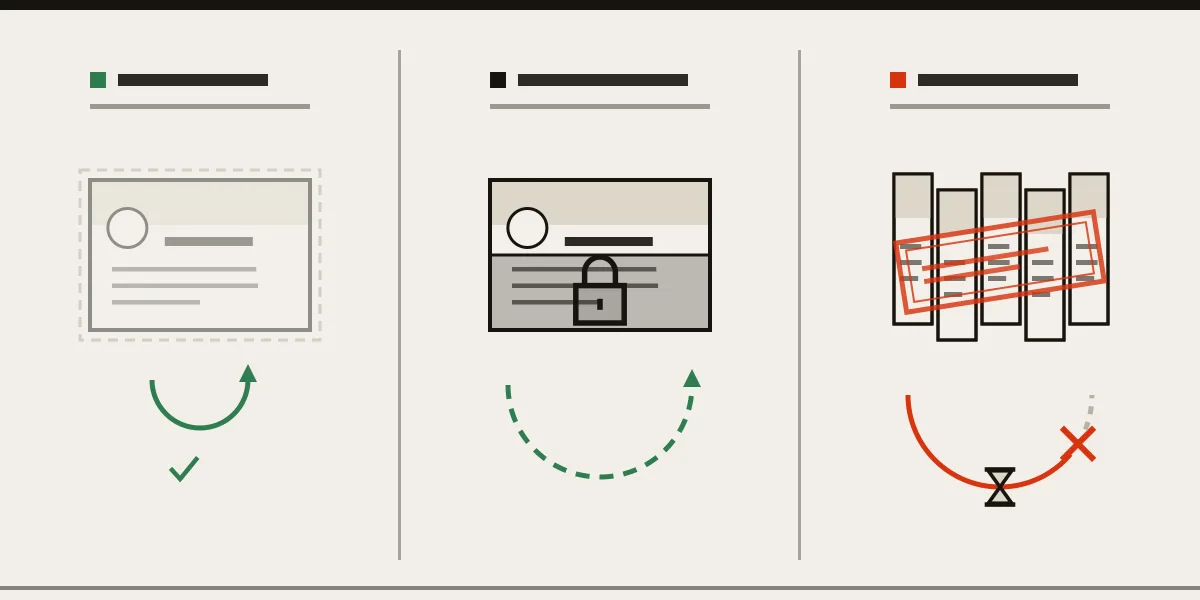
Some Pages come down with nobody choosing it. Meta ties a Page to the personal accounts that control it, so what happens to those accounts happens to the Page. If you deactivate your own Facebook account, every Page that only you controlled is deactivated with it. If a Page no longer has at least one person with full control, Meta deactivates it automatically, and the deletion article adds that such a Page is "scheduled for deletion". A small business whose only full-control admin left, deleted their profile and moved on can therefore lose its Page on a timetable nobody inside the business ever saw. There is also a cascade for businesses with branch or store-location Pages: when a parent Page is deactivated, its child Pages go dark with it, and a child Page deactivated separately has to be brought back separately. The fix for the orphaned case is a Page admin dispute, which Meta offers when the last full-control person no longer has an active account.
The lesson is dull and useful. Give at least two trusted people full control before anyone leaves, and check the list whenever staff change. The team who write these briefings see more lost Pages from this than from any attack.
How to take down a page on Facebook when it is not yours
This is the harder half, and it starts with a smaller question than most people ask. Is the Page itself the problem, or is one thing it published the problem?
The distinction matters because Meta judges content, not grievances. A Page that exists to impersonate you, to harass one person, to run a scam or to front for somebody under the minimum age is a Page-level problem, and reporting the Page is the right instrument. A Page that is otherwise ordinary but published one defamatory post, or one photograph of you, is a post-level problem. Report the whole Page in that case and the reviewer looks at a Page that mostly follows the rules, sees nothing wrong with it as a whole, and closes the report. Aim at the smallest object that actually breaks a rule.
The Page report itself is short (Facebook Help Centre). Go to the Page, open Options below the cover photo, choose Report Page, then pick the option that best describes how the Page goes against the Community Standards. Read the next screen carefully, because Meta's own wording is more guarded than people expect: depending on your feedback, "you may then be able to submit a report", and for some types of content Meta does not ask you to submit a report at all but uses your feedback to train its systems. In practice, a vague category can end as training data rather than a case. If the Page has blocked you, Meta's suggestion is to ask a friend to report it instead.
Volume does not rescue a weak report. Meta says outright that "the number of times something is reported doesn't determine whether or not it's removed from Facebook" (Facebook Help Centre), which is why getting someone banned from Facebook turns on strike history and severity, not on how many friends you can recruit.
What does make a report work is precision. The reviewer sees the Page, the category you chose and, on some forms, a short description, and has to decide quickly whether the Page as a whole breaks a named rule. So the category must describe the Page, not your feelings about it. A Page that copies your business name, logo and photographs is impersonation or a trademark matter, not "spam". A Page that exists to post about one private person, every day, is harassment, and the pattern is the evidence, so capture a run of posts with dates before you file. A Page selling goods that never arrive is a scam. Where a form offers a free-text box, one or two plain sentences that point to specific posts, with dates, beat a paragraph of outrage every time. That is the practical answer to how do you take down a page on Facebook that is not yours: pick the rule, show the pattern, file once.
Read the Page Transparency record before you file
Every Facebook Page carries a transparency panel, and it is the most useful piece of evidence most complainants never open. Meta says the section "cannot be removed or hidden" by the people who run the Page (Facebook Help Centre). From the Page, click its name under the cover photo, then Transparency and privacy policy. The same information appears when you look the Page up in the Ad Library.
What it shows is exactly what a takedown request needs. The date the Page was created. The primary country locations where it is managed, and how many people manage it in each country. Its previous names. Any merges since 6 September 2018. A confirmed business owner, where there is one, and whether it belongs to state-controlled media.
When we prepare a Page complaint, this panel is the first thing we capture, with a dated screenshot, because it answers questions a reviewer would otherwise have to guess at. A Page that was created the week after a dispute began, renamed twice, and now carries your name is a very different case from an old fan Page that happens to mention you. A Page claiming to be a local business but managed entirely from another country tells its own story. None of it proves a violation on its own, and the country is inferred from the managers' profiles, devices and connections, so it can be wrong or blank for new accounts. Meta also lets a manager ask to hide the location for safety reasons, in which case visitors see "Location hidden by Page manager". Even that label is worth recording.
While you are in the Ad Library, look at whether the Page is paying to reach people. A Page that runs adverts under your name, or pushes a scam to strangers, is doing more damage than one that posts to a few hundred followers, and the Ad Library shows those adverts with their dates. That changes both the urgency and the argument. A reviewer weighing a report against a Page with live, paid reach has a concrete harm in front of them rather than a complaint about tone.
Which form accepts a Page URL: the facebook page takedown request, sorted
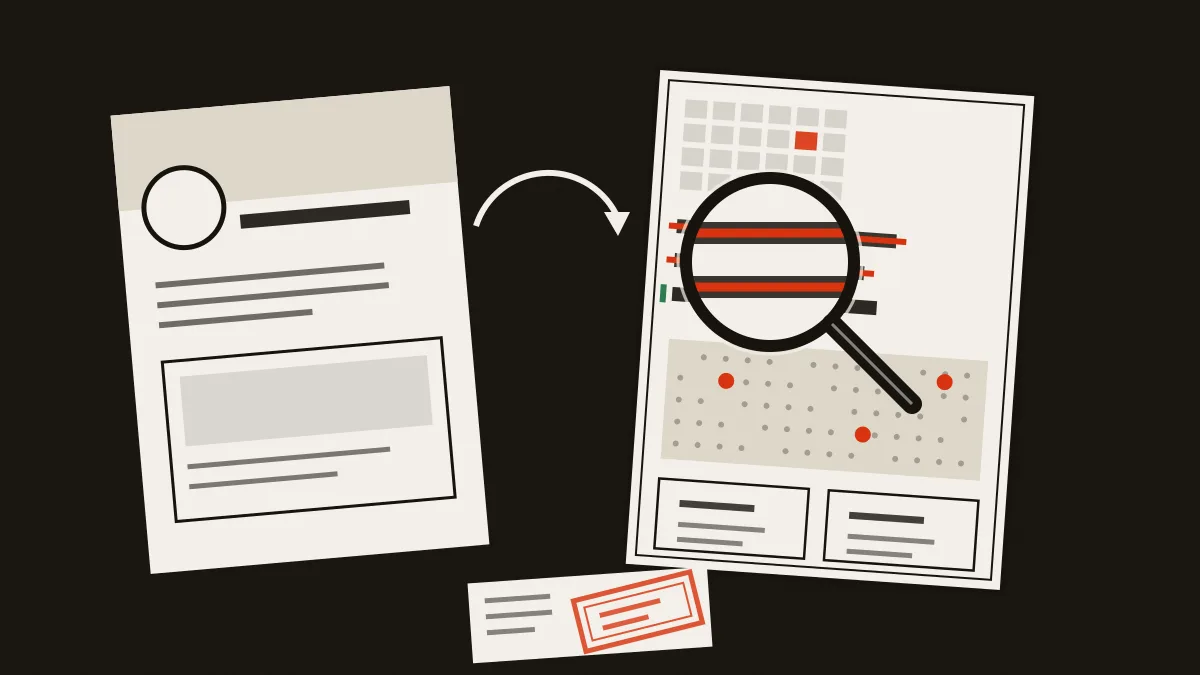
A facebook page takedown request is not one document. Several of Meta's forms accept a Page link, and they are not interchangeable, because each one asks Meta to apply a different rule.
Community Standards breaches such as hate, harassment, scams and fake Pages go through the in-app Page report. For "a profile or Page pretending to be you or someone else", Meta runs a separate impersonation route, and it expects the impersonated person, or their representative, to file with identification. A Page built on your photographs, videos or brand belongs on the copyright or trademark forms, which are not anonymous: the Page's managers can learn who filed. False statements of fact go to the defamation form, and in our experience the usual result is a restriction in the countries whose law is engaged rather than deletion, a pattern set out in why Meta's defamation form restricts rather than deletes. Finally, the under-age form asks for "the profile or Page you'd like to report", so it reaches a Page run by a child below the minimum age.
Other platforms draw the same lines with different paperwork. LinkedIn, for instance, numbers separate forms for copyright, trademark and defamation, and routes clones through its in-app report.
Filed once and heard nothing? Send the Page link and your screenshots to our desk for a confidential case review. You get the matching form and a straight answer before any fee, including when the in-app report is enough on its own. Passwords are never part of it.
How do you take down a Facebook post? Yours, a friend's, a stranger's
The answer depends on who wrote the post and where it sits, and Facebook gives each of those three people different buttons.
If you wrote it, you delete it. Find the post, click Options in its top right, and choose Delete post. Meta's wording is precise: Delete post "removes the post from Facebook entirely", and "you can only delete posts that you have posted" (Facebook Help Centre). That covers most searches for how do I take down a Facebook post. Some versions of the app offer a move to Facebook's recycle bin in the same menu instead, and a post parked there is not yet deleted, so empty the bin if you want it gone at once rather than eventually.
If a friend wrote it on your profile, you cannot delete it. You can choose Hide from profile, which removes it from your profile and leaves it on Facebook. Posts you are tagged in work the same way. Removing the tag takes the post off your profile, but Meta notes it "is still visible to the audience it's shared with in other places on Facebook, such as Feed and search". People often believe an untag is a takedown. It is closer to a change of address.
If a stranger wrote it, only Meta removes it, which brings back the question of which rule the post breaks. Open the post's menu, choose Report post, and pick the category that matches what is actually on the screen. Harassment, threats, hate speech and nudity go through that report. A photograph or video of you shared without consent has its own privacy route, covered in the next section. A post built on your photograph or your writing is a copyright matter, filed through the copyright form, and a copyright removal can be reversed by a counter-notice.
Posts on a Page you manage, or in a group you run
Managers have a middle route that ordinary users lack. If a visitor posts something abusive on a Page you run, or a member posts it in a group you administer, you can remove it yourself without asking Meta, because you control the space rather than the post. Meta documents removing or hiding posts from your Facebook Page as a separate task from deleting your own posts, and group admins can delete members' posts and remove the members who wrote them. That makes the admin the fastest reviewer in many disputes, and it is why a polite message to a group's admins sometimes settles a problem in an hour that a report would leave for days. It also cuts the other way. If the admins of a group are the people attacking you, they will not help, and the complaint has to go to Meta about the group or the individual posts, with the same evidence discipline as any other filing.
A working order for posts that are not yours
Here is the working order for how to take down a post on Facebook when it is not yours. Capture it first, with the URL, the date and the name of the account that posted it. Decide which rule it breaks and who has standing to say so. File once, in the right category. Then check the outcome from outside, which is covered further down, because a post that says "reviewed" in your Support Inbox is not always a post that has gone. Anyone searching how to take down facebook post content quickly should know that the capture step is the one people skip, and it is the one that decides whether a second attempt is possible. A facebook take down post request that fails can be refiled with better evidence; one filed after the post was edited or deleted by its author usually cannot, because the reviewer has nothing left to look at.
Posts that live in more than one place
A Facebook post is rarely a single object by the time it matters. It may have been shared to a group, screenshotted, or cross-posted to Instagram through Accounts Center, and each copy is a separate item for Meta's reviewers. Removing the original does not remove a screenshot somebody else uploaded, and a share inside a group is governed partly by the group's admins, who can delete it themselves without Meta at all. Where the same material also sits on Instagram, the menus and evidence steps differ; the Instagram side is covered in reporting an Instagram comment, photo or story. The copies problem is worst on video platforms, where duets and reposts survive the original, and what a TikTok content removal service misses shows why one filing rarely finishes the job anywhere. So "how you take down a post on Facebook" is often really "how you take down four copies of a post", and planning for that from the start saves a second round of work.
Taking down a profile picture, and the copies people forget
Most searches for how to take down profile picture on Facebook are about the searcher's own photo, and the steps are simple. Go to your profile, open Photos, then Albums, then Profile pictures. Open the image, click Edit in its top right, choose Delete photo and confirm (Facebook Help Centre).
What people miss is the album itself. Your current profile picture is public, and Meta says so directly: "Your profile picture is always public" (Facebook Help Centre). Replacing it does not delete the old one, which stays in the Profile pictures album, and a temporary profile picture that expires "will still be visible in your profile pictures album". Anyone clearing an old image for safety reasons should work through the whole album, not just the current picture. Facebook also documents a profile picture guard setting that limits what other people can do with your current picture. It is worth switching on where it is offered, but it does nothing about copies somebody saved before you turned it on.
The harder case is your photograph on somebody else's profile. That is really three different complaints, and the right one depends on what the copy is doing:
- It is pretending to be you. A profile using your photo and your name, or presenting itself as you, is impersonation, filed by you with identification. Impersonation queues nearly always ask the real person to prove who they are, which is the core of someone is impersonating me on Instagram, and Facebook's queue asks for the same thing.
- It shows you, but claims to be somebody else. Then it is a privacy matter. Meta's help page limits who may file: you should only report images that involve "you, your child (under 13) or another person for whom you are the legal representative or guardian" (Facebook Help Centre).
- You took the photo. Then you hold the copyright and can use the copyright form, accepting that your name travels with the notice.
Age changes the privacy route. Meta's image privacy policy lets a child under 13, or their parent or legal guardian, request removal of an image of that child; a young person aged 13 to 18 can request removal of an image of themselves; and an adult living outside the United States can ask where local law may give a right to removal (Meta Transparency Centre). For UK adults that local law is data protection, and the Information Commissioner's Office explains the right to erasure in plain terms (ICO). Intimate images are a different category entirely, handled urgently and without anyone sending the material, as set out below.
Proving the copy is yours before you report it
A copied profile picture is easy to report badly. A reviewer sees a stranger's profile with an ordinary photo on it and has no way to know the photo came from you unless you show them. Before filing, collect three things. First, the original: a screenshot of the same image on your own profile or phone, with a date that predates the copy, which your Profile pictures album or your camera roll usually supplies. Second, the copy: the profile's URL, since a display name can change in seconds, and a screenshot of the picture on it. Third, context: whether the profile also uses your name, messages your friends, or claims to be somebody else. That third item decides the route. Report the profile itself when it pretends to be you, because impersonation is judged on the whole account. Report the individual photo when it only shows you, because the privacy route is judged on the image. Mixing the two is why these reports so often fail.
If you send us a photograph as part of a case, how we store the photos you send us is published, and we ask for the minimum needed to identify the copy.
Can you delete someone's Facebook account permanently?
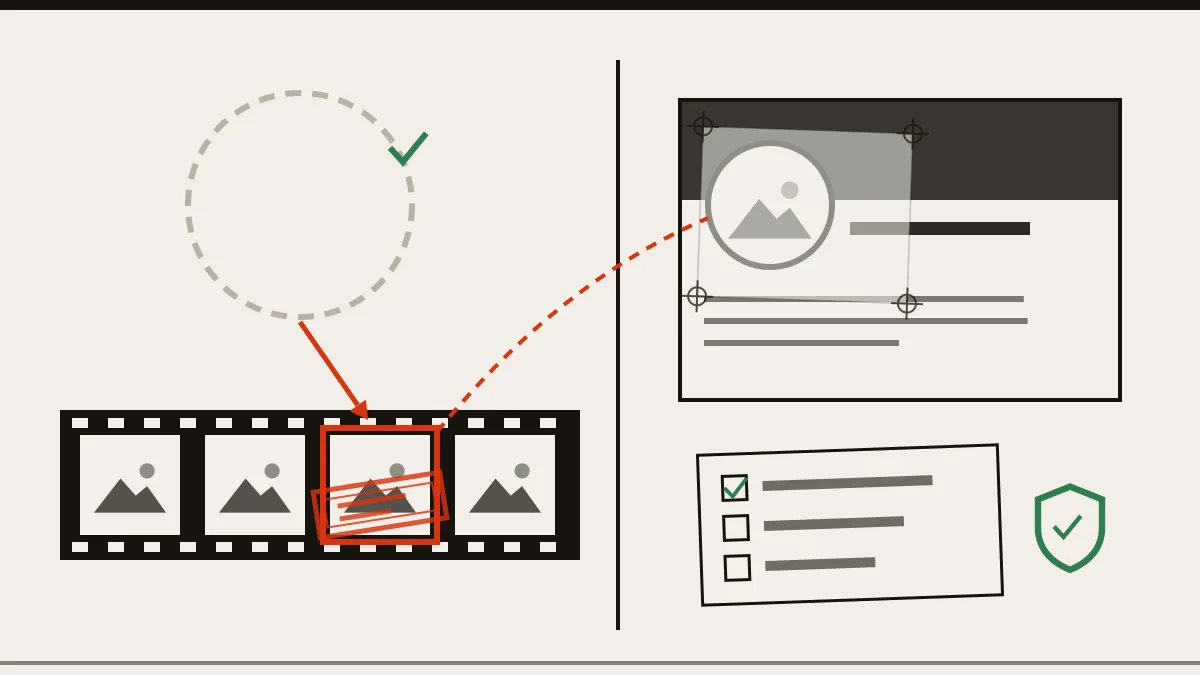
No. Searches for how to delete someone facebook account usually hope for a form that does it, and there is not one, because deletion belongs to the account holder and termination belongs to Meta. That rule is not unique to Facebook; it is the same owner-or-platform split described in taking down someone's Snapchat account.
What exists instead is a short list of situations in which Meta removes a whole account at somebody else's request or on its own initiative. Knowing the list is the difference between a plan and a wish.
Disabled for violations. Meta disables accounts that keep breaking the rules after warnings and restrictions, and some after a single occurrence. Its help page names content "tied to severe safety risks", child sexual exploitation, accounts created to get around restrictions, dangerous individuals, convicted sex offenders, and "instances where people misrepresent their identity" (Facebook Help Centre). Your role here is to report the conduct accurately; the disabling is Meta's decision, and it is the same decision on Instagram, where a report against a person can end in anything from nothing to deletion. YouTube is more explicit still, publishing three grounds for ending a channel.
Under the minimum age. Meta's under-age form states that a profile made with a false date of birth will be deleted if the user's age "can be reasonably verified" as below the minimum for their region (Facebook Help Centre). It also warns that you will not get confirmation the profile has gone.
Medically incapacitated. A separate form lets a guardian ask for the account of a medically incapacitated person to be removed (Facebook Help Centre). It requires two documents, proof of guardianship such as a power of attorney or court order, and a note from a doctor or medical facility. If the condition is reversible, Meta says it can deactivate the account instead, so the person can return to it.
Deceased. Families can ask for memorialisation or removal, and removal after a death is the one outcome Meta treats as final, which is why it sits apart in which Facebook removals come back and which stay down.
So what about how to delete someone facebook account permanently? The honest reading of "permanently" is that only the last three routes end with the account deleted. A disabled account can often ask for review, and Meta says it will tell the owner whether that option exists. Even a disabling that holds does not stop a determined person from opening a new account, although evading a restriction is itself one of the grounds Meta lists for disabling the next one.
What you control while Meta decides
Waiting for a decision does not mean doing nothing. Several tools sit entirely in your hands and work immediately, whatever Meta concludes. Blocking the account stops it seeing your profile, tagging you or messaging you, and it does not notify the person. Restricting your own audience, from public posts to friends, removes the material a hostile account is feeding on. Turning on review for tags means nothing appears on your profile until you approve it. None of these is a takedown, and none removes a word the other person has written, but together they shrink the surface the other account can reach while a report or a legal step runs its course. They also protect the evidence you need, because you stop having to watch the account to know what it is doing: capture what exists now, then block. Where the conduct amounts to threats or a course of harassment, that record is what the police and a solicitor will ask for first.
Where the problem has moved off Facebook, say to WhatsApp messages from the same person, the evidence changes too: a WhatsApp reviewer sees forwarded messages rather than the whole chat, as paying a WhatsApp ban service explains. Nobody can buy a permanent deletion on your behalf, and anyone who says they can is selling reports.
Content taken down? Facebook means one of five things
"Taken down" sounds final, and it rarely is. Somebody searching content taken down facebook is usually on one side of a single event, either the person who asked for it or the person it happened to, and both need to know which of five outcomes they are looking at.
| Outcome | Who decides | What others see | Way back |
|---|---|---|---|
| Removed | Meta | An unavailable screen | Review request |
| Restricted in one country | Meta, under local law | Hidden there, live elsewhere | Legal challenge |
| Reduced | Meta | Still up, shown less | None needed |
| Unpublished or deactivated | The Page's managers | Hidden | Owner reverses it |
| Disabled | Meta | Account gone | Review, if offered |
Removed is what most people picture. Meta takes the content down for a Community Standards breach, notifies the person who posted it, and the link stops working for everyone. It is also the outcome most often reversed on review, because it is the one with a documented appeal.
Restricted in one country is the outcome legal complaints usually produce. Meta keeps the content up globally and withholds it in the jurisdictions where it is unlawful, which is common for defamation and privacy claims. Somebody in London may see nothing while a friend in New York sees the post. The UK operator notice under section 5 of the Defamation Act works in that territory, described in the section 5 notice and its 48-hour clock.
Reduced is not a takedown at all, although it often feels like one to the person posting. Under Meta's remove, reduce, inform model, content that does not break a rule but is judged problematic can stay up and be shown to fewer people. Anyone who reported it sees it still sitting there. Anyone who posted it sees their reach collapse. Warning screens, the "inform" part of the model, sit over some content without removing it.
Unpublished or deactivated is the owner's own switch, described earlier. When a Page vanishes and nobody filed anything, this is often why.
Disabled takes the whole account, and every Page that only that account controlled, off the platform.
Reading the notice to tell which outcome you got
Whoever the outcome happened to can usually tell which of the five it was by reading the notice itself. A removal arrives as a message that something went against the Community Standards, and Meta says it will reference the relevant part of the Standards as far as it can. A country restriction usually arrives differently, pointing to local law rather than Meta's own rules, and the content stays visible from other countries. Reduced distribution often arrives with no message at all, which is why it breeds suspicion; the tell is a sudden drop in reach on content that is still live and still reachable by its link. An unpublished or deactivated Page shows in the Page's own settings, and a disabled account is announced as disabled, with a note on whether review is available. For the complainant the picture is narrower: the Support Inbox reports whether Meta found a breach, not which of these mechanisms it used, so the checks in the next section do the rest.
The table explains a common argument. The person who complained says the Page was never taken down; the person who ran it says it was. Both can be right, in different countries, or about different objects. YouTube has a comparable ladder, which is laid out in how to get a YouTube video taken down, and the platform-by-platform briefings cover the same split for other networks.
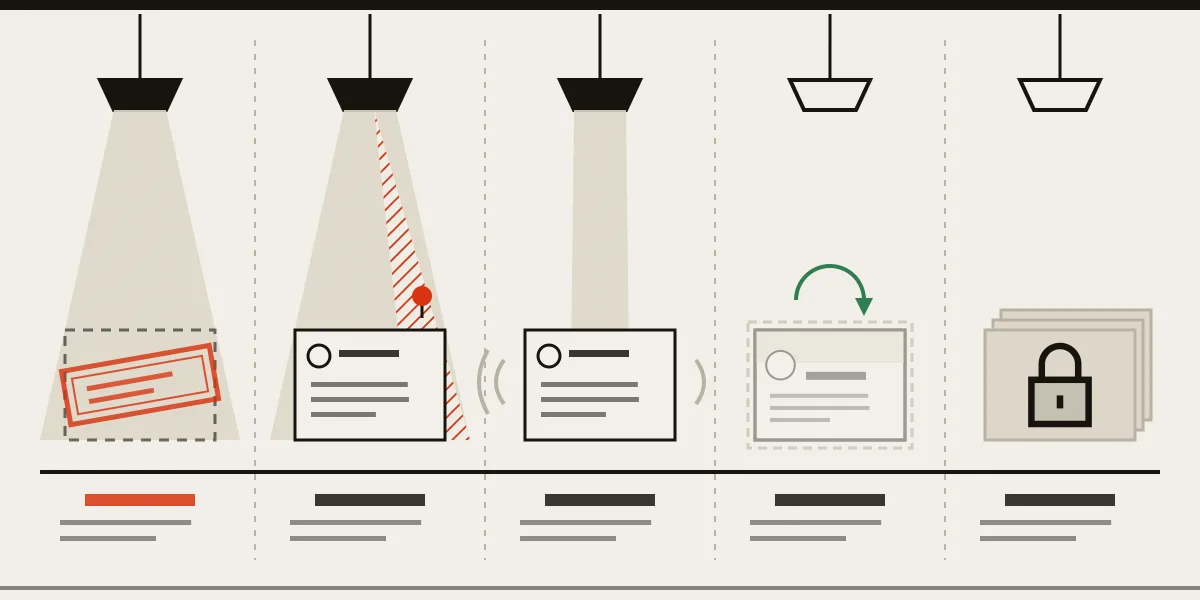
How can you tell a Facebook take down actually happened?
Start with the screen everybody trusts and nobody should. When a post or Page cannot be shown, Facebook displays a notice saying the content is not available and suggesting the usual reasons: the owner shared it with a small group, changed who can see it, or deleted it. On 23 September 2026 we loaded a Page address that had never existed, and Facebook showed exactly the same screen. That notice therefore proves only that this browser, logged in as this person, in this country, cannot see the item at this moment. It does not prove that Meta removed anything. The item may have been deleted by its owner, restricted to friends, hidden in your country under local law, or simply blocked from your account by the person you reported. Each of those needs a different next step, and the screen treats them all as one.
So we check from more than one place. Four checks, in order:
- Your Support Inbox. If you reported through the app, the decision arrives there. Open Help and support, then Support Inbox, then Reports about others, and read the message about the content you reported (Facebook Help Centre). If Meta kept the content up, See options may offer Request another review, which Meta says is usually handled within 24 hours.
- A different account. A friend who is not blocked, and who is not connected to the person you reported, tells you whether the item has gone or whether you have only been shut out. Meta itself suggests asking a friend when you cannot see a Page.
- A different country. For legal complaints, the question is where the item is hidden, not whether. A colleague abroad, or a trusted contact, settles it.
- Search engines. Search results keep a snippet and sometimes a cached image after the page itself has gone. That is a separate removal, handled with Google rather than Meta, and the four routes a removal desk can file include de-indexing for exactly this gap.
Some routes will never confirm anything. The under-age form says so outright, and the only check is whether the profile is still visible. Facebook is not unusual here: on X, a report attaches to one post ID, receipt is confirmed and the outcome may never arrive, as where the report button on X stops sets out.
Timing matters as much as place. Checking an hour after filing mostly shows that nothing has happened yet, and checking once, a month later, misses content that came down and then came back. We check three times: when the Support Inbox shows a decision, a week later, and a month later. The second check catches reinstatements after an appeal by the other side. The third catches the reupload, which is the quiet way most removed material returns.
In the EU there is an extra record. When a platform restricts content, the Digital Services Act requires it to give the affected user a statement of reasons, and those statements are published, anonymised, in the European Commission's DSA Transparency Database. It will not name your case, but it shows what grounds Meta is citing in general.
When we confirm a takedown for a client, we keep a short log for each check: the date and time, the exact URL, whether we were logged in and as whom, the country, a screenshot, and the state of the search result. It is unglamorous work. It is also the only way to answer "is it gone?" honestly, because the reporter and the poster really do see different things, which is the point made from both sides in what happens after you report someone on Instagram.
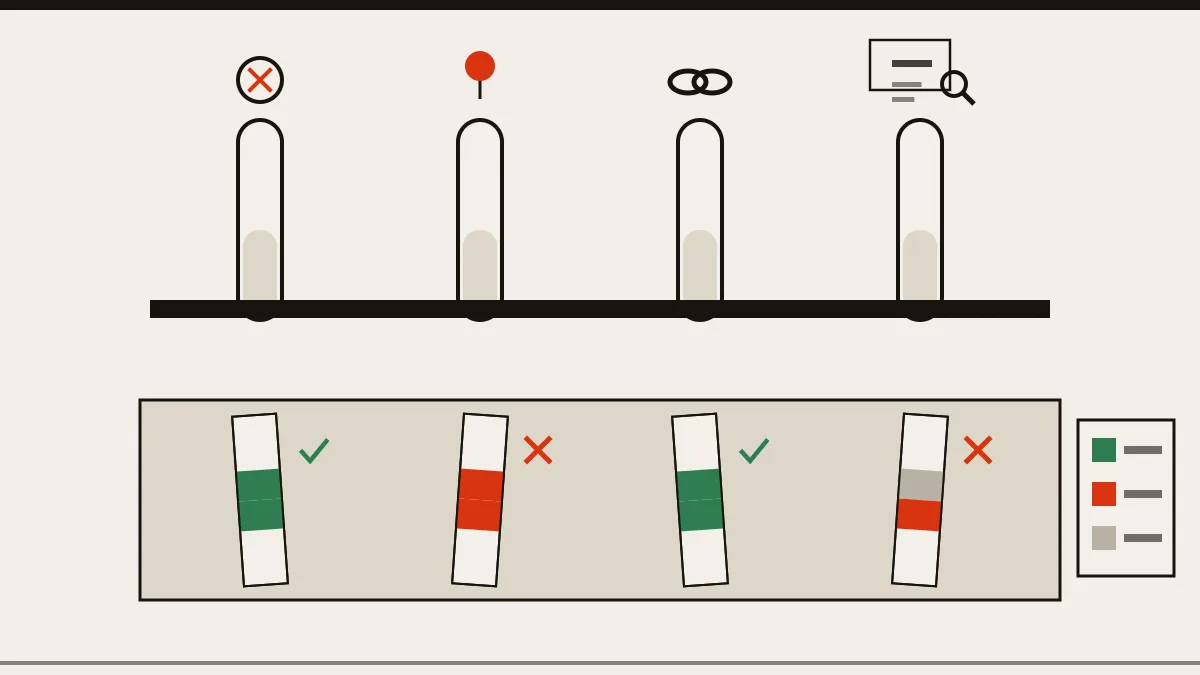
Facebook page taken down, and it was yours
Sometimes the search comes from the other side. You manage a Page, it has vanished or been restricted, and you did not press anything. Obscura removes content rather than restoring it, so nobody should pay us for this part, but the first steps are short enough to set out here.
Meta says it notifies the person whose content was removed, usually in Feed and in the Support Inbox, and that it references the part of the Community Standards involved "as much as we can" (Facebook Help Centre). For your profile, Account Status shows the status of your main profile and of the things you manage, including Pages and groups, and any restrictions on them (Facebook Help Centre). For the Page itself, Meta points managers to Page Quality. Warnings and restrictions recorded there expire one year after they were received, and if Meta finds it removed something that did not break the rules, it restores the post and removes the restriction.
Look closely at what the restriction actually is. Meta lists several kinds under Account Status: Community Standards strikes, feature restrictions, limited monetisation and your recommendations status. That last item explains a lot of Pages that feel taken down but are not. A Page that has stopped being recommended to people who do not follow it is still published, still reachable by its link and still visible to followers, yet its reach can fall so sharply that the owner assumes it has been removed. That is the "reduce" outcome from earlier, applied to a whole Page, and it calls for a different response from a removal: fix what triggered it and wait out the record, rather than filing an appeal about content that is still live.
Before you appeal, rule out the owner-side causes from earlier: an admin who deactivated their own account, a Page with no full-control access left, a parent Page switched off. If a Page facebook taken down turns out to have been an access problem, an appeal about content will go nowhere.
When it is a genuine enforcement decision, the order of work is short and it rewards speed. Read the notice in full and note which rule Meta cited, because the appeal has to answer that rule rather than the unfairness of the result. Check Page Quality and Account Status to see whether the removal came with a restriction, and on which object: the Page, your own profile, or both. Request review from inside the notice while the option is offered, and say plainly why the content does not break the cited rule, pointing to context a reviewer may have missed, such as satire, news reporting or a quotation you were criticising. Keep a copy of everything you send. Where review upholds the decision, Meta says some decisions can then be taken to the Oversight Board, although the Board selects only a small share of eligible cases.
If the removal came in a sudden cluster of reports, it may have been bought. Paid campaigns against Pages are a real market, with the costs and risks in Facebook ban service prices, and a well-evidenced appeal still works against them. The "bots" these sellers advertise are usually the buyer's own account driven by a script, which is plainest on WhatsApp, where the buyer hands the seller a live session and gets a progress bar back.
Refusals on other platforms tend to be procedural rather than substantive, the right complaint under the wrong rule in our phrase, and Facebook appeals fail the same way.
Where the takedown stops and suppression starts
Some things will not come down, however well the request is written, and you should know that before spending anything. Truthful reporting stays up. Genuine public records stay up. Opinion stays up, even harsh opinion, because it is not a statement of fact that a defamation claim can reach. A Page that criticises your business accurately, a local news story about a real court case, a review that says the service was poor: Facebook will leave all three alone, and so will a court. Against any of those, removal is the wrong instrument and suppression is the honest one. Suppression means publishing accurate, authoritative material, on your own site, on profiles you control and through legitimate coverage, so that it outranks the damaging result in search and becomes what people find first. It is slower than a takedown and never quite finished, with no rubber stamp at the end, but it is lawful, no counter-notice reverses it, and it draws no attention to what you want forgotten.
Unlawful material is a different matter from unwelcome material, and the route widens when Meta refuses. If a post is defamatory, harassing or a genuine breach of your privacy under UK law, a solicitor's letter to the author, or a court order addressed to Meta, reaches content that a report form did not. Those instruments cost money and time, so we only recommend them where the evidence would survive a judge, and we say so before anyone spends a pound.
We will not forge a notice, send a copyright claim over content nobody owns, or threaten a lawsuit nobody intends to bring. Those tactics get content reinstated, expose the client to liability, and often turn a quiet post into a story. We never ask for your password. The same wall appears on review sites whose terms make posts permanent, set out in removing a Trustpilot review or Ripoff Report post, and no software changes it: what mass-report panels actually run on explains why automated reporting cannot reach what Meta will not act on.
Intimate images are the exception to every timetable above. If someone has shared, or is threatening to share, intimate images of you, get in touch at once; triage is free and urgent, and we will never ask you to send the material. Hash-matching through StopNCII lets participating platforms, Facebook among them, block matching copies without the image ever leaving your device.
The full statement of what we do not promise is in why this is information, not legal advice.
When a Facebook take down needs a second pair of hands
Most people do not need us, and we would rather say so than take a fee for a job the reader can finish alone. If the Page is yours, the switches above do the job in minutes. If a post clearly breaks a rule and you have standing, one well-chosen report usually settles it. The cases that reach our desk are the ones where the first filing went nowhere, the content has spread to several copies, the Page is doing real damage to a business, or the question is legal rather than a matter of policy.
What we need from you is short. The URL of every item, a dated screenshot of each, the Page Transparency panel if a Page is involved, anything you have already filed and the reply, and a sentence on what the content is to you: about you, of you, taken by you, or pretending to be you. That last answer decides the route more than anything else, and it is why take down facebook page requests from bystanders so often fail. From there we check which of the five outcomes is realistic for each item, file only what the facts support, in the form that matches the rule, and verify the result from outside, on the schedule described above, before telling you it is done. If an item cannot come down, we say so at the start and explain what suppression would involve instead, including the cost and the time it realistically takes. Nothing is filed in your name without your approval of the exact wording.
We work from records rather than promises. Across roughly 900 cases our team has removed 3,700-plus results (our internal records as of September 2026), and the ones that stayed down were aimed at the right object with the right form the first time. The cases we decline, and why are listed openly, and so is a confidential review of your Page or post, with no fee until you have seen the route.