What counts as a fake account on TikTok?
A fake account on TikTok is one of three things, and the report that works depends on which one you are looking at. The first is a copy: an account using a real person's or a brand's name, photo or videos to pass as them. TikTok calls that impersonation. Its Community Guidelines, in the Integrity and Authenticity section effective 24 September 2026, list impersonation beside covert influence operations, spam and fake reviews as deceptive behaviour (TikTok Community Guidelines, integrity and authenticity). The second is an inauthentic account that copies nobody: a bot, a follower farm, a throwaway built to spam. The third is a scam front, which may or may not borrow a face. Only the first has its own report reason, Pretending to Be Someone, and its own web forms. The other two are reported for what they do.
Scale explains why most fakes never need you. TikTok removed 86,288,705 fake accounts in the first quarter of 2026, after 147,716,518 in the last quarter of 2025 (TikTok Community Guidelines Enforcement Report, Q1 2026, published July 2026). As of 2 October 2026 the April to June report was not out. Automated systems catch the bulk of those at sign-up or soon after.
The copies that survive are hand-built. A real photo, a handle one letter off, a bio lifted word for word.
That is who a TikTok fake account report is for, and each one is judged on its own match. The number of people reporting it is not the test, which is also the short answer to how to get someone banned on TikTok.
What does TikTok compare when you report a copy?
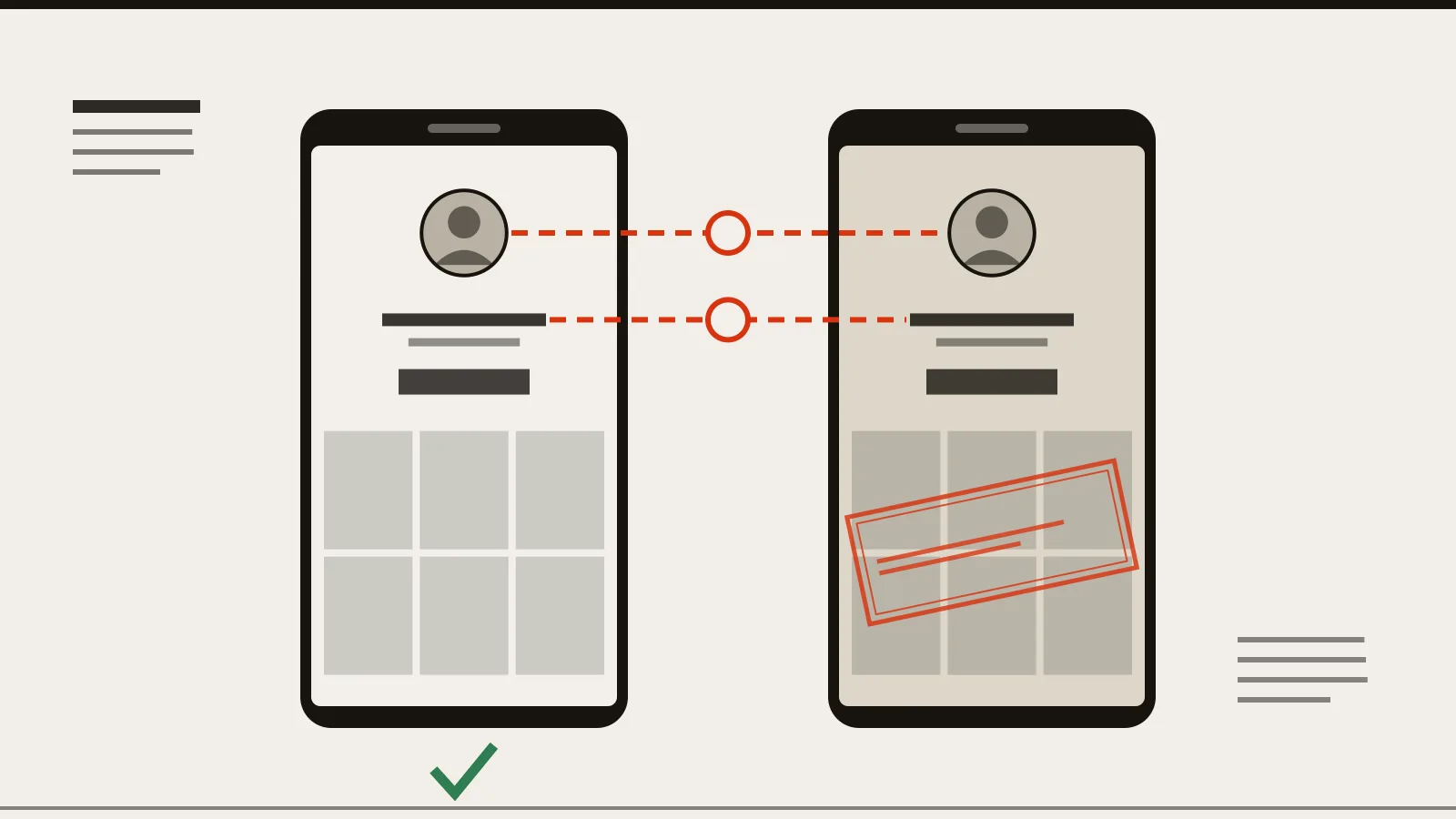
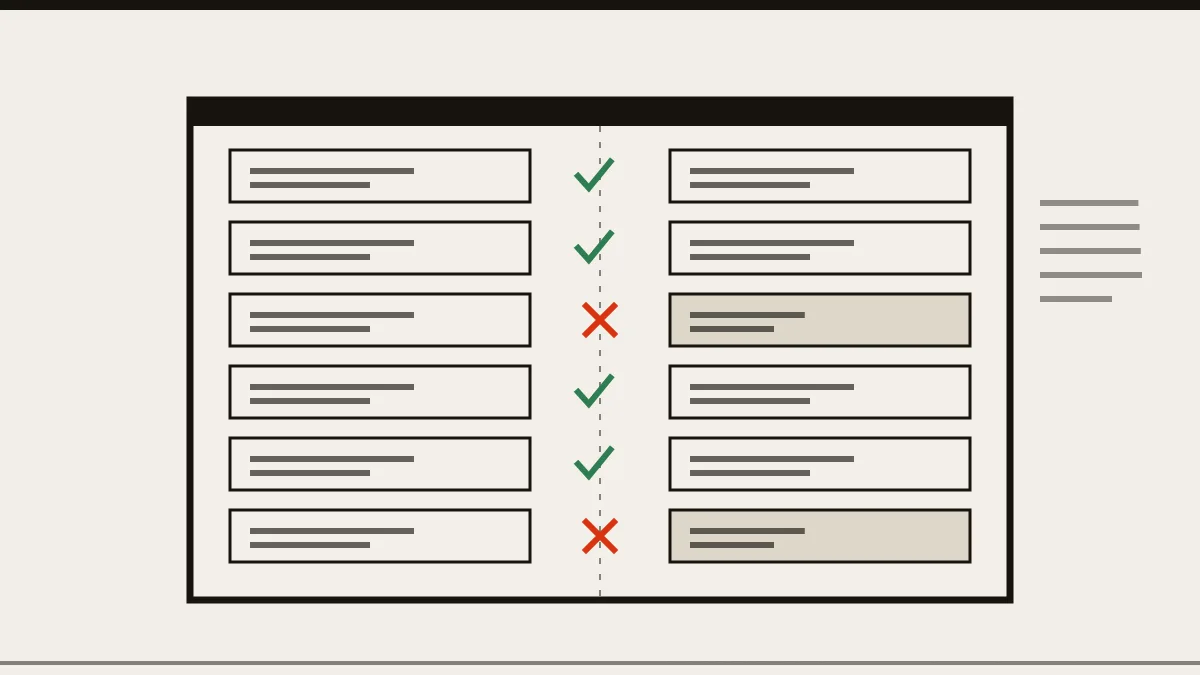
Every impersonation route TikTok offers makes you name two accounts: the copy and the original. In the app you choose Me, which points at the account you are signed in to, or Celebrity, which makes you search for the real person's username. The web forms ask for both usernames and links. That design tells you what the check is. A reviewer, or a system, holds the two profiles side by side and asks whether one is passing itself off as the other. A report that wins that comparison gets the copy removed. One that leaves the reviewer guessing tends to come back as no violation. So the useful preparation is not a longer complaint. It is a match that is obvious the moment the file opens, plus dated proof of it in case the copy changes before anyone looks.
| What the copy took | How strongly it points to impersonation | What to capture before you file |
|---|---|---|
| Your photo and your name together | The strongest single signal | Both profiles, address bar and date visible |
| Your videos, re-uploaded | Supports the match; alone, it is a copyright issue | Links to your originals and to each copy |
| Your bio or link in bio | Supports the match | A side-by-side crop of both bios |
| Your name only, with another photo | Weak, since names are shared | Proof it claims to be you: messages, comments |
| A handle one character off yours | Supports the match if the rest copies too | The exact @username, typed out |
| Messages asking your followers for money | Strong, and a scam report too | Screenshots from the people it contacted |
| "Fan" or "parody" in the display name | Usually allowed | Matters only if the label is missing or hidden |
When we file these for clients, the report that fails most often is not the one with the wrong button. It is the one where the copy drifted between capture and review: a new handle, a cropped photo, the stolen videos quietly deleted. Impersonators who expect a report sometimes tidy up. We capture first and file second, and we record the @username rather than the display name, because the display name is the part that changes.
How to report a fake account on TikTok from the app
The in-app route is the quickest way to report a fake TikTok account, and as of 2 October 2026 it is the same five taps on iPhone and Android (TikTok Help Center, report an impersonation account):
- Open the fake profile and tap the Share button at the top.
- Tap Report, then Report account.
- Choose Pretending to Be Someone.
- Pick Me if the copy is of you. Pick Celebrity if it copies someone else, then search for the real account and select it.
- Tap Submit.
How to report a fake account on TikTok on iPhone
On an iPhone the Share button sits at the top right of the profile, not under a video. People who start from a video end up reporting the video, a different object with different reasons; our guide to reporting a TikTok account, video, LIVE or comment maps which button reaches which. If the copy has blocked you, its profile won't open in the app. Open its link in a browser while signed out, copy the address, and use the web form in the next section.
How to report a fake TikTok account on phone, Android included
Android follows the same path with the same labels. If Pretending to Be Someone is missing, update the app before assuming the option has gone. One mistake catches people on any phone: Me compares the copy with the account you are signed in to right now. Reporting a copy of your second account while signed in to your main one sends the reviewer to compare the wrong pair, and the honest answer to that comparison is no match.
How to report a fake TikTok account online
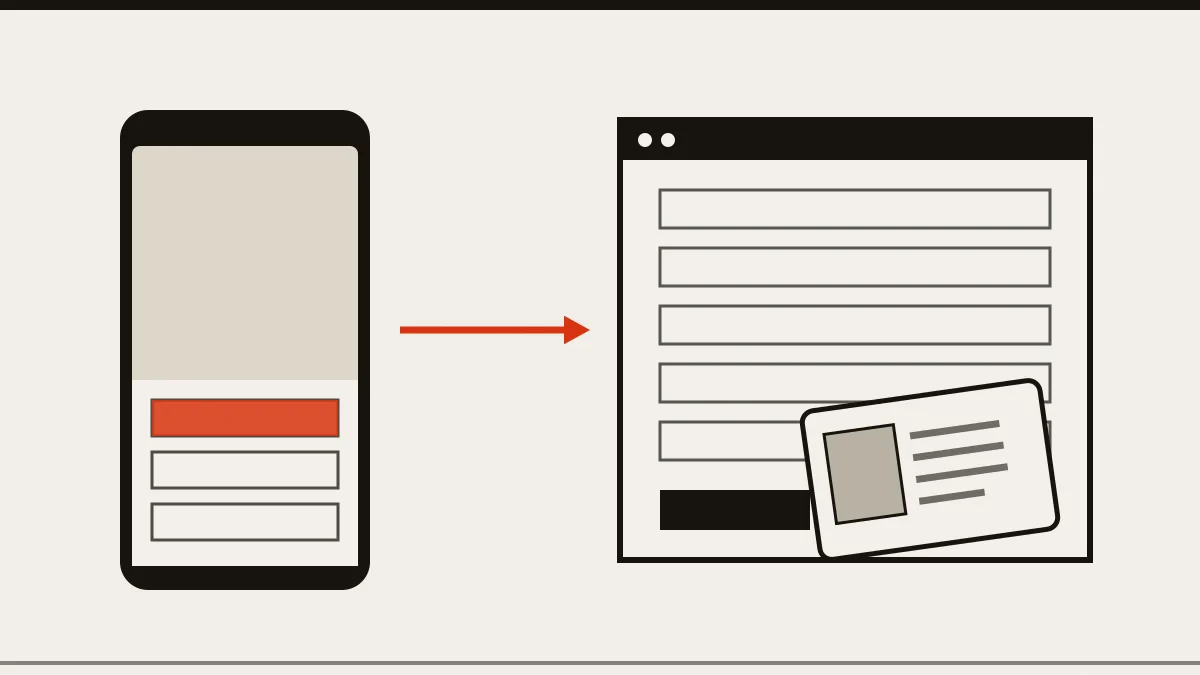
There are two ways to report a fake TikTok account online. On a computer, open the profile on tiktok.com, click the More options (…) button, then Report, Report account and Pretending to Be Someone, exactly as in the app. The second way is TikTok's impersonation web forms, which do more than the button: they take a written description, screenshots and, in the US, proof of identity. Which form you get depends on where you are: the US legal requests form or the feedback form for everywhere else.
| US form | Form for everywhere else | |
|---|---|---|
| Where | TikTok's legal requests form | TikTok's feedback form |
| Path | Report an Impersonation Account on TikTok | Report a potential violation, then Account violation, then Impersonation |
| Who may file | You, someone you are authorised to represent, a brand (sent on to trademark) | Myself, a public figure, my child, someone I represent, a business, someone else |
| Photo ID | Required: passport, driving licence or government ID; school ID under 18 | Not asked on the Myself branch |
| Evidence | Up to 10 profile links and 10 files of 20 MB, a 300-character description | Both usernames, a link, details, up to 10 screenshots |
| Sign-off | Statement under penalty of perjury, electronic signature | A declaration, no perjury line |
Use a form when the in-app report came back as no violation, when the copy has blocked you, or when you need to explain something a button can't, such as a copy that swapped its photo after you reported it. Outside the US you can report fake TikTok account online without signing in at all; the feedback form opens with no login and says the information "will only be used to respond to your report." That matters for people who have no TikTok account, or live where the app is blocked. The US form asks for an email address, not a login. It also carries an option most people miss, Appeal an Impersonation Account on TikTok, for the reverse case where your genuine account was taken down as the fake.
Can you report a fake TikTok account for a friend, a child or a business?
Partly. The in-app button lets anyone report a copy of a public figure, but it has no option for a friend: you pick Me, which compares the copy with your own account, or Celebrity, which expects a well-known one. On the US form, the branch for someone else stops you. TikTok says it can only act on reports "submitted by the person being impersonated or their authorized representative", such as a parent, guardian or lawyer. The non-US form adds a My child branch for parents. A business copy is routed to a trademark report, so the brand needs a registered mark or an agent who can sign for it. Your friend has to file, or someone they have authorised in writing. Faking that authority is the one move that turns a good report into a legal problem.
TikTok's own privacy blog of 30 September 2025 suggests asking friends to report a copy too (TikTok privacy blog on impersonation). That sits oddly beside the forms. Friends can use the ordinary account report, but their reports don't count as votes. What helps more is the friend who spots the copy sending screenshots to the person it copies.
A copy of you on TikTok and somewhere else as well? Send us the links for a confidential review. We tell you which route fits, who has to sign it, and whether any route fits at all, before anything is charged.
Can you report a fake TikTok account anonymously?
Not fully, and TikTok does not promise it. We looked for a first-party sentence saying reporters stay anonymous and, as of October 2026, found none in the Help Center, the forms or the guidelines. So the honest way to answer how to report a fake TikTok account anonymously is route by route. The in-app report comes from a signed-in account, so TikTok knows who sent it. The non-US form asks for an email. The US impersonation form asks for your full name, photo ID and a signature under penalty of perjury.
Whether the copy learns who you are is a separate question. In the EU, the Digital Services Act requires a notice to carry the sender's name and email (Article 16(2)(c)) and lets a platform name the notifier to the affected account only "where strictly necessary" (Article 17(3)(b)) (Regulation (EU) 2022/2065). Nothing in TikTok's published process says its notices name the reporter. There is a catch for impersonation, though. A copy of you already knows whose face it borrowed.
If you want to report fake TikTok account anonymously because the person behind it frightens you, don't message the account first, don't follow it, and keep your evidence offline. A report about behaviour, such as harassment or a scam, can be filed by anyone who saw it.
How do you report a fake TikTok LIVE stream?
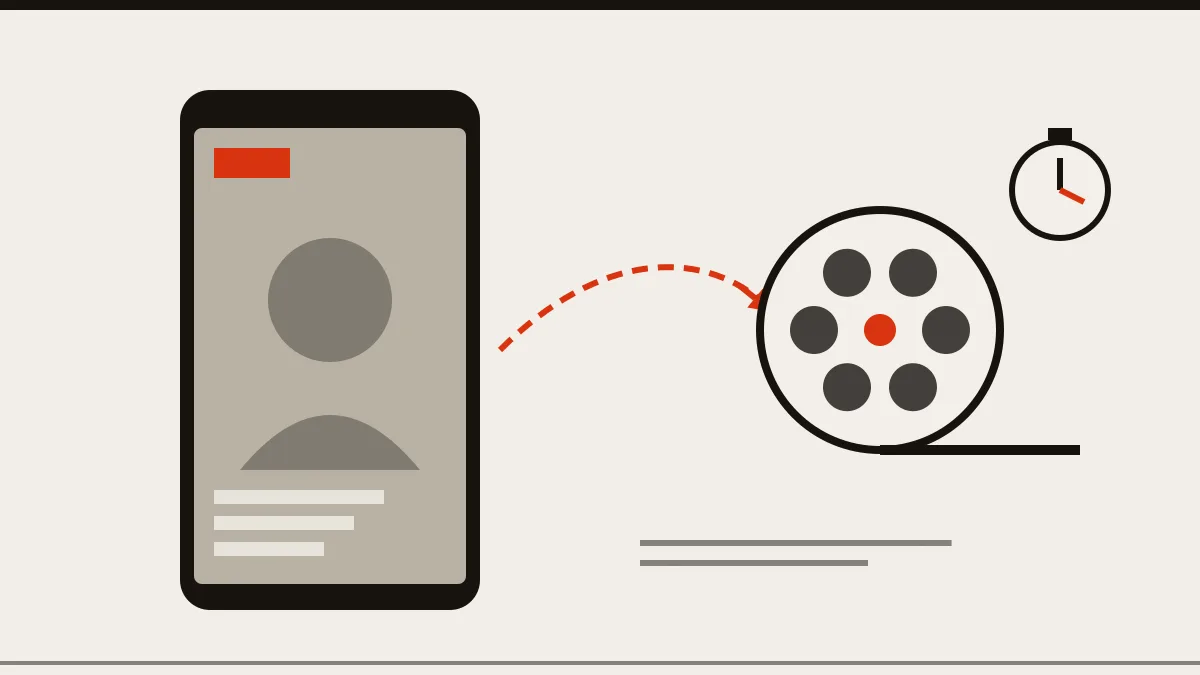
Fake LIVEs come in two shapes. One is a stream run by a copy account, often wearing a creator's face or a celebrity's name to push a giveaway or a crypto link. The other is a re-stream: someone broadcasting your recorded LIVE or your videos as if they were live. To report fake TikTok live stream content, use the app; LIVE reports start from the stream itself (TikTok Help Center, report a LIVE):
- In the LIVE, tap Share.
- Tap Report and choose a reason, then a subtopic if asked.
- Tap Submit.
A LIVE vanishes when it ends, so record the screen before you report, with the host's @username in shot. Then report the account behind it with Pretending to Be Someone, because the copy usually outlives the stream. TikTok's guidelines treat impersonating a celebrity to sell something as fraud, so a giveaway LIVE wearing a famous face fits a scam reason as well. A re-stream of your own footage is a copyright matter, and our briefing on reporting stolen content on TikTok without a rejection covers that form.
How to report a fake TikTok page, brand or fan account
TikTok has no pages in the Facebook sense. What people call a fake TikTok page is an account dressed as a business, a shop or a fan hub, so how to report a fake TikTok page depends on what it claims to be.
A fake brand or shop goes to the trademark route, which wants a registration number. A fan or parody account is allowed when it says so: TikTok says it expects such accounts to "make it clear in the display name if it's a fan or parody account." Without that label, Pretending to Be Someone fits. Commentary about you, however unpleasant, is not impersonation unless it pretends to be you; that is a harassment or defamation question. A page that copies nobody is reported for what it does, whether spam, scams or fake engagement.
The searches "how to report fake tiktok" and "how to report fake account on tiktok" cover all four, which is why one stock answer so often fails. Same button, different reason. If the copy is spreading fast, our note on how to get a fake TikTok account taken down sets out which routes move quickest and who is allowed to use them.
Is reporting a fake TikTok account free, and do more reports help?
Every route is free: the in-app report, both forms, the LIVE report and the appeal. TikTok sells no priority review. So a "tiktok report fake account free" search has a plain answer, and anyone charging you is selling something other than a report. We looked at what a TikTok ban service delivers for its fee: a report, not an outcome, filed through the same button you have.
Volume doesn't change the comparison either. Fifty reports of a profile that does not match lose fifty times. The sellers say otherwise on every platform, and the pattern holds wherever we have checked. An Instagram spam report bot carries a risk to the buyer and no shortcut, and the panels behind the question can you mass report an Instagram account run into the same dead end. The X mass report bot has no bulk-report API to call. A Telegram mass report bot reaches less than its panel claims.
Asking does mass reporting work on YouTube leads to a daily quota and then a queue. A Facebook mass report tool is the same idea in a different wrapper, a WhatsApp mass report bot asks buyers to hand over their own account, and a Snapchat mass report bot has no endpoint to call at all.
Why is the fake TikTok account still up?
| What you see | The likely reason | What to do next |
|---|---|---|
| "No violation" after an in-app report | The match wasn't visible, or Celebrity was picked for someone who isn't famous | File the web form with dated side-by-side captures |
| The copy changed its photo after you reported | It was reviewed against the new version | Send your earlier captures through the form |
| You reported for a friend and nothing happened | Only the person copied, or their representative, can use the forms | Ask them to file it |
| Removed, then back under a new handle | A new account, not a reversal | Report again and name the earlier @username |
| Your own account was flagged as the fake | The copy reported you first | Use the impersonation appeal on the US form, or the in-app appeal |
| It copies nobody but keeps spamming you | Not impersonation | Report the behaviour, then block |
Twenty reports from friends won't fix the first row. That is the whole case against the TikTok mass report bot: TikTok judges the copy, not the tally.
Public data shows why outcomes feel opaque. In the EU's DSA Transparency Database, TikTok filed 49,910,402 statements of reasons between 1 and 30 September 2026, and none was logged as an account suspension or termination. Across the database's six-month retention window it had logged 331,453 account terminations (our count, 2 October 2026). TikTok leaves the database's keyword field blank, so impersonation decisions can't be separated out. The sample statement we opened recorded a video made ineligible for the For You feed. Your result lives in your TikTok inbox or the form's email reply, nowhere public.
What the tiktok fake account report reddit threads say
We searched r/TikTok and r/Tiktokhelp for post titles about fake accounts and impersonation from June to September 2026. Only nine posts came back, too few to count as a survey, so we read them as anecdotes. Two simply asked how to report fake TikTok account copies of themselves. Four complaints recur. The copy makes money, taking deposits or selling courses as the real person. The account was reported and stayed up, with no next step offered. The person copied has no TikTok account, which shuts the in-app route; the non-US form is the way in. And the same fake turns up on another platform.
What if the same copy is on Instagram, Facebook or X too?
Impersonators rarely stop at one app. A copy built to scam your followers on TikTok usually has siblings with the same photo, and each platform has its own form, its own rule on who may file and its own idea of proof. File them in parallel, not in sequence.
Instagram is the closest cousin. Our briefing on how to get someone banned on Instagram covers the report side, and the Instagram account takedown piece covers removal against suppression. Facebook runs on the same Meta rules: start with how does someone get banned from Facebook, then how to take down a Facebook account when the copy is a whole profile.
On X, read how do you take down a Twitter account for the instruments X accepts, how to ban someone from Twitter for what you control yourself, and our note on how to delete fake Twitter account copies for the evidence X wants. A professional clone is a LinkedIn job, and how to report a fake LinkedIn profile deals with that and with libel.
The rest follow the same logic with their own rules. Snapchat explains how does someone get banned from Snapchat in its own terms, and how to get a Snapchat account taken down is the route for a copy there. WhatsApp copies are phone numbers, so how to ban someone from WhatsApp is about blocking, reporting and the appeal. Telegram copies are covered in how to get someone banned on Telegram. Where your TikTok videos were re-uploaded to YouTube, how to get a YouTube video taken down is the copyright route there.
What happens after fake TikTok account removal?
Fake TikTok account removal ends the profile, not every trace of it. Once TikTok removes the copy, its profile link stops showing the account, but Google may keep the old title and snippet in results for days or weeks, and for a person searching your name that snippet is still the impersonator talking. When the live page no longer shows the content, Google's Refresh Outdated Content tool asks it to recrawl and drop the stale text (Google Search Console, remove outdated content). Re-uploads of your photos on other sites are separate pages with separate owners. In our de-indexing work the outdated-content request is usually the last step, not the first: filed while the profile is still live, it is refused, because the page still matches its snippet.
The law sits behind the report when the report isn't enough. Your photos are personal data, so in the UK you can ask TikTok to erase copies under UK GDPR Article 17, and it normally has one month to respond (ICO, right to erasure). A copy that posts false statements as you can be defamatory, though the Defamation Act 2013 asks for serious harm. Repeated targeting can be harassment under the Protection from Harassment Act 1997. A copy taking money is fraud and belongs with the police. Intimate images or sexual deepfakes go to TikTok's separate webform and to StopNCII.org, which matches images by hash. Never send the images to anyone, us included.
What we can't take down, and what we won't do
Some accounts that feel fake are allowed. A labelled fan or parody account, a critic using your name, a stranger who happens to share it: none of these is impersonation, and no form will remove them. Where the problem is a true but unwelcome post, the honest route is suppression in search rather than removal. TikTok makes every removal decision, so no one can guarantee one, and we don't.
We won't forge an ID or a letter of authority, file for someone who hasn't asked, or ask for your TikTok password; TikTok's own guidance is that it will never ask for your password or codes either. The paid offers that promise more look the same everywhere. An Instagram ban service, a Twitter ban service, a Facebook account ban service, a WhatsApp ban service and a YouTube ban service all sell reports, not outcomes, and some ask for logins. Our disclaimer sets out the limits in full.