
What a TikTok report actually reaches
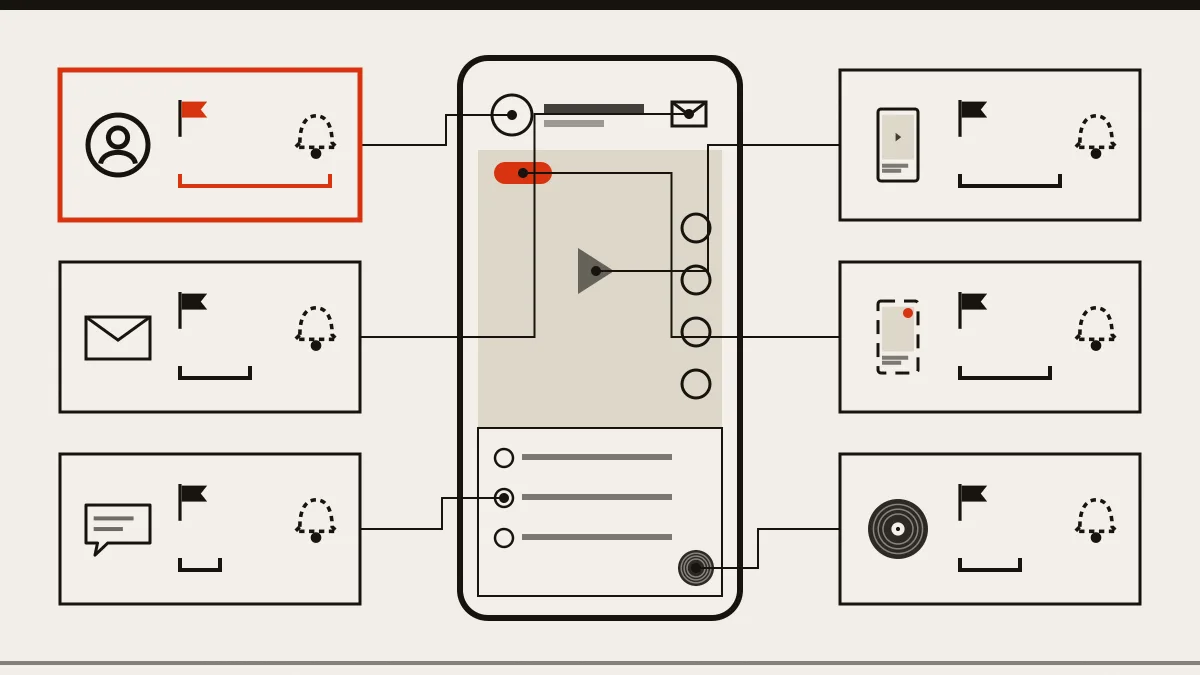
A TikTok report is a notice about one object. Tap Report on a video and you have asked TikTok to judge that video against its Community Guidelines, nothing more. The account behind it, the comments under it, the LIVE the same person ran last night and the sound they reused are all separate objects, and each one has its own button, its own reason menu and its own review. TikTok's Help Center makes the split explicit: as of 24 September 2026 its "How to Report" section runs to fifteen separate articles, one each for a post, an account, a LIVE, a direct message, an underage account, an impersonation account, a comment, a LIVE comment, a suggested search, a hashtag, a sound, a sticker, a Series, "another issue" and the general Report a problem screen. Most failed reports we see were filed against the wrong object.
That is the whole trick, and it is less obvious than it sounds.
Someone who wants a harassing account gone tends to report the account, once, and wait. The reviewer who opens that report sees a profile. They do not automatically see the eleven videos, the pinned comment or the LIVE clip that made the person angry in the first place, unless the account itself is the violation. So the useful question is never "how do I report this person". It is "which object carries the breach, and which button reaches it".
X works the same way, which is why our note on how to report a tweet spends most of its length on the copies a single report never touches. TikTok adds a second layer on top of the in-app buttons: a set of web forms that sit outside the app entirely and accept things the buttons cannot, such as copyright claims, impersonation filed with ID, intimate images and, inside the European Economic Area, reports that the content breaks a specific national law.
| Object | Where the button is | What review judges |
|---|---|---|
| Account | Profile, Share, Report | The account as a whole |
| Video or photo post | Share, or press and hold | That single post |
| LIVE | Share, inside the LIVE | That broadcast |
| Comment | Press and hold the comment | That one comment |
| Direct message | Press and hold, or the chat menu | One message or the chat |
| Sound | Sound page, Share | The audio track |
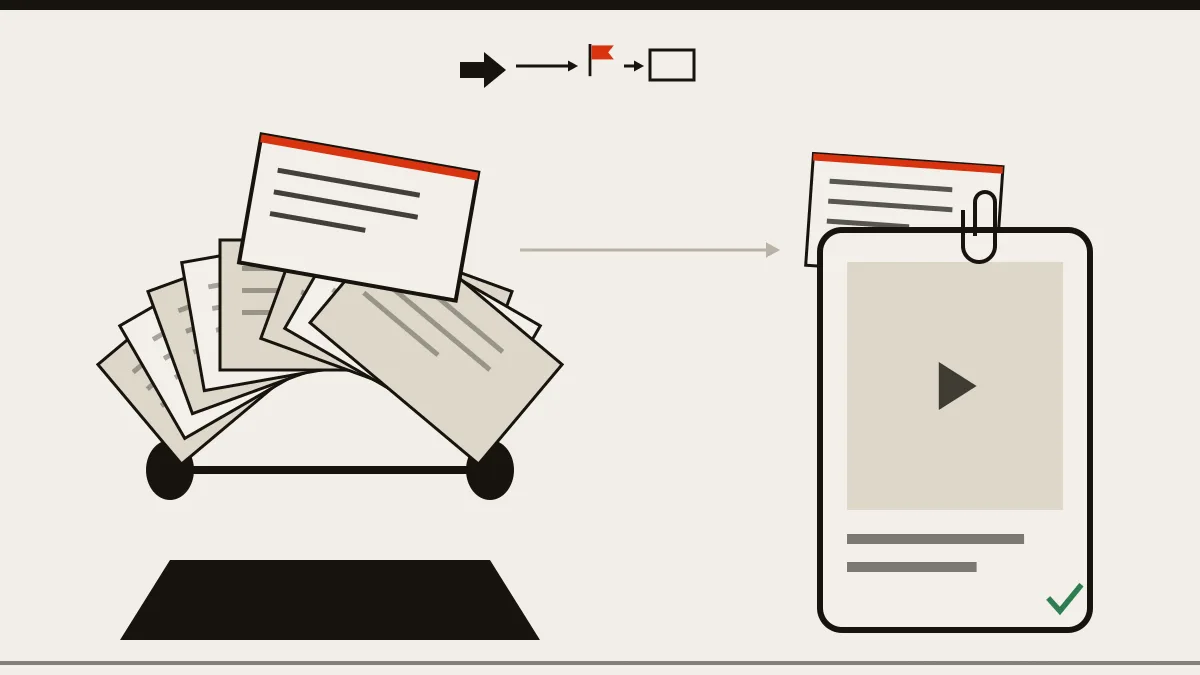
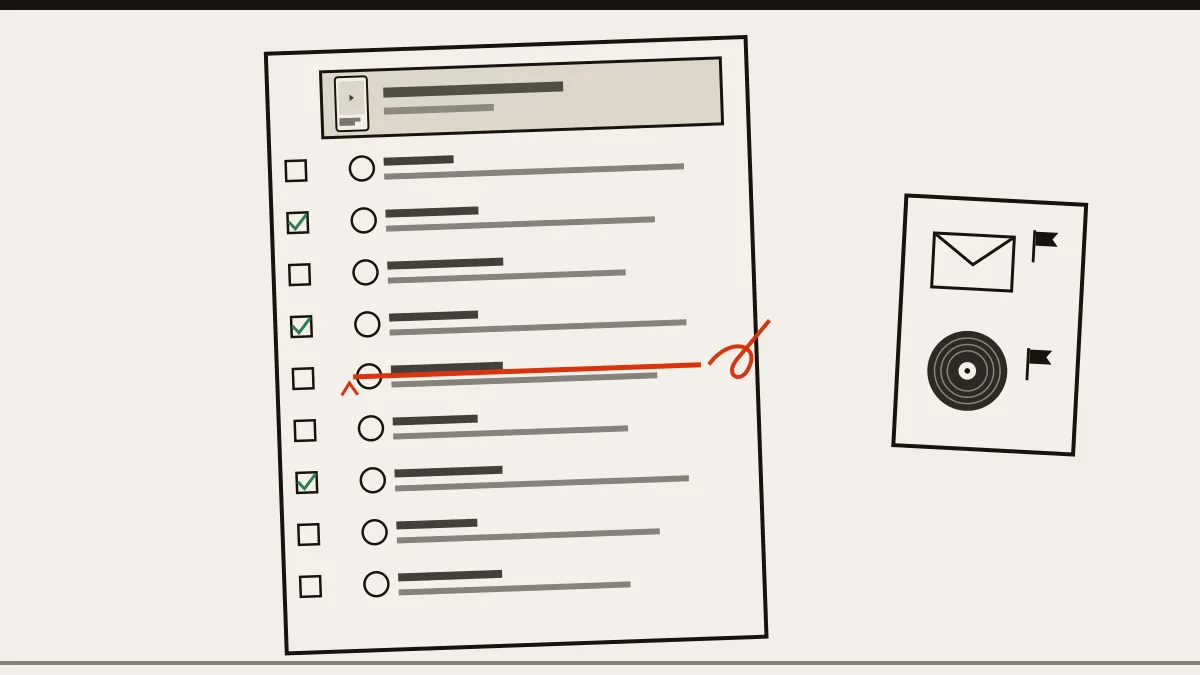
Read the table as a map, not a ranking. None of these objects is "stronger" than another. An account report is not a super-report that sweeps up everything the account ever posted; it asks a narrower question about whether the account itself should exist. The team at the Obscura desk that reviews these filings starts every TikTok case by listing the objects on a sheet of paper, one line each, before a single report is sent.
The reason you pick is the second decision, and it decides which rulebook the reviewer opens. TikTok's reason menu follows the families of its Community Guidelines, and a subtopic screen often follows the first choice. A report filed under the wrong family is judged against the wrong rule, and it can fail even when the content plainly breaks a different one. When we audit reports that went nowhere, the object and the reason are the first two things we check, before we look at the content itself. Both mistakes are cheap to fix. File again, on the right object, with the reason that names the breach, and note the time.
Reporting from a computer instead of the phone
Not every object can be reported from a browser. TikTok's help pages give web steps for an account, through More options on the profile, and for a post, by hovering over More options on the video. The LIVE, comment, direct message and sound articles describe the app only. That split matters for people who keep their evidence on a work laptop, or who have deleted the app to get away from the person harassing them. From a computer you can still report the account and each post, and you can use every web form in this briefing: copyright, impersonation, the no-login reporting form and, in the EEA, the illegal-content route. For a LIVE or a message thread, you need the app, or someone you trust who has it.
How do you report a TikTok account?
Here is how to report a TikTok account in the app. Open the person's profile, tap the Share arrow at the top, tap Report, then tap Report account. Pick the reason that matches the breach and tap Submit. On a computer the route is the same except that the first button is More options, the three dots at the top of the profile. That is TikTok's own sequence on its Report an account page, checked on 24 September 2026, and it has not changed shape in the past year even though the icons have.
The reason menu matters more than the tap sequence. TikTok's help text gives three examples of what makes an account reportable in its own right: impersonating another account, creating an unsafe environment on TikTok, and posting sensitive and mature themes. Those are account-level ideas. They describe a profile whose purpose, identity or overall behaviour is the problem, which is a different thing from a profile that posted one bad video.
When to report a TikTok account rather than its posts
Report a TikTok account when the account is the violation: it pretends to be you, it belongs to a child under the minimum age, it exists only to harass one person, or it was opened to dodge an earlier ban. Report the posts when the posts are the violation. People searching "report tiktok account" often want both, and the honest answer is to file both, separately, and to write down the time of each. A reviewer handling a TikTok account report has no duty to scroll the whole grid looking for evidence you did not point to, and in our experience they rarely do.
There are two special account reports worth knowing. The first is age. Inside Report account, the reason "User could be under 13 years old" goes to a dedicated queue, and TikTok also accepts the same complaint through its online reporting form under the topic "Report an underage user". A parent in the United States who wants their child's account deleted is sent to a separate privacy webform instead. The second is impersonation, which TikTok moves out of the app altogether: its help page links two forms, one for accounts in the USA and one for accounts outside it, and both ask the person being copied, or someone authorised to act for them, to prove who they are.
If you want to report a TikTok account for impersonation and the person being copied is a friend rather than you, expect friction. The US form states that TikTok can only act on reports from the person impersonated or their authorised representative. The ordinary in-app report stays open to anyone, and it is the right tool for a bystander.
How to report a TikTok account that has blocked you
A block hides the profile from you while you are logged in, and with it the Report button. There are two lawful ways round that. The first is TikTok's online reporting form, which opened without a TikTok login when we checked it on 24 September 2026: choose the topic "Report a potential violation", then the category "Account violation", and follow the prompts for the account's details. The second is a trusted person who can still see the profile filing the ordinary report, which works for an obvious breach and is pointless for anything only you can explain. Do not unblock the account and follow it again just to report it, because that hands the other person a notification and a fresh view of your profile. The same form serves parents, teachers and employers with no TikTok account of their own who need to report a TikTok account that is targeting someone in their care.
What an account report cannot do is guarantee a ban. Plenty of sellers claim otherwise, and our breakdown of what a TikTok ban service actually sells prices that claim in detail. Nobody can ban a TikTok account except TikTok, and TikTok bans accounts for breaches, not for the number of people who asked. Meta works the same way for Instagram, and our note on what reporting someone on Instagram does to the account sets out the six outcomes an account report can end in there; TikTok's list is shorter but the logic matches.
How to report a video on TikTok, and when a report gets it deleted
To report a video on TikTok, go to the video and either tap the Share button or press and hold the screen, then tap Report, choose a reason, choose a subtopic if one is offered, and tap Submit. In a web browser, hover over the More options button at the top of the video and click Report. TikTok calls every upload a "post" in its Report a post article, so the same steps cover photo carousels as well as clips.
That is how to report a TikTok video. Whether it comes down is a separate matter.
Anyone typing "how to report tiktok video" or "report video on tiktok" into a search bar usually wants the second half of the story. So here it is, in TikTok's own terms. A reported post goes to review by automated systems and, where needed, the Trust and Safety team, which decides whether the post should be removed or made ineligible for the For You feed. Those are two different results. Removal takes the post off TikTok and sends its owner a notice naming the guideline. For You ineligibility leaves the post on the profile, visible to anyone who looks for it, but stops TikTok recommending it to strangers. The owner only learns about the second outcome if they have switched on analytics, because the notice lives inside TikTok Studio's analytics screen.
If you are looking up how to report a TikTok video and get it deleted, not merely demoted, the reason you pick decides most of it. Choose the reason that names a removable breach: violent threats, sexual content involving a minor, intimate imagery shared without consent, hate aimed at a protected characteristic, dangerous acts, fraud, or your private information exposed. Borderline content that is merely unpleasant, crude or unfair is exactly the kind TikTok tends to leave up while quietly withdrawing it from the For You feed, and a second report under the same reason rarely changes that. Where the video is false and damaging rather than rule-breaking, no in-app reason fits well, and the lawful routes run outside the app, through a legal notice or, inside the EEA, the illegal-content option. We come back to those in the last section of this briefing, because they are where most reputational cases end up.
How fast does TikTok act on a video report?
Faster than most people assume, on the reports it upholds. TikTok's own dashboard for January to March 2026 records 184,012,576 pieces of content removed, of which 178,014,154 were caught by automated systems. For the smaller set of removals that followed a user's report, 96.2% came inside two hours, and just 0.2% needed more than 24 hours (TikTok Community Guidelines Enforcement Report, Q1 2026). Two cautions apply. Those figures measure removals, so a report that ends with no action never appears in them. And 99.3% of all removals that quarter were proactive, which means user reports trigger a small share of what TikTok takes down. A report on a video that TikTok's systems have already looked at and passed usually needs something new, better evidence or a different reason, to change the answer.
Numbers do not change the answer either. A hundred people filing the same weak reason on the same video add nothing that one clear report does not, which is why our piece on getting a TikTok taken down lawfully explains why no report count removes a video. When it does come down, check. "Video unavailable" can mean removed, made private by its owner, or blocked only in your country, and our Facebook briefing on how to check a takedown actually happened walks through the same four-check habit we use on TikTok links.
How do you report a TikTok LIVE while it is still on air?
In the app, go to the LIVE, tap Share, tap Report, select a reason and a subtopic if prompted, then follow the steps and tap Submit. TikTok's Report a LIVE article describes this for the app only; the web player is not where you want to be when a stream turns abusive. For a single remark in the chat rather than the broadcast, press and hold the comment inside the LIVE and report that instead.
That covers how to report a live on TikTok as a viewer. Hosts have more tools, and they work differently. A host or a moderator can report, mute, limit or block a viewer from inside the LIVE; a mute can last from five seconds to the whole broadcast; and a host can appoint up to 30 moderators, who must be friends. The detail most hosts miss is that muted and blocked viewers are told. The in-app notice tells them they have been muted or blocked in that LIVE, which is fine for a spammer and a poor idea for someone who is already fixated on you. For those, the viewer-side report is the quieter route.
Some breaches belong to live video, and they are worth naming in the report because a reviewer who arrives late may not see them happen. TikTok has required LIVE hosts to be at least 18 since 23 November 2022, so a child hosting a stream is reportable on that ground alone, whatever the stream shows (TechCrunch, 17 October 2022). A host pressing young viewers to send gifts, a host promising something in return for coins, and a stream that simply rebroadcasts somebody else's video are each better reported under the reason that names the harm, usually fraud, exploitation or intellectual property, than under a vague "other". A host who dares viewers to do something dangerous on camera is a dangerous-activities report. If the form gives you a box, say what happened and roughly when. A LIVE does not wait, and a reviewer can only act on what they can still see.
How to report a TikTok LIVE anonymously
TikTok does not publish a sentence promising that a LIVE report is anonymous, and we checked its fifteen reporting articles for one on 24 September 2026. What the system does in practice is send the reported account a notice about any action taken, naming the rule, without naming the reporter. So a single viewer report on a big stream is, for practical purposes, anonymous. The risk rises as the audience shrinks. If you are one of four people watching and the host saw you object in the chat a minute earlier, they will draw their own conclusion, and no setting prevents that.
If you are working out how to report someone on TikTok LIVE without being noticed, here is the quietest way: say nothing in the chat, start a screen recording before you tap anything, report the broadcast through Share, and block the host from their profile afterwards, because a profile block, unlike a LIVE block, does not notify the person blocked. Keep the recording. A LIVE ends, and a report filed against a finished stream is judged on whatever TikTok kept of it, which you cannot see.
TikTok moderates a great deal of live broadcasting. In the first quarter of 2026 it suspended 50,791,858 LIVE sessions and restored 4,171,677 of them after review or appeal (TikTok Community Guidelines Enforcement Report, Q1 2026). A suspension stops the stream. It does not, by itself, touch the account, which is why people who need to report someone live on TikTok more than once should keep a dated list of each broadcast. Screen recordings you send to Obscura, an editorial takedown desk, are handled under our notes on how we store the screen recordings you send, and deleted when the matter closes.
Report a comment on TikTok, and what a comment ban is
To report a comment on TikTok, press and hold the comment, tap Report, pick a reason and a subtopic if asked, and tap Submit. The same press-and-hold works on a comment under a video and on a comment inside a LIVE. That is the whole of how to report a TikTok comment for most people. It takes four seconds, and it is underused, because comments feel too small to bother with.
Owners of the video get a bulk tool. On your own post, press and hold any comment and choose Manage multiple comments, or open Filters, then tick the comments you want gone, up to 100 at a time, tap More, tap Report comments and confirm. TikTok's Report a comment article sets the ceiling at 100. For a pile-on under one clip, that single action does more than a week of one-by-one reports.
Reporting and deleting are not the same move. On your own video you can delete a comment outright, and you can filter future ones: TikTok lets an account block up to 500 keywords of up to 30 characters each, with common variants blocked by default. Filtering stops the next message landing. Reporting asks TikTok to count a breach against the person who wrote it. Do both, and do them in that order only after you have captured the thread. Our Instagram note on how to report a comment on Instagram, evidence first explains the capture list we use, and it transfers to TikTok almost word for word.
The settings beside the Report button do the preventive work, and none of them needs TikTok to agree with you. The comment control in your privacy settings limits who may comment to Everyone, Followers or Friends, and comments can be switched off for a single post before it goes up. TikTok's filter that holds every comment for approval is, in the words of its own help pages, not currently available to everyone, so do not plan around it. Blocking a commenter from their profile stops them commenting on anything of yours and, unlike a block inside a LIVE, sends them no notice. For a creator under sustained attack the sequence we suggest is plain: capture the thread, bulk-report it, filter the words being used, limit comments to Friends for a week and block the two or three accounts driving the pile-on. That combination usually quiets a thread within a day, while the reports work through review.
What is a TikTok comment ban?
A TikTok comment ban is a feature restriction. It is what TikTok calls being "Restricted from commenting", and it is one of five rows in a screen called Account check. TikTok counts strikes by policy area, such as safety and civility, or by feature, such as comments or direct messages. An account that collects upheld comment violations can lose the ability to comment while it keeps posting videos, going LIVE and messaging. For violations in some features, TikTok's content violations and bans page adds that it may restrict the feature while the content is still under review, so that the person cannot carry on in the meantime.
If the restricted account is yours, look before you guess. Account check lives in two places: TikTok Studio, then More tools, then Account check; or Settings and privacy, then Support, then Safety Center, then Account check. It lists Login, Posts, Comments, Profile and Direct messages, with a tick beside each feature that is fine and a warning sign beside each one that is restricted. Strikes expire after 90 days. An upheld appeal removes the strike. Deleting the comment does not.
Direct messages, sounds and the smaller report buttons
Direct messages get their own route. Tap Inbox, open the chat, then either press and hold a single message to report it or tap More options at the top to report the whole conversation. Pick a reason. TikTok then offers two buttons, Report and block or Report, and a Done. Choose deliberately. Report and block ends the conversation there, which is right for a stranger sending threats and wrong if you still need the person to reply to something, such as a demand you intend to show the police. TikTok's Report a direct message page lists both options without recommending either.
Screenshot the chat first, with the username visible at the top. That is not paranoia. Once you block someone, the thread becomes harder to find, and a scammer who senses trouble often deletes their side. Encrypted apps make this worse: our note on WhatsApp describes a report that forwards only five messages to the platform, which is why the evidence on your own phone matters more than the report. TikTok messages are not end-to-end encrypted in the same way, but the habit is the same.
Sounds are the object people forget. If a clip reuses audio that is itself the problem, a recording of you taken without consent, say, or a track lifted from your own work, reporting the video leaves the sound live for every other creator who used it. Report the sound instead: open a video that uses it, tap the Sound button at the bottom, tap Share, tap Report sound, pick a reason and submit. TikTok's Report a sound page has had those five steps unchanged for some time.
The remaining buttons cover narrower objects. A hashtag, a suggested search, a sticker and a Series (TikTok's paid collections of videos) can each be reported separately. The suggested-search report is the one worth knowing if your own name is being autocompleted next to an accusation inside TikTok's search box.
That report is small and underrated in reputation cases. When someone types a name into TikTok's search bar, the suggestions beneath it are produced by TikTok's systems, not typed by any one user, and a suggestion that pairs your name with "scammer" or "arrested" does harm long before anyone watches a video. TikTok gives suggested searches their own reporting article, which tells you they are reviewed as an object in their own right. Report the suggestion itself, not the videos it leads to, and choose the reason that describes the harm, usually harassment or false and damaging information. Keep a screenshot that shows the date and the full suggestion. Google runs a separate autocomplete policy with its own reporting link, and the two systems do not share decisions, so a suggestion removed inside TikTok can sit in Google's search box beside your name for months.
The same logic about copies applies across the app: Duets, Stitches and reposts are new objects, and our analysis of a TikTok content removal that leaves duets up covers what each needs.
When nothing on the menu fits, go to your profile, tap the Menu button, choose Settings and privacy, then Report a problem, and pick a topic. If none fits, scroll to Chat with us, which connects to a human helpdesk. It is slow, but it is a real channel, and it is the only one TikTok offers without a form. The topic screens try to solve the problem first with suggested steps; answer No to "Is your problem resolved?" and then tap Need more help? to reach a person. Write your message as you would write to a stranger who has never seen the account: the username, the links, what happened and what you want TikTok to do. Helpdesk agents can escalate, but they do not go looking for context you left out.
What the reporter hears back, and what the reported account sees
Most reporters hear little. TikTok's help pages promise the reported account a notice if action is taken, naming the guideline and offering an appeal, and they say far less about the person who filed the report. In practice a decision on an in-app report shows up in your Inbox, sometimes within minutes, sometimes days later, and sometimes not at all. There are three exceptions where TikTok commits to telling the reporter more, and two of them are worth planning around.
The first is the cyberbullying webform for anyone under 18. TikTok's Report another issue page routes bullying of a minor to a separate form "so we can obtain additional investigation details and send you updates via SMS or email within specified time periods". That is the most concrete feedback promise TikTok makes anywhere in its reporting pages, and parents should use it instead of the in-app button whenever the target is a child.
The second is the illegal-content option inside the European Economic Area. TikTok states that people who report suspected illegal content "will be notified of our decision, including if we consider that the content is not illegal", and that reporters who disagree can appeal. That follows from the EU Digital Services Act, which requires platforms to confirm receipt of a notice, tell the notifier the decision and offer an internal complaint route. UK users are outside that regime; the Online Safety Act imposes its own complaints duties on platforms but gives no one an individual right to a DSA-style decision letter.
The third is the copyright webform, and here the feedback cuts both ways. The form asks for your contact details and warns that they may be shared with the person who posted the content. A copyright complaint is therefore the least anonymous report TikTok offers. File one only if you are content for the uploader to see your name and email address.
Will the person know you reported them?
Not from TikTok, in the ordinary case. The notice that goes to the owner of a removed video or a restricted account describes the rule and the decision; it does not list reporters, and no official screen anywhere in the app shows "who reported you". Apps and websites that claim to reveal it are collecting logins. Three things can still give you away. The content may point at you, because a comment that insulted only you, reported minutes after it appeared, identifies its reporter by elimination. A legal process can require disclosure; the DSA itself allows the platform to name the notifier "where strictly necessary" in its statement of reasons. And copyright complaints, as above, share contact details by design. A TikTok account report filed through the ordinary button carries none of those risks unless the content itself narrows the field.
On the other side, the owner of a removed video gets a notice naming the guideline and an offer of appeal. If the appeal succeeds, the content returns and the strike is lifted, and the reporter is not told. That silence explains a pattern people find maddening: a clip you reported disappears on Tuesday and is back on Friday. It is rarely a glitch. Inside the EU, decisions like this also produce a statement of reasons that TikTok submits, stripped of personal details, to the European Commission's public DSA Transparency Database, which is how researchers compare moderation across platforms. Nothing equivalent is published for decisions affecting UK users. The practical lesson is to check reported content again a week later, and once more after a month, instead of trusting the first disappearance.
What if you reported something by mistake?
Nothing needs undoing. TikTok's help pages describe no way to withdraw a report, and none is needed, because a report only asks for a review. If the content breaks no rule, the review ends with no action, the owner receives no strike and no notice, and nothing is recorded against them. The same holds if you picked the wrong reason for content that does break a rule: the report may fail, and you can file a correct one. What should worry people is the opposite habit, reporting content they merely dislike again and again. TikTok treats misuse of its reporting tools as a breach in its own right, and a pattern of bad-faith reports can put the reporter's own account at risk.
Meta's version of the same question is set out in our briefing on what happens if you report someone on Instagram, where the platform does publish an anonymity sentence. TikTok, as of this week, does not.
A report came back with no action and the content is about you? Send the TikTok links and your screenshots for a confidential case review. We will tell you which form fits, or whether the in-app report was already the right move, before any fee is discussed. We never ask for your password.
Report stolen TikTok video through the copyright form, not the flag
To report a stolen TikTok video, use TikTok's copyright webform, not the Report button. The in-app menu has an intellectual-property reason, but it routes you to the form anyway, and the form is where ownership is proved. It sits at tiktok.com/legal/report/Copyright, and it starts with an email verification step before it shows any fields.
What the form asks for, as it stood when we last worked through it in September 2026, is specific. You declare whether you are the owner or "authorized to act on behalf" of the owner. You choose the type of work: video, original music, non-music audio, photo, logo or other. You say where the original lives: your own TikTok account, a client's, or somewhere outside TikTok. A 350-character box takes the link to the original. An upload slot takes evidence under 20 MB. A much larger box, 35,000 characters, takes the links to every infringing copy, which is where a repost farm gets listed in one filing instead of forty. An optional tick box asks TikTok to prevent future copies. Three sworn statements and a full legal name close it.
Get the original right before you start. The single most useful document is proof of first publication: the original post's link with its date, the file's creation metadata if you shot it, or the earlier upload on another platform. When we prepare a copyright notice for a client, most of the work happens before the form opens. We match the upload dates, confirm the client really owns the work rather than merely appearing in it, and list every copy in one place, because a notice that names half the copies gets half a result. A person who appears in someone else's video does not own the copyright in it, and a privacy or harassment route will serve them better.
Two neighbouring complaints use different forms. A logo or brand name used to sell counterfeit goods is a trademark matter, and TikTok steers trademark complaints and TikTok Shop listings away from the copyright form. A video that copies your idea, format or style without copying your actual footage or audio is usually not an infringement at all, however unfair it feels, because copyright protects the recording and the words, not the concept. In the UK those rights come from the Copyright, Designs and Patents Act 1988; TikTok uses the same form whichever country the owner lives in.
Duets and Stitches need a moment's thought before any claim. If you posted publicly with Duet and Stitch switched on, another user who duets or stitches your video is generally using a feature you allowed, and a copyright claim against it is weak. Switch both off for future posts, per video or in your settings, and treat a Duet that mocks or abuses you as harassment rather than theft. A download of your video re-uploaded as someone else's own post is a different matter: that is copying, and it is what the form is for.
TikTok's intellectual-property transparency report for July to December 2025, published on 24 June 2026, counts 401,471 copyright removal requests, 63.0% of which led to removal, and 173,140 requests rejected as invalid because they were incomplete, inaccurate or outside the policy's scope (TikTok Intellectual Property Removal Requests Report, H2 2025). Put plainly, a sizeable share of copyright complaints fail on paperwork. The same pattern shows up on YouTube, and our guide to how to get a YouTube video taken down treats the notice as the legal document it is.
Two consequences follow a successful claim. The uploader gets a copyright strike, and TikTok's help pages state that three copyright strikes lead to a permanent ban, that strikes expire after 90 days, and that a burst of reports about the same account may be counted as one. The uploader can also answer with a counter-notification, which TikTok now accepts only inside the app. A valid counter-notice can put the video back unless you start court proceedings, and our note on why a counter-notice can bring a video back covers that clock on Facebook, where it runs similarly. TikTok's registered agent under the US Digital Millennium Copyright Act is listed in the US Copyright Office's DMCA directory as TikTok Inc. in Culver City, California, with the address copyright@tiktok.com, but TikTok's own pages point everyone to the webform, and the webform is faster.
If the same clip has also spread beyond TikTok, the notice barely changes between services; where a DMCA takedown notice goes, platform by platform, comes down to form fields, agents and counter-notice clocks.
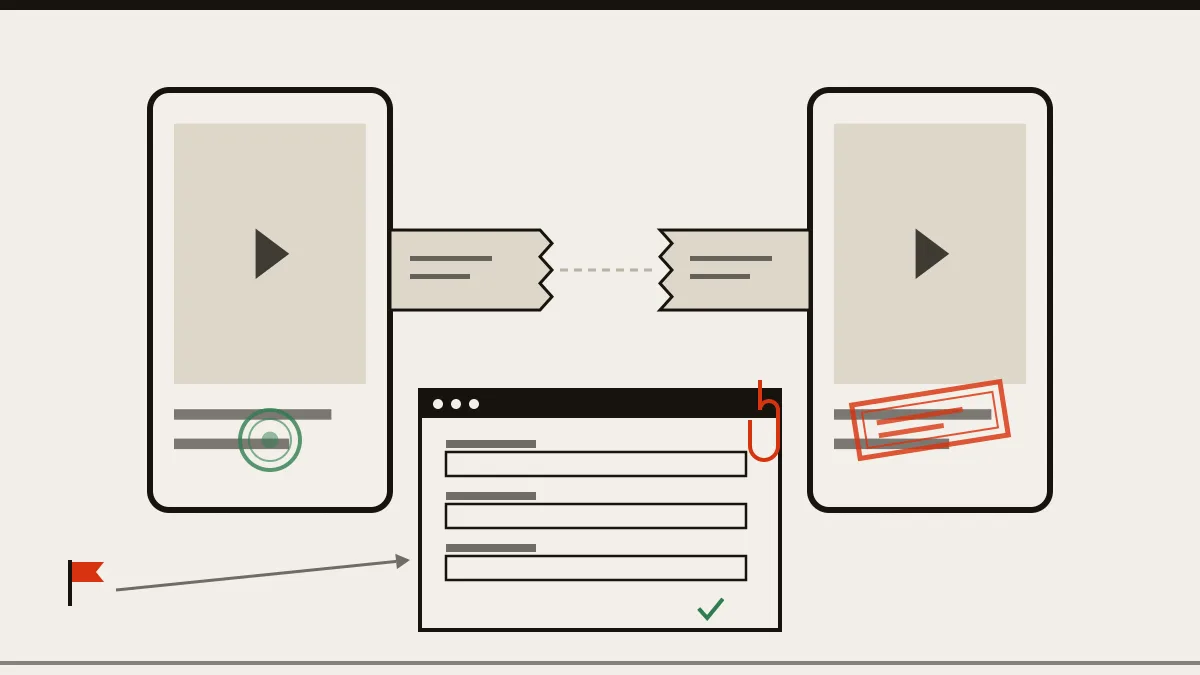
Impersonation, private details and intimate images: the forms outside the app
Three kinds of harm never belong in the ordinary Report menu, even though the menu will accept them. Each has a form that asks for more and, in return, gets a more careful review.
Impersonation filed with proof. The in-app route, Report account, then Pretending to Be Someone, then Me or Celebrity, is open to anyone. The web forms go further. The US form asks the person copied, or their authorised representative, for their full name, up to ten links to the fake profiles, their own username, and a photo of themselves holding government ID, with a statement under penalty of perjury. The non-US form is lighter: original and impersonator usernames, an email address, up to ten screenshots and a declaration. Both reject reports from friends. The non-US form does offer a separate branch for "My child", so a parent outside the United States can file for a son or daughter under the same rules, and a further branch for "Someone I'm duly authorized to represent", which is where a solicitor or agent files. A fan or parody account is allowed if its display name makes that clear, so an account that says "fan page" in its name is usually not removable on impersonation grounds. Meta runs a comparable two-step system, set out in our guide for when someone is impersonating you on Instagram.
Private information. TikTok's online reporting form, which opens without a TikTok login, offers "Report a potential violation", then "Content violation", then four reasons: Community Guidelines violation, Intellectual property infringement, Potential privacy violations and Others. The form's opening line says the information you share "will only be used to respond to your report". Use the privacy reason for a video that shows your home address, your children's school, your medical records or a document with your details on it. It is also the lawful route for someone with no TikTok account at all, which answers a question we are asked every week.
A data-protection request runs alongside it and does not depend on TikTok finding a policy breach. Under Article 17 of the UK GDPR, the right to erasure, you can ask TikTok to delete personal data about you where there is no overriding reason to keep it. The company must answer within one month, which it can extend by two further months for complex requests. If you think a refusal was wrong, the Information Commissioner's Office takes complaints from individuals. It is slower than a report, but it is a legal request with a statutory clock, not a request for a favour.
Intimate images and sexual deepfakes. TikTok sends these to a separate webform, hosted on its trust-and-safety reporting service and listed on the Report another issue page, together with child sexual abuse material. Do not send the images to anyone, including us. The better first step is hashing: StopNCII.org lets an adult create a digital fingerprint of an image on their own device, and participating platforms, TikTok among them, block matching uploads without ever receiving the picture. For anyone under 18, the equivalent is NCMEC's Take It Down. In England and Wales, threatening to share an intimate image is itself an offence under section 66B of the Sexual Offences Act 2003, in force since 31 January 2024, and in the United States the Federal Trade Commission began enforcing the TAKE IT DOWN Act's 48-hour removal duty on 19 May 2026. We treat these cases as urgent and triage them free.
| Problem | Where to file | Who may file |
|---|---|---|
| Someone posing as you | Impersonation form, US or non-US | You, a parent, or your representative |
| Your stolen video | Copyright webform | The owner or their agent |
| Your address or documents | Online form, privacy reason | Anyone, account or not |
| Intimate images, deepfakes | Separate NCII webform, plus StopNCII | The person shown, or a parent |
| Law broken, EEA only | Report illegal content, in-app | Anyone in the EEA |
There are filings we will not make on anyone's behalf, including a copyright claim for a video the client does not own and an impersonation report for a parody account that labels itself; the filings we decline, and why are set out in our terms.
TikTok harassment reports and scam reports need a second filing
A TikTok harassment report works best when it proves a pattern. One nasty video, reported alone, reads to a reviewer as one nasty video. The same video reported alongside nine others from the same account, each filed on its own object and each noted with a date, reads as targeted abuse. Choose the reason that names the harm: harassment and bullying for abuse of a person, hateful behaviour where the abuse attacks a protected characteristic such as race, religion or disability, violent threats where anyone is threatened with harm. Then use the free-text box, where one is offered, to say what the reviewer cannot see from the single object: how many posts, over what period, and that you are the target.
That in-app report is the first filing, not the last. Harassment in England and Wales is a crime under the Protection from Harassment Act 1997, which needs a course of conduct, meaning conduct on at least two occasions. A single message threatening death or serious harm can be an offence on its own under section 181 of the Online Safety Act 2023, punishable by up to five years' imprisonment, though that section does not extend to Scotland. Report threats to the police with your screenshots. The reason we keep saying "dated list" is that both routes, the platform and the police, turn on showing repetition, and our note on why harassment is proved by a pattern, not a post makes the same case on X.
When we prepare a harassment file for a client, the report itself is the last step. We build one timeline first: each post or message, its link, the date and time it appeared, a screenshot, and the rule or law it breaks. That timeline goes, in pieces, into the in-app reports, and whole to the police if the conduct is criminal. It also answers the question every reviewer, officer and judge eventually asks, which is how often and for how long. Clients are often surprised by how short the finished document is. Two pages that show a pattern do more than forty screenshots with no dates on them.
Inside the EEA, the in-app menu offers Report illegal content with a category for harassment or threats, which forces a second, legal review if TikTok decides the content does not breach its own rules.
Is there a TikTok scammer report number or email?
No. TikTok publishes no phone number for scam reports, and there is no TikTok scammer report email address either. Numbers circulating on directory websites are not TikTok's, and some of them belong to the scammers. TikTok's page on avoiding phishing is blunt: "TikTok will never contact you to ask for your password, verification codes, or other sensitive personal information." It notes one narrow exception, email from an @tiktok.com address to government and political accounts about verification, which will not apply to you.
A TikTok scammer report online goes in three directions, in this order. First, stop the money. In the UK, call your bank, or dial 159, which connects most UK retail banking customers to their own bank's fraud line; bank transfers sent since 7 October 2024 may qualify for reimbursement under the Payment Systems Regulator's scheme. Second, report the crime: Report Fraud, which replaced Action Fraud on 4 December 2025, takes reports online or on 0300 123 2040 and gives you a crime reference number; in the United States, use ReportFraud.ftc.gov. Third, report the account inside TikTok, using the frauds and scams reason on the profile and on each post that carried the pitch. The TikTok report protects the next person. It will not recover your money, and anyone who tells you TikTok can is running a second scam, often called a recovery scam.
The scams we see reported most on TikTok follow a handful of scripts, and naming the script in your report helps the reviewer. There are fake giveaways that ask for a small delivery fee. There are task or job offers that pay you to like videos until the "employer" asks for a deposit. Fake Shop sellers take payment off the platform, investment and crypto "mentors" move the chat to WhatsApp or Telegram, and brand-deal emails pretend to come from TikTok's creator programmes and ask you to log in through a link. Each is a frauds-and-scams report. The account, each post pushing the pitch, and any comment advertising it under other people's videos are separate objects, and all of them are worth reporting.
Scams rarely stay on one platform. If the same operator later posts fake reviews of your business or complaints about you on review sites, the routes change again, and our guide to how to remove a Trustpilot review or Ripoff Report entry lists which of those sites delete and which never do.
Permanently banned TikTok account: what ends one, and who can see it
A permanently banned TikTok account is the product of strikes or of one severe breach, never of a report count. TikTok's first removal against an account normally earns a warning strike; later violations earn full strikes, counted per policy area or per feature, and strikes fall away after 90 days. Some breaches skip the ladder entirely. TikTok's content violations and bans page lists the grounds for a permanent ban as of September 2026:
- the owner is under the minimum age or fails other requirements in the Terms of Service;
- the account impersonates another person or entity in a deceptive manner;
- a single severe violation, such as child sexual abuse material, threats of violence, depictions of non-consensual sex acts, content facilitating human trafficking or real-world torture;
- a new account opened to avoid a restriction or ban on an earlier one;
- reaching the strike threshold within a policy or a feature;
- multiple breaches of TikTok's intellectual property policy;
- an account that exists solely to break the rules.
Today's date matters here. TikTok's revised Community Guidelines, published on 25 August 2026, take effect on 24 September 2026, and they state that a ban can extend to all of a person's accounts, "including associated accounts". The same revision adds optional policy training through which some restricted users can recover full access. A ban now reaches further than it used to, and a lesser restriction is easier to climb out of.
The banned owner finds out first. TikTok shows a banner when they try to log in, and they can still log in to appeal and to download their data until TikTok deletes it under its retention rules. An approved appeal restores the account and removes the strike; deleting the offending posts does not remove anything.
Can a banned person just open a new TikTok account?
They can open one, and TikTok can take it down. Its help pages say anyone may run several accounts, but that TikTok may restrict or permanently ban an account used to avoid a restriction or ban on another account the same person owns, including a new account opened after a ban for a severe violation. For the person reporting, that makes a returning abuser a simpler case than the original. Report the new account under the reason that fits its behaviour and, where a free-text box appears, give the old username and roughly when the old account disappeared, because the link between the two is exactly what a reviewer needs and cannot easily find alone. Keep the old account's link in your records after it stops working. A screenshot of the old profile, taken while it was still live, is the best single piece of evidence that the new one belongs to the same person.
A ban also does less than people hope. It takes the account and its posts out of public view on TikTok, and that is all it touches. Screen recordings of the videos reposted by other accounts, Duets and Stitches that others made from them, and Google results pointing at the old links all survive the ban, and each needs its own report or request. A banned account that won an appeal can come back with its whole grid restored. For someone who reported an abuser, the ban is a good day and a partial result, and the follow-up work on copies is usually where the real relief comes from.
From the outside, nobody else can tell with certainty. TikTok shows no public "banned" label, and the "Couldn't find this account" message appears for bans, for self-deletion and for a username change alike. Before you assume a report worked, check the account from a logged-out browser, search for its user ID rather than its handle, and look for the same person under a new name. Only TikTok can ban a TikTok account, and whether it does is TikTok's call, not the reporter's. YouTube runs a stricter three-strike system with a published sequence, laid out in our breakdown of how YouTube's strike ladder ends a channel. No one, us included, can promise a ban.
Report bots and "report tiktok account bot": two different questions
People who type "report tiktok account bot" mean one of two things, and the answers point in opposite directions.
The first meaning is a bot account: a profile run by software, posting spam links, farming follows or flooding comments. Report it like any other account, through Report account and the spam or fake-engagement reason, and report its comments in bulk if they are under your videos. TikTok removes fake accounts in enormous numbers: 86,288,705 in the first three months of 2026 alone (TikTok Community Guidelines Enforcement Report, Q1 2026). One more report on an obvious bot is useful. It is also, honestly, a drop in that ocean.
Bot accounts are easier to spot than to prove, so describe what you see instead of asserting that software is involved. The usual signs are a username made of a word and a long string of digits, a missing or stock profile photo, near-identical comments posted within seconds of each other across unrelated videos, and links pushing the same giveaway, crypto scheme or adult site. A report that says the account posted the same comment and link under nine videos in four minutes gives a reviewer something to verify. A report that just says "bot" does not. When bots swarm your own videos, the bulk comment report and the keyword filter beat one-by-one account reports, and blocking the worst offenders stops them following you to your next post. Bots also age quickly, so report within hours rather than days, while the pattern is still visible on the page.
The second meaning is a report bot: a tool or a paid service promising to file hundreds of reports against an account you want gone. We will not use one, and you should not buy one. TikTok decides on the breach, not the tally, so a flood of reports with no underlying violation fails. The accounts doing the flooding are themselves at risk under TikTok's rules against coordinated behaviour. And the tools that ask for your TikTok login to "run" the reports are, often enough, the whole scam. If a report brigade has landed on your own account, our note on the appeal route when a brigade lands on you sets out what to file.
YouTube is the useful contrast. It is the one major platform that runs a formal channel for high-volume flagging, its Priority Flagger programme for vetted organisations, and even that channel still routes each flag to a human reviewer; our analysis of why a YouTube mass report bot stalls explains the queue. TikTok offers nothing comparable to the public.
Was TikTok taken down? Two questions share one phrase
The search "was TikTok taken down" means two different things depending on who is asking. Creators usually mean their own post. Everyone else usually means the app.
Start with the post. Searches for tiktoks that were taken down, and for "video taken down tiktok", mostly come from people whose own upload vanished. TikTok's rule is that the owner gets a notice when content is removed, stating the guideline and offering an appeal, and those notices sit in Inbox, then System notifications, then Account updates. A video that has only been made ineligible for the For You feed is not taken down at all, and that notice sits in the post's analytics. Appeals work more often than people expect: TikTok restored 8,838,710 removed pieces of content in the first quarter of 2026 (TikTok Community Guidelines Enforcement Report, Q1 2026). If a removal came from a copyright claim, the answer is a counter-notification, and it carries legal risk if the claim was right.
There is a third, smaller meaning. When the app misbehaves, people search the phrase to find out whether the fault is theirs or everyone's. On 26 January 2026, days after the new US joint venture took over, a power outage at a US data centre caused a cascade of failed uploads, empty comment sections and strange view counts for American users, which TikTok attributed to that outage rather than to any policy change (TechCrunch, 26 January 2026). From the inside, an outage looks exactly like a takedown: a video stuck at zero views, a profile that will not load, a comment that seems to vanish. Check whether other people are reporting the same fault before you appeal anything, because an appeal against a glitch wastes the one appeal you may later need.
Now the app.
When is TikTok being taken down in the US?
As of 24 September 2026, it is not scheduled to be taken down anywhere we know of. In the United States, the Protecting Americans from Foreign Adversary Controlled Applications Act, signed on 24 April 2024, required ByteDance to divest TikTok's US business or see the app banned. The Supreme Court upheld the law in TikTok Inc. v. Garland on 17 January 2025, and TikTok did go dark for US users on the evening of 18 January 2025, returning the next day after the incoming administration promised not to enforce the ban. An executive order on 20 January 2025 paused enforcement, later extensions followed, and an order on 25 September 2025 approved a deal. That deal closed on 22 January 2026, creating TikTok USDS Joint Venture LLC, in which ByteDance keeps 19.9% and Oracle, Silver Lake and MGX hold 15% each, according to the joint venture's own announcement. So for anyone still asking "when are they going to take down TikTok" or "when is TikTok going to be taken down", the answer since January 2026 has been that the law's condition was met, and the app has stayed up.
In the United Kingdom there has never been a public ban. Since 16 March 2023 the app has been barred from government-issued devices, which is a security rule for civil servants' phones, not a restriction on anyone else. For our older and newer briefings on every platform, see Obscura's platform-by-platform briefings.
When a report is refused: routes past TikTok, and what nothing reaches
A refused report is common and rarely final. The decision "no violation" means the content did not break TikTok's rules as the reviewer read them. It says nothing about whether the content breaks the law, infringes your copyright or damages your reputation. Those questions have their own routes, and several of them do not depend on TikTok agreeing with you at all.
Inside the EEA, the Report illegal content option asks TikTok's legal reviewers to judge the post against the law of a country you name. TikTok's illegal content reporting page lists fourteen categories, among them defamation, harassment or threats, financial crime and the non-consensual sharing of intimate images. You must select the country, and the page warns that a report without enough information will be rejected. Content found illegal is usually blocked only in that country, while content that breaches TikTok's own rules comes down everywhere. That difference explains why a video can vanish in Germany and stay visible in London.
In England and Wales, a defamatory post can be answered with a notice of complaint under section 5 of the Defamation Act 2013. The regulations made under it expect a website operator that wants the section's protection to pass the complaint to the poster within 48 hours. Where a court claim is realistic, the platform can be asked to disclose who is behind an anonymous account through a Norwich Pharmacal order, which is expensive and slow and worth it only when the harm is serious. TikTok has no dedicated defamation form outside the EEA option, which is unusual; Meta does, and our note on the one platform that ships a defamation form explains why having a form still does not make deletion its job. The wider legal picture, including the serious-harm test every claim has to pass, is in our guide to the defamation routes that remove a post.
Search engines are a separate layer, and the one our head of de-indexing, Tomás Vidal, works on most days. A TikTok video that has come down can survive for weeks as a Google result, a cached preview, a thumbnail on an aggregator site or a transcript on a scraper that copies TikTok captions wholesale. None of those copies is touched by TikTok's decision, because none of them lives on TikTok. Google's Refresh Outdated Content tool asks it to recrawl a dead link and drop the stale snippet, and its Results about you tool handles pages that expose your phone number, home address or email. Scraper sites need their own notices, sent to the host rather than the site where the host is known. A takedown that stops at the platform often leaves the search result in place, and the search result is usually what employers, landlords and new partners actually see. Our overview of content removal routes, costs and limits sets out how those search requests fit with the platform ones.
Order matters when several routes apply. We file on the platform first, because it is free, fast when it works, and creates a dated record. The legal step comes next, a letter, a section 5 notice or an EEA illegal-content report, because a refusal on policy grounds is often the fact that makes a legal request reasonable. Search clean-up comes last, once the source is gone, since asking Google to drop a page that is still live rarely succeeds. Running them in the wrong order wastes weeks, and in defamation cases it can waste a limitation period, which in England and Wales is one year from publication.
Some content no report, form or letter will remove, and it is better to hear that from us now than from a failed filing later. Accurate reporting about you, genuine public records, and opinion honestly held on true facts stay up. Where they rank badly, the lawful response is suppression: building better material that outranks them over months, not making them disappear. We never forge a copyright notice, invent a legal threat, run mass reports or ask for anyone's password, because each of those tactics exposes the client to liability and tends to turn a quiet post into a story. Our disclaimer sets out why no one can promise a removal or a ban, us included. If your case sits between the categories, ask Obscura for a confidential case review and we will say which route fits, including when the answer is that TikTok's own button was the right one.