Nobody outside Meta can ban a Facebook account
The searches arrive with the grammar still wet: "how to banned someone facebook account", "how to banned someone from facebook page". Behind both sits one question. Who actually gets to switch someone off?
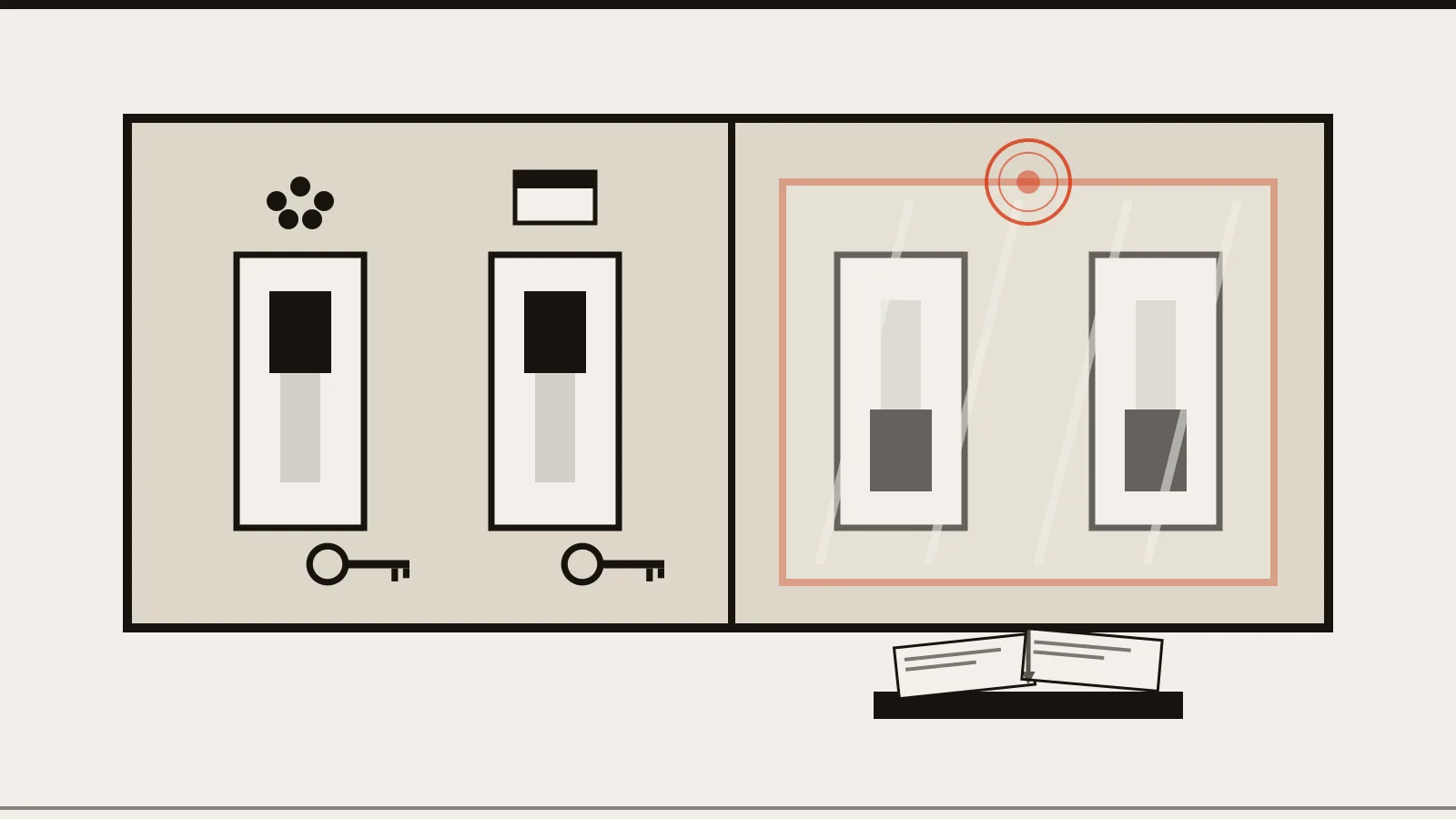
To ban a Facebook account is to have Meta disable it, and only Meta can do that. Everyone else holds a smaller switch. A group admin can ban a member from one group. A Page admin can block a person from one Page, a tool the Help Centre notes was formerly called "ban" (Facebook Help Centre, blocking on a Page). Those are real bans, but they stop at the edge of that group or Page. A Facebook account ban, where the whole profile goes dark, and a Facebook page ban, where a Page disappears for everyone, are enforcement decisions Meta takes against its Community Standards after reviewing reports and its own detection. So when people ask how to report Facebook account abuse and get the account banned, the honest answer has two halves. You choose the right object and the right reason. Meta decides the outcome, and the number of reports does not.
| The switch | Who presses it | What the target loses | Can you press it? |
|---|---|---|---|
| Ban from a group | That group's admins and moderators | The group, in search and in full | Only in a group you run |
| Block from a Page (once "ban") | That Page's admins | Interaction with that one Page | Only on a Page you manage |
| Account disabled | Meta | The profile, and the right to open another | No. You report; Meta rules |
| Page or group removed | Meta | The Page or group, for everyone | No. You report; Meta rules |
Read the right-hand column first. If it says "only in a group you run", the fix is a settings screen, not a report.
In a group you manage, the Help Centre's route is Members (or People) below the cover photo, then Options next to the name, then Ban from group. A tick box deletes the person's last seven days of posts, comments and reactions. A second option bans their future accounts, with Meta's own caveat that "Facebook may not be able to detect all new accounts" (Facebook Help Centre, remove or ban someone in a group, checked 1 October 2026). Banned members can no longer find the group in search or see anything inside it.
The same split between your switch and the platform's switch runs through how you get someone banned from Facebook in general, and it is not unique to Meta. Our notes on getting someone banned on Instagram, on how to ban someone on Twitter and on how to ban someone's WhatsApp number reach the same point from different menus.
Report Facebook account problems from the profile itself
Start with the thing you can see. A profile report asks Meta to look at the account as a whole: its name, its photos, its behaviour, whether a real person stands behind it. That makes it the right tool for a fake or impostor profile, or for an account whose whole purpose breaks the rules, and the wrong tool for one nasty comment on an otherwise ordinary profile.
- Open the profile and copy its address. If the address shows a numeric ID, keep that version: usernames can change, the ID does not.
- Open the ••• menu below the cover photo and choose Report profile. Some app versions label the entry "Find support or report".
- Pick the reason that matches the worst thing about the account: pretending to be someone, a fake account, a scam, or harassment.
- Report the worst individual posts too. A profile-level reason with nothing specific attached gives the reviewer very little to check.
Afterwards, the outcome shows in your Support Inbox under Reports about others. If Meta keeps the account up, the same screen offers Request another review, which the Help Centre says is "usually within 24 hours" (Facebook Help Centre, review of your report). Impostor profiles have their own deeper route, which we took apart in report fake Facebook account, or a Facebook DMCA takedown.
How to ban FB account holders? Meta counts violations, not votes
Anyone searching how to ban fb account holders is really asking what makes Meta disable one. The published rules are specific. Meta's page on disabling accounts, last dated 17 July 2025, says an account can be removed after five strikes; a single severe violation, such as child sexual exploitation, disables it on the first occurrence; and accounts created to get around earlier restrictions are disabled without any strike count at all (Meta Transparency Centre, disabling accounts). Strikes expire after one year. None of those triggers involves the number of people who complained. The Help Centre says it outright: "The number of times something is reported doesn't determine whether or not it's removed from Facebook" (Facebook Help Centre). So a single precise report that names a real violation does more than fifty vague ones. It helps even more when the right person files it, because some harassment rules only act on a report from the adult being targeted (our Facebook harassment report briefing covers that self-report rule).
That is also why every Facebook mass report tool we have looked at sells a queue position it cannot buy. The pattern repeats elsewhere: the bots that promise to mass report Instagram account targets, the Instagram spam report bot sold on forums, and the promises about how someone gets banned from Snapchat or how to get someone banned on TikTok all run into a reviewer who looks at the content, not the tally.
How to report a Facebook page, and what a Facebook page ban means
A Page is not a person, so the report works differently. Open the Page, click Options below the cover photo and select Report Page. Meta's own wording is careful here: after choosing a reason, "you may then be able to submit a report", and for some categories your feedback only trains its systems rather than opening a review (Facebook Help Centre, report a Page). When the Report Page flow ends without a submit step, report the Page's worst posts one by one instead. Those always go to review.
Before filing, read the Page Transparency section: creation date, previous names and the countries its managers post from. A Page that was renamed three times last spring tells a reviewer something a single post cannot. Our guide to how to take down a Facebook account, yours or theirs, walks through reading that record.
So how to ban a Facebook page you do not run? You cannot, any more than you can ban a profile. What you can do is give Meta a Page-level reason: a Page whose name, cover or whole output breaks the Community Standards, or whose admins keep publishing violating posts. That is what produces a Facebook page ban. People asking how to ban a page on Facebook that they do manage have a simpler job: with full control, you can unpublish it or delete it yourself (deletion becomes permanent after 14 days). Other platforms draw the same line, which is why an Instagram account takedown and a Twitter account removal service worth hiring both start by asking whose account it is.
Report Facebook page for counterfeit: a form for rights owners only
Counterfeits are the one Page problem with a stronger route than the community report. Meta's Intellectual Property Reporting Form opens with a single question: which right is being infringed, with three answers, Copyright, Trademark and Counterfeit, the last described as "Unauthorised imitations of products bearing the trademark of an original rights owner" (Meta IP reporting form). When we chose Counterfeit, then Facebook, on 1 October 2026, the form handed us to Facebook's Counterfeit Report Form. One oddity is worth knowing: the English (UK) copy of that form still says it is for counterfeit goods "on Instagram or Threads", while the version the Facebook route loaded pointed registered owners to Brand Rights Protection and dropped the platform line. It asks one thing first: are you the rights owner, reporting for your organisation or client, or reporting for someone else. It warns that "Abuse of this form may result in the termination of your account." Have your trademark registration number, the office that granted it and the Page and listing links ready before you start.
Brands often ask us to ban Facebook Page operators who copy their stock. This form is usually the better tool than any community report, because an IP team reviews it against a registered right rather than a moderator weighing a vague complaint. It is not anonymous, though. Meta can pass the rights owner's name and your email to the person reported.
If you bought the fake rather than own the brand, the form is not yours to use. Report the Page as a scam, keep the receipts, and call your card issuer. Facebook's Purchase Protection is not offered everywhere: from the UK on 29 September 2026 it showed "isn't available in your location". UK buyers can report the seller to Report Fraud, the police-run service that replaced Action Fraud.
How to report a Facebook group, the group and not a post
Here is the full route, as the Help Centre gives it (Facebook Help Centre, report a group, checked 1 October 2026):
- From your Feed, click Groups in the left menu, or search for the group's name.
- Click Options below the cover photo and select Report group.
- Select what is wrong with the group, then click Done.
After that, Meta reviews "content in the group that might go against our Community Standards" and sends a message to your Support Inbox saying whether the group was removed. The same page adds the caveat we would add ourselves: reporting something "doesn't guarantee that it will be removed". Anyone learning how to report a group on Facebook should keep three buttons apart. Report group asks Meta to judge the whole group. Report post, sent to Facebook, asks Meta to judge one item. Report to admins sends one item to the group's own moderators and never reaches Meta at all. People mix these up constantly, and the group report is the only one of the three that can end with the group removed.
How to report a Facebook group you are not in
Meta's steps start from search, not from your list of joined groups, so a group you can find is a group you can report. That is the practical answer to how to report a Facebook group that you are not a member of. Search the name, open the group, then Options and Report group. For a public group you see everything the reviewer will see. For a private group you see little more than the name, cover and About text, which is often enough when the problem is the group's name or purpose. When the problem is buried in posts you cannot read, pair your report with one from someone inside who can report the posts themselves. A hidden group is harder. If it never appears in search you cannot reach its menu at all, and the only route runs through a member.
How to report a Facebook group that banned you
Being banned from a group is not something to report: admins are allowed to ban, and a ban is not a Community Standards violation. It only becomes a reporting question when the group is doing something that is, such as posting your photos or accusations about you after shutting you out. The ban works against you here. Banned people "won't be able to find the group in search or see any of the content", so the Report group menu is gone. A second profile will not help either. Under the Help Centre's rules on additional profiles, once one of your profiles is banned, your other profiles that are not already in the group cannot see or join it. The workable route uses what you already hold. Post links saved before the ban can go into Meta's privacy or defamation forms (the UK defamation form takes up to ten URLs with the specific statements), and a friend still inside can report the posts and the group. Our Facebook defamation briefing covers what that form will and will not act on.
How to report a Facebook group anonymously
Use the button that goes to Facebook, not to the admins. Reports to Facebook are confidential: the Help Centre says the person or group is not told who reported them, unless the report is about intellectual property (Facebook Help Centre, anonymity of reports). Report to admins is the opposite. "Reporting to group admins does not send a report to Facebook", and the admin "will know that you are the one who reported it" (Facebook Help Centre, report to group admins). So for how to report a Facebook group anonymously, the answer is the Report group flow through Options. Leave the counterfeit form out of it, since IP reports disclose who filed them. The same logic governs a mass report Twitter account campaign or the question of does mass reporting work on TikTok: anonymity protects the reporter, it does not multiply the report.
Report a Facebook group admin through their profile
There is no "report admin" button. The admin badge is a role inside the group, and Meta reviews people through their own profiles and their own posts. So here is how to report a Facebook group admin: report their profile if the account itself breaks the rules, and report the posts they wrote. Report the posts they approved as well, because approval is where admin responsibility lives. Meta set this out when it tightened group rules on 17 September 2020: "If admins or moderators repeatedly approve posts that violate our Community Standards, we will remove the group." In the same announcement, admins and moderators of groups taken down for violations lost the right to create new groups "for a period of time", and members with violations had "their posts in that group will now require approval for the next 30 days" (Meta Newsroom, keeping Facebook Groups safe). None of that reaches an admin through the Report to admins button, which only goes to the admin you are complaining about.
When we put a group case together for a client, the admin's own posts and the posts they visibly approved go at the top of the file, with dates. Member comments come after. A reviewer reading a group report looks for whether the people running the space are the problem, so we show that first. The same instinct applies when Telegram channel owners are the issue, the route we map for anyone trying to take down a Telegram channel, and on LinkedIn, where a LinkedIn account takedown also turns on who controls the page.
How to report a Facebook group that has no admin
Groups do lose their admins, and the current rule is shorter than most guides say. If the only admin leaves, deactivates or deletes their account, they are prompted to invite a new admin. If they pick nobody, or nobody accepts within seven days, "the group will be automatically paused". A group whose only admin dies and is memorialised is paused within seven days, and the same rule applies when a Page is the admin (Facebook Help Centre, groups with no admins, checked 1 October 2026). That is a change of wording from 2020, when Meta said it would suggest admin roles to members and archive the group if no one accepted.
For anyone working out how to report a Facebook group with no admin, the practical effect is simple. Report to admins goes to nobody, so the only report that does anything is the one to Meta: Options, Report group, and a reason. Point the reviewer at the posts that break the rules, because with no admin there is nobody to have approved them, and the case rests on content alone. Channel owners who vanish cause the same headache on YouTube, where reports to get someone's YouTube channel banned also stand or fall on the videos themselves.
Group, Page and profile all tangled together? Send us the links for a confidential review. We tell you which route fits, and whether any does, before anything is charged.
How to get a Facebook group banned: what removes one
A group comes down for what it hosts and who runs it, never for how many people dislike it. In its September 2020 groups announcement, Meta said it had taken down "more than 1 million groups" for policy violations over the previous year. The factors it named then still drive a group report: the group's name, description or cover breaking the rules, admins posting violating content, and admins approving it. Admins can check Group Quality, where Meta shows the violations it has recorded against the group. What never counts is volume. A hundred members reporting a group they merely dislike produce a hundred reviews that each find nothing, which is also why the Telegram mass report bot, the YouTube mass report bot, the WhatsApp mass report bot and every Snapchat mass report offer fail the same way.
So the working order for how to get a Facebook group banned is short. Collect the worst posts with links and dates. Note which ones admins wrote or approved. Report those posts to Facebook, then report the group with the reason that matches them.
| What you are reporting | Where the button is | Who reviews it | Bring |
|---|---|---|---|
| A profile | ••• below the cover, Report profile | Meta | Profile link, worst posts |
| A Page | Options, Report Page | Meta | Transparency record |
| A group | Options, Report group | Meta, reply in Support Inbox | Posts with dates |
| A group admin | Their profile and posts | Meta | Posts they wrote or approved |
| A counterfeit Page | Meta IP form, Counterfeit | Meta's IP team | Trademark registration |
| One post, to the admins | ••• on the post, Report to admins | The group's admins only | Nothing reaches Meta |
Can I create a new Facebook account to use Marketplace after a ban?
Not without Meta's permission, and that permission is rare. The Terms are explicit: "If we disable your account for a violation of our Terms, the Community Standards or other terms and policies, you agree not to create another account without our permission" (Meta Terms of Service, read 1 October 2026). Meta's disabling rules then list accounts created to get around restrictions among those it removes without counting strikes. A fresh account opened to reach Marketplace is exactly that. So if you are wondering "can I create a new Facebook account to use Marketplace after a ban", treat it as the fastest way to lose the second account as well.
First, check which ban you have. A Marketplace restriction is often narrower than an account ban: it follows Meta's Commerce Policies and leaves the rest of Facebook working. If you can still log in, open Account Status from your profile's Help and support menu, where Meta lists restrictions on the account and on what it manages. Where a review is offered, it is offered there or in the original notice. A disabled account has its own appeal, which our note on taking down a Facebook account, yours or theirs touches from the other side. Paying a "recovery" seller is no better than paying a Facebook ban service: neither can reach Meta's review, and both ask for things you should never hand over. Twitter works the same way, as our guide to how to take down a Twitter account explains.
What no report can reach, and where suppression starts
Reporting only works on content that breaks a rule. Some of what people want gone breaks none, and we say so before any work starts. A Page that publishes a truthful, unflattering account of your business, an opinion group that criticises you in harsh but lawful terms, and a public record reposted in a group all sit outside every form on this page. Filing false reports against them does not remove them. It gets the reporter's own account flagged, and a fabricated legal notice invites a real one back, usually with more attention on the original post than it had before. For that material the honest route is suppression: pushing better results above it in search, and asking Google to refresh a cached result once a Page or group is actually gone. We explain where that line falls, and what we will and will not take on, in our disclaimer.
We never forge a notice, never threaten a lawsuit we cannot stand behind, and never ask for anyone's password. A confidential review comes before any charge.
The sellers on the other side of this market promise what the report button cannot: an Instagram ban service, a Twitter ban service, a TikTok account ban service or a WhatsApp ban service. Each of those briefings traces the fee to the same place, an ordinary report in an ordinary queue. The lawful versions of the same goals exist, and they are slower but real: how to take down a Snapchat account, how to get a YouTube video taken down, and how to get a fake TikTok account taken down each follow the pattern this page does. Pick the object, name the rule, and bring the evidence.