How to check Instagram username availability in under a minute
Use the app, not a website.
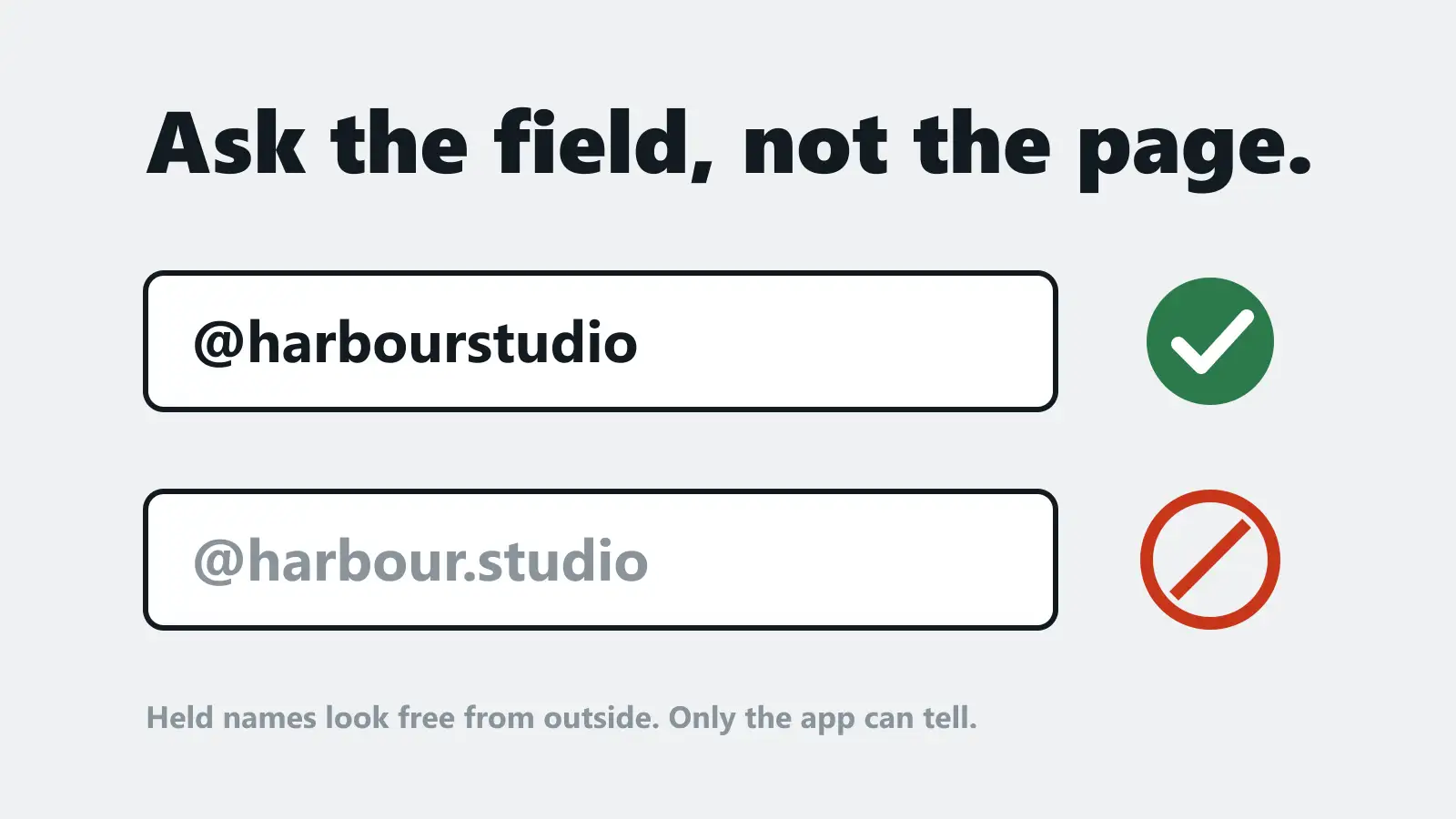
The only reliable answer to how to check instagram username availability comes from Instagram itself, at the moment you type the name into a username field. That field sits in two places: the sign-up screen for a new account, and Edit profile on an account you already have. As you type, Instagram tests the string against every account it holds, including ones you cannot see from outside, and shows either a tick or a message saying the name is not available. Nothing else on the internet has that view. A browser visit, a search, or a third-party tool only sees public profiles, which is a smaller set. So if you want to know how to check if instagram username is available, the field is your source of truth and everything else is a hint. Obscura, a UK content-removal firm, gets asked about usernames most weeks, and the people who struggle almost always trusted a hint over the field.
Here are the steps for the in-app check on an existing account:
- Open Instagram and go to your profile.
- Tap Edit profile, then tap the Username line.
- Type the name you want, slowly, without pressing save.
- Watch the field: a tick means it can be taken now; a message means someone already holds it.
- If you do not want to switch yet, back out without saving, and your current name stays.
The menu wording can shift between app versions, so if a label differs, look for the username line under your profile settings.
Is this Instagram username taken? Three ways to look, compared
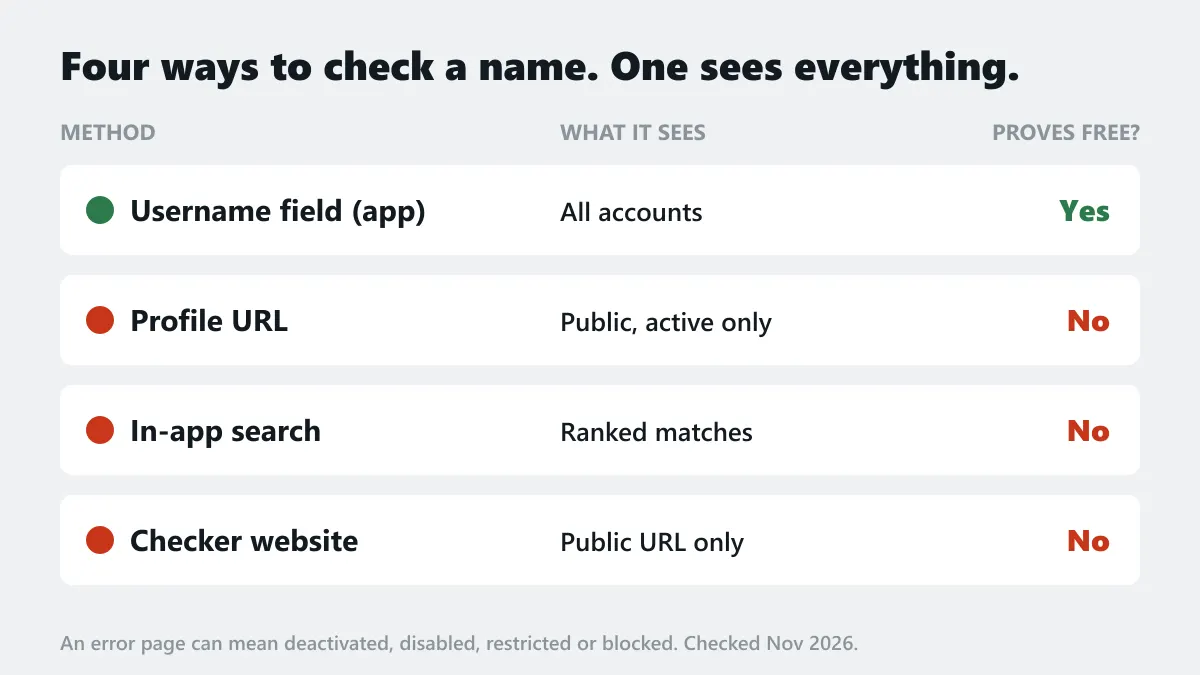
| Method | What it sees | Can it prove a name is free? | Main trap |
|---|---|---|---|
| Username field in the app | Every account Instagram holds | Yes, at that moment | You might save by accident |
| instagram.com/name in a browser | Public, active profiles | No | Error page shown for hidden accounts too |
| Search inside Instagram | Accounts the search index returns | No | Close matches, not exact handles |
| Third-party checker site | Public profile URL only | No | Some ask for your login |
People type "is this instagram username taken" into a search engine and expect one answer, but the three methods disagree for a reason. The profile URL is the quickest way to see if instagram username is taken in the plain sense: if instagram.com/yourname loads a profile with posts, the name is in use, end of story. The opposite case is where people go wrong. A page reading "Sorry, this page isn't available" does not mean the name is free. Instagram shows the same page for an account its owner has deactivated, one Instagram has disabled, one restricted in your region, and one that blocked you. Each of those still holds the name. Search is weaker still, because it ranks similar names and hides some accounts entirely. So when someone asks how to know if a username is taken on instagram, the honest reply is that a loaded profile proves it is taken, while an error page proves nothing either way until the in-app field confirms it.
How to see if an Instagram username is available when the profile page is blank
Treat a blank or error page as "unknown", then run the in-app check. That one extra step is the difference between guessing and knowing.
It does not matter which phrase brought you here. Whether you searched how to check if instagram username is taken, how to see if instagram username is taken, how to check if username is taken on instagram or how to check username availability instagram, the method is identical. To find instagram username availability, or work out how to know if an instagram username is taken before a launch, open the app and check if username is taken instagram in the field. Asking a search engine is this username taken instagram will only ever return guesses.
Why a name looks free but will not save
This is the most common complaint we hear, and it usually has a dull explanation. The name is held.
When you check if instagram username is taken by visiting the URL and get an error page, then the app refuses the same name, the app is right and the browser was simply blind. A deactivated account keeps its username for as long as it exists, because deactivation is a temporary hide the owner can undo by logging in. An account that has been deleted at the owner's request goes through a waiting period before the name can return to the pool, and Instagram's Terms note that removing content can take up to 90 days once deletion begins. A recently changed name can also be held for a while. Instagram has, in some versions of its help pages, said a person can switch back to their previous username for a short window after changing it; we could not load that page in English to confirm the current wording, so treat any figure you read elsewhere as unconfirmed.
Usernames "are provided on a first-come, first-served basis and may not be reserved", in Instagram's own words (Instagram Help Centre).
Character rules that make a name fail
A name can also fail on format, not ownership. Usernames are short strings of letters, numbers, full stops and underscores, with a length cap that has commonly been 30 characters; spaces, accents and most symbols are rejected. We could not confirm the exact current cap from Instagram's English help page in November 2026, so if a long name fails, shorten it before assuming it is held.
Instagram username taken checker sites: what they actually do
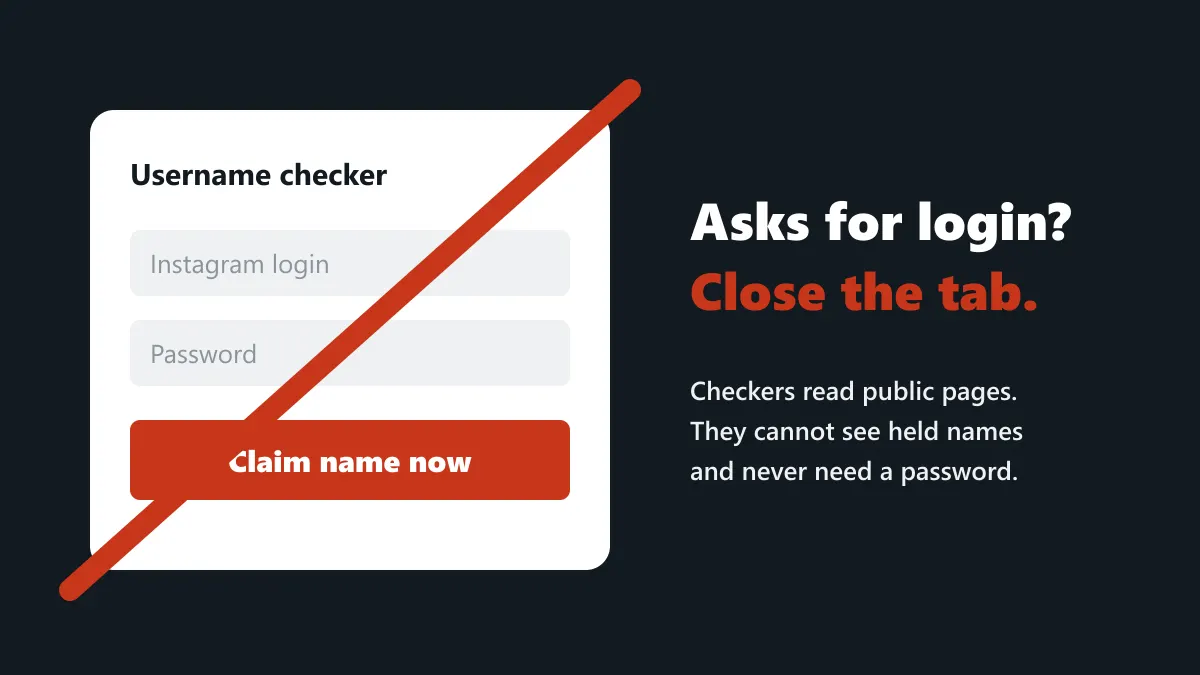
An instagram username taken checker is, in nearly every case, a page that loads instagram.com/name for you and reads the response. If a profile comes back, it says taken. If an error comes back, it says available, which is exactly the mistake described above, made automatically and in bulk. That is why these tools so often report a name as free when the app disagrees: they cannot see deactivated, disabled or held accounts, and they never will, because Instagram does not publish that list. The useful ones are a convenience for screening a long list of ideas, and nothing more. The dangerous ones ask you to log in "to check more names" or "to claim it now". Do not. A checker has no reason to need your password, and a login box on a stranger's site is the classic shape of a credential grab, the same pattern covered in our note on what a phishing takedown service can and cannot shut down.
If you have already typed your password into one, change it in the app and turn on two-factor authentication today.
Is this username taken on Instagram, or just hidden from the tool?
When a checker and the app disagree, believe the app. A tool's "available" is a guess built on public pages only.
What to do once you know the name is taken
Most people simply pick a variant.
Instagram's own page on names that seem inactive suggests adding full stops, numbers, underscores or abbreviations (Instagram Help Centre), and that is sound advice for anyone working out how to check available instagram usernames from a shortlist: write five versions, then run each through the app field. If the name is your registered brand and someone is using it to pass themselves off as you, the route is different. Instagram offers a trademark report, and impersonation of a person or business can be reported separately; trading names is no answer, since the Instagram Terms of Use bar buying, selling or transferring any part of an account, including its username. Reporting abusive posts on that account is its own process, set out in our guide to report comment on instagram evidence. Copied photos usually go through a dmca takedown notice rather than a username complaint, and the same impersonator on Facebook needs Meta's own form, which we cover in report fake facebook account routes.
If you think the account handling your brand might be part of a wider scheme, our briefing on how to report scam on telegram shows how cloned identities move across apps.
If a name dispute has turned into a campaign against you, write to us through the contact page with the handle, screenshots and dates, and we will tell you plainly whether there is a route worth taking.
What Obscura will not do with usernames
Some requests we decline every time, and it is fairer to say so up front. We will never ask for your password, and we will not log in to anyone's account, yours included. We do not file false reports against an account so that its name drops free; reporting a name simply because you want it is not a rule break by the owner, and dressing it up as one is the kind of conduct platforms punish. The same logic applies elsewhere: a guide on how to get someone banned on roblox only works when the person has actually broken the rules, and a facebook harassment report only succeeds when there is harassment to show. We do not broker, buy or sell handles either. What we do is narrower: trademark, impersonation, copyright and privacy cases where a real right has been infringed. Outcomes rest with Instagram, not with us, and our disclaimer sets out those limits in full.
If someone promises a guaranteed handle for a fee, they are selling you a breach of the Terms, or nothing at all.
Other takedown questions that start the same way
Usernames are a small corner of a bigger pattern: people check something from the outside, see a blank page, and assume it has gone. The same mistake shows up with removed video. Readers who want to find taken down youtube videos often discover that a video marked unavailable still exists for its owner, held rather than erased, in the same way a deactivated Instagram account holds its name. Our separate explainer on how to see taken down youtube videos walks through what a takedown leaves behind and what an archive can still show. The lesson carries across: an error message tells you that you cannot see something, not that it is gone. For an Instagram name, that means one habit above all others. Before you plan a rebrand, print new cards or pay anyone for anything, open the app, type the name into the username field, and read what Instagram says. It is the only check that sees the whole picture, and it costs nothing.