What does account reporting ask a platform to judge?
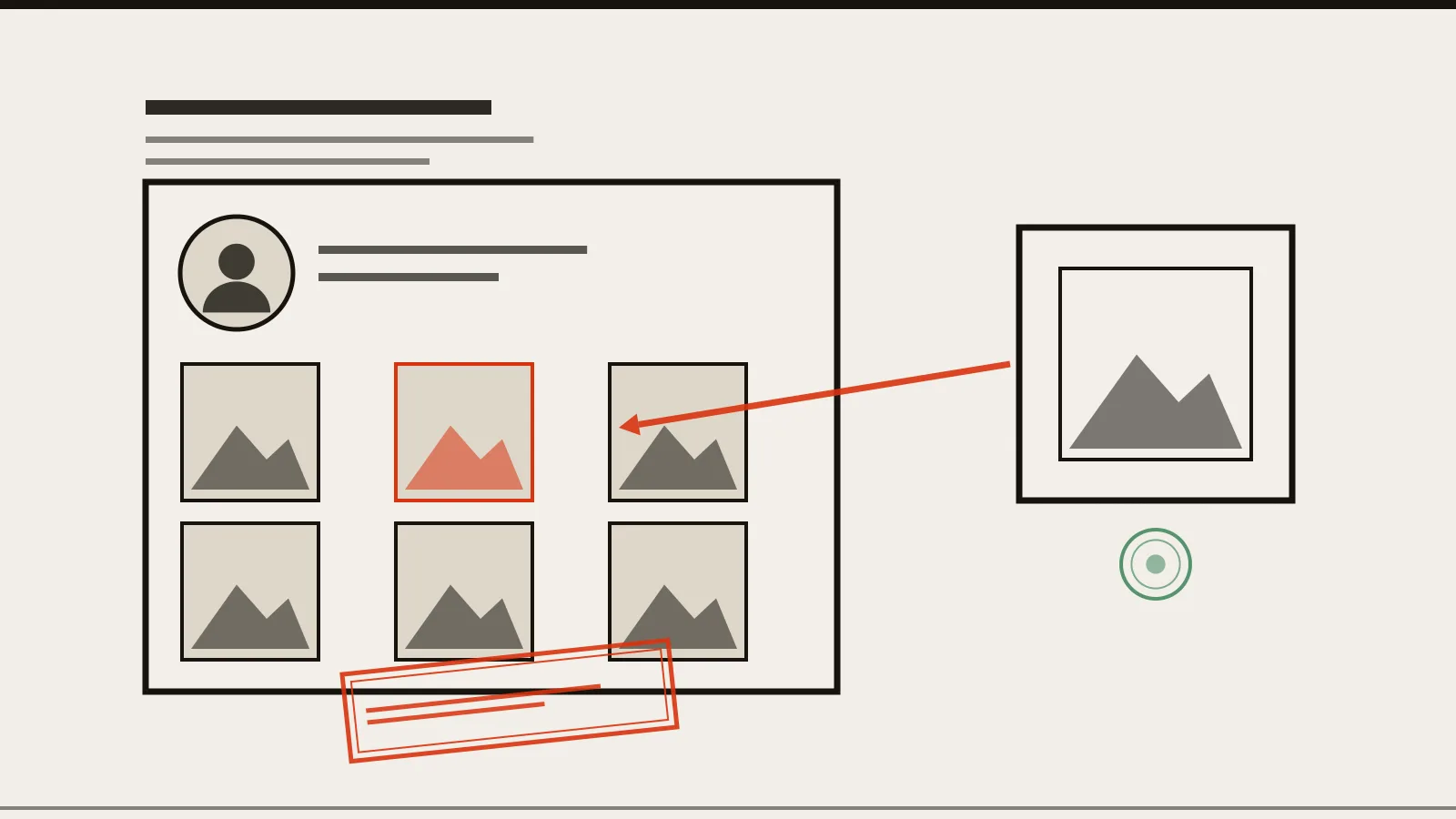
Account reporting is a request to review a person's presence on a platform as one unit: the profile, the handle, the picture, the bio, and sometimes everything posted under it. An item report is narrower. It points at one video, one message or one drawing and asks whether that single thing breaks a rule. The difference matters more than most guides admit, because the two reports often go to different reviewers who look at different evidence. On YouTube, for example, the channel-level "Report user" option sends a reviewer to the profile photo, the handle and the channel description; Google's own help page says that a channel report does not include a review of the channel's videos (YouTube Help, read 17 October 2026). Report the channel for a stolen video and you have asked the wrong person the wrong question. So the first job is working out what kind of bad account you are actually looking at.
That sounds obvious. It is the step almost everyone skips.
Our team handles account reports for people who have been impersonated, harassed, copied or scammed, and the files that succeed share one habit. They name the rule first, then the account, then the items that prove it. The files that fail usually start with anger and a profile link and nothing else.
Is, holds or does: which kind of bad account are you reporting?
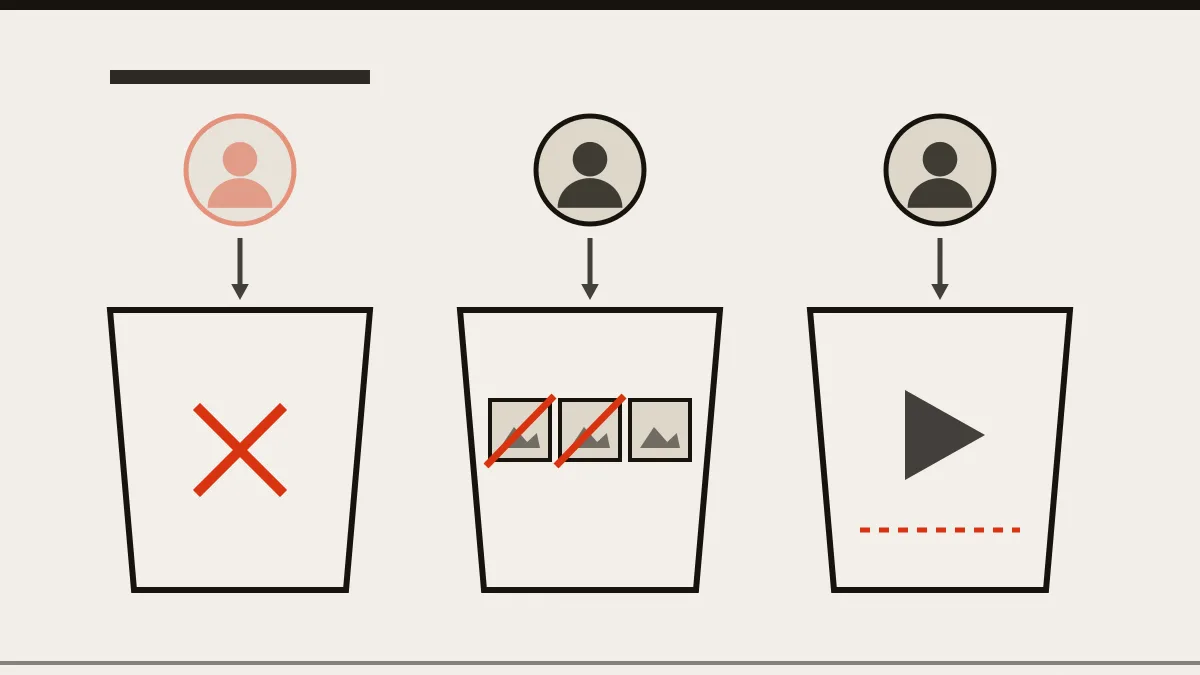
Every bad account we see falls into one of three trays, and the tray decides which button you press. In the first tray the account is the breach: a fake profile, an impersonator, a spam bot, a sock puppet set up to dodge an earlier ban. Nothing it posts needs to be wrong for it to go, because the account itself should not exist. In the second tray the account holds the breaches: a real person whose uploads include stolen art, hateful videos or someone else's private photos. Here the platform judges the items, and the account falls only when enough items fall. In the third tray the account does the breach somewhere you cannot easily screenshot: cheating inside a match, botting views on a stream, buying subscribers. The evidence sits in the platform's own logs, not on the profile. Most failed account reports are second- or third-tray problems filed through a first-tray door, and the reviewer, correctly, finds nothing wrong with the profile picture.
The account is the breach
Fake and automated accounts are where the profile-level button earns its keep. LinkedIn is a good example. Open the profile, choose More, then Report / Block, and the flow offers "This person is impersonating someone" and "This account is not a real person" (LinkedIn Help, read 17 October 2026). There is no separate bot option, so if you are working out how to report a linkedin profile as a bot, "not a real person" is the honest label. The same logic covers a bluesky spam account report: Bluesky puts Report account in the three-dot menu on the profile, and its 2025 transparency report says the reporting menu grew from 6 broad categories to 39 specific reasons (Bluesky, January 2026). On Grindr you report a profile from the profile itself, and reporting is not the same as blocking. That trips people up. Our grindr fake profile report briefing walks through which of Grindr's labels fits a catfish, since none says "catfish".
The account holds the breaches
An art thief, a channel full of harmful uploads, a page reposting your photos: these accounts are judged item by item. You report the pieces, and the platform's repeat-offender policy turns enough removed pieces into a ban. DeviantArt says it plainly. Its copyright policy counts "three strikes as an indication of being a repeat infringer subject to ban" (DeviantArt copyright policy, read 17 October 2026). YouTube works the same way through strikes. Filing at account level here feels stronger. It is weaker.
The account does the breach somewhere else
Cheating, view botting and bought engagement leave little on the profile. A reviewer looking at a Fortnite or Steam profile sees a username and a level. The proof is a match, a timestamp, a clip. Report from inside the game or the stream where it happened, because that is where the platform attaches its own telemetry to your report.
How do you report a YouTube channel, and what does that report review?
People phrase it a dozen ways: "how do i report a youtube channel", "how do you report a youtube channel", "how to report a yt channel", "how to report channels on youtube". All of them land on the same menu. The answer to "can you report a youtube channel" is yes, but with the limit already mentioned: the channel report checks the channel's surface, and the videos need their own reports.
How to report a youtube channel on pc
Sign in first; signed out, YouTube shows no report option on the channel. On a computer, open the channel page, click ...more in the channel description, then Report user. The menu then offers four choices: Hide user from my channel, Report channel art, Report profile picture and Report user (YouTube Help 2802027). Pick a reason and add details. That is the whole path for how to report a channel on youtube from a desktop. On the phone, the same channel About panel carries the report option. If you need how to report a youtube account rather than a channel, it is the same thing: on YouTube the account and the channel are one object.
How to report a youtube channel for inappropriate content
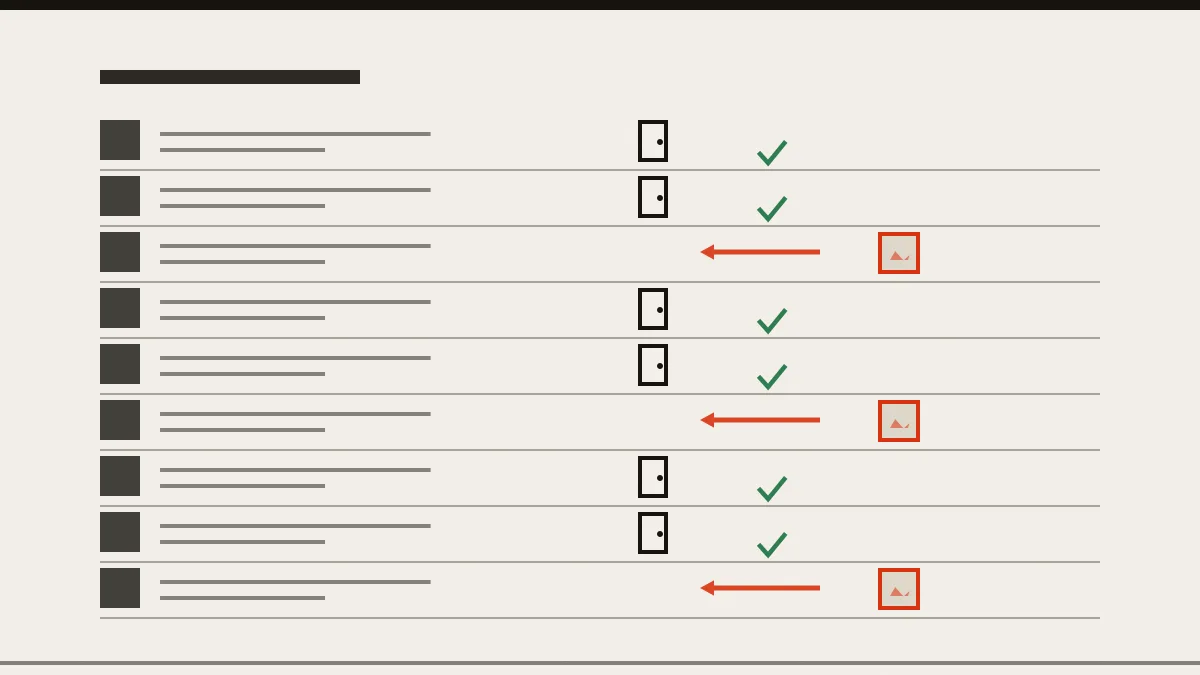
This is where the second tray bites. When you research how to report a youtube channel for inappropriate content, the useful move is to report the worst three or four videos individually, with timestamps in the details box, and then file the channel report if the name, picture or description is itself abusive. YouTube's reviewers check flagged videos "against all of our Community Guidelines and policies, regardless of why they were originally flagged" (YouTube Transparency Report, Q2 2026). Removed videos become strikes, and three strikes inside 90 days ends the channel. YouTube removed 2,732,395 channels between April and June 2026, 84.5% of them for spam, deceptive practices and scams (YouTube Transparency Report, Q2 2026). Most of those terminations came from detection systems, not from viewer reports. Your report adds a human pointer to that machinery; it rarely replaces it.
How to report a youtube channel for buying subscribers
Bought subscribers fall under YouTube's fake engagement policy, which bans anything that "artificially increases the number of views, likes, comments, or other metrics" and also bans promoting services that inflate subscribers (YouTube fake engagement policy, read 17 October 2026). YouTube says such traffic "will not be counted" and can lead to strikes; a channel dedicated to it can be terminated outright. You rarely have proof of a purchase. What you can show is a pattern: a subscriber jump of tens of thousands in a day, comment sections full of identical one-word replies, a pinned link to an engagement seller. Report a video that carries the promotion and describe the pattern in the details. The account report alone will not reach it.
How to report a youtube channel anonymously
YouTube's help page says "reporting content is anonymous, so other users can't tell who made the report" (YouTube Help 2802027). That holds for flags. It does not hold for legal forms. A copyright takedown carries the claimant's name, and the person you name may see it; our briefing on dmca takedown youtube explains what the uploader receives, and the companion piece on how to report youtube channel for copyright covers who can see your name on each platform. Ad complaints use a different menu again; see how to report a youtube ad on pc.
Can you ban art thief DeviantArt account, or only the stolen pieces?
You can get the account banned, but not by asking for a ban. DeviantArt gives an artist two routes. The first is the internal report on the submission itself. The second is a formal copyright notice, either through DeviantArt's DMCA form, which needs you to be logged in to a DeviantArt account, or by written notice to violations@deviantart.com (DeviantArt copyright policy). Each upheld notice is a strike. At three, DeviantArt treats the account as a repeat infringer "subject to ban", and the policy adds that deliberately passing off someone else's work can mean an immediate ban. So the practical way to ban art thief deviantart account holders is to file a clean, separate notice for each stolen piece rather than one angry message about the whole gallery. Three good notices beat one long complaint. If you only have one stolen piece, expect the piece to come down and the account to stay.
The search people type is often blunter: "report art thief deviantart". The route is the same. Our walkthrough on how to report stolen art on deviantart shows the form fields in order, and the guide to who may file explains why only the artist or their agent can send the notice, using report art thief deviantart cases as the worked example. A fan reporting on your behalf can flag the upload, which helps, but cannot sign the legal notice.
A practitioner note from our files. When we prepare art-theft notices, the ones DeviantArt acts on fastest link the original with a date the thief cannot match: the first upload on your own account, a work-in-progress file, a dated post elsewhere. A notice that says "this is mine" and attaches nothing gets queued behind the ones that prove it.
Where is the profile-level door on each platform?
| Platform | Account-level report | What it judges | Attach |
|---|---|---|---|
| YouTube | Channel ...more, Report user | Name, picture, description | Video reports for content |
| More, Report / Block | Impersonation, not a real person | Profile URL | |
| Bluesky | Profile menu, Report account | 39 reasons incl. spam | Post links |
| Grindr | From the profile | Profile and chats | Chat context |
| Discord | Report User Profile | Profile elements | Message links |
| Kik | From the chat (help centre unread) | User or group | Usernames |
| Steam | Profile ..., Report Player | Offence category | Match details |
| Twitch | Report Live Stream / channel | Stream and conduct | Clip or VOD |
| Fortnite | In-game report | Match conduct | Match time |
| DeviantArt | Report or DMCA form | Each submission | Your original |
Read the table as a map of where the evidence goes, not a ranking. Some details here came from help pages that would not load for us on 17 October 2026 (Kik's help centre, Epic's help pages and Steam's FAQ returned errors), so we have kept those rows to what Valve, Epic and Kik describe in their own published summaries.
How to report discord account abuse
Open the person's profile, use the three-dot menu and choose Report User Profile; individual messages are reported from the message itself. Discord's Safety Center says your identity is not shared with the account you report, and it asks users not to send multiple reports or organise group reporting (Discord Safety Center, read September 2026). Discord also tells the reporter whether a violation was found. If what you really want is to ban discord account access for someone, that decision belongs to Discord's Standing system, which steps from All good through Limited and At Risk before a suspension. A server owner can ban the person from one server at once, which is often the faster relief. Violations on a Standing record expire after 90 days, so a report filed months after the abuse adds less than one filed while the messages are still there.
Grindr report a profile, or grindr report an account
Grindr uses one flow for both. Open the profile, choose Report, pick the closest category and describe what happened. Reporting does not block the user, so block separately if you need distance. To ban grindr account holders who are scamming, choose the scam or impersonation category over a generic one; Grindr may then ask the reported user for selfie verification. That is how to report a grindr account with the best chance of a ban.
How to report a kik account, and how to report a kik group
Kik's help centre returned errors when we checked on 17 October 2026. Third-party guides describe reporting from the chat: tap the person's name, choose the report option, and the report is paired with a block. For a group, the group menu carries a report option, and group admins can remove members themselves. Treat any label we cannot verify as approximate.
How to report a steam account, and fortnite account ban for cheating
Steam puts Report Player behind the three-dot button on a profile; you pick an offence category, a specific violation and write a short statement. Valve Support cannot reverse trade restrictions or restore items, a point covered in our piece on how to get someone trade banned on steam. For a fortnite account ban for cheating, report in-game from the match. Epic shows outcomes only in its Safety and Security Center, and its help article on cheating offences is summarised as a one-year matchmaking ban for a first offence since April 2025 and a lifetime ban for a second. We could not load that page, so read it yourself before relying on the numbers.
How to report a twitch channel for botting
Viewbotting is "viewership tampering" in Twitch's Community Guidelines, filed under spam and malicious conduct (Twitch Community Guidelines). Report the live stream from the three-dot menu under the video and choose the spam, scams or bots path. Twitch says clips and VODs carry the most weight as evidence. As for how to get a twitch channel banned, the honest answer is that you supply the evidence and Twitch decides; a channel reported many times in a short period is not suspended unless a breach is found.
Does report volume ban an account?
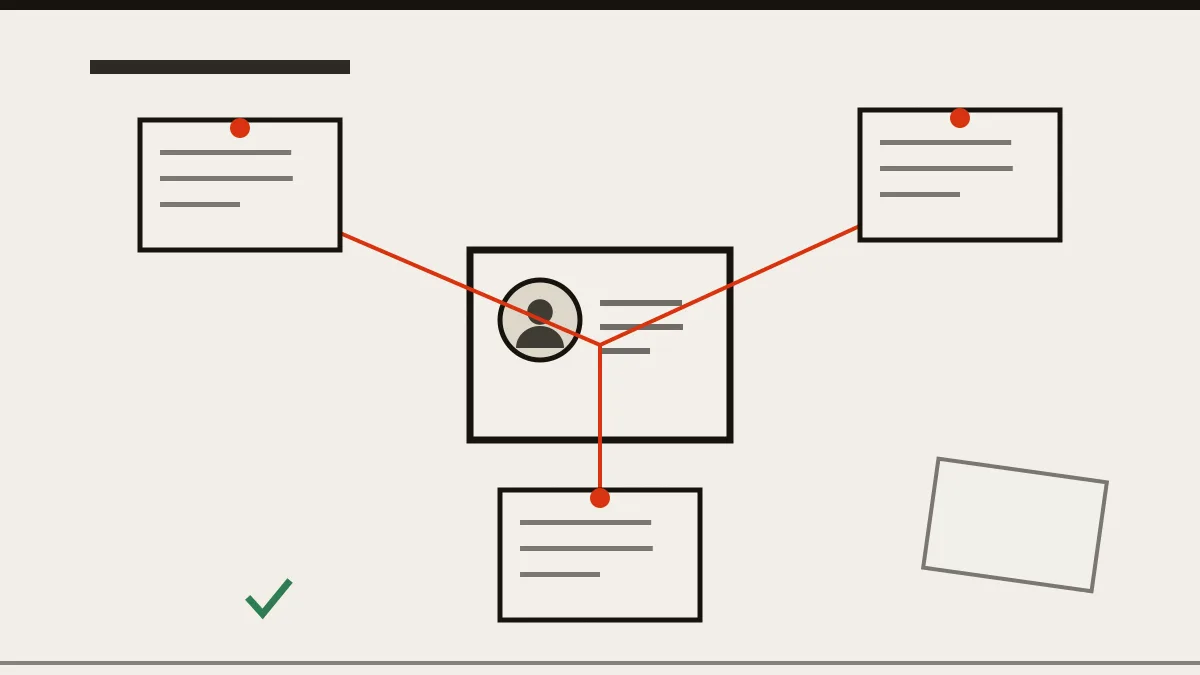
No major platform publishes a report count that triggers a ban, and several say the opposite. YouTube's help page states that reported content is not automatically taken down and that no amount of reporting will change a decision that content is within the rules (YouTube Help 2802027). Its transparency report says "suspicious or exceptionally high flagging volumes" are identified and excluded. Twitch lists large amounts of repetitive user reports as a form of spam. Discord's Rule 23 forbids false or abusive reports. So when someone asks whether report volume bans an account, the accurate reply is that volume may speed up a review but cannot change the verdict, and a coordinated pile of reports can count against the people sending it. The question "does report volume ban an account" has the same answer on X, TikTok and Instagram; our notes on does mass reporting work on twitter and on what does reporting someone on instagram do show the same pattern from inside those desks.
What does move a verdict is a pattern file. One account, three or more dated items, each tied to the specific rule it breaks. A reviewer can act on that in minutes.
Employer account flagging
The phrase "employer account flagging" usually means an employer using its free review-site account to flag reviews or profiles it dislikes. On Glassdoor, any member can flag a review and human moderators inspect it, but a flag judges the review against the site's guidelines, not against the employer's preference, and Glassdoor says a flag does not guarantee removal. Employers flagging a former worker's LinkedIn or social account face the same test: the platform asks which rule the account breaks. A dislike is not a rule.
What an account report cannot do, and what we will not do
Some accounts stay up however carefully you report them. An account that posts truthful reporting about you, public records, or honest opinion is not breaking a platform rule, and no report or legal notice can lawfully remove it. In that case the realistic options are suppression, which means pushing better results above it in search, or a defamation route if the content is actually false. We say which applies before any work starts. We never forge copyright notices, never send bluffed legal threats, never ask for anyone's password and never sell a "mass report" that a platform treats as abuse. Coordinated reporting campaigns tend to fail, breach the reporting rules of the very platforms they target, and can expose the people behind them. Our disclaimer sets out the limits in full, and the team behind these briefings is introduced on our about page.
If a fake, abusive or copying account is hurting you and the reports keep coming back "no violation", send us the profile for a confidential review. We will tell you which tray it sits in, which route fits, and whether removal is realistic, before you pay anything.
Platform by platform, the same three trays apply. For Telegram, our guide on how to report a telegram account covers accounts, groups and channels, and the follow-up on if you report someone on Telegram will they know covers anonymity and ban counts. For X, see how to report x impersonation. For TikTok accounts and shops, see how to get someone's tiktok banned through the rules rather than the pile. And for impersonators on Bluesky, our three-desk guide shows how to report bluesky account for impersonation, which is also the clearest answer to how to report a bluesky account that copies someone.