What does a report form actually carry?
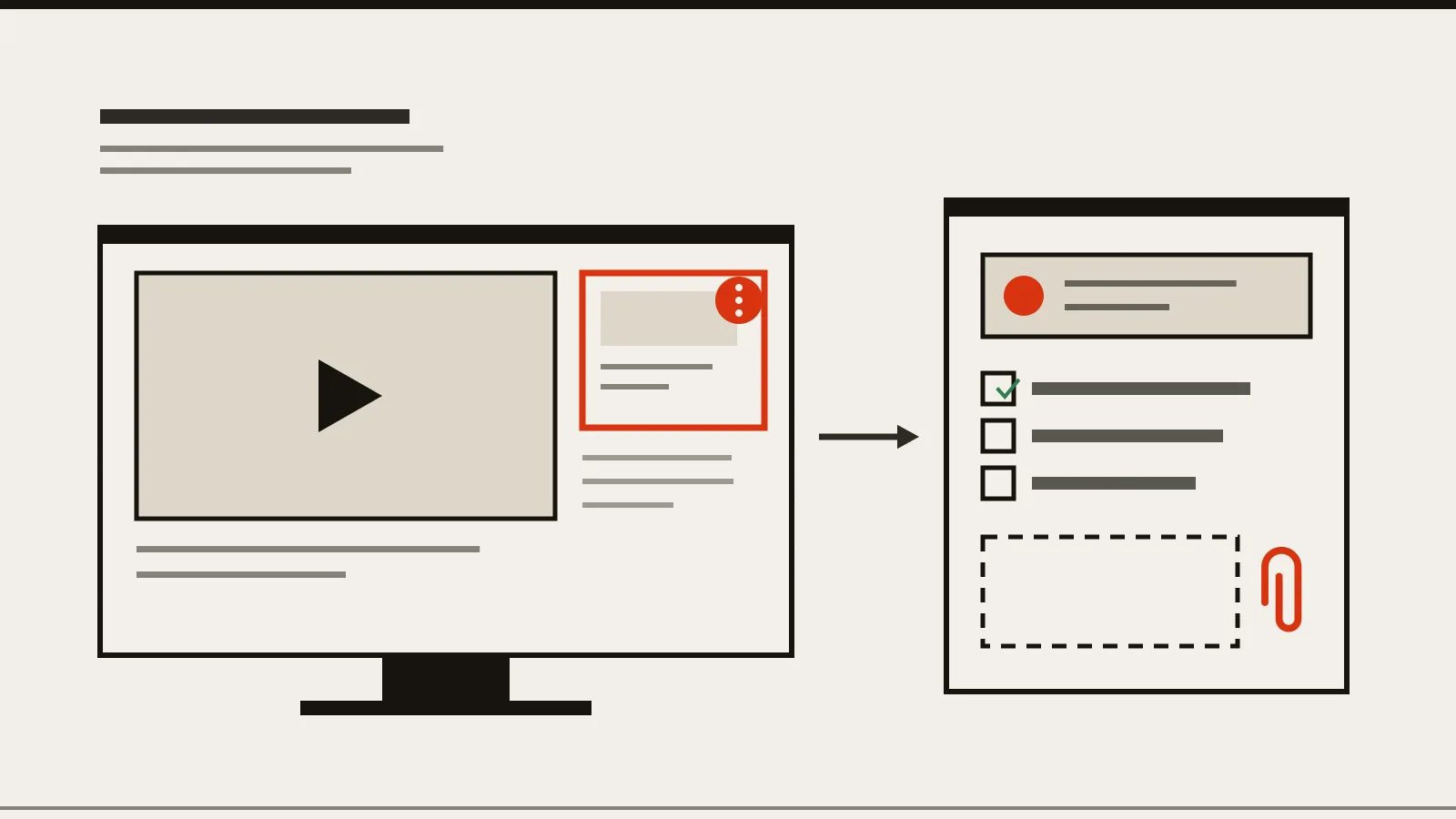
Every report on every platform is the same small object. It names a target, it picks a rule, and sometimes it has room for evidence. Nothing else travels.
The target is whatever you were pointing at when you opened the menu: an advert, an app, a listing, a profile, a single message. The rule is the category you pick from the platform's own list. The evidence slot is the part people assume exists and often does not, which is why so many searches end in the words "with proof". A reviewer, human or automated, sees those three things beside the platform's own logs. They do not see your screenshots folder, your history with the person or how upset you are, and a second report from the same account adds nothing the first did not carry. So before asking how to report something, ask two narrower questions. Where does this platform keep the button for this kind of target? And what will the box beside it accept: a category only, a line of text, a link, a file?
That second question is also why the Instagram report apps sold on Telegram and Discord cannot add anything. A form with three slots has three slots, however many times it is submitted.
We checked thirty report routes for this briefing on 13 October 2026, against each platform's own help pages. Some pages loaded. Some we could only read through a search extract, and a few refused us outright. The text says which is which, and where a label could not be confirmed we do not print one.
| Target | Where the button is | What the box takes |
|---|---|---|
| YouTube advert | On the ad: "Sponsored", then "Report ad" (computer or mobile) | Policy or legal branch, then Google's form |
| YouTube channel | Channel page, "...more", "Report user" | A reason and optional details |
| App Store app | Apple's Report a Problem site, signed in | One of two report types |
| Google Play app | App page, More, "Flag as inappropriate" | A reason |
| itch.io game | "Report game" at the foot of the page | A reason and a comment |
| eBay listing | Report link on the item page | A reason and a short form |
| Vinted member | Profile, three dots, "Report" | A reason and details |
| Fiverr seller | The Gig or the message, never the user | A reason and details |
| Upwork profile | Profile menu, "Flag as inappropriate" | A reason |
| Redbubble, DeviantArt | Copyright notice, owner only | A signed notice with the listing address |
| Patreon creator | Creator page, "..." | Screenshots and links |
| Roblox player | In-experience menu, flag icon | A reason and a "Short Description" |
| Valorant player | Esc, "Report"; or Career, the match | A form |
| Call of Duty player | Scoreboard, lobby or Social menu | One or more reasons |
| Twitch user | "Report" where you saw the content | A reason |
| Discord | A message or a profile | Type of abuse; a message link on forms |
| Hinge | "Past Matches", or the request form | Name, age, bio, photos |
| Kik | Inside the chat | Chat history, if you include it |
| Signal | Message request or chat settings | Nothing: a number and a message ID |
| LinkedIn member | Profile, "More", "Report or block" | The content and a reason |
| Tumblr blog | Three dots on the post or blog | Three options, then the abuse form |
How to report a YouTube ad on PC
Two clicks, both on the advert.
- While the advert is on screen, click "Sponsored".
- Click "Report ad".
- Google's form opens in a new tab. Choose whether the advert breaks Google Ads policies or breaks the law, then follow the questions.
As of 13 October 2026, YouTube's reporting help page gives the computer route in exactly those terms, and a second help page, which we saw only as a search extract, puts the same "Report ad" option behind a "More" or "Info" icon on some ad formats. The form is Google's own, titled "Report an ad or shopping listing". YouTube promises only that its team will review the report and "act if appropriate", so expect no reply. Two details matter on a PC. The advert is the target, and a skippable one is gone the moment your video starts, so pause while it is still on screen and note the advertiser's name. And the same help page limits ad reporting to mobile and computer. If the advert ran on a television or a console you cannot report it there; go to a desktop browser and file through Google's form with the advertiser's name and the landing address.
How to report an inappropriate ad on YouTube
The clicks do not change. The branch does. Sexual, shocking or misleading adverts belong under the policy option; an advert that sells fakes or trades on your brand belongs under the legal one. We could not see the later fields without filing a report, so we do not describe them.
One limit catches people out. If the advert leads to a fake shop or a login page, a successful report removes the advert and nothing else. The site stays up, and to report a phishing site you need its host or registrar, not Google Ads.
How to report counterfeit and misinformation on YouTube
These are two reports with two different owners. Counterfeit is a legal complaint: YouTube's trade mark page limits complaints to the owner or an authorised representative and asks for a signature on a webform. YouTube keeps a separate counterfeit page beside it, which we did not load on the day. Misinformation is an ordinary video report. Under the video choose "More", then "Report", and pick the closest reason; the help page we read does not print the reason list, so we will not quote one. If the complaint is that your own footage was copied, neither route fits and the YouTube copyright takedown form is the one you want.
How to report someone on YouTube
On a computer: sign in, open the channel page, click "...more", then "Report user". YouTube then offers four choices: "Hide user from my channel", "Report channel art", "Report profile picture" and "Report user". Pick one, give a reason, press "Next", add optional details and "Submit". The report is anonymous, and its progress shows under "Reporting History".
The optional details box is the whole of your evidence slot. Use it for video addresses and timestamps, because the reviewer can open those. A false statement about you is a different matter: defamation on YouTube goes through a legal complaint, and the channel report will not carry it.
How to report an app on App Store
How to report an app on App Store starts away from the store. Apple's route is a separate site, reportaproblem.apple.com: sign in with your Apple Account, open the "I'd like to" menu and choose "Report a scam or fraud" or "Report offensive, abusive, or illegal content". Apple's developer news says both options are available worldwide and cover free apps with no in-app purchases; we read that through a search extract on 13 October 2026, and Apple's own guide to reporting a problem with an app covers the Mac. One gap is worth knowing before you start. Apple's guidance does not say whether you can select an app you never downloaded, and we could not confirm it either way, so a parent reporting an app seen on a child's phone should file from the Apple Account that installed it. Scale explains the silence afterwards: Apple says it rejected more than 2 million of 9.1 million App Store submissions in 2025 (Apple Newsroom, 20 May 2026).
If the complaint is that the app copies yours or trades on your name, the user report is the wrong form. Rights owners use Apple's dispute forms, and Apple's stated practice there is to put you in touch with the developer and ask the two of you to resolve it. Our briefing on an Apple App Store takedown request walks through that exchange.
How to report an app on Play Store
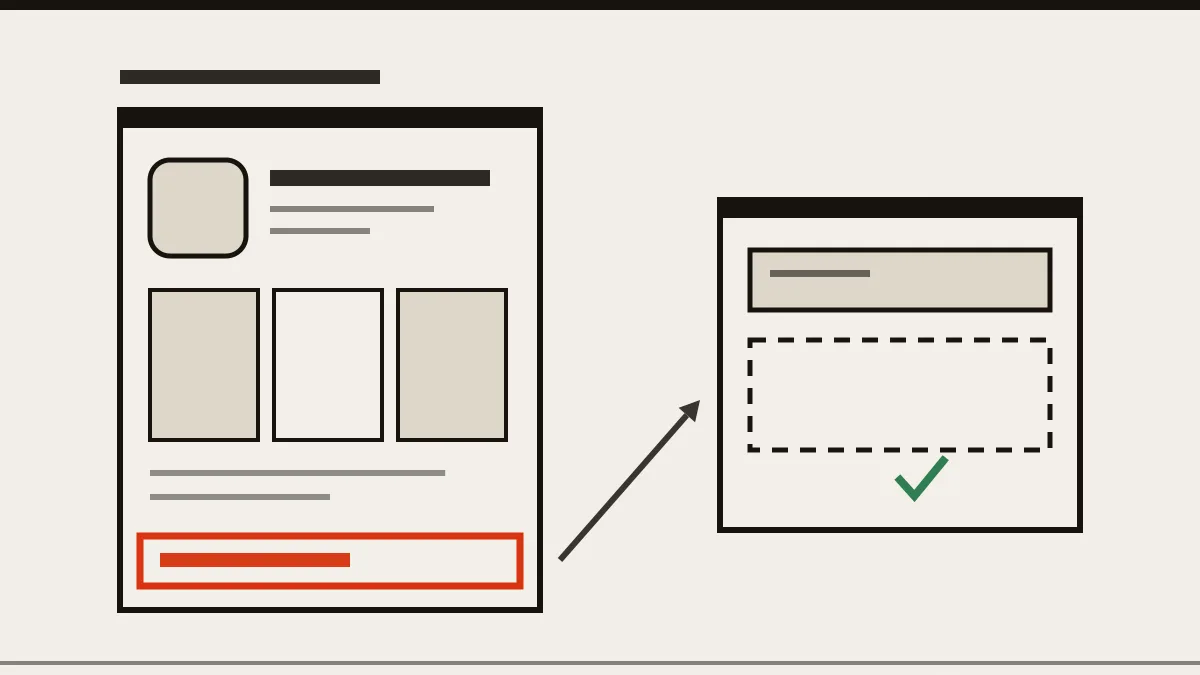
Google puts the button where people expect it. In the Google Play app, open the app's details page, tap More, choose "Flag as inappropriate", then "Choose a reason" and "Submit" (Google Play Help). The page shows no free-text field and promises no reply.
It does link two heavier forms. "Report an app for illegal content" is Google's legal route. A Developer Programme Policies violation form covers apps that break the store's own rules. Both ask for more than a flag does.
How to report an itch io game
The search usually drops the dot; the site is itch.io. Scroll to the foot of the game's page and select "Report game". A dialog opens with a short list of reasons, among them an uploader who is not authorised to distribute the game, offensive material, a wrong category and spam, plus a comment box (itch.io's announcement of the feature, read as a search extract). Copyright is separate. The site's terms ask for a written notice from the owner or an authorised agent, sent to its support address.
Which button reports a listing, and which reports a fake?
Marketplaces give you a listing to point at, which makes the target easy. The hard part is that a fake has two possible reporters, and they do not use the same form.
How to report an eBay listing violation
How to report an eBay listing: open the item page and use the report link on it. You choose a reason from a dropdown and complete a short form. eBay has labelled that link differently across layouts and we could not confirm the current wording on 13 October 2026, when we could read eBay's help pages only as search extracts. The same extracts describe a second route, for people reporting an intellectual property problem without owning the right: the question-mark icon at the bottom right of the item page, then "Submit report", signed in or as a guest.
Pick the reason that names the rule. A listing violation report that says "this seller is rude" has a target and no rule.
How to report counterfeit products on eBay
Counterfeits split the reporting public in two. If you own the brand, eBay's Verified Rights Owner programme is yours alone: a Notice of Claimed Infringement, filed through the VeRO portal or by email, signed under penalty of perjury and carrying a reason code, and the seller is told if the listing comes down (eBay VeRO). If you do not own the brand, you cannot file that notice however obvious the fake is. What you can do is report the listing as a breach of eBay's counterfeit item policy and, if you bought the item, open a return for an item not as described, which is a refund claim with its own deadline and not a report at all. We read these eBay pages through search extracts, so check the wording on the live page before you rely on a label. The split itself is stable. It repeats on every marketplace we have filed with.
How to report counterfeit products with no listing to flag
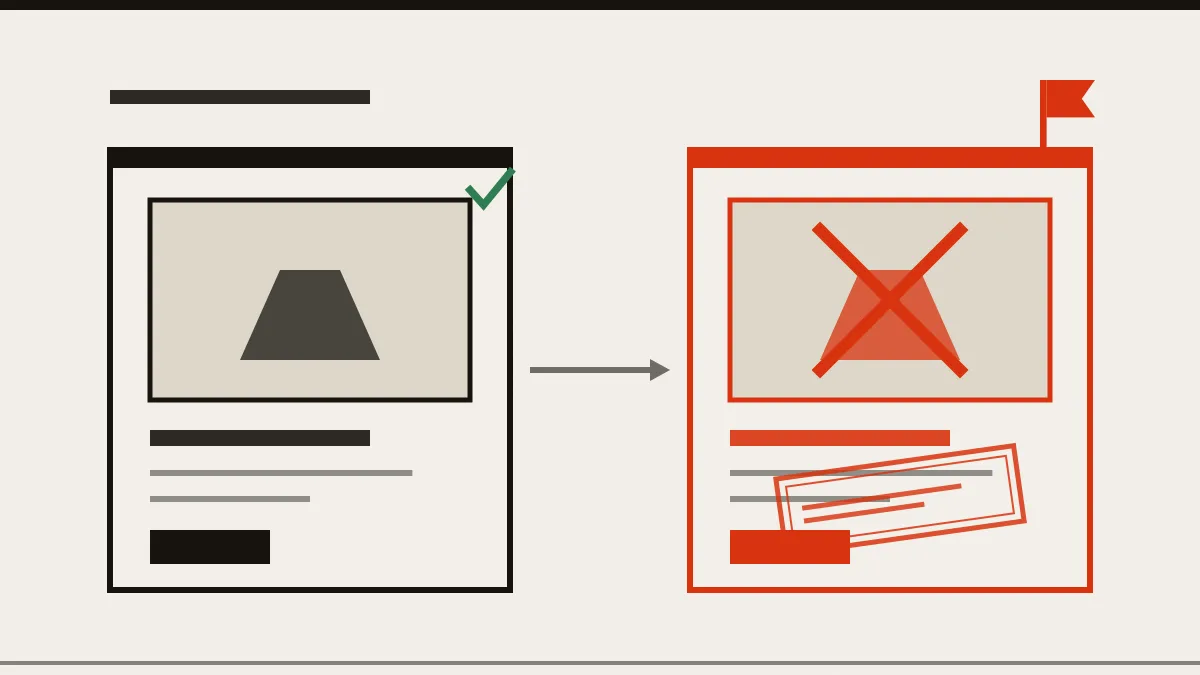
A market stall has no report button. In England the route is the Citizens Advice consumer service, which passes your report to Trading Standards. Citizens Advice is plain about what follows: Trading Standards will "only contact you if they need more information". You are supplying intelligence, not opening a case.
The scale explains the triage. The OECD and the EUIPO put trade in fake goods at USD 467 billion, or 2.3% of global imports, on 2021 data (OECD press release, 7 May 2025).
How to report someone on Vinted
Open the member's profile, tap the three-dot icon and choose "Report". Pick a reason and add details. You must be logged in, and Vinted acknowledges the report in your inbox, according to its help centre as we read it in a search extract. A purchase that went wrong is not this report. That is the "I have an issue" button on the order, and it runs on a short clock.
How to report someone on Fiverr or Upwork
How to report someone on Fiverr has an awkward answer, because Fiverr's help centre says it is not possible to report a user as a whole. You report the thing they did. On a Gig, open the ellipsis menu, choose "Report an issue", pick a reason, press "Next", add details and "Submit". On a message, the same menu offers "Report".
How to report someone on Upwork is closer to the usual pattern. Open the profile's menu and choose "Flag as inappropriate". The reasons include taking payment outside Upwork, a fake or plagiarised profile, sharing contact information and an account not run by the named worker. Upwork treats the flag as confidential. Both routes come from search extracts; Upwork's own article refused to load for us.
Who is allowed to report art theft?
Art theft reports fail for one reason more than any other: the wrong person filed. Copyright notices belong to the owner. Redbubble's policy accepts a Notice and Takedown Report only from "the rights holder or the rights holder's legal representative", with a signature, a description of the original work, the listing address and the usual good-faith and perjury statements. DeviantArt's copyright policy says the same about who may sign, and its form needs a free DeviantArt account; without one, the notice goes by email as a PDF. So a fan who spots a favourite artist's work on a T-shirt cannot take it down. The useful thing a fan can do is tell the artist, with the listing address, and on Redbubble use the "Report Content" link at the foot of the page, which sends the listing to staff for a guidelines review and is not a copyright notice. Both policies were read through search extracts on 13 October 2026.
How to report art theft on Redbubble
If the work is yours, file the Notice and Takedown Report described in Redbubble's IP and publicity rights policy. Give the address of each listing, one per line. A notice that names a shop and says "all of it" gives the reviewer no target.
How to report someone on DeviantArt for art theft
Use the form linked from DeviantArt's copyright policy, signed in. The in-site "Report" options that fans describe in journals are not documented officially, so we would not lean on them for a copyright complaint. The same owner-only rule applies when the copy travels: it governs how to report stolen content on Instagram, how to report stolen content on TikTok and a Reddit takedown request alike.
How to report someone on Patreon
Log in, open the creator's page, select the "..." menu and report. Patreon is one of the few services here that asks for evidence outright: its help centre recommends screenshots and URLs. It also warns that "details of our decision may not be shared". If the problem is your paid posts appearing elsewhere, the report belongs on the site hosting the copies, and our guide on how to remove leaked Patreon content covers that chase.
Not sure which button fits your case? Send us the link and one line on what happened. We will tell you which report, notice or legal route applies, and whether it is worth filing at all. Ask for a confidential review before you spend an evening on forms.
How to report someone on Roblox with proof
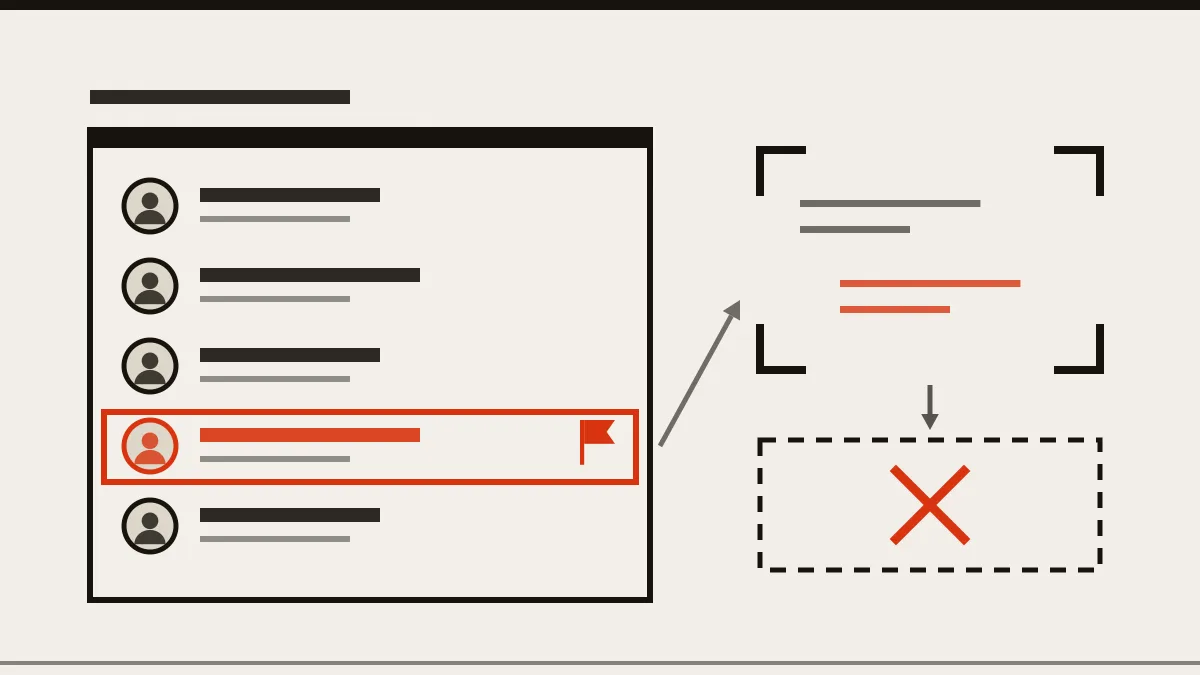
How to report someone on Roblox with proof has a counter-intuitive answer: the proof is where you file, not what you attach. Roblox's help page, read through a search extract on 13 October 2026 because the page itself refused to load, describes the in-experience route. Open the menu at the upper left, select the flag icon beside the username or the "Report" tab, answer "Experience or Person?" with "Person", pick the username, choose from "Reason for Abuse?" and type a "Short Description". We found no upload field for screenshots or video in that description. What Roblox does say is that a report made only from a profile does not show moderators what the user did. Read that the other way round and you have the method. File from inside the experience where it happened, as close to the moment as you can, and use the description to say what was done and when. Keep your recording anyway. A parent, a school or the police may need it.
How to report someone on Roblox for spamming
Same route. We could not confirm that the reason list has an entry called spam, so choose the closest reason and write "spam" with the time in the Short Description. Spam that lives in an item and not in chat has its own button on the website: three dots, then "Report item". How to report someone on Roblox is, in every version, a request to Roblox's moderators. A game's own staff can only ban from their game, a difference we set out in how to get someone banned on Roblox.
How to report someone in Valorant
In a match, press Esc and click "Report" beside the player's name. Afterwards, open "Career", click the match, right-click the player's name and choose "Report", then fill out the form (Riot's support page, read as a search extract). Voice abuse has a clock. Riot says audio transcripts are generated only when an interaction is reported or a violation is detected, and that audio files are kept for at least 24 hours. Report the same day.
How to report someone on Call of Duty
For Black Ops 7, Activision's support article describes three places to start: the scoreboard, the lobby or the "Social" menu. Highlight the player and choose "Report Player". You may select more than one reason, and "Report & Block Player" is offered alongside. Nothing in the article mentions attaching evidence. Activision also says that "due to confidentiality, we cannot provide updates" on what it does next.
How to report someone on Steam
Open the player's profile, select the "..." menu and choose "Report Player", then pick a category and write a statement. That is the route Steam's help pages gave when we checked them on 12 October 2026. A day later we could find no official page listing the current categories, so we do not print them.
How to report someone on Twitch
Twitch says a user report is filed with the "Report" button on the screen where you saw the content, and it lists those screens: livestreams, VODs, clips, chat messages and whispers. Impersonation is one of the named reasons. The help article would not render for us, so the path through the menus is unconfirmed. Harassment that follows you off Twitch needs a fresh report on each service, and the route for how to report harassment on Facebook shares nothing with this one.
What happens to a report when the chat is gone?
Chat and dating apps have a problem the others do not. The target can disappear, because one side unmatched, blocked or deleted, and a report with no target is an empty form.
How to report someone on Hinge after unmatching
How to report someone on Hinge after unmatching used to mean a web form and a memory test. Hinge's help centre now describes a second route, which it calls a limited test: tap your photo icon, open the "Safety" tab, then Safety Center, then "Past Matches", and press "Report" beside the name. It reaches unmatches from the last 30 days where at least one message was exchanged, and it shows only a first name and the unmatch date. Outside that window, or if the test has not reached your account, use Hinge's request form and choose "Safety and Reporting". Here the evidence slot is wide open. Hinge asks for the person's exact name, age, bio and photos, and says screenshots are best. Reported users are not told. We read all of this through a search extract on 13 October 2026. The lesson travels to every app where a conversation can vanish: screenshot the profile before you unmatch or block.
How to report an entire Discord server
This is the search with the least satisfying answer. Discord's safety guide describes reports on a message (hold down on mobile, right-click on desktop, "Report Message") and on a profile (three dots, "Report User Profile"). For forms it tells you to use "Copy Message Link". A "Report Server" button on mobile turns up in an old community forum reply and not in the official guide, so we do not rely on it.
In practice a server is reported through the messages inside it. Three or four message links that show the same rule being broken, with the server's ID, do more than a paragraph of description. We go through the IDs in how to report a Discord server.
How to report someone on Kik
We could not read the steps. Kik's own site blocked us, and its help centre showed article titles only: "Report a group or someone in a group" and "What happens when I report someone with chat history?". The second title tells you what matters. A report can include chat history, and Kik states that it "does not retain the content of user chats". Leave the history out and there may be nothing for Kik to read.
How to report someone on Signal
You cannot, in the usual sense. Signal offers "Report spam and block" on a message request and "Report spam" in chat settings, and that is the full menu. Signal's own account of the feature says your device "sends only the phone number that initiated the conversation and a one-time anonymous message ID". No message content leaves your phone. The box is empty by design, because Signal cannot read the chat either. For threats or blackmail the screenshots go to the police. Telegram sits at the other end of the same problem, with a form that works only while the chat exists, as we explain in how to report someone on Telegram.
How to report someone on Lemon8, LinkedIn or Tumblr
How to report someone on Lemon8: we found no official help page. User posts describe the profile's three dots or flag icon, then "Report" and a reason such as scam, fake account or impersonation, and the Community Guidelines mention reporting only for suspected under-13 accounts. Lemon8 shares an owner with TikTok, where the steps for how to report a fake TikTok account are at least documented.
How to report someone on LinkedIn: open the profile, select "More", then "Report or block". Choose the content and the reason, for instance "Fake account", and submit (LinkedIn Help, read as a search extract). We found no form for people without a LinkedIn account.
How to report someone on Tumblr was the one route here we read in full. On the web, a post's three dots lead to "Report" and three choices: "Report sexually explicit material", "Report spam" or "Report something else". For a whole blog, open the blog view and use its three dots; in the app, tap the person icon at the top right. "Report something else" opens the abuse form. Tumblr's reporting page admits it does not always respond, but says every report is read by a person. The target there is a post or a blog. On X it is a single post ID, which changes how to report a tweet.
What can a report not do?
A report asks a platform to apply its own rules, and that is all it does. It cannot remove truthful reporting about you, a genuine public record or somebody's honestly held opinion, because none of those break a platform rule; where they hurt, the lawful options are a legal claim if the statement is false and defamatory, or suppression, which pushes a result down without deleting it. It cannot return money, which is a claim against the seller or your card issuer. And it is not a vote. Activision lists "Malicious Reporting" as an offence in its Security and Enforcement Policy, with loss of reporting privileges as a penalty, so an organised report campaign puts the reporters at risk. We do not forge copyright notices, we do not bluff legal threats, we never ask for your password, and we will tell you when a removal is not available. Our disclaimer sets those limits out in full.
When we file for clients, the form is rarely where the time goes. It goes on working out which of the three slots is weak. Usually it is the target: someone has reported a profile when the offending thing was one message, or a shop when it was one listing. Sometimes it is the rule, picked because it sounded serious and not because it matched. Evidence comes last, and on half the services above there is nowhere to put it.
So file once, from the right button, with the narrowest target and the rule that fits. Then stop. If the content is still up a fortnight later and it is unlawful, the next step is a different kind of document, and the people who draft those are the ones to ask.