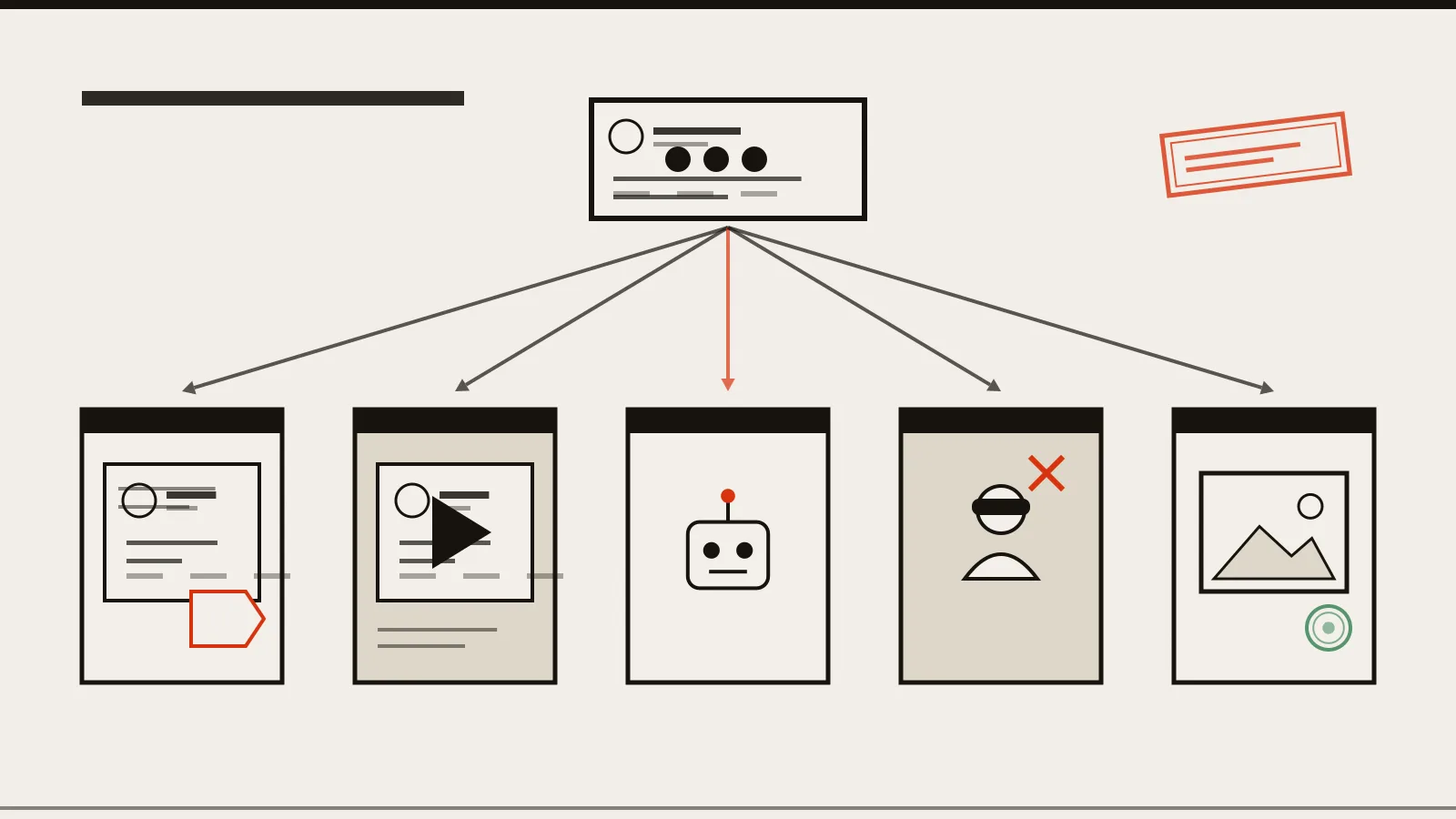
One menu, five targets: what are you actually reporting?
Every Facebook report starts at the same three dots. What happens after that depends on the object you tap them on, and most failed reports fail because the person reported the wrong object.
Five targets cover nearly every search we see. A seller or a listing on Marketplace. An ad in the feed. A bot or spam account flooding comments and inboxes. A fake profile or fake Page using someone's name or brand. And your own photo, video or trademark sitting on somebody else's account. Each one has an in-app path that any user can take, and four of the five also have a second door: a Meta form that only the owner of the right can use, or a desk outside Meta altogether, such as the police or a fraud reporting service. The in-app report asks Meta whether a rule was broken. The form asks Meta to honour a legal right you hold. The police desk asks whether a crime happened. Those are three different questions, and the same scam can need all three answered.
| Target | Where the report starts | Second door | Who can use the second door | What usually comes back |
|---|---|---|---|---|
| Marketplace seller or listing | Seller profile or listing, three dots, Report | Police or fraud desk if money moved | The buyer who paid | Listing removed; seller may lose Marketplace access |
| Ad in the feed | Three dots on the ad, Report ad | Ad Library record for evidence | Anyone | Ad removed; advertiser account reviewed |
| Spam bot or spam account | Profile, three dots, Report profile | None needed | Anyone | Account checkpointed or disabled |
| Fake profile or fake Page | Profile or Page, Report, impersonation reason | Impersonation or trademark form | The person or brand copied | Profile or Page removed |
| Your photo, video or mark | The item, Report | Copyright, trademark or counterfeit form | The rights owner or agent | Item removed; your contact details shared |
The table is the whole briefing in miniature. The sections below take each row in turn, starting with the one people search most.
How to report a seller on Facebook Marketplace, and the listing separately
Here is how to report a seller on Facebook Marketplace on a computer. Open any listing from that seller, click their name under the seller information panel, click the three dots on their seller profile and choose Report seller. In the Facebook app the steps are the same, though the menu may read Options on iPhone and More on Android, so look for the dots rather than a word. A seller report asks Meta to judge the person against its Commerce Policies and Community Standards, which Meta confirms on its own Marketplace safety page. A listing report is a separate object. It attaches to one item, so a seller who posts the same fake phone ten times can lose ten listings and keep the account. If you want the account looked at, file both. That is also the answer to how to report someone on Facebook Marketplace who messaged you rather than listed something: report the conversation from the chat, then the profile.
Report fake Facebook Marketplace listing posts the right way
To report fake Facebook Marketplace listing posts, open the listing, use its own three-dot menu and choose Report listing, then pick the reason closest to the harm: scam, prohibited item, or the item is not what it claims. A listing for a flat that does not exist, a puppy that was never born, or a concert ticket sold four times is a scam reason. A listing with stolen photos of somebody else's flat is also a copyright problem for the photographer, which only they can file.
Report counterfeit sales on Facebook through the brand, not the buyer
Buyers can report counterfeit sales on Facebook through Report listing, and Meta does remove some that way. The stronger route belongs to the brand. Meta runs separate copyright, trademark and counterfeit forms in its intellectual property Help Centre, and the counterfeit form is limited to the rights owner or an authorised agent. If you are a shopper who bought a fake, the useful move is to tell the brand's own protection team, the same step that works when you report counterfeit on eBay or anywhere a marketplace keeps the seller anonymous.
How to report someone on Facebook Marketplace to police
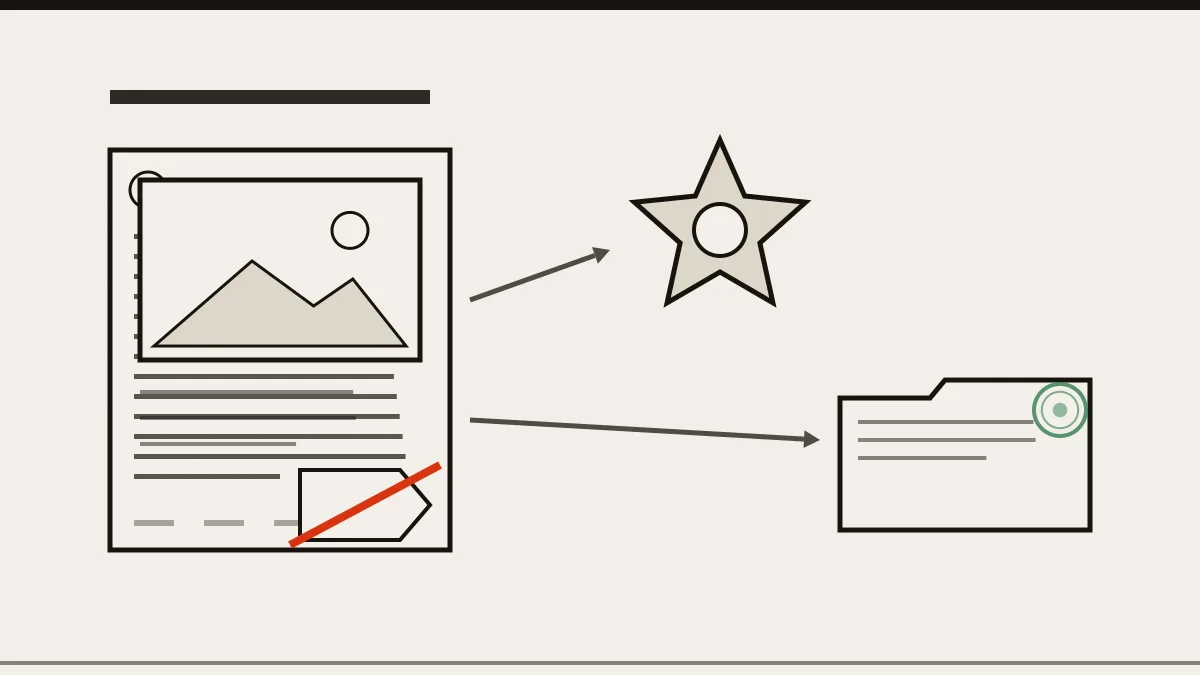
Meta can remove a listing and a seller. It cannot return your money or charge anyone with fraud. If you paid and got nothing, the platform report is only half the job, and knowing how to report someone on Facebook Marketplace to police is the other half. In the United States that means the FBI's Internet Crime Complaint Center at ic3.gov, plus your local police if the seller met you in person. In England, Wales and Northern Ireland the old Action Fraud service was replaced by Report Fraud on 4 December 2025, at reportfraud.police.uk, with the same 0300 123 2040 phone line (City of London Police, December 2025). Scotland still goes through Police Scotland on 101. Keep the listing URL, screenshots of the chat, the seller's profile link and your payment receipt before you report on Facebook, because a removed listing takes its page with it and the police will ask for exactly those four things.
Call your bank the same day if you paid by card or bank transfer. A chargeback or an authorised push payment claim has its own clock, and it runs whatever Meta or the police decide.
One limit worth knowing: Meta's Purchase Protection applies to eligible items bought with checkout on Facebook, which is not offered in every country, and it does not cover money sent by bank transfer, gift card or a payment app outside Facebook. Most Marketplace scams ask for exactly those. The same pattern shows up on dating apps, and our note on how to report a dating scammer follows the evidence pack from the app to the police in the same order.
How to report an ad on Facebook, desktop or app
On a computer, how to report an ad on Facebook is three clicks: the three dots at the top right of the ad, Report ad, then the reason. Meta's list changes, but it usually includes misleading or scam, sexually inappropriate, and an option for content you simply do not want to see, which hides the ad rather than reporting it. Pick the scam reason if money or data is the aim.
How to report an ad on Facebook app on iPhone or Android
How to report an ad on Facebook app versions differs only in layout. Tap the three dots on the Sponsored post, tap Report ad, choose the reason and submit. On Reels ads the dots sit at the bottom right. If the ad has already scrolled away, open Settings, then Ads activity, to find ads you recently interacted with, and report it from there. The flow is close to how you report a YouTube ad on PC or phone: the report goes against one creative, not the whole advertiser, unless a reviewer decides to look wider.
Report advertising fraud on Facebook with the Ad Library as your trail
To report fake ad on Facebook campaigns that keep coming back, you need more than the ad. Search the advertiser in the Meta Ad Library, which lists every active ad from a Page, its start date and, for Pages that run them, the history of name changes. A scam advertiser that has cycled through four Page names in a month is easy to show in a screenshot and hard to argue with. When you report advertising fraud on Facebook, that Page record is the evidence that turns one ad report into an account review. Under the EU Digital Services Act, users in the EEA can also file an illegal content notice for a fraudulent ad, and Meta has to answer that notice with a reasoned decision rather than a silent close. If the ad points to a cloned bank or shop site, the site itself is a separate takedown with its own registrar and host, the work we describe in malicious domain takedown scope notes.
How to report a spam bot on Facebook

A bot is an account, so you report the account. That is the short answer to how to report a spam bot on Facebook. Open its profile, tap the three dots, choose Report profile, and pick the reason that describes it: a fake account, or spam if it posts the same link everywhere. For a comment, report the comment from its own dots as spam. Meta's automated systems already catch most fake accounts at creation, and a spam report Facebook bot filing is useful when it points to one the filters missed: an account with a stolen profile photo, a two-day history and forty identical comments under a news post. Name that pattern in the report if the reason screen offers a free-text box, because a reviewer who sees the forty comments decides faster than one who sees one. There is no form beyond the menu and no owner-only door here. Anyone who sees a bot can report it, and one accurate report is enough.
When the bot is a swarm
Ten bots on one post are ten reports, one per profile. Asking friends to report the same bot again adds nothing, because the count of reports is not what Meta weighs; we explained the same rule from Meta's sister app in what reporting someone on Instagram does, and from X's side in our note on how to report bot accounts on Twitter. If you admin the Page or group being flooded, use your own tools first: keyword filters, the profanity filter, and admin approval for new members. Those work in minutes. Reports work in days.
If a scam seller, a fake Page or a cloned ad is costing you customers or money, send us the links for a confidential review. We tell you which report or form has a real chance, and when the honest answer is that you can file it yourself in ten minutes, we say that instead.
Fake Facebook profile removal and the fake business Page
Fake Facebook profile removal works through impersonation, not through how many people complain. If the profile copies you, report it from the profile with the reason Pretending to be someone, then choose Me. If it copies a friend, choose A friend and let them confirm it. If you have no account, or the fake has blocked you, Meta keeps an impersonation form outside the app that asks for a photo of your ID; the ID is used to check the claim and Meta says it deletes it afterwards. The rule underneath is identical to the one in our Instagram fake account report briefing: there is no report reason called simply fake that beats proof of who the original is. Practitioner note from our files: impersonation reports filed with a side-by-side screenshot, real profile left and copy right, with the copied photo and joined date visible, come back actioned far more often than reports that only say the account is fake. The reviewer has seconds per case, so we hand them the comparison already made.
How to take down a fake Facebook page
How to take down a fake Facebook page starts with the Page Transparency panel under the Page name. It shows the creation date, previous names and the countries the managers sit in, and a Page called after your shop that was a meme Page last month is half your case. Report it from the Page's three dots, choose the impersonation or scam reason, and say which genuine Page it copies. If you also need to remove a Page you run yourself, the steps are different and live in our guide on how to take down a page on Facebook.
Report a fake Facebook business page and the take down fake Facebook page trademark route
To report a fake Facebook business page that uses your registered name or logo, the in-app impersonation report is the first door and the trademark form is the second. The take down fake Facebook page trademark route only works for the owner of the mark or an authorised agent, it asks for the registration number and country, and it shares your name and contact details with the Page owner. That disclosure surprises brand owners every time. Brands with a registered mark can also apply for Meta's Brand Rights Protection tool, which searches for copies instead of waiting for a customer to find one. The same split between impersonation and trademark runs off Facebook too, as we set out for impersonation website takedown cases where the clone has its own domain, and the decision of when to report trademark infringement rather than copyright is the same one.
Remove stolen video or photo Facebook: the owner's forms
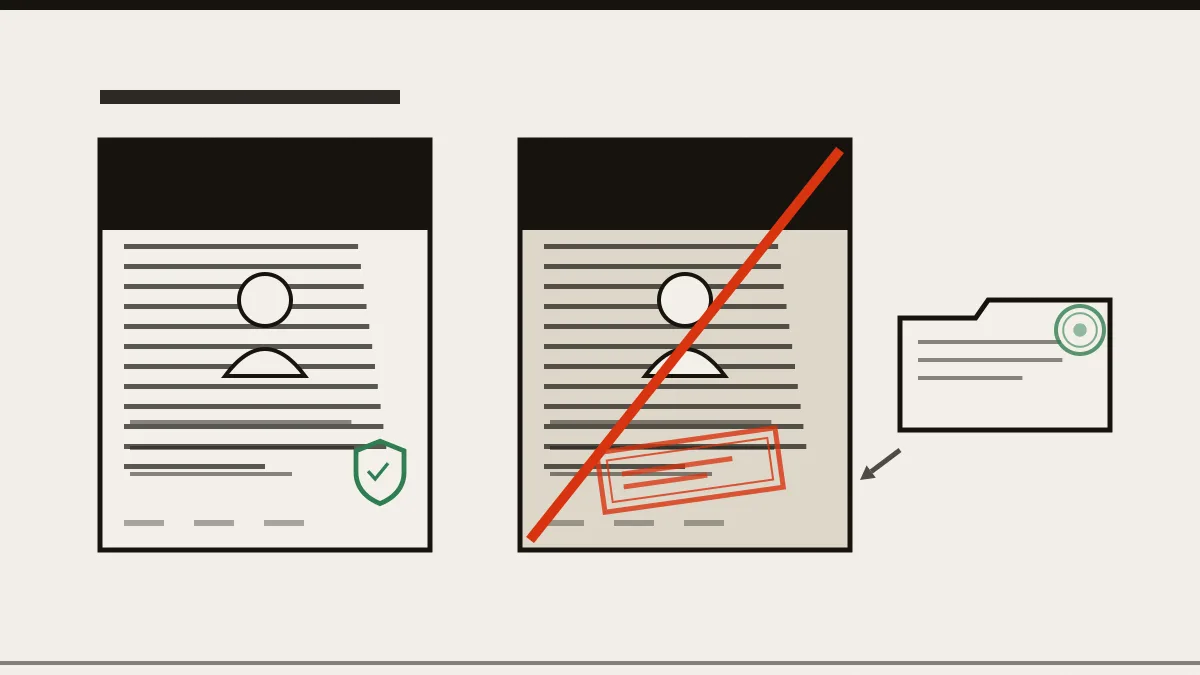
People who search remove stolen video or photo Facebook usually own the thing that was taken, and that ownership is the lever. Facebook's copyright report form accepts a claim from the person who holds the copyright, or an agent acting for them. It asks for the link to each post, a description of the original, and a statement made in good faith that the use is not authorised. Meta removes the post and tells the uploader who complained, so the poster learns your name and email. If the uploader thinks the claim is wrong they can push back, and under the US notice-and-takedown system the content can return unless the complainant starts court action. A photo of you taken by someone else is not your copyright. For that, the privacy reporting route or an intimate-image tool like StopNCII is the right door. The logic is the same one we use when we remove stolen art online: first prove the right, then file once, accurately.
The defamation reporting form Facebook keeps for named claims
For false statements of fact about you, Meta keeps a separate defamation reporting form Facebook users reach from its Help Centre legal pages, and availability depends on your country's law. It asks you to name the statement, explain why it is false and show the harm. Opinion, insults and true but unflattering facts are not defamation, and the form says so in practice by closing those claims.
What none of these forms will remove
Some content stays on Facebook whatever anyone files. Truthful reporting, genuine public records and honest opinion are lawful, and no report, solicitor or service can make Meta take them down. The lawful answer there is suppression, getting better results about you to rank above them in search, which is a different job from removal and takes months, not days. A takedown also stops at Facebook's edge. Copies on other sites need their own notices, search engines can keep a cached result for a while, and a scam operation that loses a Page often opens a new one the same week. Tracing what a removal really leaves behind is a theme in our briefing on how to see taken down YouTube videos, and law enforcement action against whole scam sites, the FBI website takedown kind, is rare and slow. If the scam also lives on Google Maps, learn how to report a scam business on Google as a separate filing.
We never file false reports, forge copyright or trademark notices, run report bots, or ask for anyone's password. Our disclaimer sets out these limits in full.