How to report YouTube video content: the short version
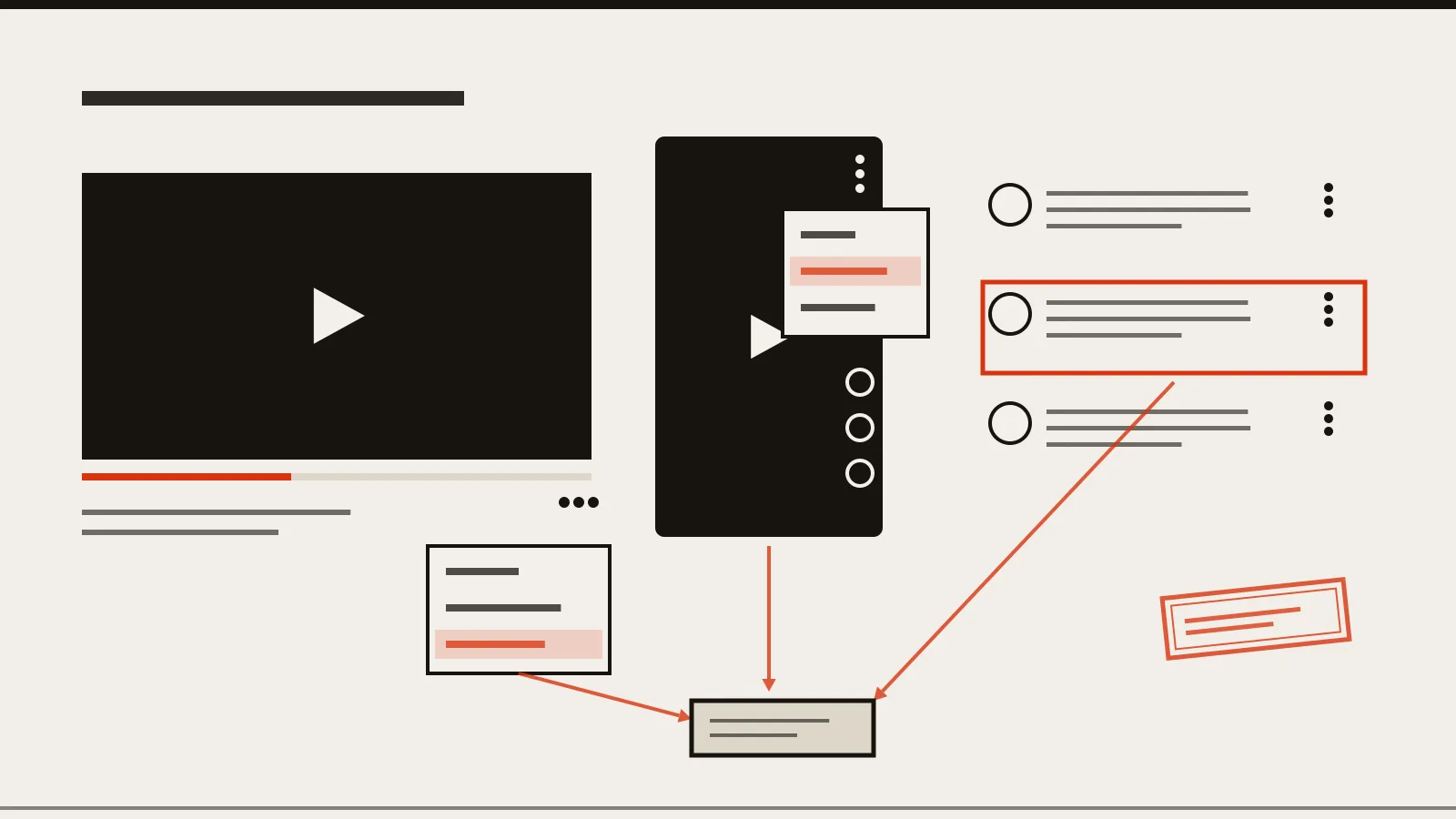
Every report on YouTube starts from the same small control: the three-dot More menu attached to the thing you want reviewed. That is the whole trick, and it is also where most people go wrong, because the menu belongs to one object only. A report filed from a video judges that video. A report filed from a comment judges that comment. Neither reaches the channel, the other uploads, or the replies underneath. YouTube's own help page is plain about what follows: reports are anonymous, reported content is not taken down automatically, reviewers work around the clock, and anything that breaks the Community Guidelines is removed while borderline material may simply be age-restricted (YouTube Help, report inappropriate content). So before learning how to report YouTube video content, decide which object holds the harm. The rest of this briefing goes object by object, then surface by surface, then reason by reason.
| Object | Where the menu is | What the report reaches |
|---|---|---|
| Long video | Three dots under the player (computer, phone), Settings on a TV | That video only |
| Short | Three dots top right of the Short, or on the right rail | That Short only |
| Comment or reply | Three dots beside the comment | That comment only |
| Live chat message | Tap or hover the message | That message, and the sender's chat history in review |
| Advert | The ad's own info or menu control | The ad and its advertiser, through Google's ad review |
| Channel | About panel or channel page menu | The channel's overall behaviour |
People type "YouTube report video" into search expecting a form. There is no general form. There is a menu, and a handful of specialist forms for problems the menu was never built for.
Where the three dots sit: a report video YouTube app walkthrough
The control moves around between surfaces. Here is where it lives as of October 2026.
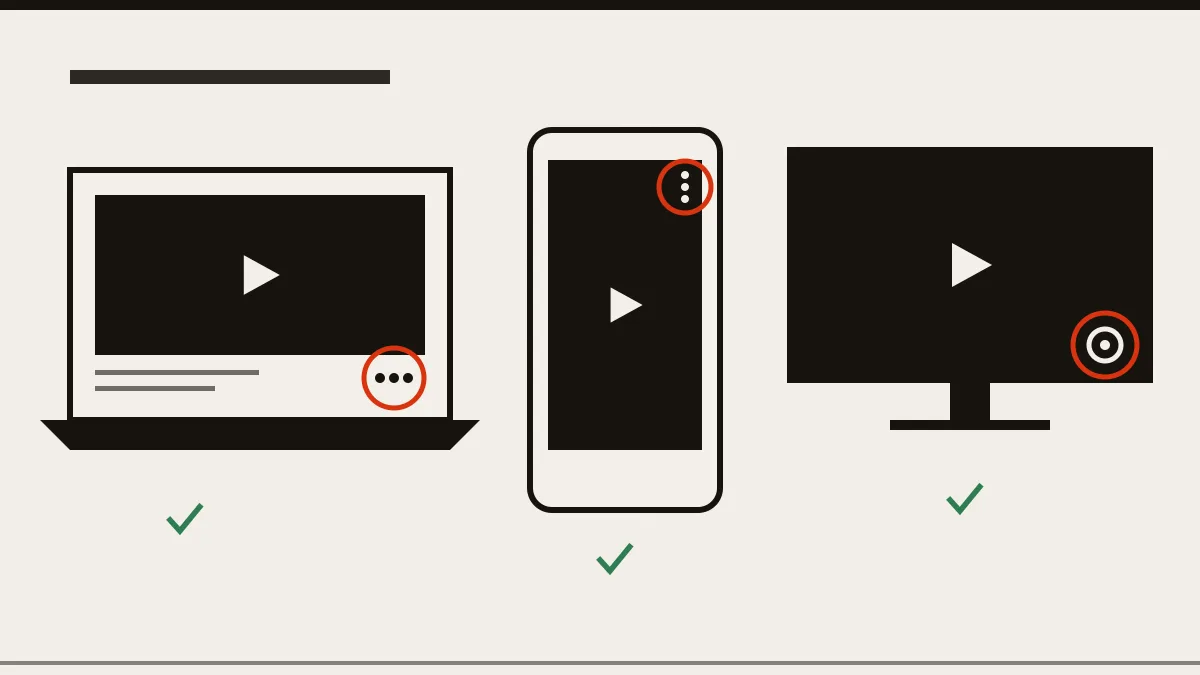
On a computer
- Open the video in a browser and sign in.
- Click the three dots to the right of Share and Save, under the player.
- Click Report, pick the reason, add a timestamp and a short note, then submit.
On Android and iPhone
- Open the video in the YouTube app.
- Tap More (the three dots) in the row of buttons under the video, or the three dots at the top right on some layouts.
- Tap Report, choose the reason that fits best, then tap Report again.
That is how you report a video on YouTube from a phone. The iPhone and Android menus match closely; the only practical difference is that the reporting history page, where you can see what happened to your flags, is meant to be checked on a computer at youtube.com/reporthistory.
On a TV and in YouTube Kids
On a smart TV, open the video, go to Settings and choose Report; YouTube shows a confirmation message rather than a full form. YouTube Kids is different again: a parent taps the three dots beside the video, picks Report, and chooses whether the problem was the picture, the sound or something else. Blocking the video or channel in Kids hides it on that profile straight away, which a report alone will not do.
How to report YouTube Shorts without losing the Short
Shorts play on a loop and scroll away with one thumb, so the first job is to keep hold of the one you want gone. On a phone, open the Short, tap the three dots at the top right, choose Report, pick the reason and send. On a computer the same menu sits to the right of the player. Before you do anything, tap Share and copy the link. A Short that has scrolled out of your feed is hard to find again, and the link is the one piece of evidence every later route will ask for. If the Short reuses someone else's long video, report the Short itself, not the original; each upload is its own object. People asking how to report YouTube Shorts often want to report the whole Shorts shelf of an account. That is a channel report, and it only makes sense when the account exists to break the rules rather than slipping up once.
How to report YouTube comments, replies and live chat
To report a comment on YouTube, find it under the video, open the three dots beside it and choose Report. On a computer the dots only appear when you hover over the comment. The reasons list for comments is shorter than for videos, and it leans on spam, harassment, hate and sexual content.
Replies work the same way, one at a time. A thread of twenty abusive replies needs twenty reports, or one report of the account if the account exists for that.
Live chat is faster and messier. Tap or hover the message, choose Report, pick a reason. Moderators of that stream can also time out or hide the user on the spot, which is quicker than any review queue. If a pile-on is happening in real time, a screenshot with the clock visible is worth more than the report itself, because chat replays are not always kept.
Report a comment on YouTube when you are the creator
Creators have more than a report button. On your own videos you can remove a comment outright, report it, and tick Hide user on my channel so that person's future comments stay invisible to everyone but them. YouTube Studio adds held-for-review filters, blocked words and a list of hidden users you can manage later. That means the question of how to report YouTube comments has two answers depending on whose video it is. On someone else's upload you can only report. On yours you can report and remove, and removal is instant while a report waits for a reviewer. We cover the narrower question of how to delete someone else's comment on YouTube separately; the short version is that you cannot, unless the video is yours. Report the comment, keep a screenshot, and if the same person follows you across platforms, the same logic applies to how to report a TikTok comment or to report a comment on Instagram.
Can you report AI videos on YouTube?
Yes, but not for being AI. There is no Report option that says "this was made with AI", and reviewers will not remove a video because a tool helped make it.
What YouTube does have is a disclosure rule. Since 2024, creators have had to tell YouTube when realistic content was altered or made synthetically: a real person shown saying or doing something they never did, real footage of an event changed, or a realistic scene that never happened. They tick a box under AI use in YouTube Studio and a label appears. Creators who repeatedly skip it can face a label applied by YouTube, removal or suspension from the Partner Program (YouTube Help, disclosing altered or synthetic content). So a viewer report about an undisclosed fake should go in under Spam or misleading, with a timestamp and one sentence on what is fabricated.
Found a YouTube video to report? AI is the label, not the reason
The search "YouTube video to report AI" usually comes from one of three situations, and each one points to a different door. The first is a misleading fake: a realistic clip of a politician, a disaster or a celebrity endorsement that never happened. Report it under Spam or misleading, or under Misinformation where the subject is elections, health or a breaking event, and say in the note that it is synthetic and undisclosed. The second is a scam that uses AI as a costume, such as a cloned presenter promoting a crypto giveaway. The harm is the scam, so report it as a scam. The third is a deepfake of you. That is not a Community Guidelines report at all. It is a privacy complaint, because YouTube's privacy rules cover AI-generated or altered content that looks or sounds like an identifiable person, and only that person (or a parent, guardian or legal representative) can file it. That route is far stronger than a flag.
Which reason to pick: scams, animal abuse and harassment
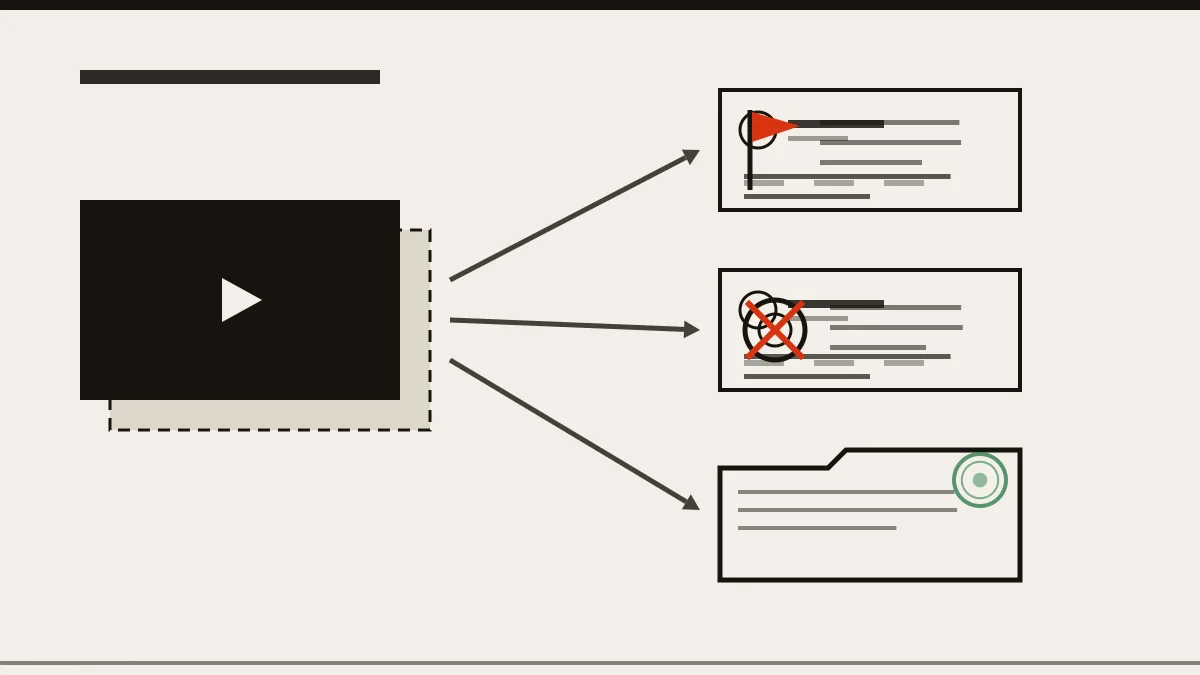
The reason you pick decides which policy team reads your report. Pick the nearest match, not the angriest one.
| What you saw | Reason to choose | Add in the note |
|---|---|---|
| Fake giveaway, investment pitch, phishing link | Spam or misleading, then Scams or fraud | The link or wallet shown, and the timestamp |
| Undisclosed realistic AI fake | Spam or misleading, or Misinformation | What is fabricated, and that it carries no label |
| Cruelty to animals, staged rescues | Violent or repulsive content | The timestamp where the harm is shown |
| Insults or threats at a named person | Harassment or bullying | Who is targeted and whether it repeats |
| Your face, name or voice used without consent | Privacy complaint form, not the menu | Timestamps where you appear |
| Your own video or music reused | Copyright webform, not the menu | Your original and the copy |
Report YouTube scam videos and comments
A scam on YouTube wears three shapes: a video that pitches it, a comment that links it, and an advert that pays to show it. To report YouTube scam videos, use Spam or misleading and the scams sub-option, and paste the destination link into the note so the reviewer can see where viewers are being sent. For scam comments report each one, because the same bot often posts dozens. If the account is pretending to be a known creator, impersonation is the stronger reason, and we walk through how to report a YouTube channel for impersonation elsewhere. Lost money changes the order of events: bank first, then Action Fraud in the UK or the FBI's IC3 in the US, then the platform. Our guide to report a crypto scam in the UK sets out that order, and the same scammers turn up on X, where it helps to know how to report a scammer on Twitter.
Report animal abuse YouTube cases with a timestamp
Cruelty to animals falls under the violent or graphic content rules, and YouTube added staged animal rescues, where an animal is put in danger so it can be "saved" on camera, to that policy in 2021. The search phrase "report animal abuse YouTube" usually comes from someone who has just seen one of these. Report the video under Violent or repulsive content, give the exact timestamp, and say in a sentence what the animal is put through. If the video shows a real animal in danger in a place you can identify, the RSPCA in England and Wales, or the local animal welfare authority elsewhere, can act on the animal itself, which YouTube cannot.
Harassment: what "report abuse YouTube" really covers
The phrase "report abuse YouTube" is broad, and the menu wants something narrower. If the abuse targets a person, choose Harassment or bullying and name who is targeted. If it targets a group for who they are, choose Hateful or abusive content. Threats of violence belong with the police as well as with YouTube. The same split exists on Meta's apps, which we set out in how to report harassment on Instagram.
YouTube app report ad: the advert has its own menu
An advert is not a video upload, so the video's Report option does not reach it. In the YouTube app, tap the small info icon or the three dots on the ad itself while it plays, open My Ad Center, and choose Report ad. Google's ads team reviews it against the advertising policies, not the Community Guidelines, which is why a scam ad can stay up after a matching video comes down. Searches for "YouTube app report ad" tend to come after the ad has already gone, and that is the catch: ads rotate, so open the menu while the ad is on screen or note the advertiser name shown in My Ad Center. We go step by step through how to report an inappropriate ad on YouTube from a PC, explain who is allowed to report a YouTube advert and what the advertiser sees, and how to report scam ads on YouTube when money has already moved.
When the report menu is the wrong door
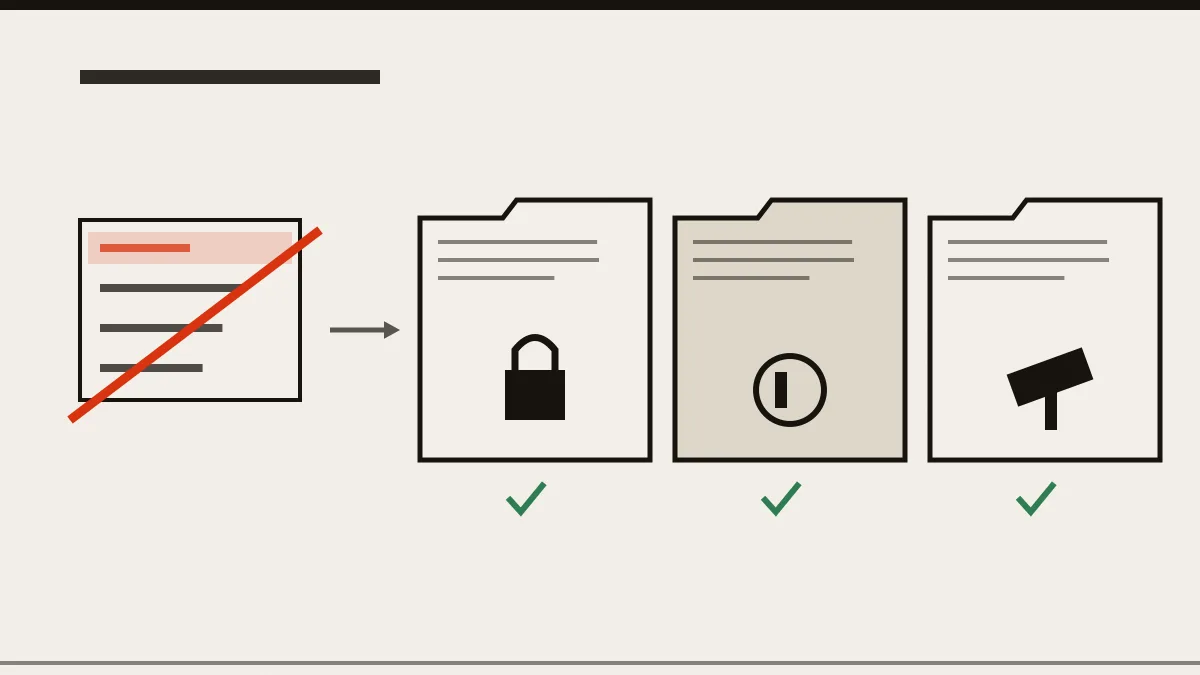
Three problems look like reports and are not. The first is privacy: your face, name, address or a synthetic copy of your voice in someone else's upload. YouTube handles that through its privacy complaint process, which only the affected person (or a parent, guardian or legal representative) may use. YouTube may give the uploader time to trim or blur the part before it reviews, and it weighs whether you are uniquely identifiable and whether there is public-interest value (YouTube Help, privacy guidelines). The second is copyright. Only the rights holder or their agent can file the copyright webform, and a false notice carries legal risk; the same is true elsewhere, as our note on how to report a Twitch stream for copyright explains. The third is a false statement about you. Defamation is a legal question, so it goes through the Legal issue option, which opens a form rather than a flag.
Here is the honest part. A report or form can remove content that breaks a rule or a law. It cannot remove a truthful news report about you, a court record, or someone's harsh but genuine opinion of your work. Those can only be outranked over time, never deleted, and anyone promising otherwise is selling a forged notice or nothing at all. We never file bluffed legal threats and never ask for your password. Our disclaimer sets out those limits in full.
If the video is about you and the menu has not worked, send us the links for a confidential review and we will tell you which route fits before anything is charged.
After you press Report: history, timing and what to expect
Nothing visible happens at first. The report joins a queue, and YouTube's own data shows how small that queue is next to the machines. In the Q3 2025 enforcement period YouTube removed about 12.1 million videos, and over 97 per cent of them were first flagged by its automated systems rather than by a viewer (Google Transparency Report, YouTube Community Guidelines enforcement). A user flag matters most when it points at something the classifiers missed.
You will not be told who uploaded what, and the uploader is not told who reported. Your report history on a computer shows whether a flagged video was removed, restricted or left up.
Our practitioner note: when we file these for clients, the reports that come back actioned are the ones with a timestamp and one sentence naming the rule. "Scam" alone tends to be closed. "At 0:42 the presenter, a cloned voice of a named creator, asks viewers to send crypto to the wallet shown on screen" is a report a reviewer can act on in a minute. Duplicates from friends add nothing, a point we make at length in what reporting someone on Instagram does, and tools sold as Instagram report apps or YouTube report bots put the buyer's own account at risk. If the problem is a whole account rather than a single post, the same object-first logic applies to how to report an Instagram account, and on YouTube it means one channel report with three or four dated examples attached.