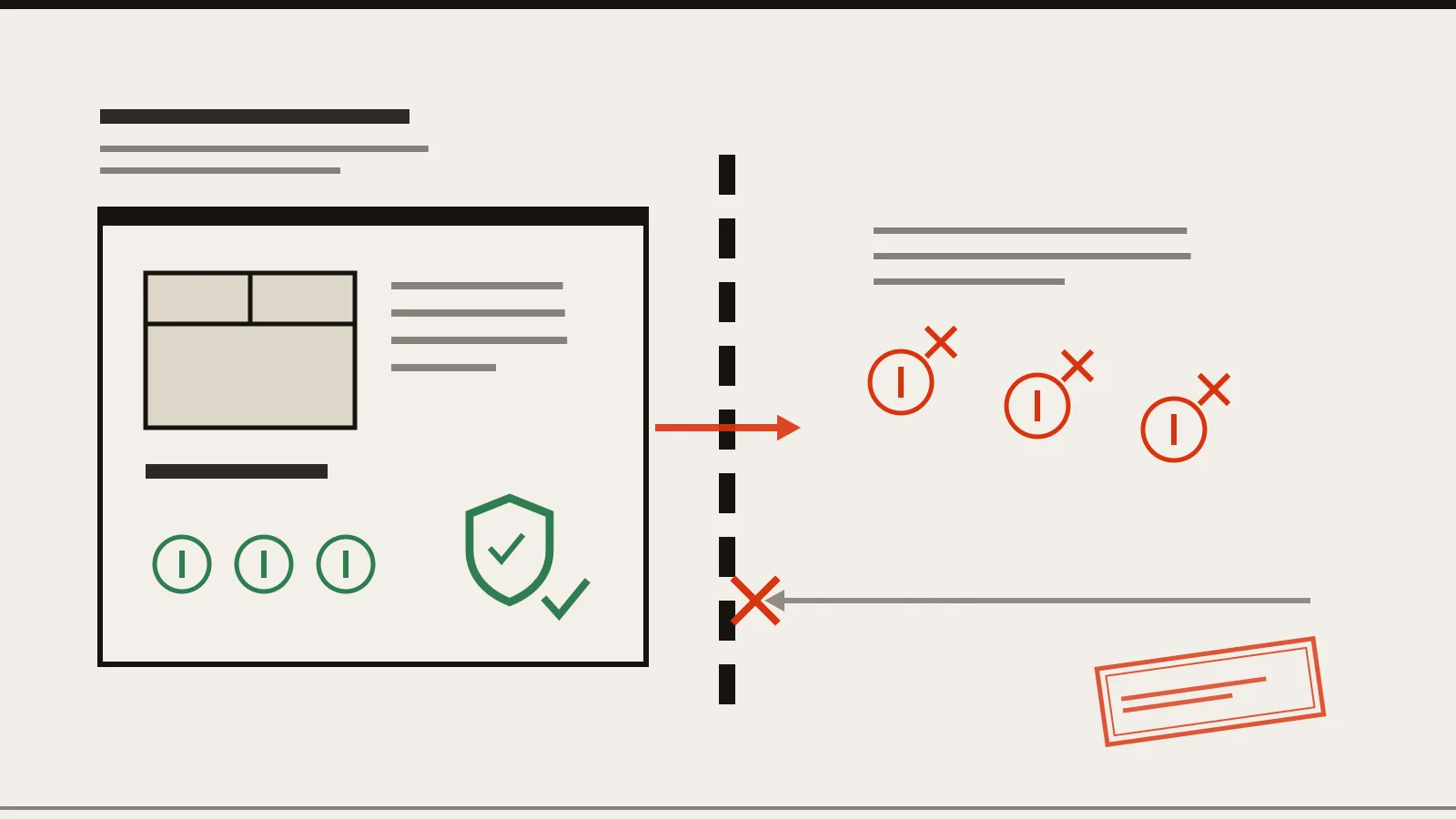
A scam report can return three things. Most return one
Purchase scams made up 71% of all authorised push payment fraud cases in the UK in 2025, and victims lost £118.1m to them (UK Finance, Annual Fraud Report 2026). Nearly every one of those people could have filed a report with the app where the seller found them. Many did. The seller's account disappeared, and the money stayed gone.
That gap is the subject of this briefing. A scam report can return three different things: the account (the platform removes or restricts the scammer), the money (somebody refunds or recalls the payment), and the item (a traded skin, a Robux balance, a parcel). Each is decided by a different party under different rules, and the report button inside an app only ever reaches the first. Money comes back through whoever moved it, which means the platform's own checkout if you used it, or your bank, card issuer or payment app if you did not. Items come back almost never, because most game operators say in writing that they will not restore goods lost outside their own systems. So the first question we ask about any case is not "which form?" but "where was the payment button?" If it sat inside the platform, the platform owes you a process. If the scammer walked you past it, the report still matters, but it returns one thing only.
We call that line the checkout fence. Everything below is sorted by it.
Thirty searches, sorted by what comes back
The phrases are the ones people type. The verdicts come from each service's published help pages and terms, read on 12 October 2026.
| What people search | What the report can do | What it does not return |
|---|---|---|
| report payment outside vinted scam, report vinted scammer | Vinted can block the member | money paid outside the "Buy now" button |
| report vinted phishing scam | Vinted can act on the message and the fake page | card details already typed in |
| report roblox scammer | Roblox can moderate the account | items or Robux from an off-feature deal |
| report steam scammer, report steam account scam | Steam Support can act on the account | traded items, as far as we could confirm |
| report scam discord server | Discord can remove the server | anything agreed in its channels |
| report scammer on zelle | your bank can investigate the recipient | most payments you authorised yourself |
| report venmo scam, report venmo scammer | Venmo can review the account | payments not tagged as a purchase |
| report usdt scammer | an exchange can freeze its own customer | coins, unless police obtain a freeze |
| report scam job on upwork, report upwork job scam, report upwork phishing scam | Upwork can pull the post and the client | fees or deposits paid off-platform |
| report scam on linkedin | LinkedIn can remove the post or profile | money sent to the "recruiter" |
| report romance scams, report someone catfishing me | the app can remove the profile | transfers, unless the bank reimburses |
| report scam app apple, report scam app to apple store | Apple can remove the app | payments made outside Apple billing |
| report scam chrome extension, report scam ads on youtube | Google can remove the listing or advert | losses on the site behind it |
| report scam business listing apple maps | Apple can correct or remove the place | what the fake business took |
| report scam website behind cloudflare | Cloudflare passes the complaint to the host | the site, until the host acts |
| report scammer on signal, report signal impersonation | Signal can restrict the number | messages, which Signal cannot read |
| report truth social fake profile, report truth social impersonation, report truth social scam account | Truth Social can remove or rename the account | followers the fake already reached |
| report vk profile for impersonation, report someone impersonating me bluesky, report someone on threads for impersonation, report scam account on lemon8 | the network can remove the copy | nothing else is in its gift |
How do you report payment outside Vinted scam attempts?
Vinted's protection is tied to a single button. Its Buyer Protection page explains that cover applies when you pay through "Buy now", and that a payment made any other way, a bank transfer for instance, leaves Vinted unable to support you. So the scam is nearly always the same request in different clothes: a seller offers a discount for paying by transfer, or a "buyer" sends a link that claims you must confirm your card to receive the sale money. To report payment outside Vinted scam messages, open the conversation, tap the information icon at the top right, choose "Report", pick the reason and submit. That path is set out in Vinted's article on reporting inappropriate behaviour. Do it before you block the member, and screenshot the chat first, because a blocked or removed account can take the thread with it. If money has already left your bank, ring the bank before you write to Vinted. The bank has a recall window. Vinted has nothing to recall.
A second clock applies to people who did pay properly. When an order is marked as delivered, the buyer has two days to press "I have an issue"; after that the order completes and the seller is paid. Sellers who post an empty box count on buyers missing it.
Report Vinted scammer or report Vinted phishing scam: two different reports
They sound alike and they go to different places. You report Vinted scammer accounts from inside the chat, as above, and the result is action against a member. You report Vinted phishing scam emails and texts by forwarding them, because the fake payment page does not live on Vinted at all. Vinted's guide to spoof and phishing messages says you never need to leave Vinted to confirm a payment or receive an order, asks you to forward suspicious emails to its phishing address, and notes that its genuine UK emails end in @vinted.co.uk.
The page itself needs a third report, to the company hosting it. We cover that chain, host then registrar then browser blocklists, in our briefing on choosing a phishing site takedown service. The pattern is not unique to Vinted either: the same off-platform nudge drives most of what we see when people ask how to report a Facebook Marketplace scammer.
Report Roblox scammer accounts: what Roblox returns and what it will not
Roblox publishes the bluntest version of the checkout fence we have read. Its help article on player trading scams states that "Roblox cannot enforce deals made outside our official features", and that when the other player breaks such a deal, "Roblox cannot return your items or Robux." That covers the usual stories: a promise of Robux for a limited item, a trade "completed" over two separate transactions, a sale for real money arranged in a chat. To report Roblox scammer accounts from inside an experience, open the menu, choose the flag icon or the Report tab, select the person and pick the closest reason from the dropdown; on profile and chat pages the route is the red "Report Abuse" button described in Roblox's guide to reporting rule violations. The report can cost the scammer the account. It will not refill an inventory, and parents should hear that before a child spends a week waiting for it.
One exception is worth knowing. If the account itself was taken over, Roblox says it may recover items in very limited circumstances, does not guarantee it, and wants to hear within 30 days.
Report Steam scammer profiles and a Steam account scam
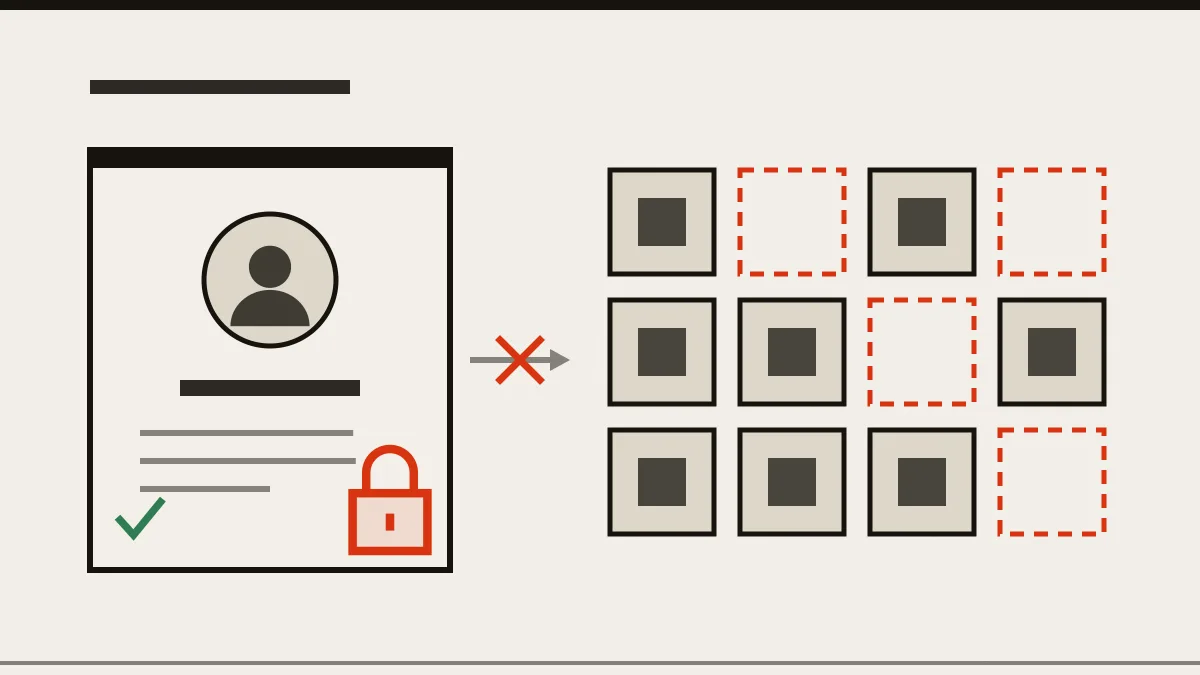
Steam splits the two problems in its own support menu. The trading help page lists "I'd like to report a scammer" and, separately, "My items are missing or stolen". Use the first to report Steam scammer profiles that tricked you into a trade. Use the second, and the account recovery route, to report Steam account scam cases where someone logged in as you. On restoration we have to be careful: Steam's widely quoted position is that items which have left an account are not put back, but we could not load that policy on an official page on 12 October 2026, so treat it as likely, not certain.
Report scam Discord server links that arranged the trade
Off-platform deals are usually struck somewhere else, and that somewhere is often Discord. To report scam Discord server activity, report the specific message ("Report Message") or the profile ("Report User Profile"), and keep the message links. Discord tells the reporter whether it found a violation and does not share your identity with the person reported. The same move happens on other apps, which is why we wrote separate guides on how to report scam on Telegram and how to report a scammer on TikTok.
Report scammer on Zelle, Venmo or USDT: which payments come back?
Payment apps sit on the other side of the fence, and they are stricter than people expect. In the US, the FTC logged $2.09 billion in reported losses through bank transfers and payments and $1.42 billion through cryptocurrency in 2024, the two largest payment methods by loss (FTC, Consumer Sentinel Network Data Book 2024, March 2025).
Zelle. There is no Zelle complaints desk to write to. Zelle's own report a scam page sends you to your bank or credit union, and its stand-alone app no longer handles payments at all. To report scammer on Zelle, call the bank that sent the money and say "scam", not "mistake". The wording matters, because Zelle says only that "qualifying imposter scams may be eligible for reimbursement", and a payment can be cancelled only while the recipient has not yet enrolled.
Venmo. To report Venmo scam payments, open the Me tab, select the transaction, tap "Need Help?" and submit the issue. Venmo's user agreement limits Purchase Protection to payments sent to business profiles or identified as goods and services, with 180 days to claim for an item that never arrived. An untagged payment to a stranger is treated as a gift between friends. You can still report Venmo scammer accounts through the in-app chat, and you should, but that report closes an account; it does not reopen the payment.
USDT. Nobody at a help desk can reverse a stablecoin transfer. Tether has said it freezes addresses at the request of law enforcement and works with more than 340 agencies in 65 countries, so the way to report USDT scammer wallets is through the police: Report Fraud in England, Wales and Northern Ireland, or the FBI's IC3 in the US. Tell the exchange you sent from as well, the same day, with the transaction hash.
Report romance scams, or "report someone catfishing me": bank first
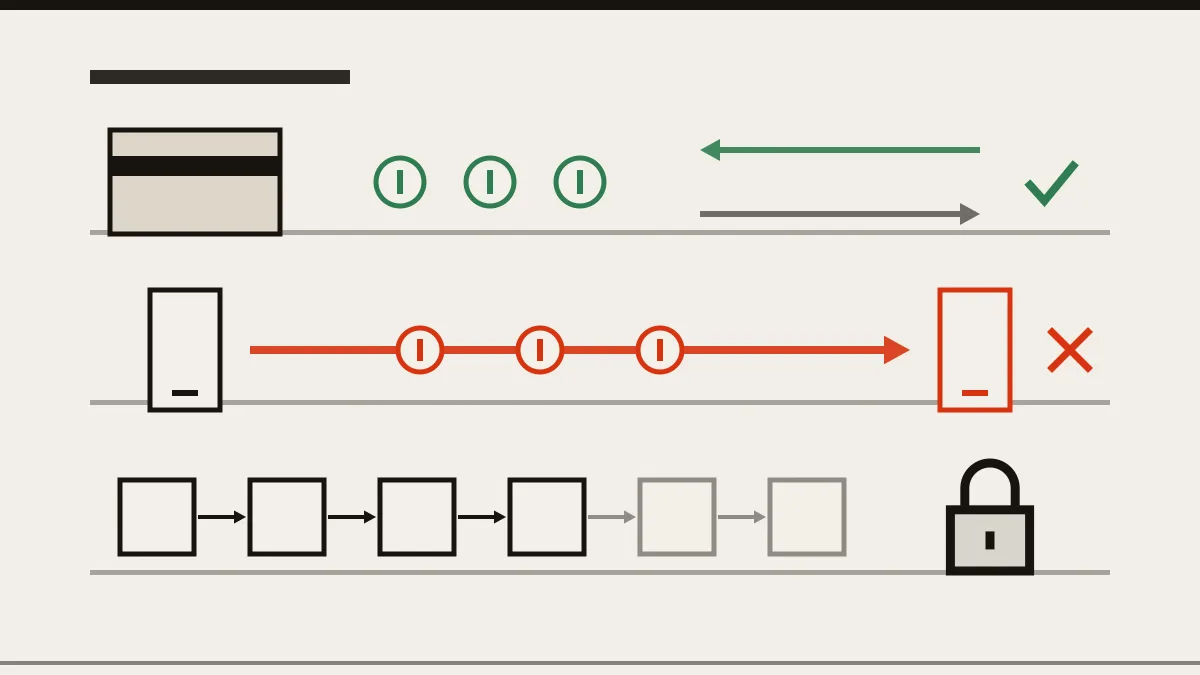
Romance fraud is a payment scam with a longer warm-up. People who want to report romance scams tend to start with the dating app or the social profile, because that is where the betrayal happened. Start with the bank instead. Then report the profile where it lives; our guides explain how to report an Instagram account by its type and how to report a scammer on Snapchat. The search "report someone catfishing me" usually hides a second problem, which is that your own photos are on the fake profile. That is an impersonation report in your name, not a scam report, and if intimate images are involved you should not send them to anyone, us included: StopNCII.org creates a hash on your own device so that participating platforms can block the images without ever seeing them.
Not sure which side of the fence your case sits on? Send us the link and what was paid, in confidence, through our contact page. We will tell you which report returns what before any fee is discussed.
Is the job real? Report scam job on Upwork and LinkedIn
Job scams run on the same nudge as marketplace scams: leave the platform, then pay. A "client" moves the interview to a messaging app, sends a cheque to bank and forward, or asks for a deposit for equipment. Upwork gives every job post a "Flag as inappropriate" button, and the reasons listed on its Trust and Safety page read like a checklist of this fraud: "Client is offering payment outside of Upwork", "Job post looks like a scam or contains a suspicious link" and "Client is misrepresenting their identity". To report scam job on Upwork, flag the post with the first or second reason; to report Upwork phishing scam links, use the second and do not open the link again to check it. Upwork says it does not tell the flagged person who reported them.
An Upwork contract with funded escrow is inside the fence. A fee you paid to "unlock" the work is outside it, and the way to report Upwork job scam losses of that kind is the same as for any transfer: bank first, police reference second.
LinkedIn works the same way with different furniture. To report scam on LinkedIn, use the More menu on the post, message or profile, and report the recruiter's profile as well as the advert, since the advert is disposable and the profile is the asset. Fake recruiters are often clones of real ones. If the copy also exists elsewhere, the steps to report a fake profile on Facebook or to report an X account apply to each copy separately.
Scam apps, ads, extensions and sites: who holds the switch?
Some scams are not people at all but objects: an app, an advert, a browser extension, a map pin, a website. Each has one owner who can switch it off, and the report only works when it reaches that owner.
Apps. Apple's instruction is short. If you suspect an app you downloaded from the App Store, report it at reportaproblem.apple.com: sign in, open the "I'd like to" menu, choose the option that fits and follow the prompts. That is how to report scam app Apple reviewers will actually see, and the same page handles refund requests for charges made through Apple billing. People who search "report scam app to Apple Store" often paid on a website the app sent them to; Apple can remove the app, but that payment belongs to your card issuer. Keep the receipt email and a screenshot of the in-app screen that sent you there, since both desks will ask for them. When the app copies your brand, the route changes again, and our briefing on an Apple App Store takedown request covers it.
Map listings. To report scam business listing Apple Maps entries, open the place card and choose "Report an Issue". The real business has a stronger lever, "Claim This Place" in Apple Business Connect.
Adverts and extensions. Google's form is titled "Report an ad or shopping listing", and it is the place to report scam ads on YouTube as well as on Search. It offers two doors, a policy violation such as scam or phishing, and a legal violation such as trade mark or counterfeit. Scale explains why one report feels unheard: Google says it blocked or removed 602 million scam adverts and suspended 4 million scam-linked advertiser accounts in 2025 (Google, 2025 Ads Safety Report, 16 April 2026). To report scam Chrome extension listings, use the flag link on the extension's Chrome Web Store page.
Report scam website behind Cloudflare: the report is a relay
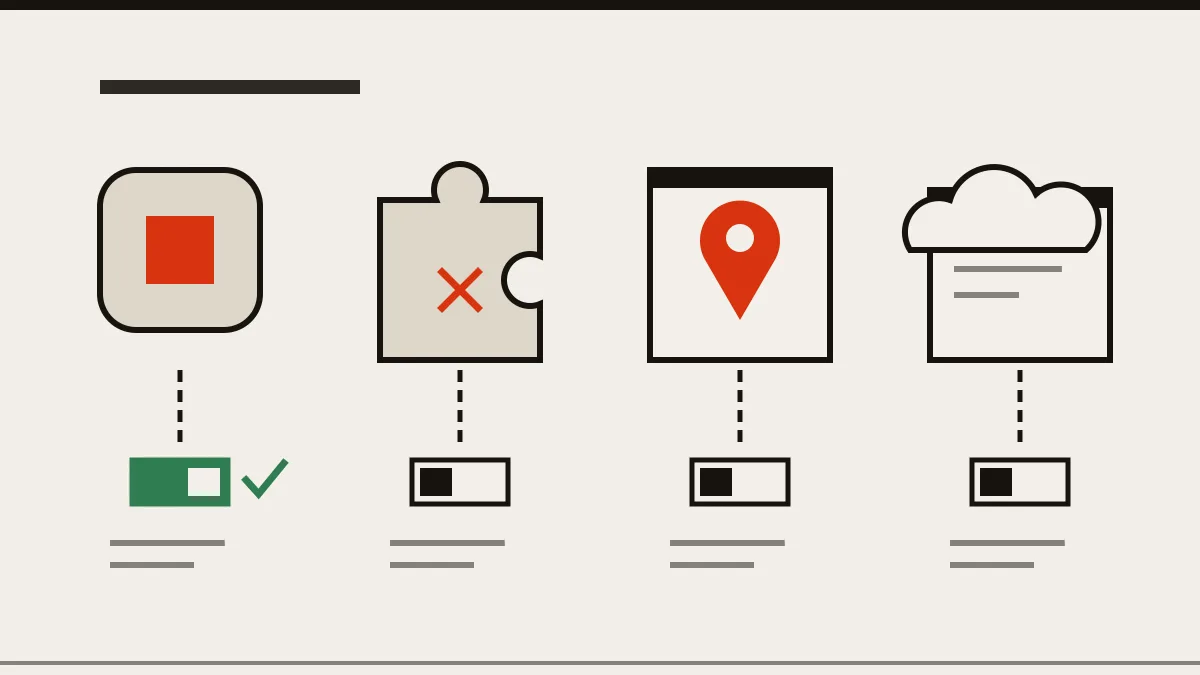
Cloudflare sits in front of a site and hides where it is hosted. It does not hold the files. When you report scam website behind Cloudflare addresses through Cloudflare's abuse form, Cloudflare forwards the complaint to the site operator and to the hosting provider, and the host is the one who can pull the page. So file it, then expect silence from Cloudflare and movement, if any, from a company you have never heard of. For a site that keeps coming back, the choice between a domain route and a host route is the subject of our website takedown service comparison.
Impersonation on Signal, Truth Social, VK, Bluesky, Threads and Lemon8
Where no money moved, the fence disappears and only the account question is left. The work becomes proving which profile is the original.
Signal. Two things get called Signal impersonation: a stranger posing as "Signal Support" to get your registration code, and a stranger using your name and photo to message your contacts. To report scammer on Signal, use "Report Spam and Block" on the message request. Signal's own explanation is that your device sends only the phone number that started the conversation and a one-time message ID, never the content, so there is no case file to argue with and no reply. Signal also says it will never ask for a code or PIN in a chat. To report Signal impersonation of you, the block-and-report step is all Signal offers; the practical fix is telling your contacts through another channel.
Truth Social. The post-level control is "Report Truth" under the three dots, and direct messages have "Report Message", which sends moderators the five messages either side. Truth Social's community guidelines list fake accounts, non-parody impersonator accounts and fraud as separate grounds, which gives you three accurate labels: report Truth Social fake profile cases as fake accounts, report Truth Social impersonation when the account uses a real person's name and face, and report Truth Social scam account activity as fraud. Its terms also allow it to remove or change a username used to impersonate.
VK, Bluesky, Threads, Lemon8. VK's help pages would not load for us from the UK on 12 October 2026, so we can only describe the route in general terms: report VK profile for impersonation from the profile's own menu, and expect support to ask for proof that you are the person shown. On Bluesky the search "report someone impersonating me Bluesky" maps to the account report under the profile's three dots; Bluesky received 9.97 million user reports in 2025 (Bluesky transparency report, 29 January 2026), so a clear side-by-side of both profiles helps. To report someone on Threads for impersonation without an account, Meta's web form is titled "Report an Impersonation Account on Instagram or Threads" and asks for a photo of your ID; Meta acts only for the person copied or an authorised representative. Lemon8 has no web route we could find, so you report scam account on Lemon8 profiles from inside the app.
The larger networks have their own proof rules. We have written up the Twitter impersonation report and how to report a fake TikTok account with a side-by-side of the copy.
What a report cannot do, and what we will not do
A report is a request to a private company to apply its own rules. It is not a court order, and it has limits that no service can buy its way around. It cannot return money that left through a route the platform does not control. It cannot remove an honest review that says you were slow to post, a truthful news report, a public record or someone's protected opinion of your business; those can only be answered or, where lawful, pushed down in search. And volume changes nothing. Products sold as an Instagram report app, a Telegram report bot or a TikTok report bot promise that a hundred reports beat one. Platforms assess the content, not the count, and the people selling those tools are frequently the next scam in the chain, taking a second payment from someone who has just lost a first.
When we take a case like these, our team does three things. We work out which copies and listings a platform can lawfully remove and file those, in the reporter's real name, with the proof each form asks for. We tell you plainly which losses sit with a bank or the police, and we do not charge for pretending otherwise. We never forge a notice, never ask for your password, and never promise an outcome that belongs to someone else's moderators. Our disclaimer sets out those limits in full.