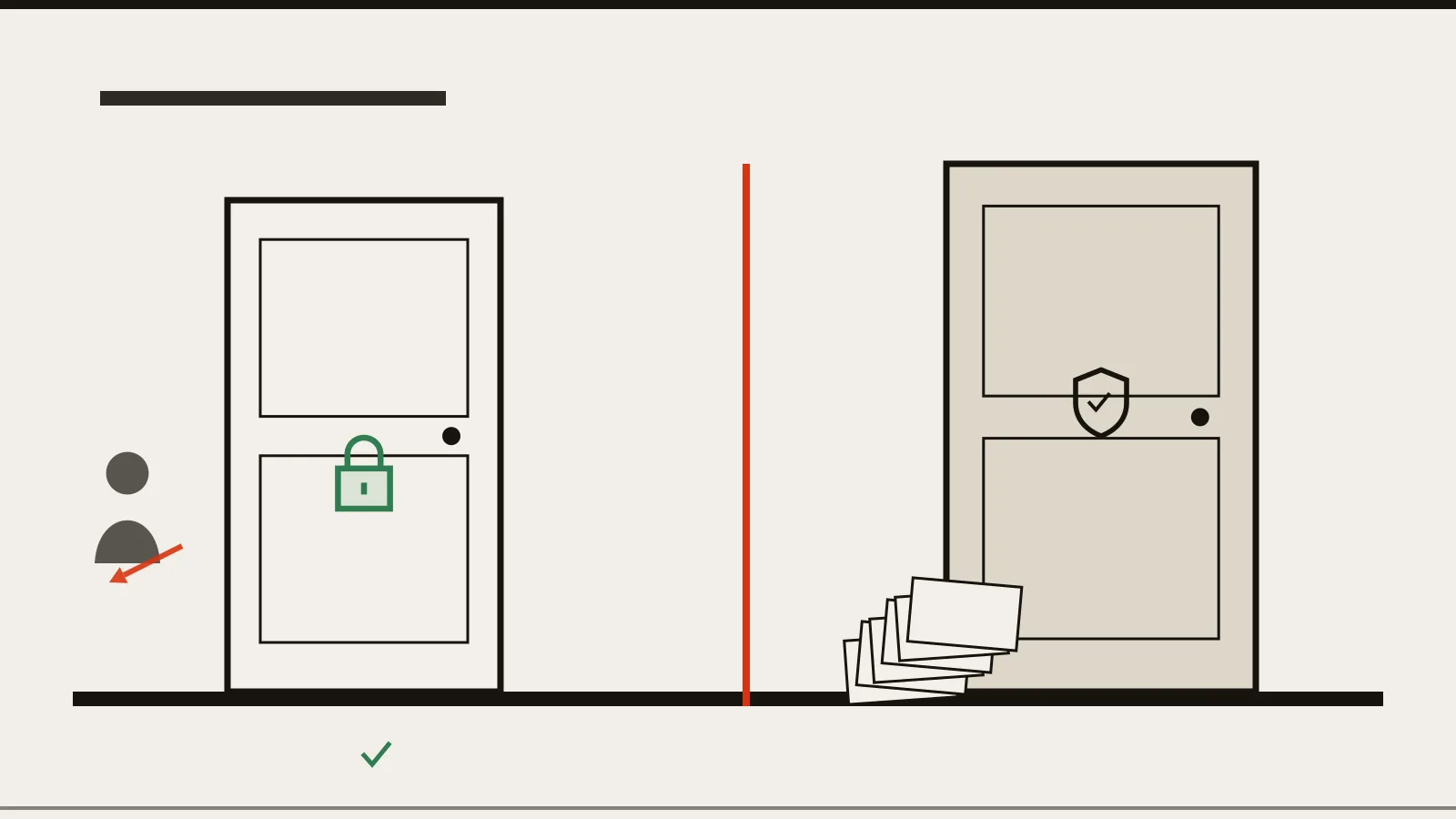
Which ban do you mean: the one you hold, or the one Meta holds?
Two different things hide inside the search for basic Facebook how to ban someone. One is a ban you can apply yourself, in a space you run: a Page, a business Page or a group. The other is a ban on the person's whole Facebook account, and nobody outside Meta can apply that one. Most frustration starts when the second is chased with the tools of the first, or the reverse.
The first kind is quick. An admin can keep someone off a Page or out of a group in under a minute, with no review and no appeal to anyone. It works on that space only. The person keeps their profile, their friends, their Messenger and every other group they belong to.
The second kind runs through Meta's enforcement system. A report starts it, a reviewer or a classifier decides it, and the deciding question is whether a Community Standard was broken. How many people pressed Report is not that question. Meta does not need your report to act, either: almost all of its decisions start with its own detection, and a report mainly moves one item up the review queue. The outcome also scales with the breach. A rude comment may be left up, a harassing one removed, a pattern of violations met with feature limits, and only repeated or severe breaches end with the account disabled. None of those outcomes is visible to the person who reported, beyond a short status message in the Support Inbox. That is why the two kinds of ban feel so different from the outside: one is instant and certain, the other slow and conditional.
| What you want | Who flips the switch | What the person loses | Can they tell? |
|---|---|---|---|
| Keep them off your Page | You, as Page admin (Block) | Seeing, tagging, messaging and finding your Page | Only by noticing the Page is gone |
| Keep them out of your group | You or a moderator (Ban from group) | Finding the group and seeing its content | Yes, the group disappears for them |
| Pause them in your group | You or a moderator (Suspend) | Posting, commenting, reacting there for a set time | Yes, on their next visit |
| Stop them commenting only | You (hide, delete, keyword filter) | Visibility of that comment to most people | Usually not |
| Remove them from Facebook | Meta only | The account, after a violation is confirmed | Yes, Meta notifies them |
Keep that table in mind for the rest of this briefing. Every section below sits in one of those rows, and the row decides what you can do today.
How to ban someone from your Facebook page: the button is called Block now
Facebook no longer uses the word "ban" for Pages. As of October 2026, the Help Center article that used to cover banning is titled Block or unblock profiles from your Facebook Page, and the control in the menus reads Block. Anyone asking how to ban someone facebook page style, or how to ban someone from a page on Facebook they run, is really asking how to block. So if you are looking for how to ban someone on your Facebook page and cannot find a Ban option, you are not missing anything: Block is the same tool under a new name.
Meta lists three places to start. You can block from Page settings, from your list of followers, or straight from a comment the person left on one of your posts. To use any of them you need full Facebook access to the Page, or task access covering content, messages or community activity if you are working from another tool. Once the block is in place, the profile can no longer view what you post on the Page, tag the Page, invite it to events or groups, start a conversation with it, or find it through Facebook search. If the person followed the Page, they are removed as a follower as well. The help article says nothing about a notification, and in our experience nothing is sent: people usually work it out because the Page vanishes for them. That makes this the answer to facebook how to ban someone from a page in practice, and the same tool covers how to ban someone on a Facebook page whether the trouble came from a comment, a message or a tag.
How to ban someone on Facebook page settings, step by step
Switch into the Page first. Click your profile photo, choose See all profiles, and pick the Page. Then open the Page's own profile photo menu, go to Settings & privacy, then Settings, and choose Blocking in the left menu. The Block profiles and Pages section is where you add someone and where you later see your blocked list.
From a comment the route is shorter. Click the commenter's name or the three dots beside the comment while acting as the Page, and the block option appears there. This is the fastest way to handle how to ban someone on Facebook page threads that are already filling up.
To reverse it, go back to Settings & privacy, Settings, Blocking, click Edit next to Block profiles and Pages, then See your blocked list, and click Unblock.
How to ban someone from Facebook page on mobile
On the Facebook app the logic is identical; only the menus shrink. Switch to the Page from the menu tab, tap the three-line or profile icon, then Settings & privacy and Settings, and look for Blocking. From a post, press and hold the comment or tap the commenter's name to reach the block option. Menu labels shift between app versions, so if a label differs on your phone, search the in-app settings for "Blocking" rather than hunting through every screen. That is the whole of how to ban someone from Facebook page on mobile.
How to ban someone from your Facebook business page
A business Page is still a Page, so how to ban someone from a Facebook business page uses the same Block control, and how to ban someone from Facebook business page listings run by an agency is no different. The difference is where your team works. If you manage the Page through Meta Business Suite, the comment and inbox views let people with the right task access hide, delete and act on a profile without logging into the Page itself. The permission matters more than the screen: someone with only ads or insights access will not see a block option at all. For anyone asking how to ban someone from a business Facebook page with several staff on it, check that the person doing the blocking has community activity access first. If you were wondering how to ban someone from your Facebook business page and the button is greyed out, that permission is the usual reason.
How to ban someone from a public Facebook page you do not run
You cannot. Block works only on a Page you manage, so how to ban someone from a public Facebook page belonging to a club, a brand or a council is not something a visitor can do. You can block that person from your own profile, which stops them seeing your posts and contacting you, and you can report comments or the profile to Meta if they break a rule. The admins of that public Page are the only people who can keep someone off it, and many will act on a polite message with a screenshot and a link.
How to ban someone from commenting on Facebook page posts without blocking them
Sometimes a full block is too heavy. The person is a customer, a neighbour or a relative, and you only want the noise gone. For how to ban someone from commenting on Facebook page posts, Facebook gives you a ladder rather than a single switch.
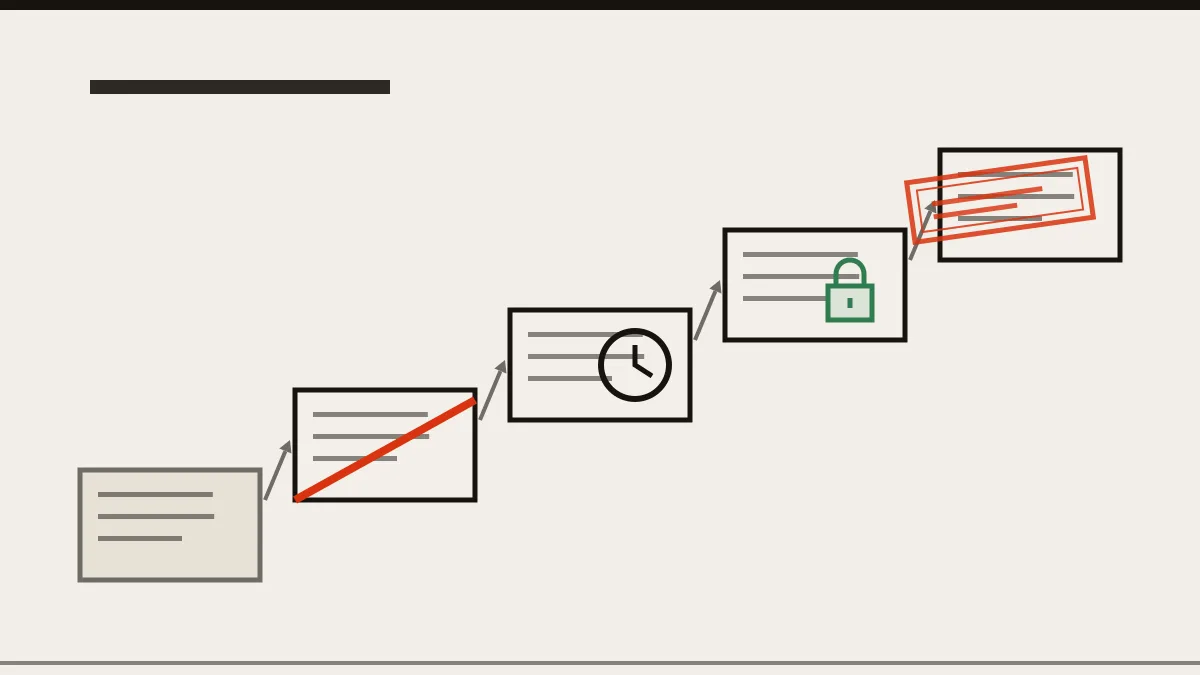
Hiding a comment is the quiet rung. A hidden comment stays visible to the person who wrote it and to their friends, so they rarely notice anything happened, while everyone else stops seeing it. Deleting removes it for everyone, and the writer may notice. Keyword blocking lets a Page filter comments containing words you choose, up to 1,000 of them, which catches a regular troublemaker's favourite insults before anyone reads them. The profanity filter does the same for a general word list. Moderation Assist, in Meta Business Suite, applies rules you set to new comments automatically, though it acts only on comments that arrive after you switch it on. None of these tools tells the commenter anything, and none of them removes the person from the Page, so they can still read your posts and react.
When we set this up for a business client, the order that works is usually: keyword list first, hide for the borderline cases, delete for anything that names a third party, and Block only when the same profile keeps coming back. It keeps the Page calm without handing the commenter a screenshot of being "banned" to post elsewhere.
On your personal profile, the equivalent of hiding is Restrict. Restricted people stay on your friends list but see only your public posts, and Facebook says it will not tell them.
How to ban someone from a Facebook group: remove, suspend or ban
Groups kept the old word. In the Help Center article Remove, ban or unban someone in a Facebook group that you manage, the option is still called Ban from group, and both admins and moderators can use it. For how to ban someone from a Facebook group, open the group, go to Members (or People) under the cover photo, find the person, click Options next to their name, and choose Remove member or Ban from group, then Confirm.
The confirmation screen hides the two choices that matter most. Delete recent activity removes that member's posts, comments, reactions, polls and pending invitations from the last seven days, which cleans up a pile-on in one click. Ban future accounts asks Facebook to stop the same person rejoining under another profile, though Meta itself says it "may not be able to detect all new accounts". A banned person can no longer find the group in search or see anything inside it, and nobody can invite them back. A removed person, by contrast, can simply ask to rejoin, which is why removal alone rarely ends a dispute. So the honest answer to how to ban someone from Facebook group spaces is: choose Ban, tick both boxes, and keep the screenshots in case the same person turns up as a "new" member next week. Unbanning sits in the same Members list, next to their name.
Suspend first when the person is worth keeping
Suspension is the middle rung. Facebook's suspension article says an admin picks how long to switch off the member's ability to post, comment, react and take part. The member sees the restriction on their next visit rather than through a separate alert. Any of their other profiles that are not already in the group cannot see, join or participate until the suspension ends, which closes the obvious workaround.
How to ban someone from Facebook altogether? Only Meta can
For how to ban someone from Facebook entirely, nobody outside Meta has a button. The same holds for how to ban someone Facebook account wide: you can report the profile, but Meta decides. What it decides on is published. Meta counts strikes, which are confirmed violations of the Community Standards, and its strike rules say that "All strikes on Facebook or Instagram expire after one year." A first strike earns a warning. From the second to the sixth, the account loses specific features, such as posting in groups, for a limited time. The seventh brings a one-day block on creating content, the eighth three days, the ninth seven days, and ten or more a 30-day restriction, according to Meta's restriction ladder. Some violations skip the ladder: Meta says a single severe breach, such as child sexual exploitation content, can disable an account at once.
So when people search get someone banned Facebook, the real route is narrower than it sounds. Report the specific post, comment or profile that breaks a named rule, from the item itself, and choose the reason that matches what it does. One accurate report on a real violation does more than any number of reports on a post that is merely rude. That is the same logic we walk through for how many reports to ban an Instagram account, and for the account, Page and group report forms in our briefing on how to report a Facebook group and its neighbours.
If the problem is the Page itself, not one person on it, read how to take down a page on Facebook instead: that is a different switch held by different people.
How many reports to ban a Facebook account? The number does not exist
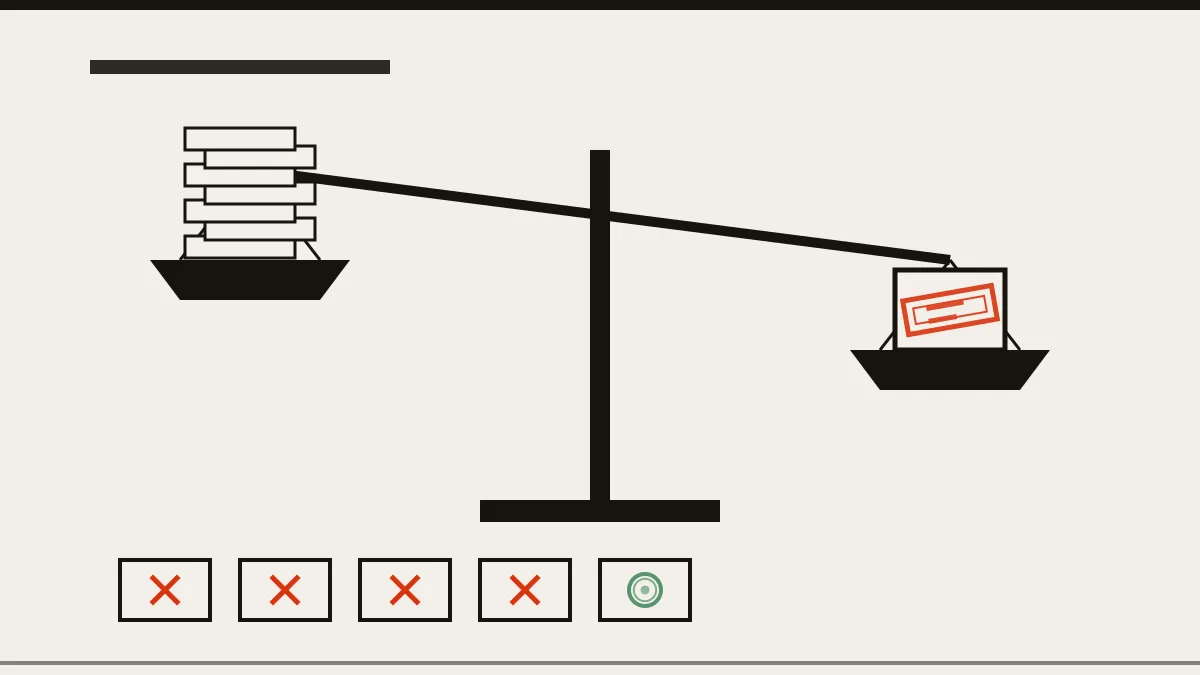
There is no report threshold for how many reports to ban a Facebook account, and Meta publishes none. Its enforcement pages describe strikes, feature limits and disabling; none of them mentions a count of reports that triggers anything. The public numbers point the same way. In the EU's DSA Transparency Database, Facebook filed 20,963,023 statements of reasons between 1 and 23 October 2026 (EU DSA Transparency Database, counted 24 October 2026). Of those, 20,947,773, or 99.9%, were logged as Meta's own-initiative decisions, and only 14,550 (0.07%) came from formal Article 16 notices of illegal content. Account suspensions in the same window numbered 15,088,046, against 20,279 terminations. Facebook's machinery mostly finds violations itself and files them under its own name; a heap of reports from one side of an argument is not what moves it.
What a report does is put an item in front of review faster. If the item breaks a rule, one report is enough. If it does not, the hundredth report produces the same "doesn't go against our Community Standards" reply as the first. Coordinated mass reporting can also count against the people doing it, which is why we never organise it. The same pattern holds elsewhere: can you get someone banned on TikTok comes down to triggers rather than tallies, and our note on what happens when you report an Instagram account shows how the account type decides the route, not the number.
How many reports to delete a Facebook group?
None, in the sense people mean. For how many reports to delete a Facebook group, the deciding detail is in Meta's own Group Quality page: Facebook may disable a group when there are "multiple admin and moderator violations", including when an admin or moderator approves a member's post that breaks the rules. Violations by ordinary members lead to other measures first, such as removing the post, requiring post approval for a while, or showing the group less in Feed. Admins see these in Group Quality and have 30 days to appeal a disabled group.
That changes how you report. A group full of bad members but careful admins rarely disappears. A group whose admins post or approve the material is the one that does. Report the admin's own posts and the approved posts, and say in the report that an admin approved them.
If someone is using a Facebook group or Page against you (false accusations, your photos, your address), we can tell you in a confidential review which report has a real chance and which content will only ever be suppressed. Ask for a review before you file anything you cannot take back.
The same question on other platforms
The admin-ban versus platform-ban split is not unique to Facebook. On Telegram, for instance, how to ban someone from a Telegram group is an admin action that takes seconds, while how to ban a Telegram group as a whole is Telegram's decision after a report. Snapchat works much the same way for group chats; see how to report a Snapchat group chat. In each case the owner of the space can remove a person at once, and the platform can remove the account only after it finds a breach of its own rules. On X, how to report someone on Twitter is a report about one post ID and its copies, not a vote on the person.
Gaming and marketplace platforms add their own bans. How to get someone trade banned on Steam depends on Valve finding fraud or a compromised account, and the steps to report a Roblox scammer work best when you report what the scam took, not who you think ran it. Where the harm is a copied work, the route is a rights notice, not a ban request: how to report stolen art on DeviantArt and how to report stolen content on Instagram both start with proof of ownership. And where the problem is a person rather than a post, how to report harassment on Instagram explains the four lanes Meta uses, which map closely onto Facebook's.
What a ban cannot reach, and what we will not do
A Block or a group ban keeps one person out of one space. It does not delete anything they posted elsewhere, it does not stop them talking about you on their own profile, and it does not touch search results that already show their posts. If the content is truthful reporting, a matter of public record or honest opinion, no report and no ban will remove it, and attempting to force it out with invented claims tends to make it more visible, not less. In those cases the lawful option is suppression: publishing accurate material that pushes the damaging result down, which our disclaimer explains in plain terms.
We do not sell bans, run report campaigns, or ask for anyone's password. We do not forge legal notices or threaten lawsuits we would not file. What our team does is read the content, match it to the rule or law it actually breaks, and file once through the route that rule belongs to, with the evidence attached. You can read who does that work on our about page, and how we handle the data you send us in our privacy notice.
If you came here looking for how to ban someone on Facebook because a single person keeps showing up in your comments, the tools in the first half of this briefing will solve it today. If you came here because someone is using Facebook to damage your name, that is a removal question, and it usually has a better answer than a ban.