Melissa.com Opt Out Removal Personal Information Process

The melissa.com opt out removal personal information request is free and runs through Melissa's consumer privacy form at apps.melissa.com/user/consumerprivacy.aspx. Choose Delete/Opt-Out, give your name, email and the address Melissa holds, then enter the one-time code it emails you; the request is not sent until you do. No ID document is needed for deletion, and Melissa publishes no turnaround time.

TV
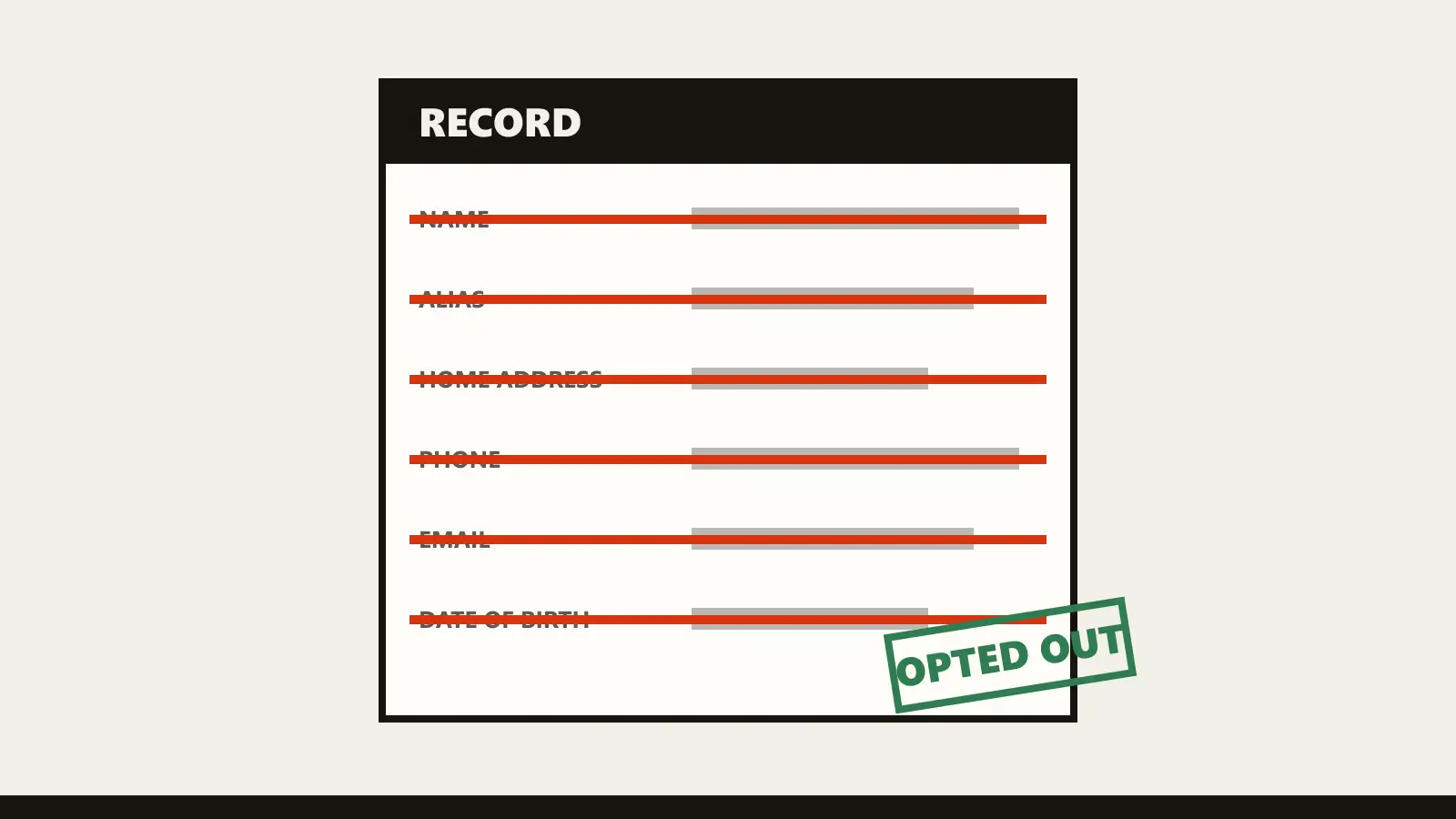
Melissa.com opt out removal personal information: a data record card with name and address lines struck through in red.

Your address turned up in a Melissa lookup. Now what?

You searched your own name, or an address check at work pulled up more than it should, and the source was Melissa. That is not a breach. Melissa Data Corporation, based in Rancho Santa Margarita, California, sells data-quality tools: address verification, identity checks, and "Lookups" built on directory and public-record data such as property and licence records. Its own privacy policy says plainly, in section VI, that it shares, rents and sells personal information it collects through third-party licences, including name, aliases, home address, email, phone, age, date of birth and income. The melissa.com opt out removal personal information request is how you ask it to stop. The form is free, takes about five minutes, and needs no ID document for a deletion. It does need an email address that can receive a one-time code, and the name and address Melissa is likely to hold.

Obscura, a UK firm that removes and de-indexes personal information, files this form for clients often enough to know where people trip. Those spots are marked below.

The Melissa.com opt out removal personal information process, step by step
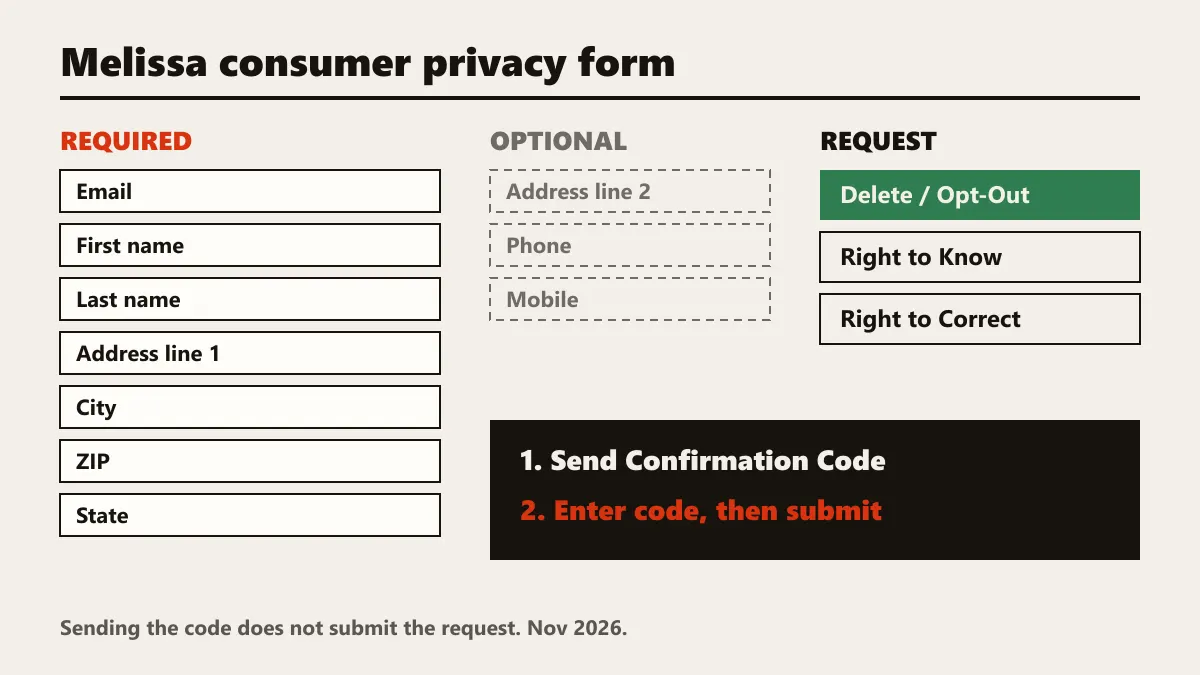
Melissa.com consumer privacy request form delete data opt out url: the required fields, the request types and the email code step.
  1. Open the form directly. It sits at apps.melissa.com/user/consumerprivacy.aspx. The "Do Not Sell or Share My Personal Information" link in the melissa.com footer goes to the same page.
  2. Choose Delete/Opt-Out. Inside it, tick deletion, opting out of sale or sharing, opting out of targeted advertising and profiling, and limiting use of sensitive data. The other two options, Right to Know and Right to Correct, do something else.
  3. Fill the required fields. Email, first name, last name, address line 1, city, ZIP code and state. Address line 2, phone and mobile are optional; leave them blank unless Melissa already shows them.
  4. Pass the reCAPTCHA and press "Send Confirmation Code". This only sends a code. It does not submit anything yet.
  5. Enter the code from your inbox and submit. Keep the confirmation email.
  6. Repeat for each former address you want gone, because the form matches records on name and address.

That is the whole melissa.com opt out removal personal information process, and step 4 is where most attempts quietly fail. The page looks finished once the code is sent, so people close the tab, and no request ever reaches Melissa. Opt-out guides written before the code step was added still describe a single submit button, which makes the mistake easy. Step 6 is the other gap. A person who moved twice in ten years can have three linked records, and a request built around today's address may not catch the other two. Obscura submits one request per address it finds in a client's history, each with the same email, so the confirmations land in one place and can be matched later. If a phone number already appears in a Melissa result, adding it can help the match; if it does not, leaving it out avoids handing over a new data point.

Melissa.com consumer privacy request form: delete data, opt out url and contacts

If you searched for "melissa.com consumer privacy request form delete data opt out url", the answer is the address in step 1. Melissa's privacy policy also lists ConsumerRequest@melissa.com and a phone route, 1-800-800-6245 extension 4, which the form page repeats. The policy names a second number as well, so if one line fails, use the email.

How long does a Melissa deletion take?

Melissa publishes no turnaround on the form or in its policy. For California residents, the California Consumer Privacy Act sets the clock: a business has 45 days to respond to a verifiable request, extendable once by another 45 days with notice. Residents of other states with privacy laws get similar windows under their own statutes. Elsewhere, there is no statutory deadline at all, which is why the confirmation email matters: it is the only dated proof you asked.

Want a second pair of eyes on a whole list of people-search sites, not just Melissa? Ask Obscura for a confidential review; you will hear which sites hold you, and what each one needs, before anything is charged.

Does California's DROP replace the Melissa form?

For Californians it can, eventually. California's Delete Act created the Delete Request and Opt-out Platform (DROP), run by the California Privacy Protection Agency. Since 1 January 2026, California residents can send one deletion request to every registered data broker through DROP. From 1 August 2026, brokers must check DROP at least every 45 days and process the deletions it holds. The CPPA's data broker registry lists which companies are covered, and it is worth checking Melissa's current entry there before relying on DROP alone. Two limits apply. DROP is for California residents only, so anyone else still uses Melissa's own form. And DROP deletes data a broker holds; it does nothing about copies already sold to Melissa's customers before the request. Obscura still files the direct form for Californian clients alongside DROP, because the direct request produces a dated confirmation from Melissa itself.

What a Melissa opt-out will not touch

Melissa is one source. The same name and address usually travel along other routes, and a Melissa deletion reaches none of them.

Where the information also sits What actually works there
People-search sites Each site's own opt-out, then Google
Old social accounts Delete them yourself
Posts, reviews and threads The platform's own report
Copied photos and videos A copyright notice
Arrest photos Free removal routes first

People-search sites copy from one another, so a BeenVerified removal service page and a Melissa form are two halves of one job. Booking photos are their own market, and the guide to mugshot removal services explains who to pay and who never to. Old accounts leak more than people expect. Instagram does not tidy them away for you, as the note on does Instagram delete inactive accounts sets out, so delete what you no longer use.

Then there is content other people post. An address dropped in a reply can be pulled through an X tweet removal service request or X's own report. A false Q&A answer goes through Quora defamation removal. A fake listing review or a review of your home goes to the site concerned, through the best Google review removal service route or the steps to flag a fake tenant review. A profile using your photos is an Instagram impersonation report, and a Snapchat account built to target you raises the question of whether you can delete someone's Snapchat account at all.

Copied images are copyright territory: an Imgur copyright takedown request, a YouTube DMCA takedown request, or a Wattpad story takedown service notice for fiction written about you. Private images used to threaten you need the blackmail image removal service route and, often, the police. Stolen artwork is a separate fight again, covered under account reporting.

What to share, and what to refuse

The Melissa form asks for contact details and an address. That is all a deletion needs. Nobody running a legitimate opt-out, Melissa included, needs your passwords, a login to your accounts, a bank card number or a copy of your passport for a deletion request; Melissa reserves document uploads for Right to Correct. Be wary of paid "removal" offers that open by asking for those things, including some sold as an Instagram ban removal service: handing your credentials to a stranger creates the exposure you were trying to close.

Obscura files opt-outs and removal requests; Melissa, each other site, and Google make the final decision, and no result is promised in advance. Obscura never asks for passwords or account access, and only files requests it can stand behind. Truthful public records, such as property filings held by a county, generally stay where they are even when a broker's copy is deleted; the limits are set out on the disclaimer page.

Straight answers

The melissa.com opt out removal personal information process has five moves. Open the consumer privacy form at apps.melissa.com/user/consumerprivacy.aspx, which is also where the Do Not Sell or Share link in Melissa's footer leads. Choose Delete/Opt-Out and tick deletion, opting out of sale or sharing, opting out of targeted advertising and profiling, and limiting sensitive data. Fill in your email, first and last name, street address, city, ZIP code and state. Pass the reCAPTCHA and press Send Confirmation Code, then type the one-time code from your inbox and submit. The last move is the one people miss: sending the code does not submit the request. If you have lived at more than one address, a separate request for each former address is the safer approach, because the form matches records on name and address. The request is free, and no ID document is needed for deletion.

The melissa.com consumer privacy request form delete data opt out url is apps.melissa.com/user/consumerprivacy.aspx, as of November 2026. You can also reach it from the Do Not Sell or Share My Personal Information link at the foot of melissa.com, and some third-party guides send you through a Privacy Center page first; all three paths end at the same form. The page offers three request types: Delete/Opt-Out, Right to Know for a copy of your data, and Right to Correct, which asks you to upload supporting documents. For removal, pick Delete/Opt-Out. If the form will not load or the code never arrives, Melissa's privacy policy lists ConsumerRequest@melissa.com and a phone route at 1-800-800-6245 extension 4. Write to the email with your full name, every address you want covered, and the words delete and opt out of sale, and keep a copy of what you sent.

No, not for a deletion. The Melissa form matches your request against its records using your name and address, and confirms that you control the email you gave by sending a one-time code. Document uploads are reserved for the Right to Correct option, where you are asking Melissa to change a record and need to show what the right value is. That makes the deletion route lighter than many people-search opt-outs, some of which ask for a photo ID or a selfie. Treat any request for more than the form asks as a warning sign. Melissa does not need your passwords, your bank details, your Social Security number or a copy of your passport to delete a record, and no legitimate removal firm does either. Obscura files these forms on behalf of clients using only the details the form requests, and never asks for login access to any account.

Melissa does not publish a turnaround on its form or in its privacy policy, so any exact figure you read elsewhere is a third-party estimate. For California residents, the California Consumer Privacy Act requires a business to respond to a verifiable consumer request within 45 days, and it may extend that once by a further 45 days if it tells you. Other states with consumer privacy laws set comparable windows. Outside those states there is no legal clock, and the only proof you asked is the confirmation email, so keep it with the date. A sensible check is to search your name and old addresses again after about six weeks. Remember that deletion at Melissa does not recall copies already sold to its customers, and that search engines may show an old snippet for a while; Google's Refresh Outdated Content tool can prompt a recrawl once the source has changed. Obscura rechecks on a schedule rather than assuming success.

If you live in California, yes, though using both is the safer plan. California's Delete Act created the Delete Request and Opt-out Platform, known as DROP, run by the California Privacy Protection Agency. Since 1 January 2026 a California resident can send one deletion request to every data broker registered with the agency. From 1 August 2026 registered brokers must check DROP at least every 45 days and process the deletions waiting there. Check the agency's data broker registry for Melissa's current entry before relying on DROP for it. Two limits matter. DROP is open only to California residents, so everyone else still needs Melissa's own form. And DROP works on what a broker holds when it processes the request; it cannot recall data already licensed to customers. A direct melissa.com request also gives you a dated confirmation from Melissa itself, which is useful if a record resurfaces and you need to show when you asked.

Not by itself. Melissa is one source among many, and its deletion covers the records Melissa holds. People-search sites, marketing lists and old social profiles keep their own copies, and Google indexes whatever those sites publish. A complete clean-up usually runs in three passes: the opt-outs at each broker or people-search site that lists you, then Google requests through Results about you for any page still showing your address, phone or email, then a recheck a few weeks later because listings regenerate. Public records held by a county or court are generally not removable, though a broker's copy of them can be. Obscura handles that sequence for clients across the sites that matter in their case, files each request in the client's name with only the details it requires, and reports what each site and search engine decided. The sites and Google make the final call; nobody can promise every copy disappears.

TV

Tomás Vidal

Technical SEO and right-to-be-forgotten specialist who buries what can't be removed and confirms what comes down.

Related briefings

Instagram Business Verification Badge Requirements

Instagram business verification badge requirements depend on the route. A notable brand can request the free badge if its account is authentic, unique, complete, and covered by several news sources. Meta reviews every request and decides. Other businesses can subscribe to Meta Verified, which needs an eligible business profile and confirmed business details.

Report Instagram Account Impersonating a Business

Report Instagram account impersonating a business from the fake profile itself: tap the three-dot menu, choose Report, pick the impersonation reason, then select "A business or organization". Instagram's reviewers decide the outcome. A registered trademark opens a second route, Meta's Trademark Report Form, which the mark's owner or an agent acting for that owner can file.

How to Get Someone Banned on Instagram Without Bots

To get someone banned on Instagram you file the specific reports Meta actually acts on — impersonation, harassment, non-consensual intimate images, credible threats, or copyright — via the in-app menu or the dedicated form for your case. There is no fixed report count, no user-invokable IP ban, and no legitimate mass-report bot. A single well-evidenced report from a genuine victim outperforms a hundred noisy ones, and coordinated brigades often get the reporters actioned instead of the target.

Send us the link. We'll tell you honestly whether it comes down.

Every case starts with a private review: we look at the content, tell you which route can work — platform policy, DMCA, legal notice, right to be forgotten, or suppression — and give you a plain assessment before any commitment.